Skip to content

AI Image Prompts

5 posts with the tag “AI Image Prompts”

25+ Gemini Nano Banana Pro Prompts for Infographics: Copy & Paste Ready

We process visuals 60,000 times faster than text. That is why infographics are the gold standard for content marketing and education. But let’s be honest: designing them from scratch is a massive time sink. You have to worry about grid systems, color theory, and iconography before you even get to the data.

I have been experimenting heavily with Gemini Nano Banana Pro, and it is surprisingly adept at structural design. It understands how to organize information hierarchically, which is crucial for infographics. Whether you need a corporate KPI dashboard, a step-by-step recipe, or a comparison chart, this model can generate the perfect base layout for you.

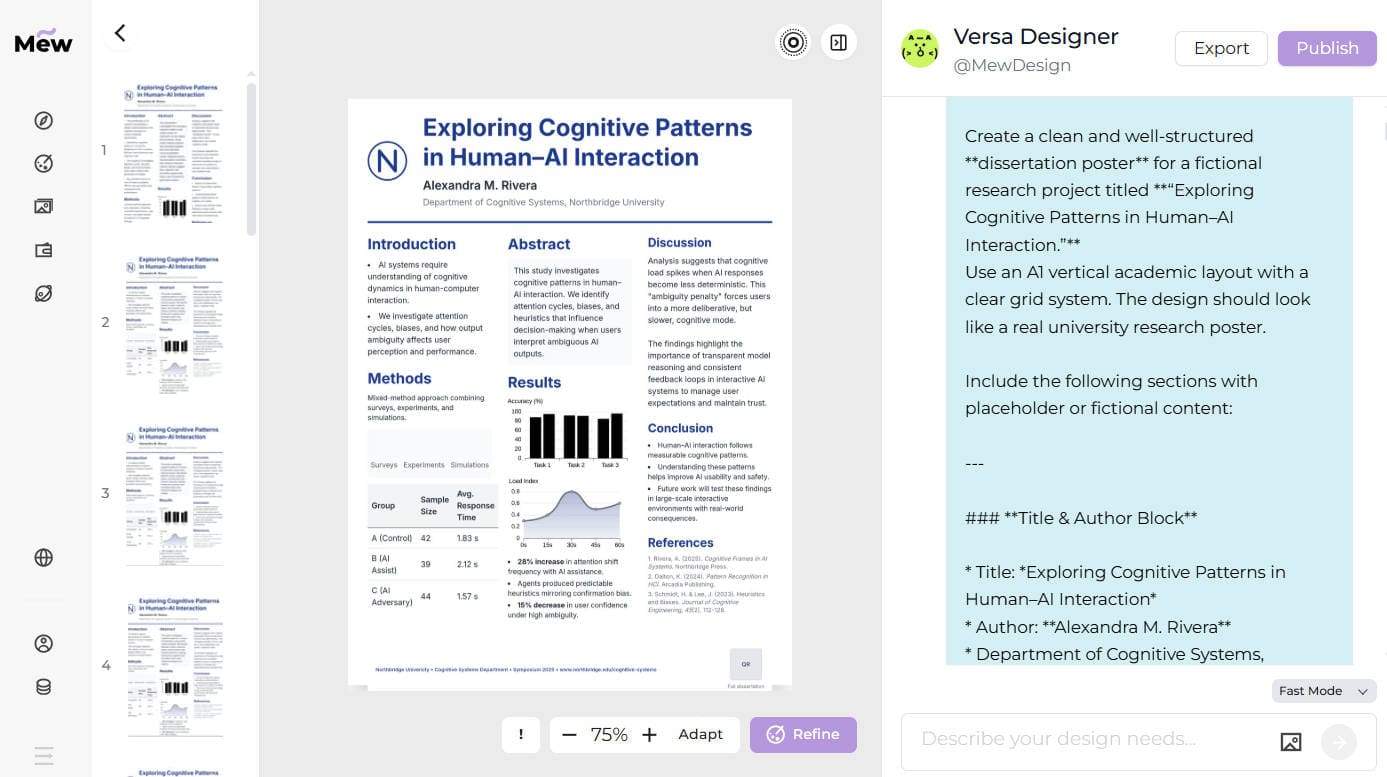
You can try these AI infographic prompts in Mew Design, an AI design agent powered by Nano Banana Pro and Gemini 3 that gives you free credits to start.

Create an Infographic Easier and Faster with Mew Design

Mew Design is specifically built to transform structured information into clear, visually balanced infographics. It understands hierarchy, spacing, and visual flow, helping you move from raw ideas or data to a polished layout—without ever starting from a blank canvas.

Key reasons to use Mew Design for AI-generated infographics:

  • Generate infographics from text or a web link: Simply describe your infographic in natural language, or paste a webpage URL. Mew Design automatically extracts key points and converts them into a clean, structured infographic layout. ai url to infographic
  • Deep Mode for multi-panel infographic series: Deep Mode lets you generate multiple infographic panels in one run, maintaining consistent layout rules, color schemes, and visual hierarchy across the series. batch infographic generation
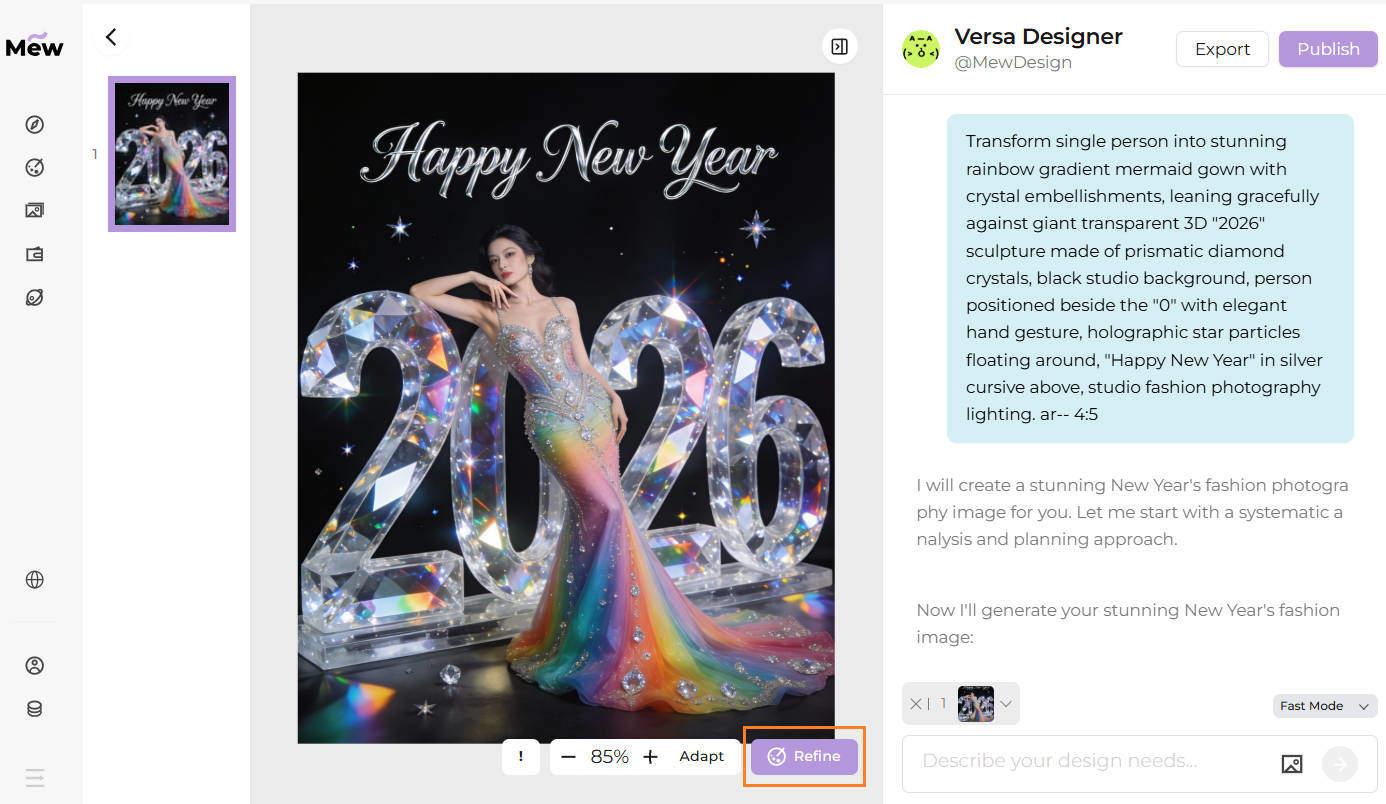
  • Refine instead of redesign: If the first result needs adjustments, click Refine and specify what to change—such as data emphasis, layout density, or color balance—without rewriting the prompt or starting over.
  • Cleaner visuals with fewer AI errors: Beyond image-model support, Mew Design incorporates human design aesthetics and code-based layout control. This reduces common AI issues like misaligned charts, inconsistent icons, or incorrect text rendering—especially crucial for data-heavy infographics.

Best Practice:
Mew Design acts as an AI design agent, dynamically orchestrating multiple tools within a single workflow. It can flexibly call tools like imgGenTool (powered by Gemini Nano Banana Pro, Seedream 4.5, and more) for visually rich infographics, codeDesign for long-text layouts such as academic posters or product manuals, and knowledge search to enhance content accuracy and structural clarity.

For optimal results, guide the agent directly in your prompt. For example, add “please use imgGenTool to generate this infographic” to prioritize visual quality, or “please provide N different versions” to explore multiple design styles before finalizing your layout.

25+ Best Gemini Nano Banana Pro AI Prompts for Infographics

Here is my curated list of prompts to handle everything from business reports to travel guides.

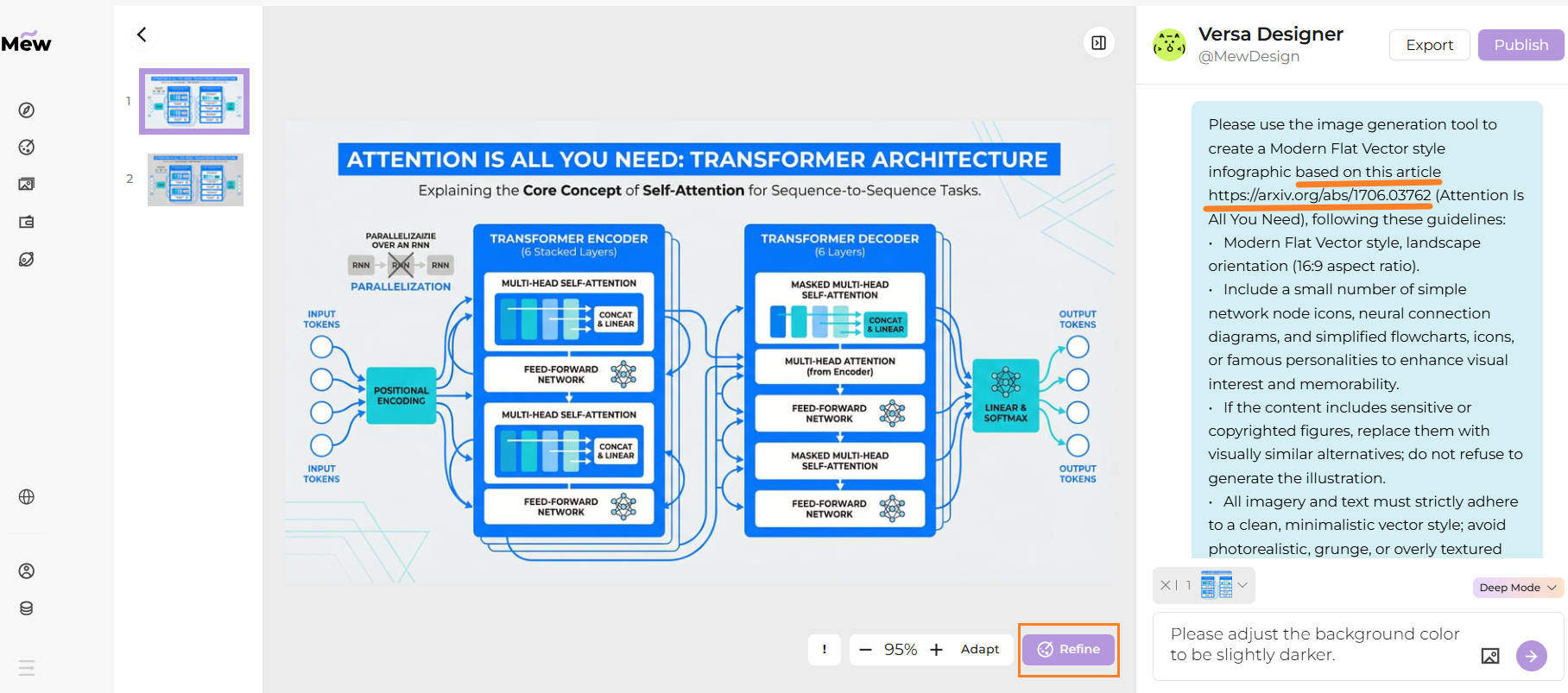
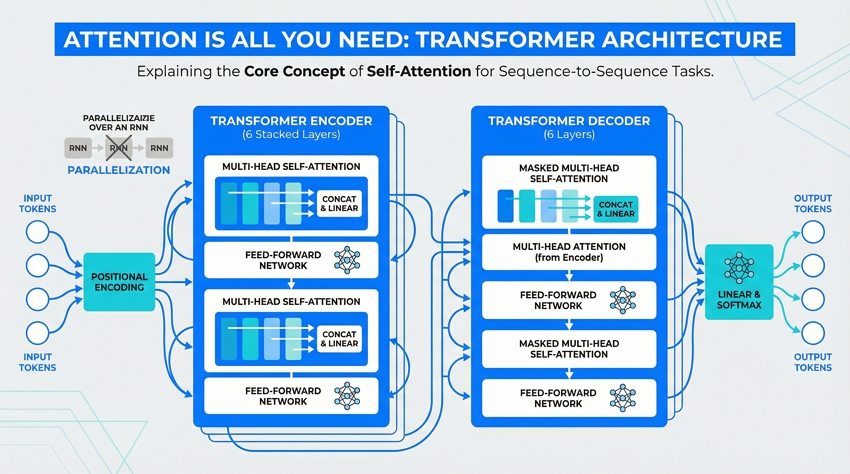
1. Research Paper Summary

Please use the image generation tool to create a Modern Flat Vector style infographic based on the concept of "Attention Is All You Need". Guidelines: Modern Flat Vector style, landscape orientation (16:9 aspect ratio). Include a small number of simple network node icons, neural connection diagrams, and simplified flowcharts to enhance visual interest. Keep information concise, highlighting keywords like "Self-Attention", "Encoder-Decoder", "Parallelization". Utilize ample whitespace. Clean, minimalistic vector style; avoid photorealistic elements. --ar 16:9
ai research paper visual summary infographic

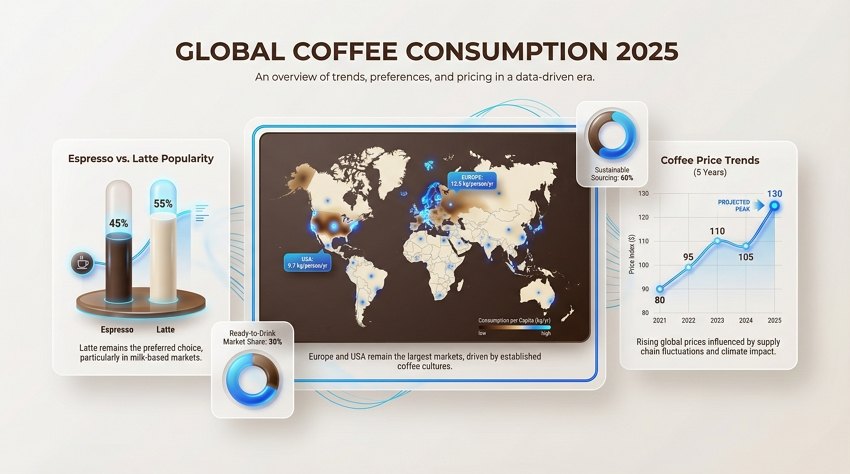
2. Modern Data Visualization

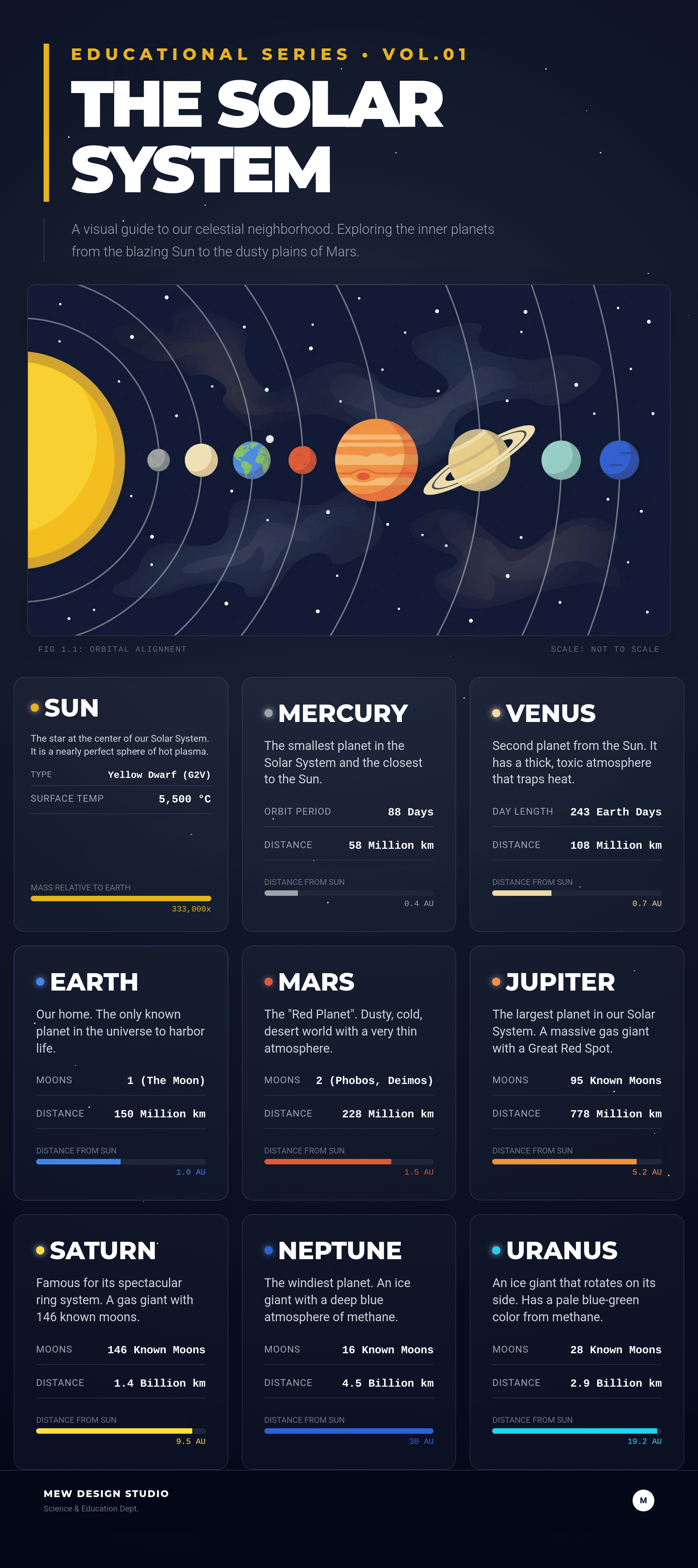
Use the imgGenTool to create a modern data visualization infographic titled "Global Coffee Consumption 2025". Data content: A world map heatmap showing highest consumption in Europe and USA, a bar chart comparing "Espresso vs. Latte" popularity, and a line graph showing "Coffee Price Trends". Layout: Clean dashboard style with floating cards. Elements: 3D-rendered bar charts, glossy donut charts, and sleek line graphs interacting with each other. Color Palette: Deep Coffee Brown, Creamy Beige, and Electric Blue accents. Style: Corporate Memphis meets Swiss Design, minimalist typography. --ar 16:9
ai modern data visualization with colorful charts

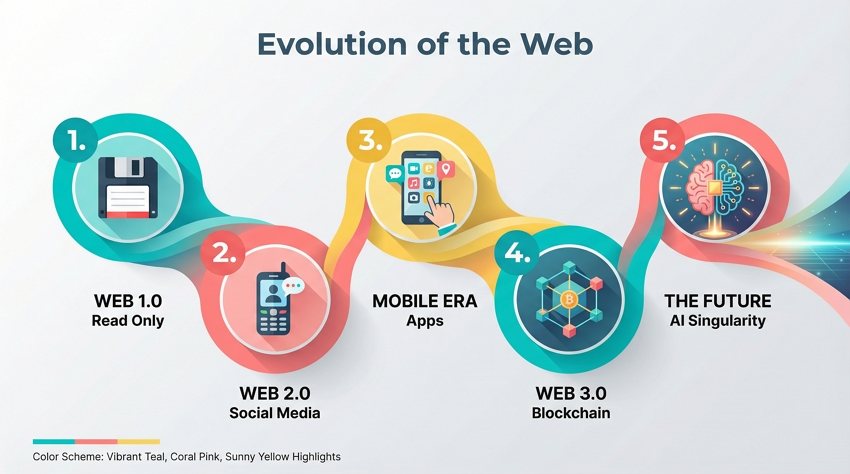
3. Step-by-Step Timeline Process

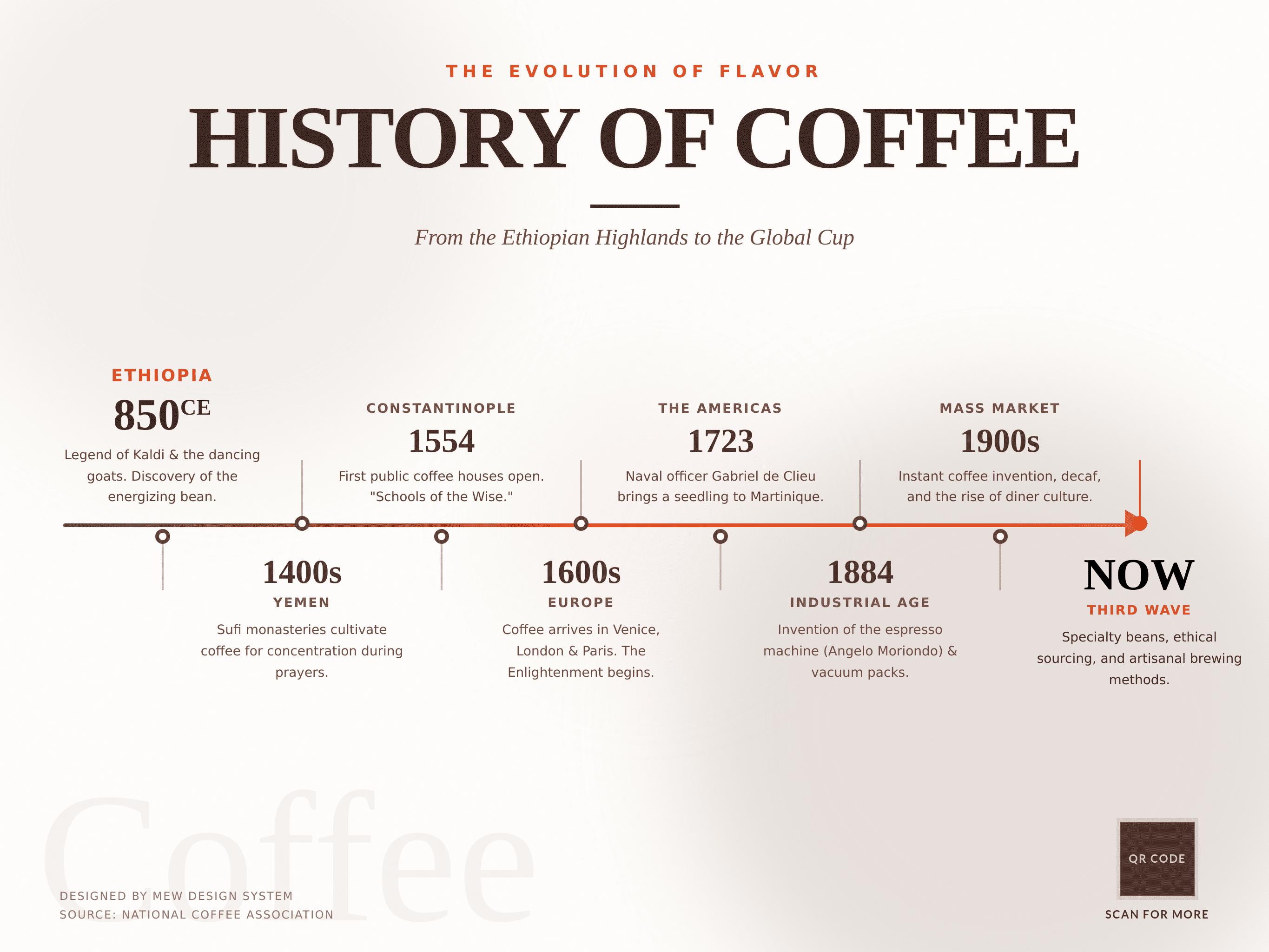
Use the imgGenTool to create a horizontal timeline infographic illustrating the "Evolution of the Web". Content nodes: 1. Web 1.0 (Read Only), 2. Web 2.0 (Social Media), 3. Mobile Era (Apps), 4. Web 3.0 (Blockchain), 5. The Future (AI Singularity). Structure: Linear progression from left to right, connected by a flowing, liquid-like ribbon path. Nodes: Numbered circular badges with flat vector icons representing each era (floppy disk, phone, cube, brain). Color Scheme: Vibrant Teal, Coral Pink, and Sunny Yellow highlights on a light grey background. Style: Flat Design 2.0 with long diagonal shadows. --ar 16:9
ai timeline process steps infographic design

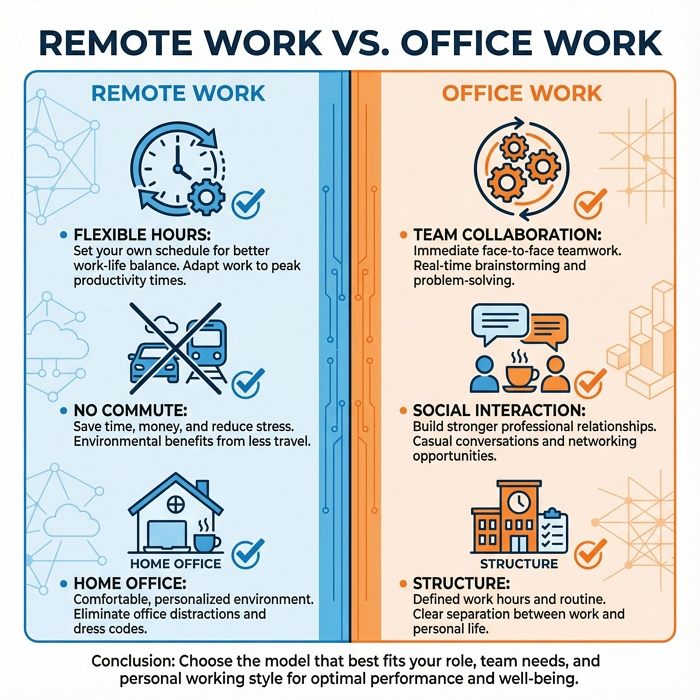
4. Side-by-Side Comparison Template

Generate a split-screen comparison infographic image about "Remote Work vs. Office Work". Left Side (Remote): Blue tones, showing icons for "Flexible Hours", "No Commute", "Home Office". Right Side (Office): Orange tones, showing icons for "Team Collaboration", "Social Interaction", "Structure". Composition: Perfectly symmetrical visual divider down the middle. Elements: Checkmarks vs. Crosses, contrasting iconography, and bullet point lists. Style: Minimalist geometric vector art, clean lines, high contrast. --ar 1:1
ai side by side comparison infographic template

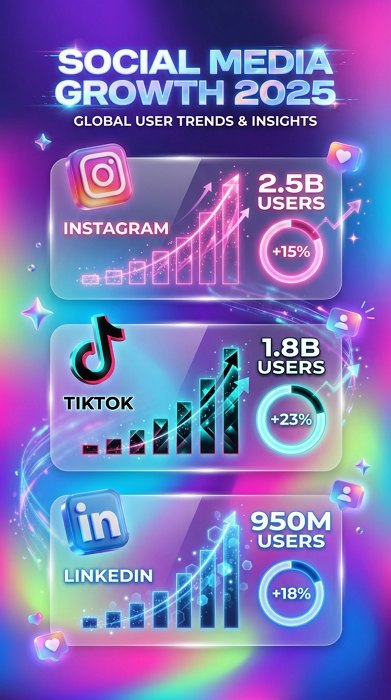
5. Social Media Statistics Visual

Generate a trendy social media statistics infographic image titled "Social Media Growth 2025". Visual Data: "Instagram 2.5B users (+15%)" shown with a pink graph, "TikTok 1.8B users (+23%)" shown with a black/cyan graph, "LinkedIn 950M users (+18%)" shown with a blue graph. Background: Blurred, multi-color mesh gradient. Elements: Frosted glass cards holding the specific data points. Visuals: Floating 3D glossy icons of social platforms, circular percentage rings with glowing edges. Aesthetic: Gen Z marketing style, vibrant, Glassmorphism textures. --ar 9:16
ai social media statistics visual data

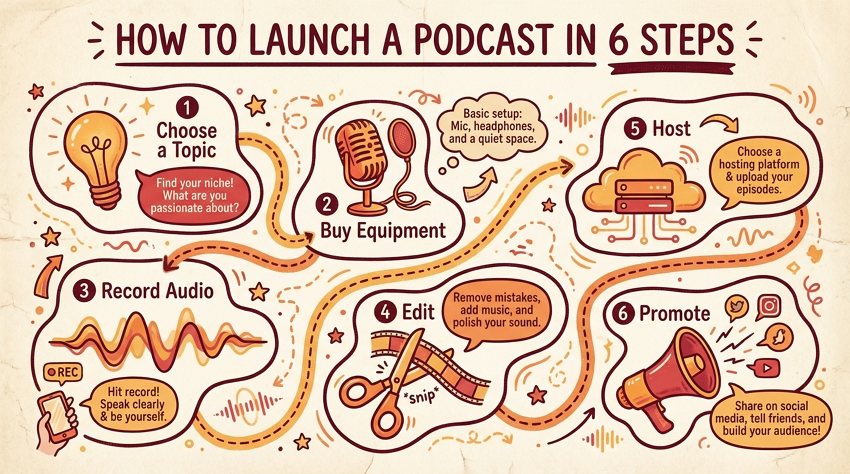
6. Educational How-To Tutorial

Please use the imgGenTool to create an educational tutorial infographic titled "How to Launch a Podcast in 6 Steps". Steps: 1. Choose a Topic (Lightbulb icon), 2. Buy Equipment (Microphone icon), 3. Record Audio (Waveform icon), 4. Edit (Scissors icon), 5. Host (Server icon), 6. Promote (Megaphone icon). Style: Hand-drawn illustration aesthetic with thick outline strokes. Path: Dotted dashed lines meandering between steps. Colors: Warm and inviting palette of Marigold, Tangerine, and Cherry Red on a cream paper-texture background. --ar 16:9
ai educational tutorial steps infographic design

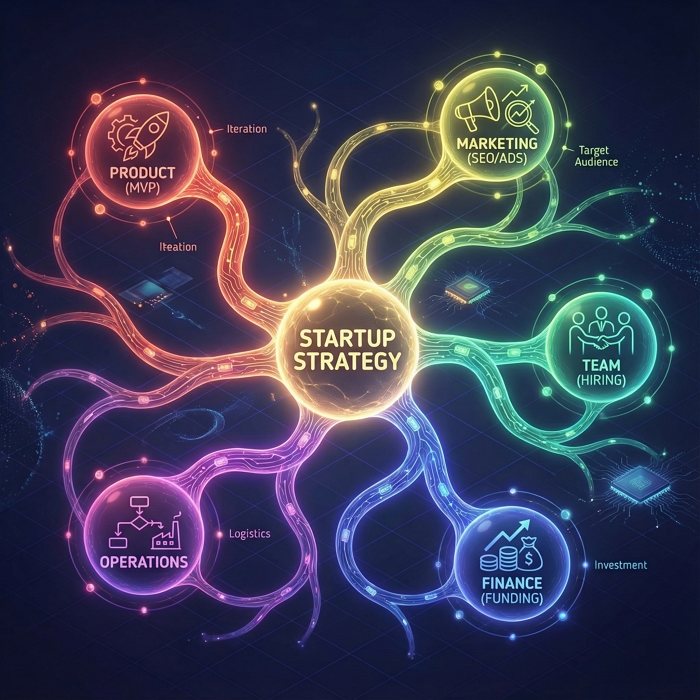
7. Creative Mind Map Concept

Generate a central idea mind map visualization image anchored by "Startup Strategy" in the center. Branches: 1. Product (MVP), 2. Marketing (SEO/Ads), 3. Team (Hiring), 4. Finance (Funding), 5. Operations. Layout: Radial symmetry with a glowing central node. Connections: Organic, neuron-like curved lines connecting the nodes. Style: Abstract Tech meets Biology. Colors: Each branch has a unique color gradient (Rainbow spectrum) set against a subtle isometric grid background. Graphics: Simple line-art icons within circular bubbles. --ar 1:1
ai creative mind map concept visualization

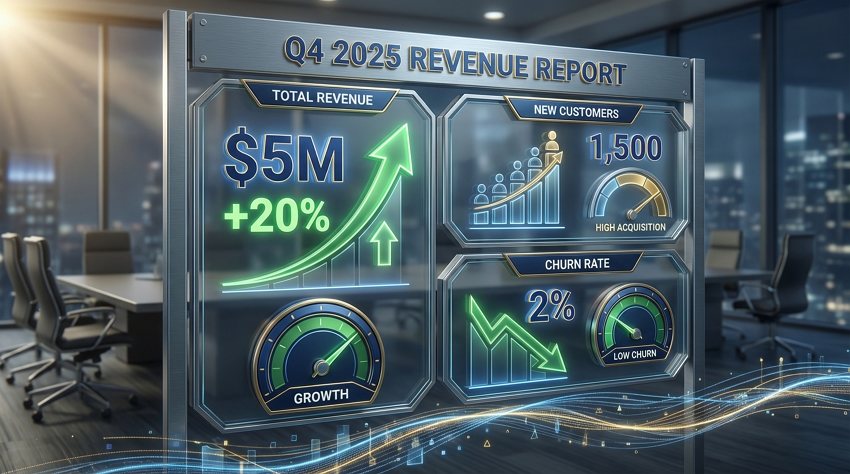
8. Business Growth Metrics and KPI

Generate a professional corporate KPI dashboard infographic image showing "Q4 2025 Revenue Report". Metrics to display: "Total Revenue $5M (+20%)", "New Customers 1,500", "Churn Rate 2%". Elements: Upward trending green arrow graphs, speedometer-style gauges for metrics, and bold percentage displays. Material: Metallic textures and glass screens. Color Palette: Trustworthy Navy Blue, Metallic Gold accents, and Slate Gray. Layout: Modular grid system. Lighting: Cinematic lighting focusing on the growth data. --ar 16:9
ai business growth metrics kpi visualization

9. Health and Wellness Tips

Use the imgGenTool to create a soothing healthcare advice infographic regarding "8 Daily Habits for Heart Health". Central Focus: A stylized, flat-vector illustration of a healthy anatomical heart. Surroundings: 8 circular icons orbiting the center, depicting tips like "Drink Water", "30min Cardio", "Sleep 8hrs", "Eat Greens". Color Palette: Medical pastel tones—Mint Green, Serene Blue, and Soft Lavender. Style: Clean vector art, rounded corners, soft edges, approachable and safe atmosphere. White clinical background. --ar 9:16
ai health wellness tips visual guide
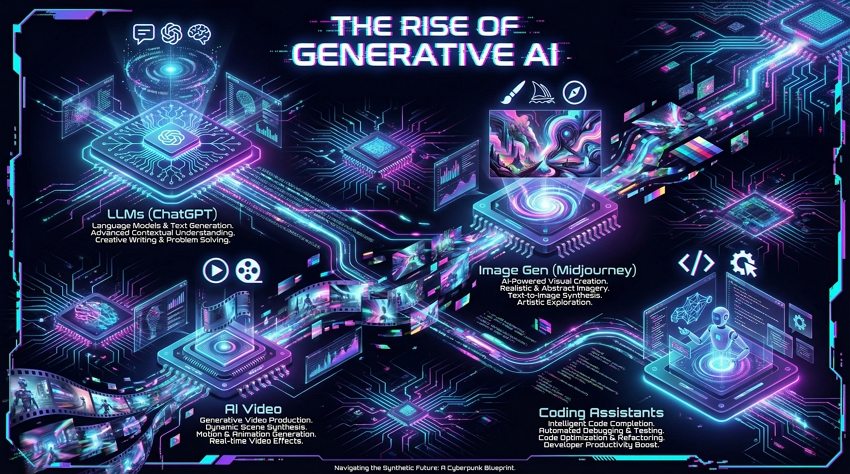
Use the imgGenTool to create a futuristic Cyberpunk style infographic titled "The Rise of Generative AI". Segments: "LLMs (ChatGPT)", "Image Gen (Midjourney)", "AI Video", "Coding Assistants". Background: Deep dark void with glowing circuit board patterns. Elements: Neon glowing isometric icons representing AI brain chips and neural networks. Colors: High contrast Cyan and Magenta neon lights against black. Effects: Glitch art touches, holographic projection visuals. Layout: Dynamic, asymmetrical arrangement. --ar 16:9
ai technology trends futuristic infographic design

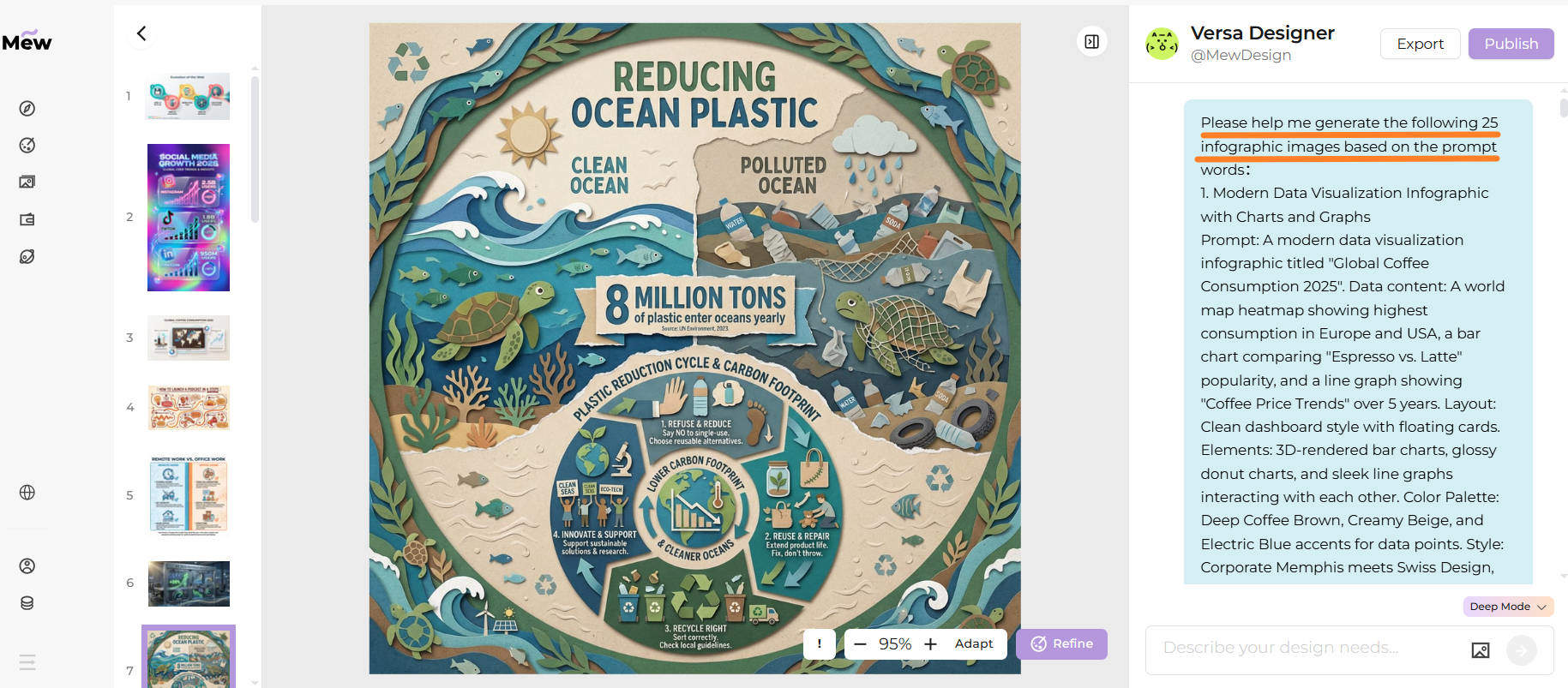
11. Environmental Sustainability Facts

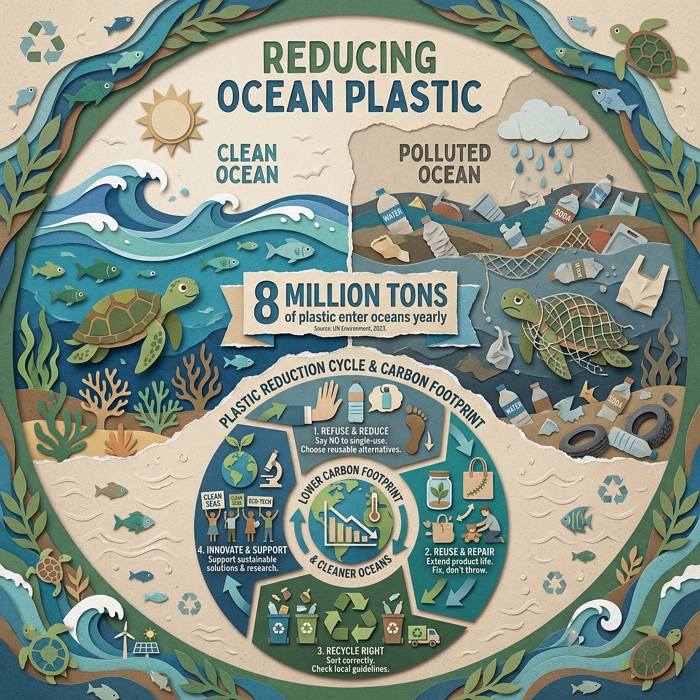
Use the imgGenTool to create an eco-friendly sustainability infographic about "Reducing Ocean Plastic". Visuals: A comparison showing a clean ocean with fish vs. a polluted ocean with plastic bottles. Data: "8 Million Tons of plastic enter oceans yearly". Style: Paper-cut craft art style (digital collage). Visuals: Layers of textured paper forming waves, turtles, and recycling symbols. Color Palette: Earthy tones—Forest Green, Soil Brown, Ocean Blue, and unbleached beige. Layout: Circular lifecycle diagram showing carbon footprint reduction. --ar 1:1
ai environmental sustainability facts green design

12. Personal Financial Planning Guide

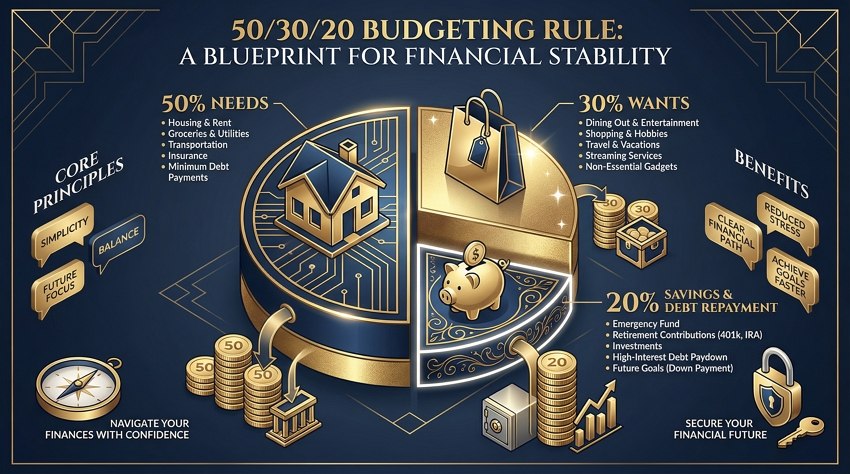
Generate a sophisticated financial planning infographic image illustrating the "50/30/20 Budgeting Rule". Visuals: A large pie chart divided into three sections: 50% Needs (House icon), 30% Wants (Shopping bag icon), 20% Savings (Piggy bank). Elements: Stacked coin illustrations, 3D pie charts. Color Scheme: Luxury Finance—Deep Navy, Gold Foil texture, and Crisp White. Style: Isometric vector art. Typography: Serif fonts for headings to imply stability. --ar 16:9
ai financial planning guide visual chart

13. Digital Marketing Funnel Strategy

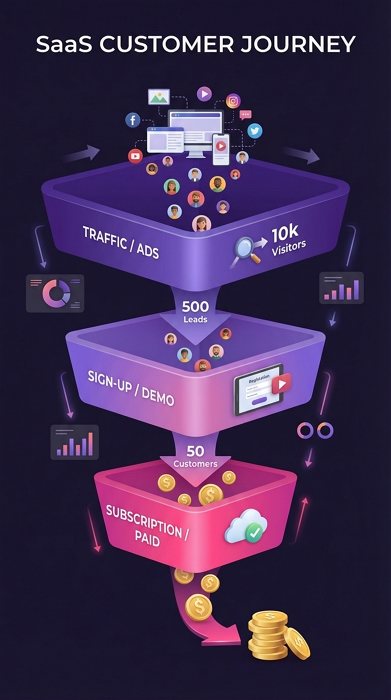
Generate a digital marketing funnel visualization image showing a "SaaS Customer Journey". Layers: Top (Traffic/Ads), Middle (Sign-up/Demo), Bottom (Subscription/Paid). Metrics: "10k Visitors" -> "500 Leads" -> "50 Customers". Shape: A sleek, 3D inverted pyramid divided into layers. Color: Smooth gradient transition from Deep Purple (top) to Hot Pink (bottom). Details: Small 3D avatars flowing through the funnel turning into dollar signs at the bottom. Style: Modern SaaS aesthetic, clean gradients. --ar 9:16
ai marketing funnel strategy visualization diagram

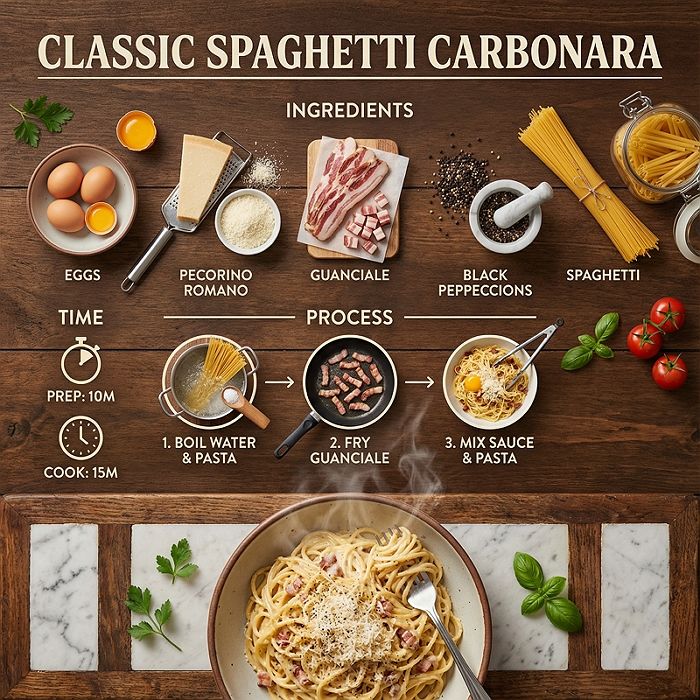
14. Visual Recipe Instructions Step-by-Step

Use the imgGenTool to create a culinary recipe infographic for "Classic Spaghetti Carbonara". Ingredients section: Eggs, Pecorino Cheese, Guanciale, Black Pepper, Pasta. Process: Illustrated steps showing boiling water, frying meat, mixing sauce. Time: "Prep: 10m, Cook: 15m". Style: 'Knolling' photography (flat lay) aesthetic. Colors: Appetizing warm tones—Tomato Red, Saffron Yellow, Basil Green. Texture: Background looks like a rustic wooden table or marble countertop. Details: Steam rising from the final dish. --ar 1:1
ai recipe instructions step by step

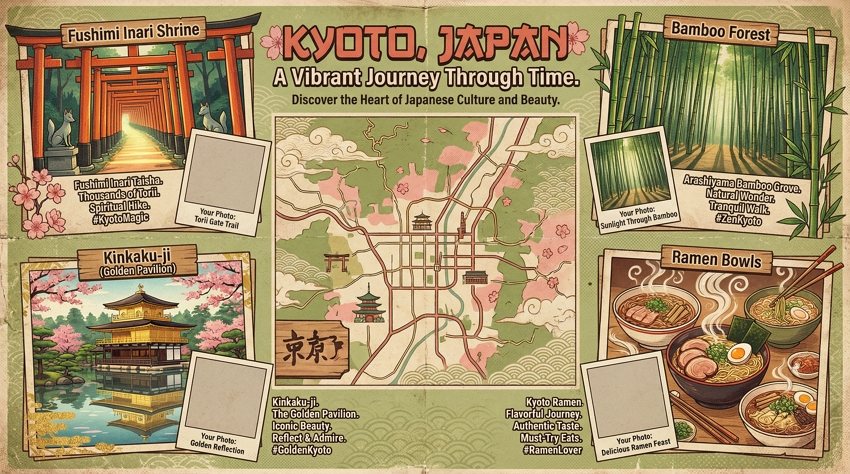
15. Travel Destination Guide Visual

Use the imgGenTool to create a vibrant travel guide infographic for "Kyoto, Japan". Central Element: A stylized map of Kyoto. Highlights: Icons for Fushimi Inari Shrine (Torii gates), Bamboo Forest, Kinkaku-ji (Golden Pavilion), Ramen bowls. Color Palette: Japanese aesthetics—Matcha Green, Sakura Pink, and Wood tones. Style: Retro travel poster aesthetic, grainy texture overlay. Layout: Collage style with photo-frame placeholders. --ar 16:9
ai travel destination guide with maps

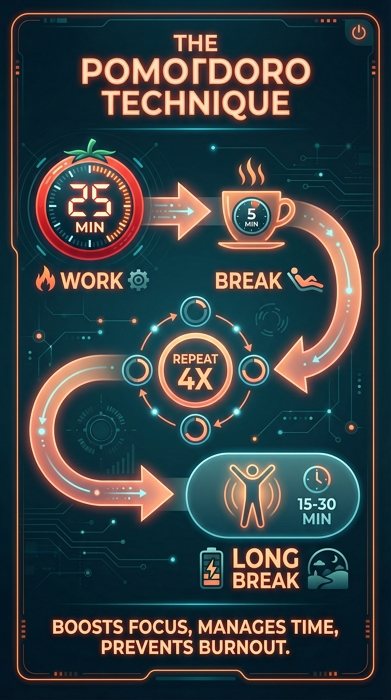
16. Top Productivity Hacks and Tips

Generate a clean productivity infographic image explaining "The Pomodoro Technique". Workflow: "25 min Work" (Red timer icon) -> "5 min Break" (Coffee icon) -> "Repeat 4x" -> "Long Break". Structure: Timeline or Flowchart layout. Color Palette: Focus-oriented colors—Deep Teal background with Neon Orange accents (representing the tomato timer). Style: Dark Mode UI design, sleek, modern app interface aesthetic. Typography: Sans-serif, bold, highly readable. --ar 9:16
ai productivity hacks tips visual guide

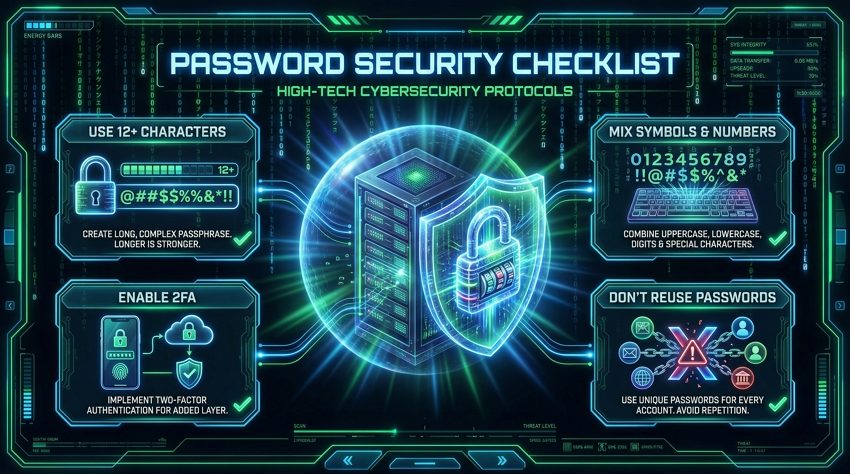
17. Cybersecurity Best Practices Guide

Generate a high-tech cybersecurity infographic image titled "Password Security Checklist". Checklist items: "Use 12+ Characters", "Mix Symbols & Numbers", "Enable 2FA", "Don't Reuse Passwords". Visuals: Glowing shield and padlock holograms protecting a central server. Background: Matrix-style falling digital rain. Color Scheme: Hacker Green, Electric Blue, and Jet Black. Style: Futuristic HUD (Heads-Up Display) interface design. --ar 16:9
ai cybersecurity best practices visual guide

18. Weekly Fitness Workout Plan

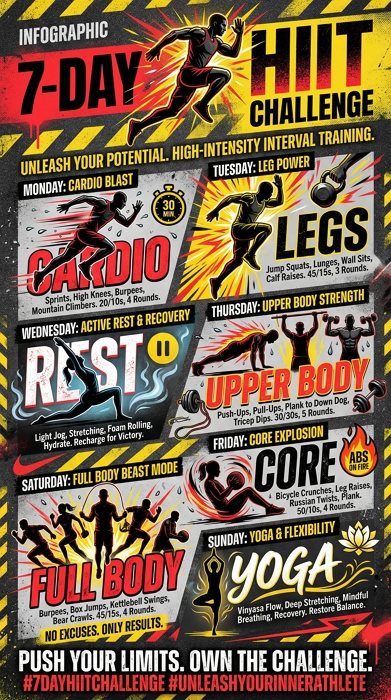
Use the imgGenTool to create an energetic fitness routine infographic titled "7-Day HIIT Challenge". Schedule: Mon (Cardio), Tue (Legs), Wed (Rest), Thu (Upper Body), Fri (Core), Sat (Full Body), Sun (Yoga). Illustrations: Dynamic silhouettes of athletes in action (running, lifting, stretching). Color Palette: High Energy—Bright Red, Asphalt Black, and Warning Yellow. Style: Nike-style sports advertisement, bold typography, grunge texture accents. Visuals: Sweat droplets, motion blur lines. --ar 9:16
ai fitness workout plan weekly schedule

19. Content Marketing Strategy Framework

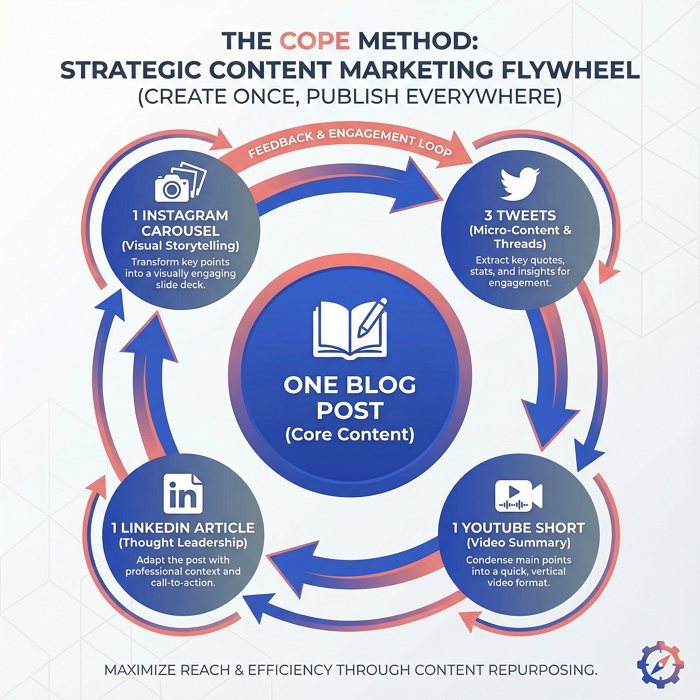
Generate a strategic content marketing infographic image illustrating the "COPE Method (Create Once, Publish Everywhere)". Core: "One Blog Post". Satellites: Arrows pointing to "3 Tweets", "1 YouTube Short", "1 LinkedIn Article", "1 Instagram Carousel". Visual: A circular flywheel or continuous loop diagram. Colors: Professional Palette—Royal Blue, Slate Gray, and Salmon Pink for highlights. Style: Flat vector art with subtle gradients. Background: Clean white with faint geometric pattern watermark. --ar 1:1
ai content marketing strategy framework visual

20. Climate Change Impact Statistics

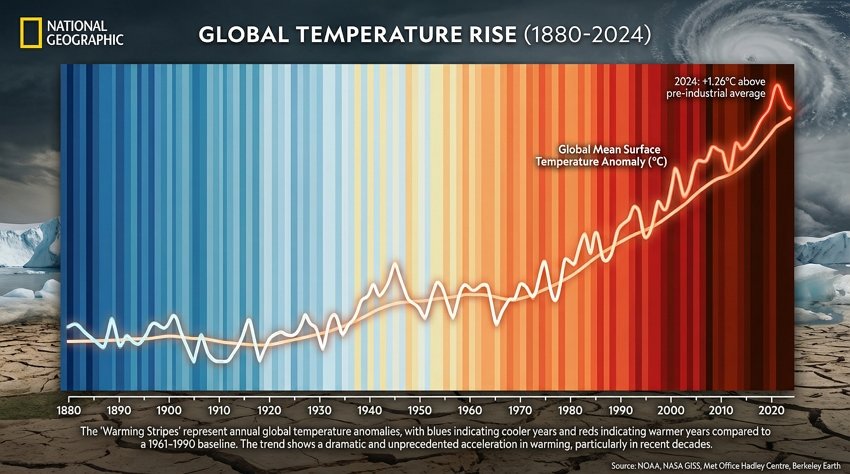
Generate a dramatic climate change infographic showing "Global Temperature Rise (1880-2024)". Visual: A 'Warming Stripes' bar code visualization, starting with cool blues on the left and transitioning to dark reds on the right. Data: Temperature rise line graphs overlaid in the center. Color Transition: Cool Blues fading into Alarming Reds. Style: National Geographic infographic style, realistic illustration mixed with data overlay. Mood: Urgent and informative. --ar 16:9
ai climate change impact statistics visualization

21. Career Development Path and Progression

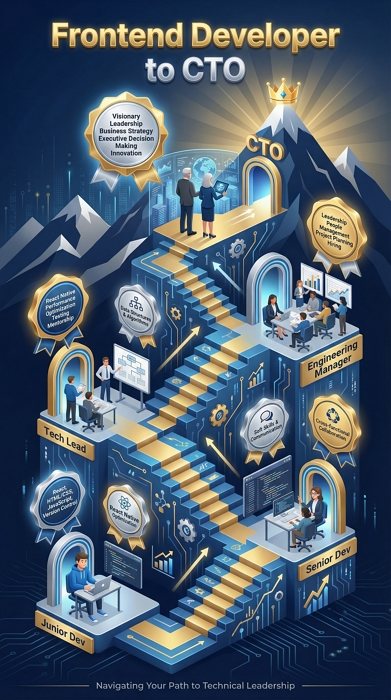
Use the imgGenTool to create a career progression roadmap infographic titled "Frontend Developer to CTO". Milestones: "Junior Dev" -> "Senior Dev" -> "Tech Lead" -> "Engineering Manager" -> "CTO". Visual Metaphor: An ascending isometric staircase or mountain path. Color Scheme: Corporate Success—Navy Blue, Gold Medals, and Silver. Style: 3D Isometric vector art. Elements: Floating badges for skills (React, System Design, Leadership) acquired at each step. --ar 9:16
ai career development path progression visual

22. Email Marketing Performance Metrics

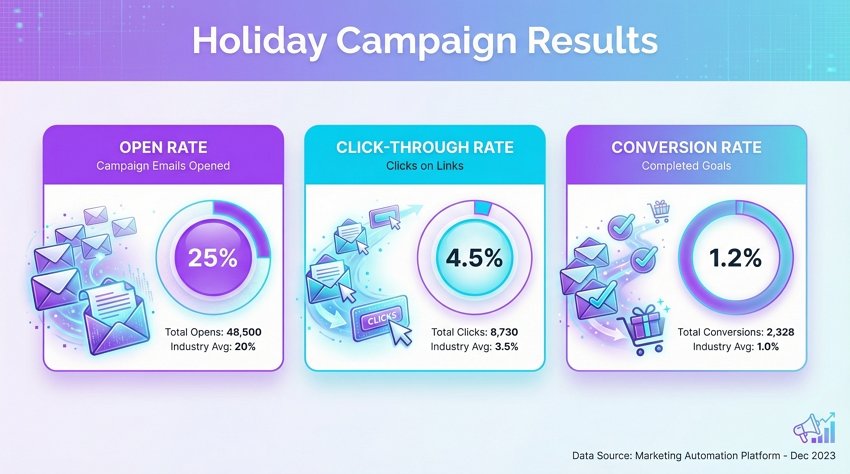
An email marketing analytics infographic titled "Holiday Campaign Results". Key Metrics: "Open Rate 25%", "Click-Through Rate 4.5%", "Conversion Rate 1.2%". Layout: Card-based dashboard layout. Visuals: Envelope icons turning into open letters. Charts: Donut charts showing the percentages. Color Scheme: Digital Marketing—Vibrant Purple, Cyan, and White. Style: Clean SaaS UI design, soft drop shadows, rounded corners. Background: Very light grey to make the colored cards pop. --ar 16:9
ai email marketing metrics performance dashboard

23. Product Feature Comparison Chart

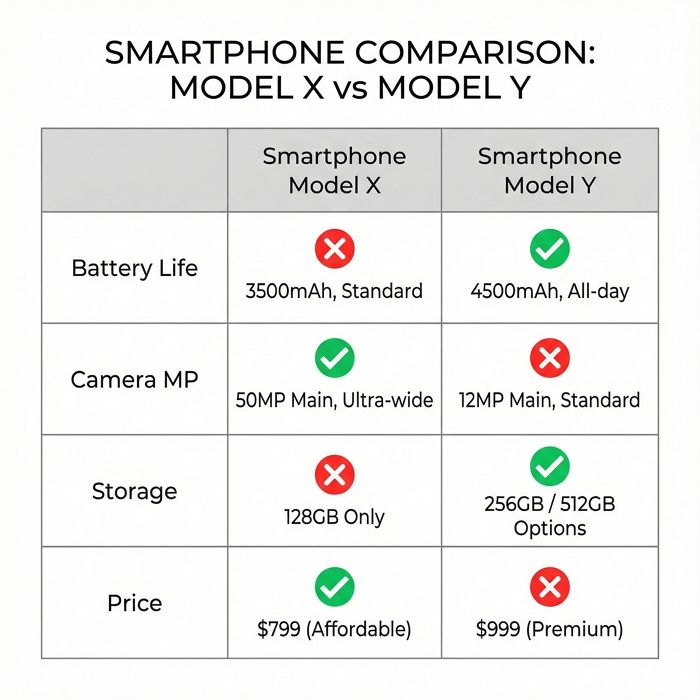
A product comparison matrix infographic contrasting "Smartphone Model X" vs "Smartphone Model Y". Rows: "Battery Life", "Camera MP", "Storage", "Price". Indicators: Green Checkmarks for better features, Red X for missing ones. Structure: Clean grid table with 3 columns. Style: Minimalist Tech Review site aesthetic. Colors: Neutral greys for the grid, bright colors for status indicators. Typography: Clean Sans-Serif. Focus on clarity and readability. --ar 1:1
ai product feature comparison chart design

24. Different Learning Styles Visual Guide

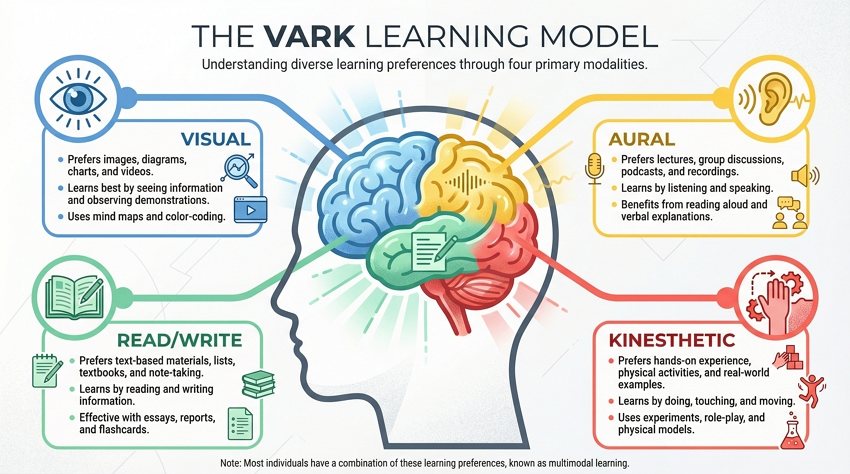
Use the imgGenTool to create an educational infographic explaining "The VARK Learning Model". Sections: Visual (Eye icon), Aural (Ear icon), Read/Write (Book icon), Kinesthetic (Hand icon). Central Image: A stylized human head silhouette with a colorful brain divided into 4 sections. Colors: Color-coded sections (Blue, Yellow, Green, Red). Style: Modern flat vector art with texture noise. Layout: Explanatory text blocks radiating from the center. --ar 16:9
ai learning styles visual auditory kinesthetic

25. Ideal Remote Work Home Office Setup

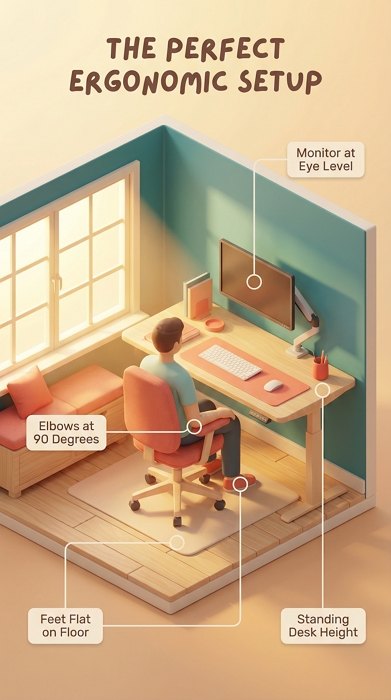
Use the imgGenTool to create a detailed home office guide titled "The Perfect Ergonomic Setup". Elements labeled: "Monitor at Eye Level", "Elbows at 90 Degrees", "Feet Flat on Floor", "Standing Desk Height". Style: 3D Isometric room cutaway view. Lighting: Warm sunlight streaming through a window (volumetric lighting). Color Palette: Cozy Interior—Teal, Coral, and Light Wood textures. Labels: Floating lines pointing to equipment with small text placeholders. --ar 9:16
ai remote work home office setup

26. Artificial Intelligence Technology Overview

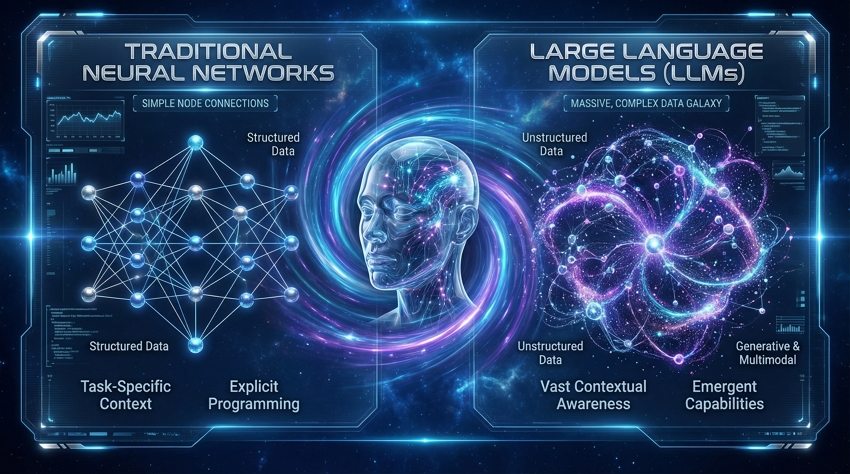
Use the imgGenTool to create a cutting-edge AI technology overview infographic comparing "Traditional Neural Networks" vs. "Large Language Models (LLMs)". Visuals: Left side shows simple node connections, Right side shows a massive, complex, glowing galaxy of data nodes. Central Visual: A translucent, glowing glass head filled with data streams. Background: Deep space blue. Style: Sci-fi movie interface (FUI), high-tech, sleek. Colors: Electric Blue, Bioluminescent Purple, and Silver. 8k resolution. --ar 16:9
artificial intelligence technology overview diagram

How to Write the Best AI Infographic Prompts

Generating text-heavy images with AI can be tricky. To get a usable infographic, you need to focus on Structure and Style rather than just the content.

1. Define the Layout Structure: Don’t just say “make an infographic.” Be specific:

  • “Split-screen comparison” for Vs. topics.
  • “Radial mind map” for brainstorming.
  • “Horizontal timeline” for history or roadmaps.
  • “Bento grid layout” for dashboard statistics.

2. Specify the Art Style: Infographics need to be readable. Avoid “photorealistic” styles which can make text hard to read. Instead, use:

  • “Flat vector art” (Clean, modern, corporate).
  • “Isometric 3D” (Tech-focused, depth).
  • “Hand-drawn illustration” (Educational, approachable).
  • “Glassmorphism” (Trendy, UI/UX focused).

3. Manage the Text Expectation: While Gemini’s AI image generator is getting better at text, it’s not perfect. Use the prompt to generate the visual container and the icons. Treat the AI output as a high-fidelity template that you can quickly edit or overlay with correct data in post-production.

Summary

Creating infographics with Gemini Nano Banana Pro eliminates the fear of the blank canvas. You can move from a rough idea to a structured, stylized visual in seconds. Whether you need a corporate dashboard or a creative mind map, the versatility of these prompts will speed up your workflow significantly. Ready to start building? Head over to Mew Design and put these prompts to the test.

35+ Stranger Things Prompts for Gemini Nano Banana Pro

With Stranger Things 5 now captivating audiences worldwide, the world of Hawkins feels more alive than ever. The show’s signature mix of 80s nostalgia, neon lighting, supernatural tension, and emotional storytelling continues to inspire fans long after each episode ends. For many, it’s not just about watching the story unfold, but about staying connected to the atmosphere, visuals, and iconic moments that define the Stranger Things universe.

That’s where fan-inspired AI visuals come in. By blending your own photo with Stranger Things–style cinematic elements, you can recreate the feeling of Hawkins, the Upside Down, and the supernatural moments that define the series—while keeping the focus on atmosphere, homage, and creativity. Below, you’ll find a curated collection of prompts designed to capture the essence of Stranger Things through visual storytelling, letting fans explore the world they love in a new, imaginative way.

Pro Tip: Create Stranger Things–Style AI Visuals with Mew Design

You can try these Stranger Things prompts directly in Google Gemini with a Gemnini Pro subscription. However, for a free trial and more consistent, well-styled results, I recommend using Mew Design.

Mew Design is an AI design agent powered by Nano Banana Pro and Gemini 3, with built-in world knowledge that understands the visual language of Stranger Things. It goes beyond basic image generation by combining large-model intelligence with designer-level aesthetics and flexible editing control.

  • World-aware visual generation: Mew Design understands Stranger Things elements such as 80s color palettes, neon red and blue lighting, the Upside Down atmosphere, and Hawkins-style environments—making fan-inspired scenes feel visually authentic.
  • Natural language creation and refinement: Describe scenes like “telekinetic power awakening” or “Upside Down portal lighting” in plain English. If the result needs adjustment, click Refine and explain what to change—no prompt rewriting required.’
  • Deep Mode for consistent image series: Deep Mode lets you generate multiple images at once while keeping character appearance, style, and mood consistent—ideal for cinematic story sequences or themed visual collections inspired by Stranger Things.
  • Fast Mode for quick single images: When you only need one scene—such as a Hawkins street portrait or a psychic power moment—Fast Mode delivers results quickly and efficiently.
  • Designer aesthetics with technical accuracy: Beyond AI models, Mew Design integrates human design sensibility for clean composition and balanced layouts. Its code-based editing also ensures reliable text rendering, even for long-form designs like posters or academic-style visuals, without text hallucinations.

ai stranger things image generator

Here is my massive list of Stranger Things AI prompts, categorized to help you find exactly the vibe you need. Just copy, paste, and let the Mind Flayer loose.

Stranger Things-style Posters

1. Stranger Things Netflix Poster (Official Style)

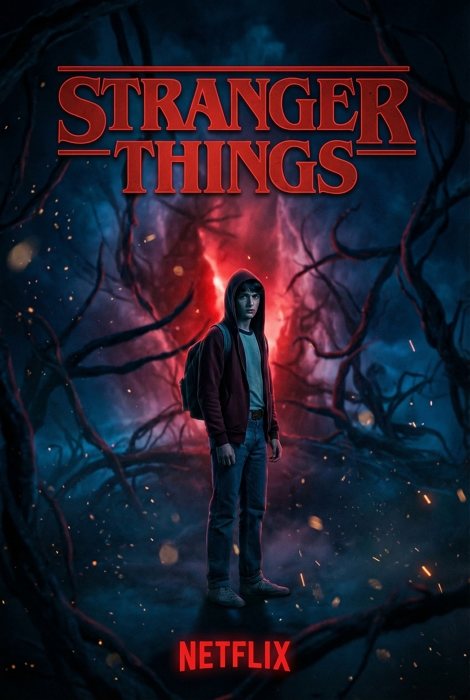
Person featured in official Netflix Stranger Things season poster design. Bold red title text. Character positioned in center. Dark atmospheric background with Upside Down elements. Floating particles. Netflix branding style. Cinematic movie poster composition. Professional graphic design. --ar 2:3
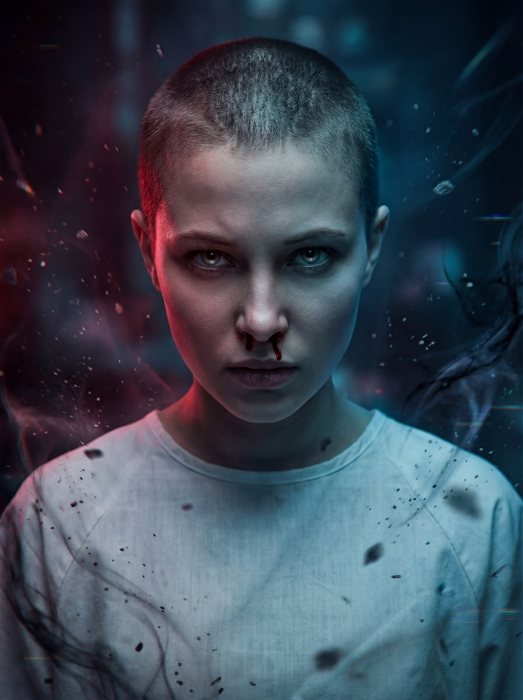
stranger things netflix stranger things netflix poster

2. Stranger Things Title Sequence (Red Text)

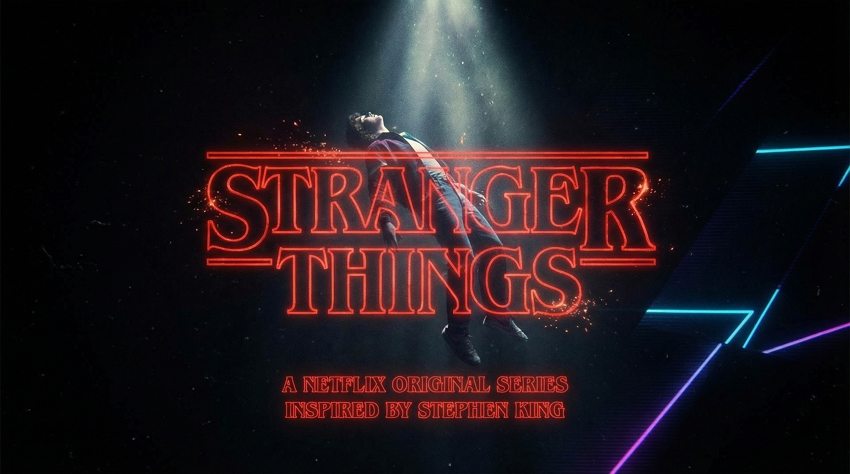
Person integrated into Stranger Things opening title sequence design. Floating in black void. Iconic red lettering passing by. Synth-wave particles. 80s sci-fi font. Stephen King novel inspiration. Dramatic spotlighting. Netflix original style. --ar 16:9
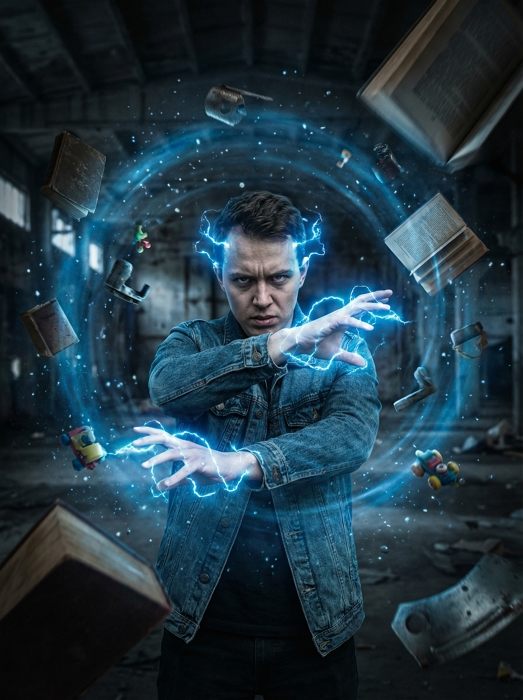
stranger things stranger things netflix title sequence

3. Retro Comic Book Cover

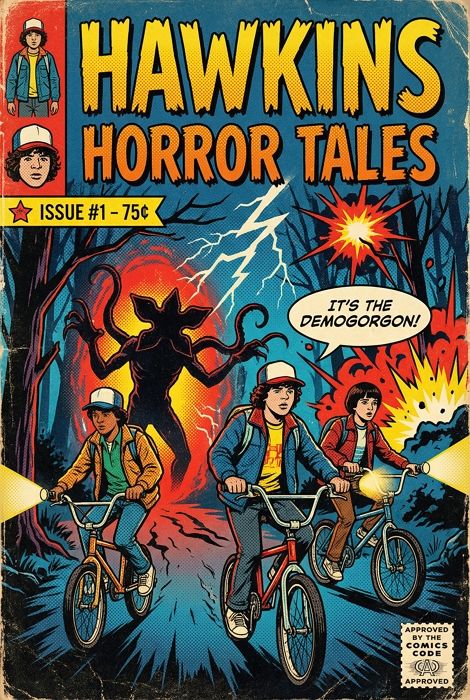
Person featured on retro comic book cover design inspired by Stranger Things. Bold comic art style. Dramatic action scene. Bright primary colors. Vintage comic book font for title. "Issue #1" branding. Halftone dot patterns. 80s comic aesthetic. --ar 2:3
stranger things stranger things comic book cover

Explore more AI Comic Prompts

Eleven Powers & Telekinesis

4. Eleven-Inspired Telekinetic Portrait

Reimagine the person in the reference photo as a fan-inspired version of Eleven. Recreate the iconic telekinetic power scene aesthetic. Shaved head or very short hair, subtle blood dripping from the nose, intense focused expression. Dark atmospheric lighting with dramatic blue and red glows. Wearing a simple hospital-style gown. Floating particles and eerie Upside Down–style visual effects around the subject. Fan-style interpretation, applying Stranger Things Eleven-inspired effects and atmosphere to the person in the photo. --ar 3:4
stranger things eleven–inspired telekinetic ai portrait

5. Telekinesis Effect (Flying Objects)

Person demonstrating telekinetic powers like Eleven. Objects floating and spinning around. Glowing energy effects. Nose bleeding. Intense concentration face. Blue energy aura. Particles and debris levitating. Dark background. Supernatural VFX. --ar 3:4
stranger things eleven stranger things telekinesis effect

6. Glowing Eyes Telekinesis Awakening

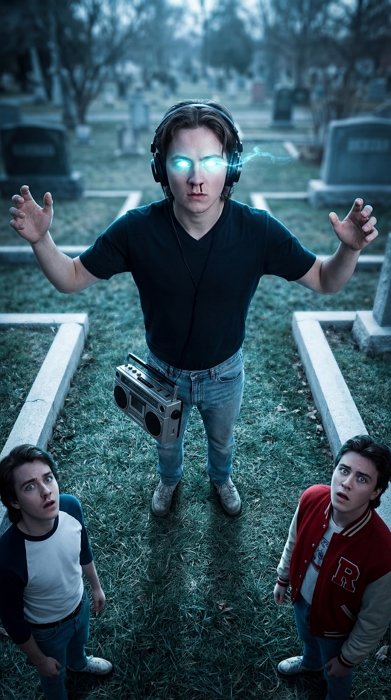
Top-down perspective AI portrait based on the uploaded [reference] photo. Keep the person’s original facial features and likeness clearly recognizable. Reimagine the person standing on cemetery ground, eyes glowing electric cyan-white with supernatural energy, subtle nosebleed. They hold a vintage boombox. Friends in 1980s clothing look up in awe. Background: Desaturated teal-green grass, Stranger Things season 4 color grading. Dramatic eye glow VFX, rim lighting, cinematic sci-fi thriller. --ar 9:16
glowing eyes telekinesis effect - eleven powers ai photo filter

7. Energy Wave Burst (Scream)

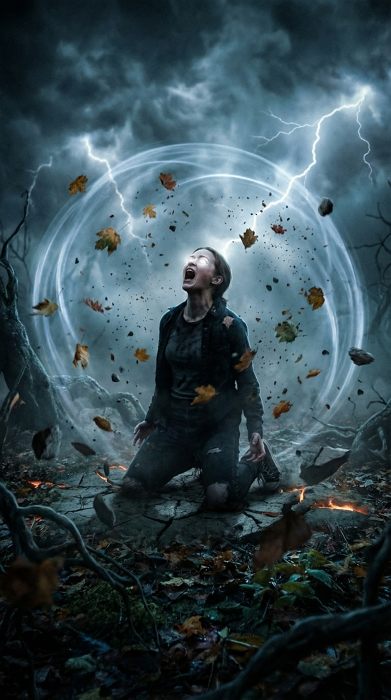
Depict the person kneeling on the ground, screaming, generating a massive translucent energy shockwave that distorts the air. Debris and leaves are lifted off the ground. Eyes glow white. Dark moody environment similar to the Void in Stranger Things. Supernatural energy VFX, cinematic power awakening moment. --ar 9:16
energy wave burst - psychic shockwave power ai effect

Stranger Things Y2K Retro-Futurism & Digital Aesthetics

8. Millennium Matrix Code Vortex (Y2K)

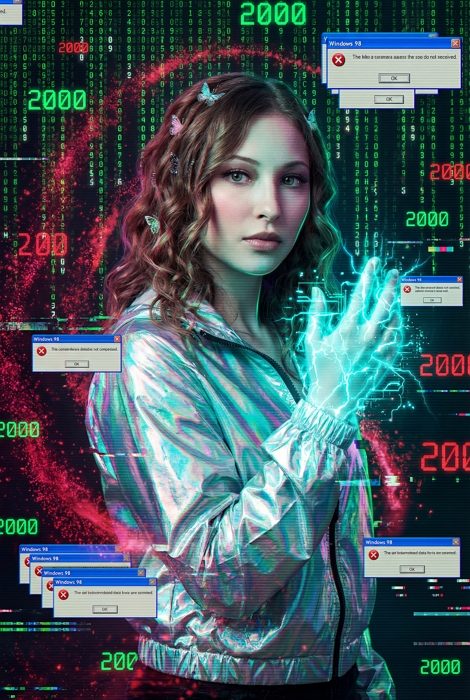
Apply a supernatural millennium aesthetic to the person in the provided image. Keep their identity clearly recognizable. The subject is interacting with a digital vortex of cascading green Matrix-style code and Stranger Things red particles, wearing an iridescent windbreaker and butterfly clips. Their hand glows with digital cyan energy. Background: swirling "2000" numbers and Windows 98 errors. Retro-futuristic color grading, glitch overlays. --ar 2:3
millennium digital vortex - y2k stranger things portal effect

9. Neon Number Backlight Poster

Generate a Stranger Things character poster featuring the subject from the input photo. Ensure the face remains distinct and focused. The person stands centered in a dark Upside Down forest, backlit by a massive glowing neon-red number "5". They wear a grey winter jacket with a moody expression. Background: twisted tree silhouettes. Bottom text overlay: Retro red neon typography reading "STRANGER THINGS". Netflix series poster aesthetic, cinematic lighting. --ar 2:3
neon number backlight portrait - retro series poster ai effect

10. Neon Silhouette AI (Synthwave)

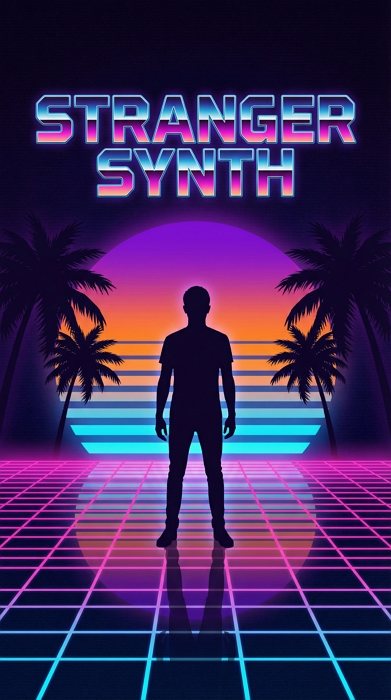
Person silhouette portrait in Stranger Things synthwave style. Neon pink and blue gradients. Grid floor reflecting 80s retro wave aesthetic. Palm tree silhouettes. Sunset background. Vaporwave colors. Outrun art style. Nostalgic futuristic blend. --ar 9:16
stranger things stranger things neon silhouette synthwave

Stranger Things Portals, Rifts & The Upside Down Entrances

11. Living Room Wall Crack Portal

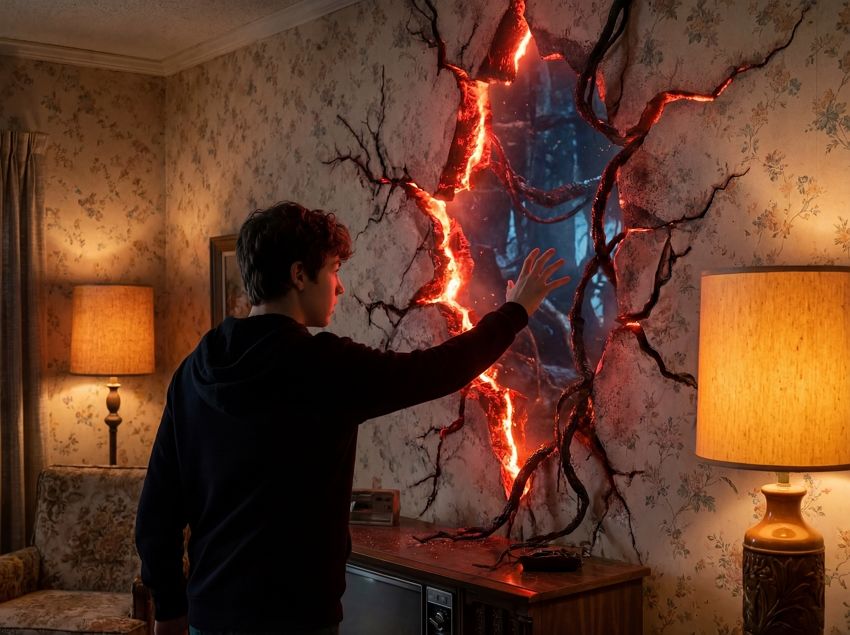
A cinematic shot placing the person from the reference photo in a 1980s living room. They are reaching toward a massive, jagged crack in the wall glowing with pulsating red-orange energy, inspired by the rift in Stranger Things. Tendrils of the Upside Down seep through. Contrast between the warm floral wallpaper room and the cold, dark dimension visible through the crack. Cinematic supernatural thriller aesthetic, photorealistic. --ar 4:3
living room wall crack portal - upside down dimensional rift ai effect

12. Glowing Red Gateway (Upside Down)

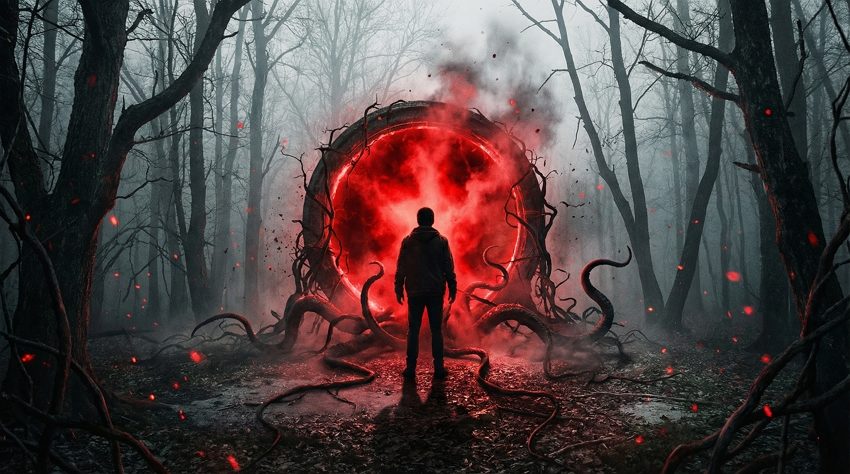
Person standing before massive glowing red portal to Stranger Things’ Upside Down dimension. Tentacles and vines emerging from gateway. Dark forest setting. Ominous red lighting with particle effects. Eerie atmosphere. Fog and mist. Cinematic wide angle. Horror movie aesthetic. --ar 16:9
stranger things upside down stranger things upside

13. Neon Red Doorway (Hawkins Lab)

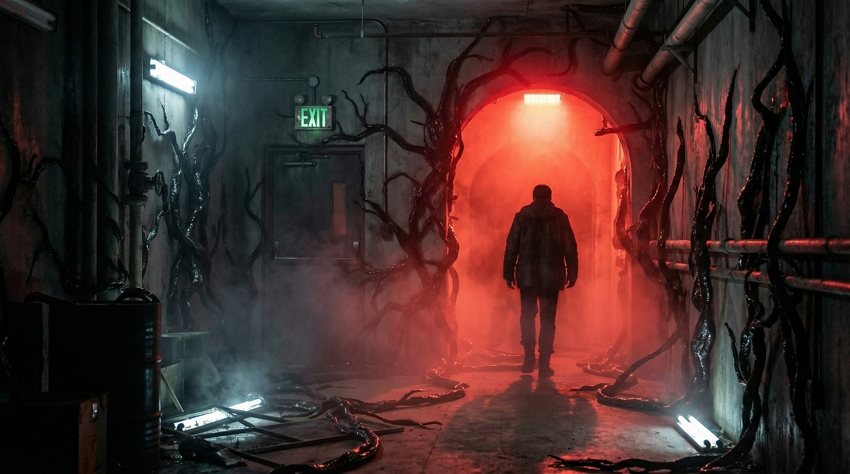
Render the subject walking confidently through a glowing neon-red doorway in an abandoned Hawkins Lab hallway of Stranger Things. Thick black organic vines (Mind Flayer vines) crawl across the walls and floor. The doorway emits intense crimson light. Flickering green EXIT sign. Moody sci-fi horror aesthetic, volumetric fog, ultra-detailed textures. --ar 16:9
neon red doorway with black vines - upside down hallway ai effect

Demogorgon & Creature Encounters

14. Highway to the Upside Down

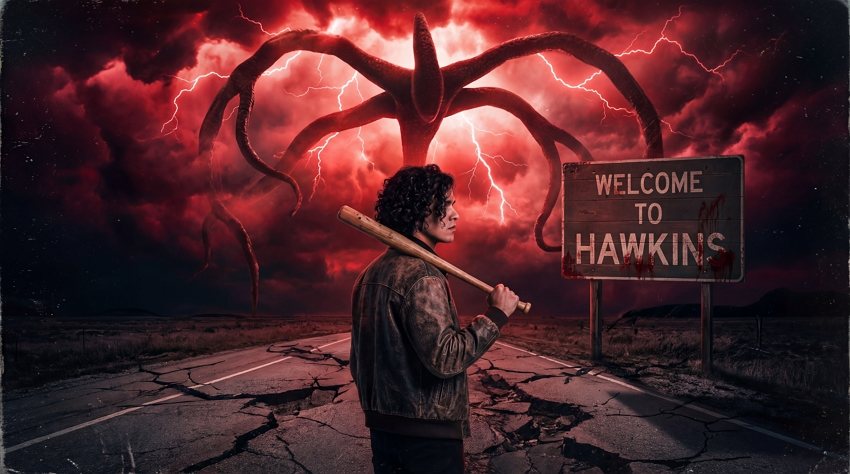
A wide-angle poster shot featuring the profile of the person in the photo as a lone traveler on an empty highway facing a "WELCOME TO HAWKINS" sign. Above, the Mind Flayer (Shadow Monster) from Stranger Things looms from apocalyptic red-black storm clouds, tentacles reaching down. The person wears a bomber jacket and carries a bat. Red lightning, cracked pavement, 80s sci-fi horror movie poster style. --ar 16:9
highway to the upside down - creature silhouette poster ai generator

15. Demogorgon Encounter (Monster Face)

Terrifying close encounter of person facing Demogorgon creature from Stranger Things. Demogorgon flower-like head opening. Dark Hawkins forest night. Dramatic horror lighting. Person showing fear. Monster detailed texture. Mist and fog effects. Cinematic tension. --ar 3:4
stranger things demogorgon stranger things demogorgon encounter

16. Rearview Mirror Monster Chase

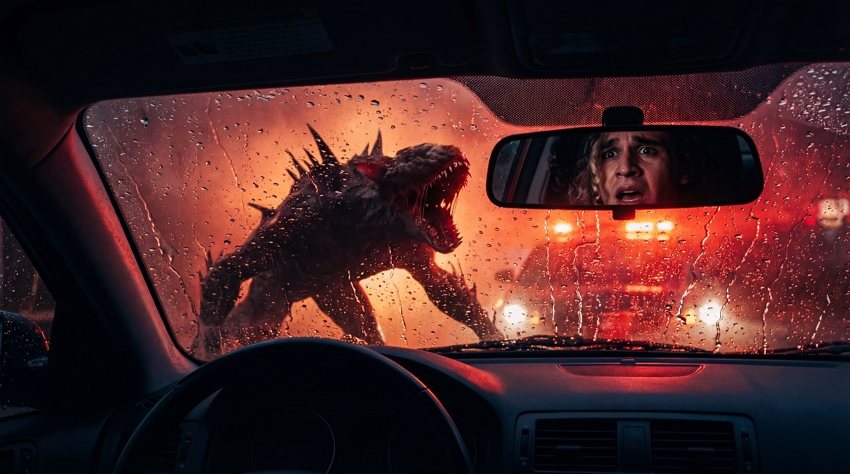
Interior car shot from the driver's perspective. The driver's shocked face (based on the reference photo) is visible in the rearview mirror. Through the rear window, a Demodog silhouette lunges at the car, backlit by red atmospheric glow. Rain on glass. Tense horror movie moment, dramatic lighting, cinematic car chase aesthetic. --ar 16:9
rearview mirror monster - demogorgon car chase ai effect

17. Basement Stairs Chase

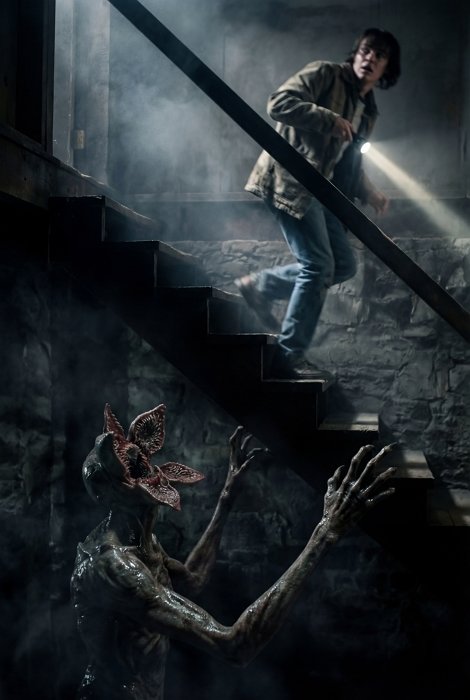
Capture a dynamic action shot of the subject running up wooden basement stairs, looking back in terror. At the bottom of the stairs, a Demogorgon emerges from the shadows with outstretched claws. The person holds a flashlight. Dramatic upward angle, motion blur, sharp focus on the creature. Cinematic horror composition, high contrast. --ar 2:3
basement stairs chase - demogorgon pursuit horror ai scene

18. Vine Trap Entanglement

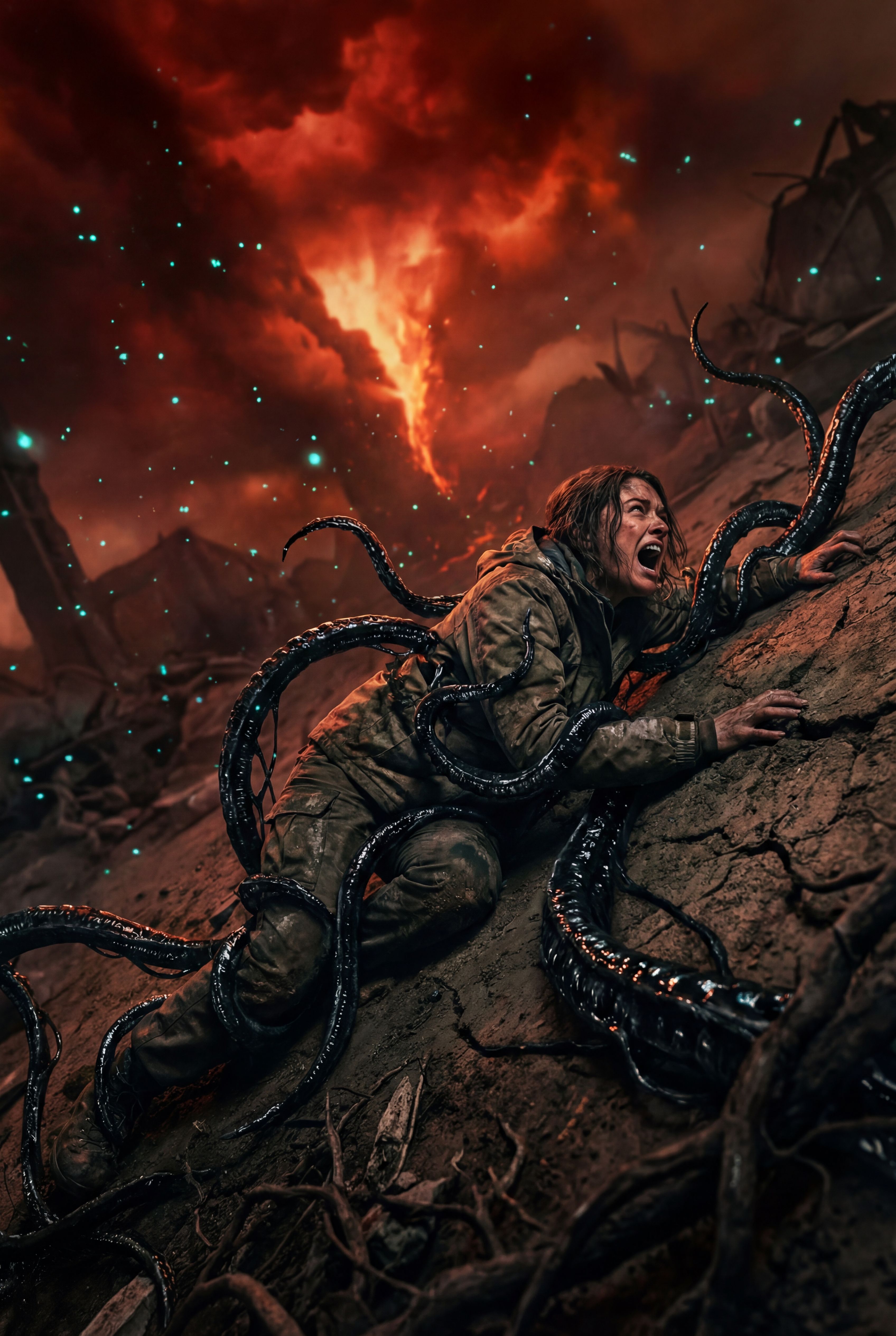
Visualize the user lying on the ground, struggling against thick black vines from the Upside Down wrapping around their limbs. The vines have a wet, bio-mechanical texture. Red sky and floating spores above. Desperate expression. Horror survival moment, detailed creature FX, cinematic action composition. --ar 2:3
vine trap entanglement - upside down tentacle attack ai scene

Stranger Things Iconic Locations & Nostalgia

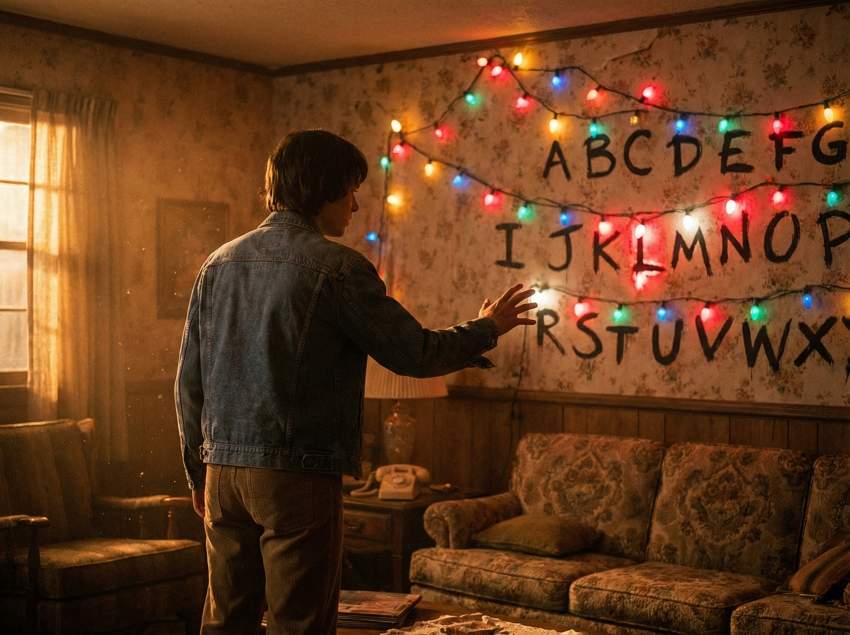
19. Christmas Lights Message Wall

Place the person from the uploaded photo into the Byers' living room of Stranger Things. They are standing before the iconic wall covered in floral wallpaper and multicolored Christmas lights painted with alphabet letters. The person has their hand raised as if controlling the lights. Some bulbs flicker intensely. Vintage 80s atmosphere, film grain, warm amber lighting, cozy yet eerie. --ar 4:3
christmas lights message wall - stranger things 80s room ai effect

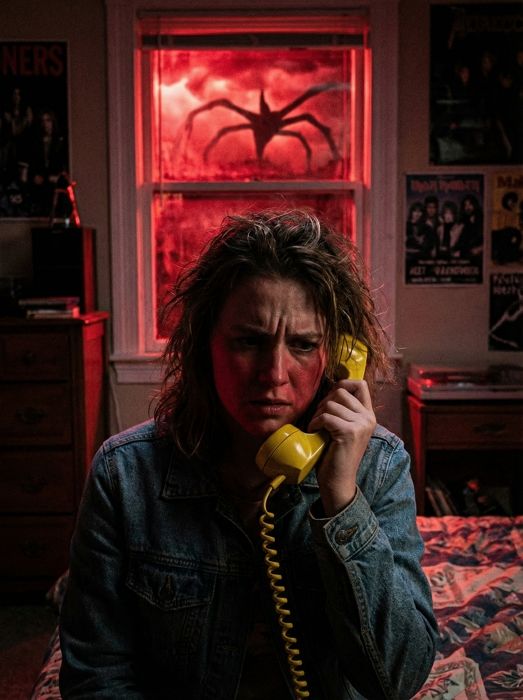
20. Red Window Horror Scene

Close-up of the subject in a vintage 1980s bedroom, holding a yellow rotary phone to their ear with a worried expression. Behind them, the window glows with ominous blood-red light from the Upside Down. Silhouette of the Mind Flayer visible through the glass. Moody atmospheric lighting, strong red backlight, cinematic thriller composition. --ar 3:4
red window demogorgon shadow - retro phone horror ai scene

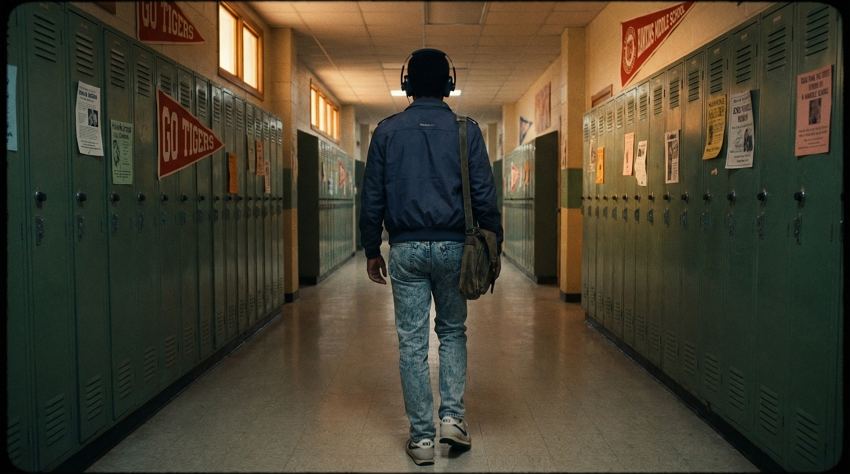
21. Hawkins Middle School Hallway

A cinematic tracking shot of the user walking down the Hawkins Middle School hallway, lined with green lockers and "Go Tigers" banners. They wear an authentic 80s outfit (Members Only jacket) and Walkman headphones. Nostalgic 80s school atmosphere, film grain, Stranger Things season 1 vibes. --ar 16:9
hawkins middle school hallway - nostalgic school scene ai photo

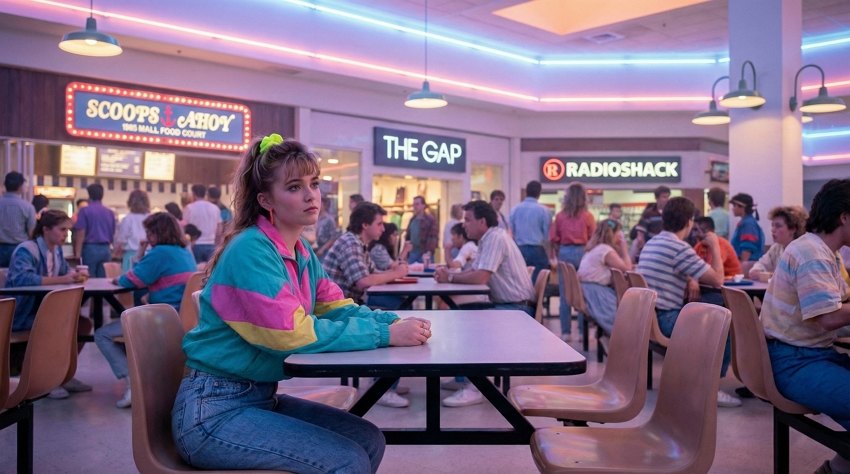
22. Starcourt Mall Food Court

Visualize the person sitting at a table in the Starcourt Mall food court (Stranger Things Season 3). Background: Neon signs for Scoops Ahoy, The Gap, and RadioShack. 80s mall fashion: bright windbreaker, scrunchie. Vibrant nostalgic atmosphere, pastel neon color scheme, cinematic wide angle. --ar 16:9
starcourt mall food court - 80s shopping mall nostalgia ai scene

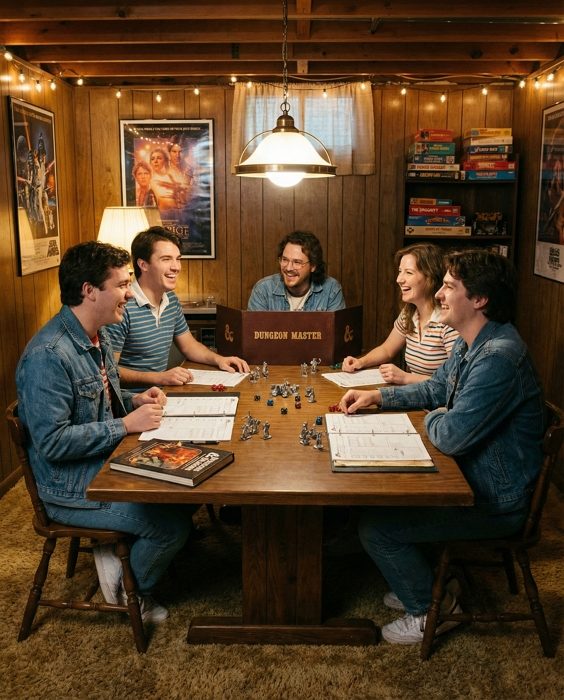
23. Basement Dungeons & Dragons Night

Person at basement table playing Dungeons and Dragons. Dice, character sheets, and miniatures on table. Friends gathered around. Warm basement lighting. 80s board game night atmosphere. Cozy nostalgic setting. Detailed game props. --ar 4:5
stranger things stranger things basement dungeons dragons

Stranger Things Cast Interactions & Selfies (Fan Fiction)

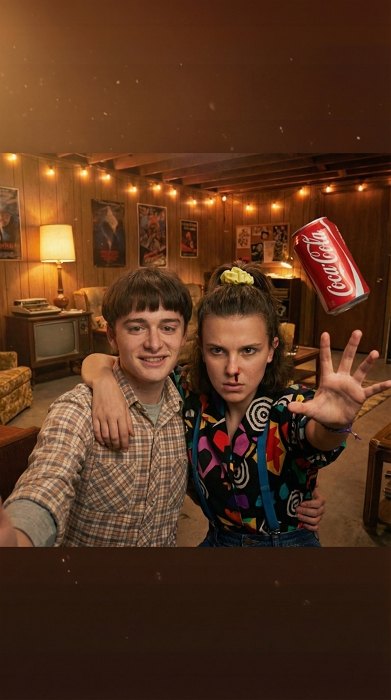
24. Selfie with Eleven (Telekinesis Training)

POV shot: I’m holding the phone for a friendly selfie. Eleven (Stranger Things Season 3 look) stands close beside you, her expression focused and intense. Her nose is bleeding slightly as she raises one hand, using telekinesis to make a Coke can float behind you. Retro 1980s basement setting, warm lighting with subtle red and teal shadows. A friendly, intimate selfie vibe mixed with eerie supernatural energy. Photorealistic. --ar 9:16
selfie with eleven powers - telekinesis training duo ai portrait

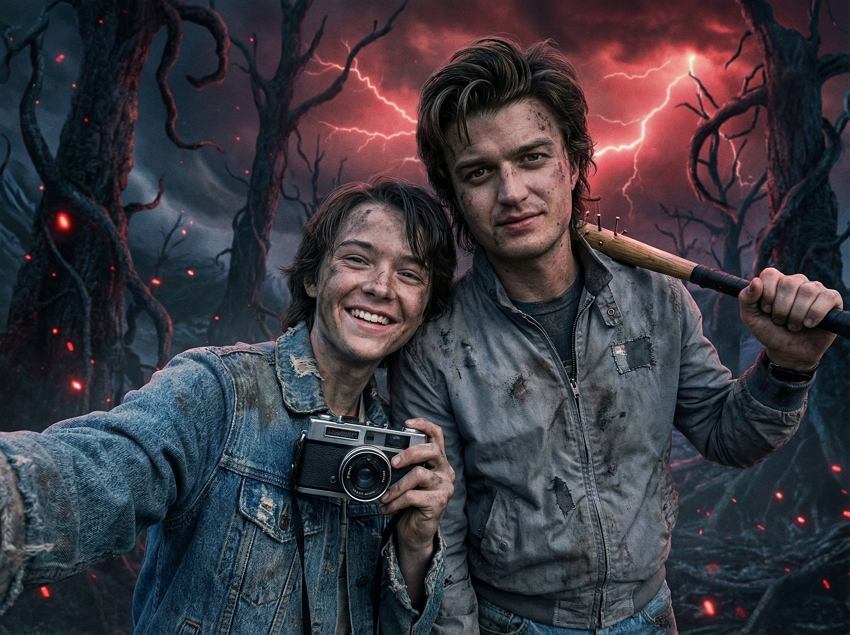
25. Battle Buddy Selfie with Steve Harrington

A dynamic action selfie of the provided subject standing back-to-back with Steve Harrington (Stranger Things), who is holding his iconic nail-bat. Both are covered in grime and wearing battle-torn 80s outfits. Background: The Upside Down with red lightning. Heroic camaraderie, cinematic lighting. --ar 4:3
battle buddy selfie with steve - nail bat heroes ai photo

26. Walkie-Talkie Selfie with Dustin

A nostalgic selfie of me (uploaded image) and Dustin Henderson (Stranger Things). Both are holding massive walkie-talkies to their ears, grinning. Dustin wears his "Camp Know Where" hat. Background: Bedroom with D&D posters. Retro 80s Polaroid aesthetic, film grain, warm lighting. --ar 1:1
walkie-talkie friendship - dustin radio communication ai selfie

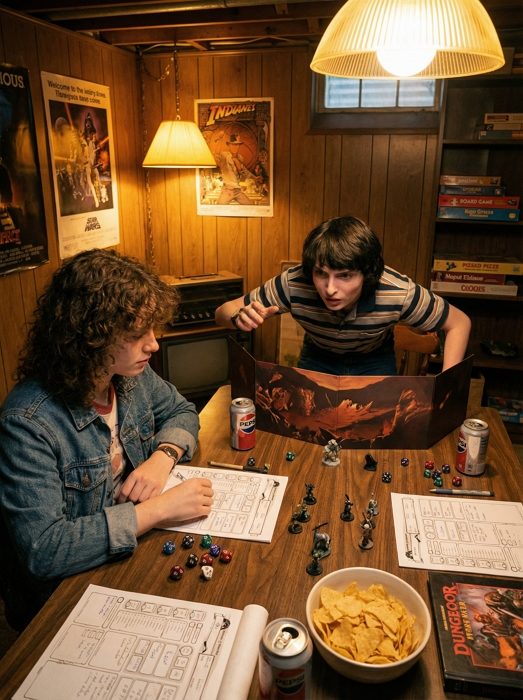
27. D&D Game Night with Mike Wheeler

Overhead shot of the user playing Dungeons & Dragons with Mike Wheeler in the basement. Mike is acting as Dungeon Master, looking intense. The table is covered in dice and character sheets. Cozy warm lighting, nostalgic 80s game night atmosphere. --ar 3:4
dungeon master team - d&d game night with mike ai photo

28. Skateboard Chase Selfie with Max Mayfield

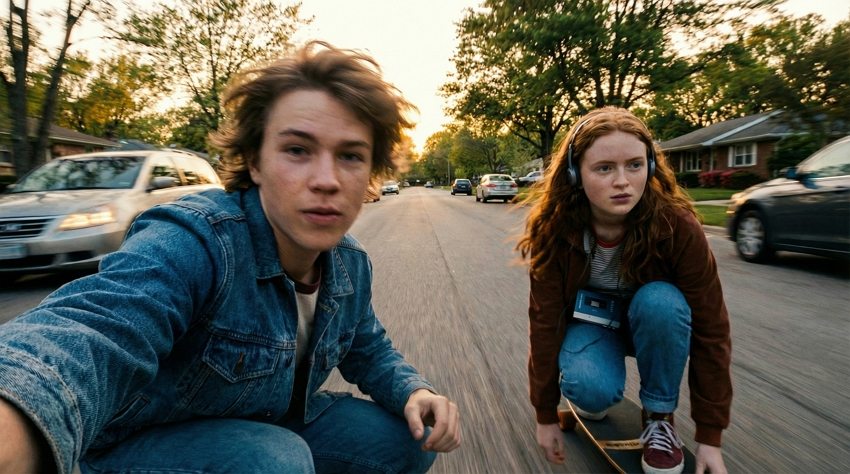
POV shot: A motion-blurred selfie of me (uploaded image) and Max Mayfield (Stranger Things) racing on skateboards down a suburban street. Max wears her Walkman. Golden hour lighting, wind in hair, sense of speed and freedom. Cinematic action shot. --ar 16:9
skateboard chase race - max mayfield action selfie ai effect

29. Full Cast Group Photo (Cinematic)

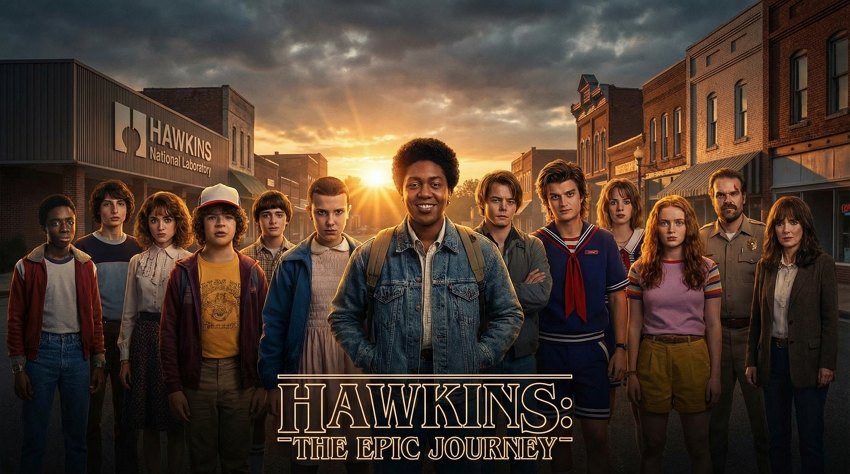
Epic group photo of the person in the reference image with entire Stranger Things cast of characters. All main characters positioned together. Hawkins town background. Dramatic hero lighting. Ensemble cast composition. Detailed individual character features. Cinematic movie poster style. --ar 16:9
stranger things stranger things group pho

Stranger Things Cinematic Action & Heroic Moments

30. Apocalyptic Bike Squad Poster

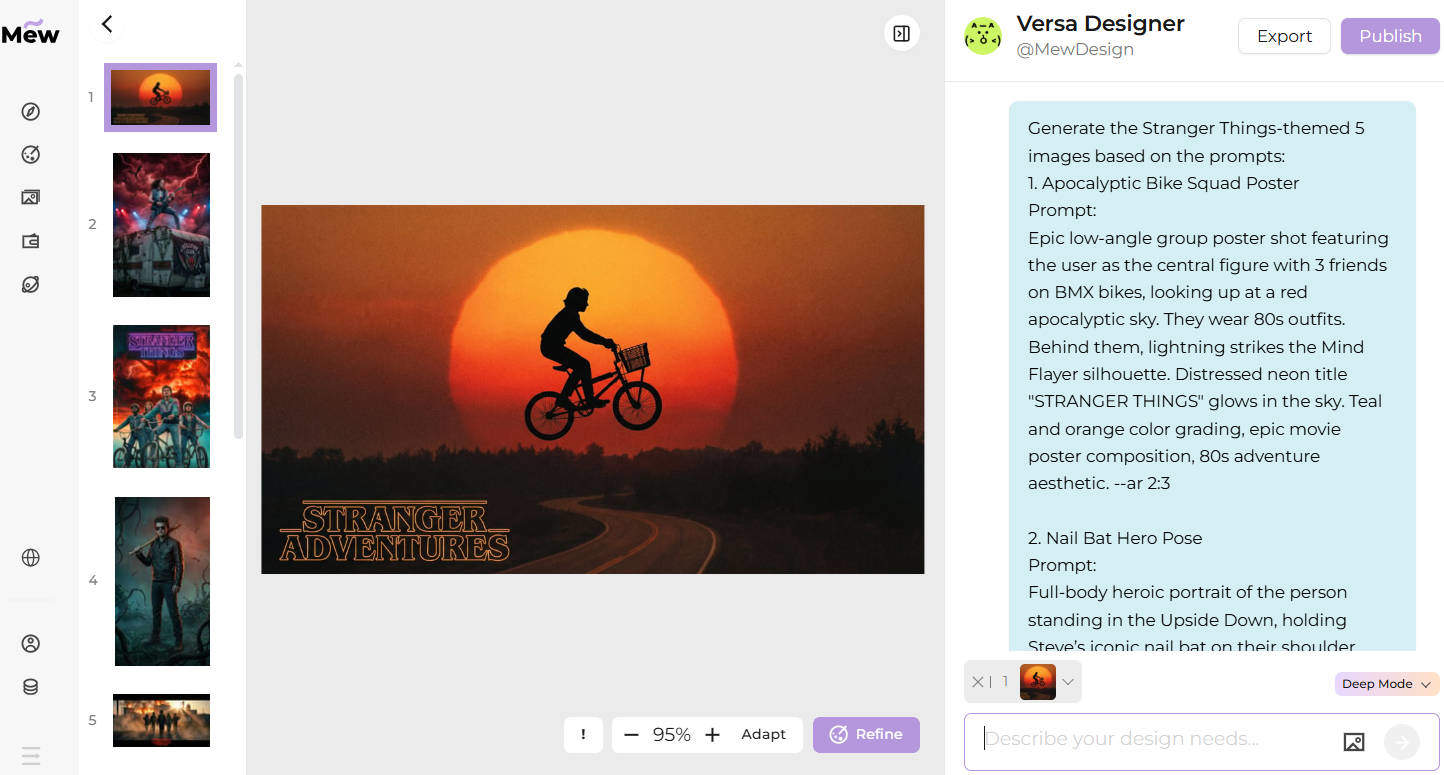
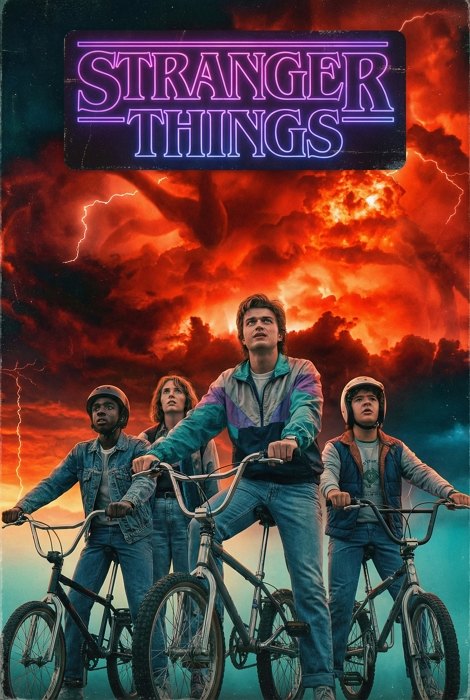
Epic low-angle group poster shot featuring the user as the central figure with 3 friends on BMX bikes, looking up at a red apocalyptic sky. They wear 80s outfits. Behind them, lightning strikes the Mind Flayer silhouette. Distressed neon title "STRANGER THINGS" glows in the sky. Teal and orange color grading, epic movie poster composition, 80s adventure aesthetic. --ar 2:3
apocalyptic bike squad - stranger things group poster ai generator

31. Nail Bat Hero Pose (Upside Down)

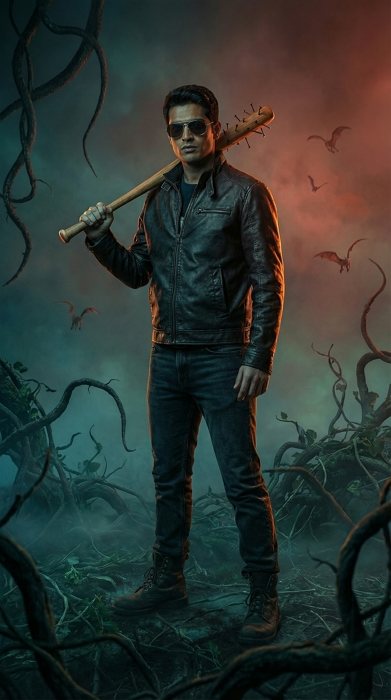
Full-body heroic portrait of the person in the reference image standing in the Upside Down, holding Steve’s iconic nail bat on their shoulder. They wear a leather jacket and aviators. Background: Twisted vines and Demobats flying in the red mist. Blue-green environmental lighting mixed with warm rim light. Season 4 aesthetic, ultra-realistic. --ar 9:16
nail bat hero pose - upside down warrior ai portrait effect

32. Eddie Style Guitar Solo (Metal Moment)

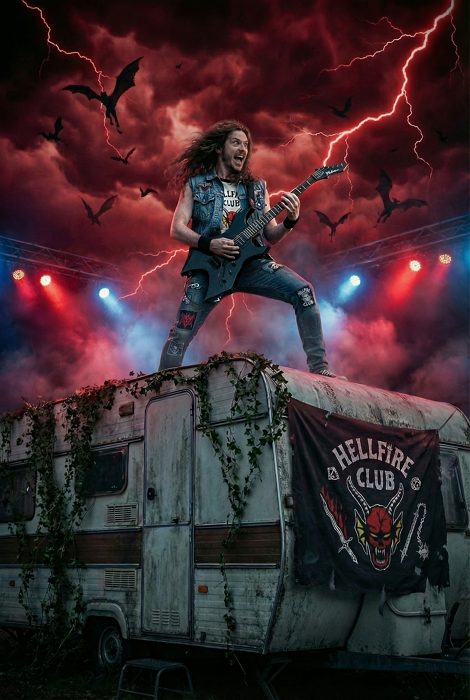
Visualize the subject in the reference image as a metalhead performing an intense electric guitar solo on top of a trailer in the Upside Down, honoring Eddie Munson's "Master of Puppets" scene. Red lightning strikes, Demobats swarm the sky. Dramatic low-angle hero shot, concert lighting, epic heavy metal aesthetic. --ar 2:3
eddie guitar solo rooftop - eddie munson master of puppets ai scene

33. Hero Team Slow Motion Walk

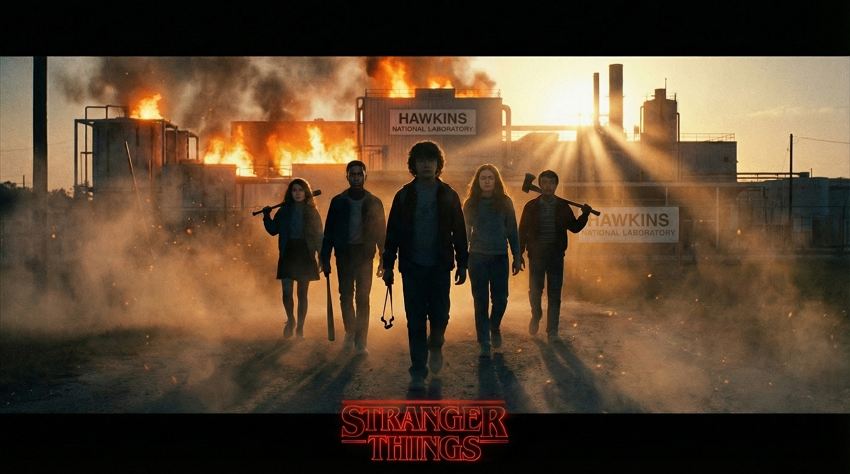
Cinematic slow-motion shot of the person in the reference image leading a 5-person team walking in V-formation towards the camera. They carry improvised weapons (slingshot, bat, axe). Background: Burning Hawkins lab. Dramatic backlighting creating silhouettes. Epic movie poster composition, dust particles, 4K quality. --ar 16:9
hero team walk shot - slow motion group power pose ai scene

34. E.T. Style Flying Bike Silhouette

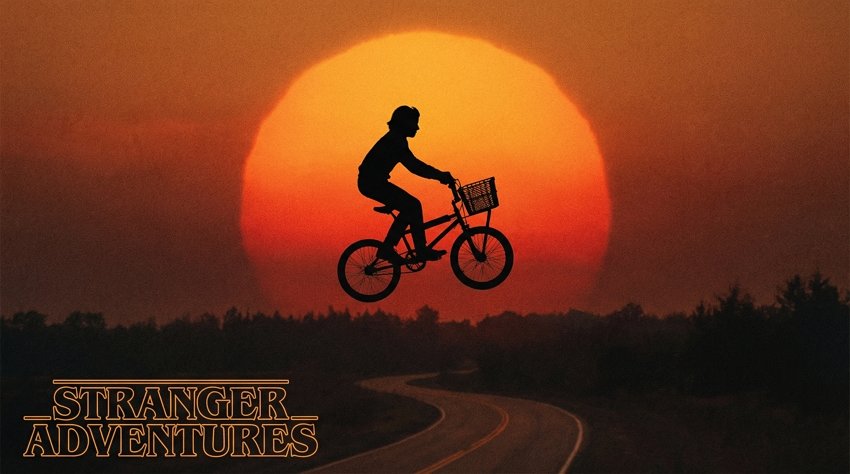
A cinematic silhouette shot of the person in the reference image on a bicycle appearing to fly across a massive setting sun, an homage to E.T. and Stranger Things. Perfect black silhouette against orange-red sky. Nostalgic 80s adventure movie vibe, dreamy golden hour. --ar 16:9
bicycle silhouette sunset - iconic flying bike homage ai scene

Upside Down & Supernatural Details

35. Upside Down Transformation (Split View)

Split composition showing person transitioning between normal Hawkins and Upside Down dimension of Stranger Things. Left side normal colorful world, right side dark decayed mirror version. Vines and particles. Cold vs warm lighting. Reality distortion effect. --ar 16:9
stranger things upside down stranger things upside

36. Upside Down Lake Float

Split-level shot showing the person in the reference image floating in Lovers Lake. Above water: Normal night forest. Below water: The Upside Down dimension of Stranger Things with red spores and dead vines. Ethereal underwater atmosphere, haunting composition, volumetric light rays. --ar 9:16
upside down lake float - water surface reflection dimension ai

37. Static Electricity Hair (Danger Sense)

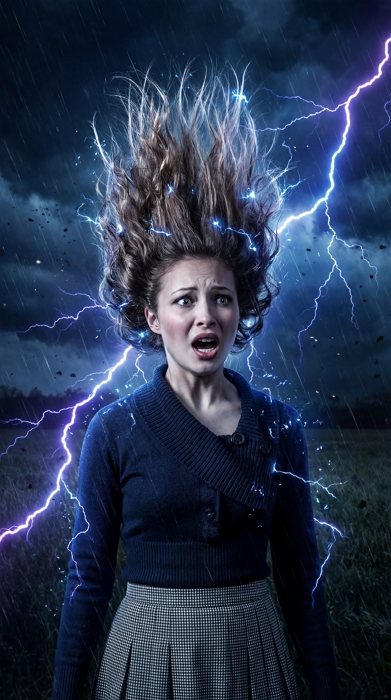
A cinematic portrait of the subject in the reference image standing with their hair standing straight up due to static electricity (Stranger Things’ Will Byers style sense). They look frantic. Background: Dark stormy field. Supernatural electromagnetic disturbance, dramatic lighting highlighting floating hair. --ar 9:16
static electricity hair levitation - electromagnetic field ai effect

How to Write the Best Stranger Things Prompts

To get that authentic Stranger Things look, you need to use the right visual language. Here is a checklist of core visual elements to include in your prompts:

  • Color Palette: Use “neon red and cyan,” “80s warm nostalgia,” “Upside Down cold blue,” or “high contrast black and red” to set the mood immediately.
  • Special Effects: Keywords like “floating ash particles,” “red lightning,” “glowing veins,” “nosebleed,” and “crackling static energy” are essential for supernatural shots.
  • Creature Design: Be specific with monsters. Use terms like “Demogorgon flower-head,” “Mind Flayer shadow silhouette,” or “wet organic vines” to get the texture right.
  • Setting the Scene: Anchor your image with locations like “Starcourt Mall neon,” “Hawkins Lab hallway,” “Byers’ living room with Christmas lights,” or “The Void (black water floor).”
  • 80s Props: Don’t forget the details: “Walkman headphones,” “nail bat,” “BMX bikes,” “vintage arcade cabinets,” and “denim jackets” sell the era.

Summary

The world of Stranger Things is vast, terrifying, and deeply nostalgic. With these Gemini Nano Banana Pro prompts, you have everything you need to insert yourself or your characters into Hawkins history. From the neon glow of the Starcourt Mall to the chilling silence of the Void, you can explore every corner of the Duffer Brothers’ universe. Don’t just watch the finale—be a part of it. Load up Mew Design, upload a selfie, and see what happens when you open the door to the Upside Down.

30+ Gemini Prompts for Zootopia 2: Nick & Judy, Selfies & More

With Zootopia 2 finally hitting theaters, the hype is real. We are all ready to dive back into the sprawling districts of Tundratown and Sahara Square, meet new characters like Gary the snake, and see what trouble Nick and Judy get into next. And for many fans, the magic of the movie naturally lingers — a feeling you want to hold onto just a little longer.

I’ve been testing the Gemini Nano Banana Pro model, and it is surprisingly good at capturing that specific “Disney” fur texture and lighting. Whether you are shipping Nick and Judy (WildeHopps forever), imagining yourself taking a selfie with Officer Clawhauser, or wondering what the cast would look like as humans, this model can handle it.

You can try these prompts in Google Gemini if you have a Pro subscription, but for the best creative control, I recommend Mew Design. It’s powered by Nano Banana Pro and Gemini 3 but tuned for designers. You get free AI credits just for signing up, and it’s perfect for maintaining character consistency across a series of images. input your manga prompts

30+ Best Gemini Nano Banana Pro Prompts for Zootopia

Here is my curated list of AI Zootopia prompts, covering everything from Nick and Judy romantic dates to character transformations. Copy, paste, and start creating.

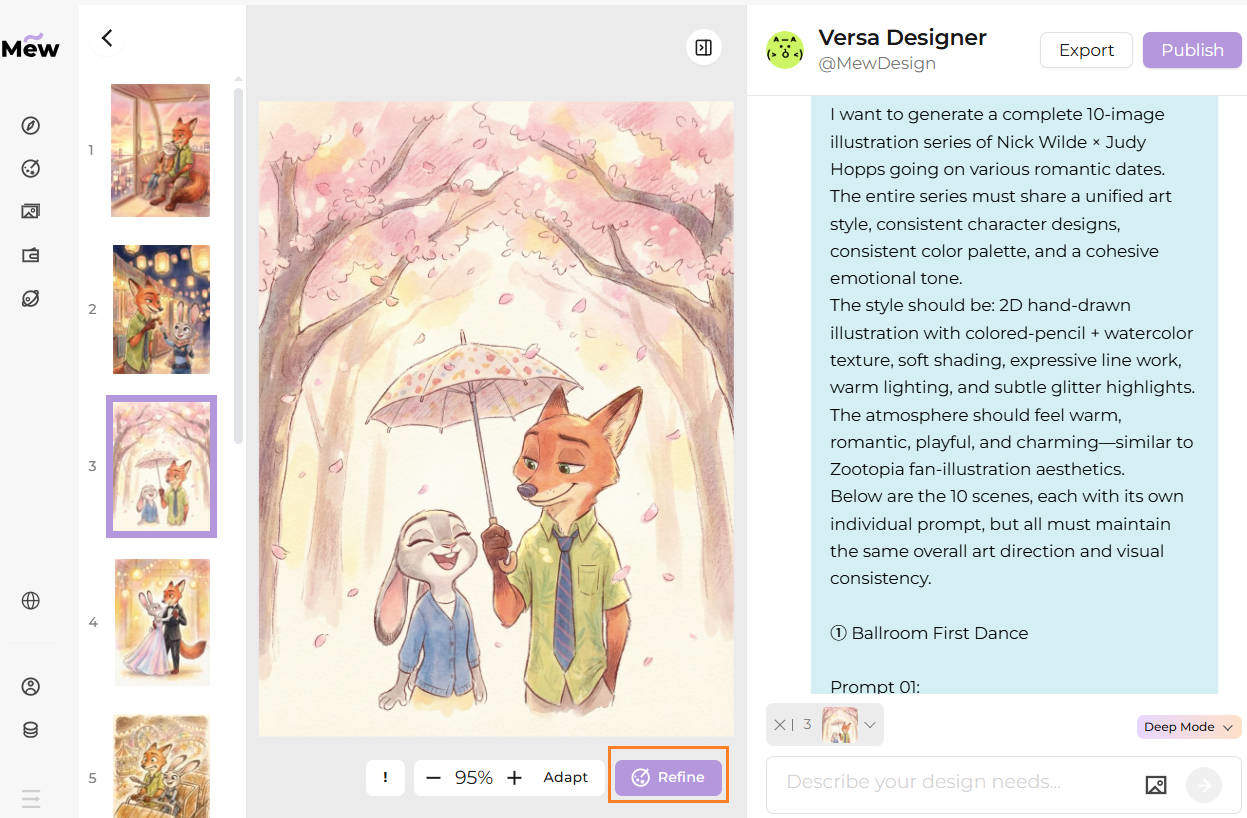
1. Nick × Judy Romantic Date Illustration Series

I want to generate a complete 10-image illustration series of Nick Wilde × Judy Hopps going on various romantic dates.
The entire series must share a unified art style, consistent character designs, consistent color palette, and a cohesive emotional tone.
The style should be: 2D hand-drawn illustration with colored-pencil + watercolor texture, soft shading, expressive line work, warm lighting, and subtle glitter highlights.
The atmosphere should feel warm, romantic, playful, and charming—similar to Zootopia fan-illustration aesthetics.
Below are the 10 scenes, each with its own individual prompt, but all must maintain the same overall art direction and visual consistency.

① Ballroom First Dance

Prompt 01:
2D hand-drawn Zootopia fan illustration, colored-pencil + watercolor texture, soft shading, glitter highlights, expressive emotions.
Nick Wilde and Judy Hopps dancing together in a softly lit ballroom. Nick wears a black tuxedo; Judy wears a shimmering pastel gown. They hold each other gently, smiling with affectionate eye contact. Golden lights glow in the background with soft sparkles drifting in the air. Clean, warm backdrop.
--ar 3:4

② Roller Coaster Date (Amusement Park)

Prompt 02:
2D hand-drawn Zootopia illustration, sketchy pencil lines + watercolor texture, dynamic motion, glitter reflections.
Nick and Judy riding a roller coaster together. Judy looks excited, gripping the bar with sparkling wide eyes. Nick laughs nervously, wind blowing through his fur and tie. Behind them: ferris wheel, carousel, colorful amusement park lights. Energetic, playful composition.
--ar 3:4

③ Ferris Wheel Sunset Moment

Prompt 03:
Soft watercolor + colored-pencil style, romantic lighting, gentle sparkles.
Nick and Judy sitting inside a ferris wheel gondola at sunset. Judy leans lovingly on Nick’s shoulder; Nick wraps his tail around her. Warm pink-orange sky, city lights glowing softly below. A quiet, intimate moment.
--ar 3:4

④ Cherry Blossom Date

Prompt 04:
Pastel watercolor tones, drifting petals, dreamy mood, gentle line work.
Nick and Judy walking under blooming cherry blossom trees. Pink petals fall around them. Judy laughs happily while Nick holds a small umbrella over both of them. Soft breeze, romantic springtime feeling.
--ar 3:4

⑤ Night Market Food Date

Prompt 05:
Cozy lantern lighting, watercolor textures, glitter highlights on lights.
Nick and Judy exploring a night market. Judy holds a skewer of snacks, sparkling with excitement; Nick teases her and steals one. Warm glowing stalls, blurred bokeh lanterns in the background. Comforting, lively atmosphere.
--ar 3:4

⑥ Beach Sunset Walk

Prompt 06:
Soft golden sunset, watercolor texture, sparkling ocean reflections.
Nick and Judy walking barefoot along the shoreline at sunset. Judy holds her shoes in one paw; Nick’s tail sways beside her. Waves shimmer with warm light. Calm, romantic silhouette composition.
--ar 3:4

⑦ Movie Theater Date

Prompt 07:
Dim warm cinema lighting, watercolor shadows, expressive faces.
Nick and Judy sitting together in a movie theater. Judy leans slightly toward Nick with popcorn; Nick pretends to watch the movie but sneaks a loving glance at her. Soft screen-light reflections on their faces.
--ar 3:4

⑧ Snowy Winter Walk

Prompt 08:
Snowflake sparkles, warm scarves, watercolor cool-tone palette.
Nick and Judy strolling through a snowy park. Judy’s breath forms tiny clouds; Nick gently brushes snow off her head. Bright snowflakes glow softly in warm holiday lighting.
--ar 3:4

⑨ Romantic Kiss Moment

Prompt 09:
Warm pastel background, subtle glitter, tender expressions.
Nick and Judy sharing a gentle romantic kiss. Judy stands on tiptoes holding Nick’s collar; Nick leans down with his eyes half-closed. Petals or soft sparkles float behind them. Minimal clean backdrop.
--ar 3:4

⑩ Ring Gift Surprise (Not a wedding, just romantic)

Prompt 10:
Warm intimate lighting, soft watercolor glow, emotional sweetness.
Nick gives Judy a small ring box during a date. Judy’s eyes widen with joy; Nick rubs the back of his neck shyly while smiling. Soft twinkle lights behind them, gentle glitter sparkle on the ring box. --ar 3:4

Pro Tip: The above prompt is intended for Mew Design’s Deep Mode. Mew Design’s AI design agent makes it incredibly easy to generate the images you want through natural language conversations. Its Deep Mode is especially powerful—perfect for creating a full series of illustrations while keeping character design, style, and details consistent from image to image. If the result isn’t quite what you envisioned, simply tap the Refine button in the bottom-right corner and describe what you’d like adjusted to get an improved version. And when you just want quick, single-image outputs, Fast Mode lets you generate them in seconds. Just copy and paste the prompt one-by-one.

zootopia romantic date illustration series nick judy 2d watercolor colored pencil warm lighting soft shading

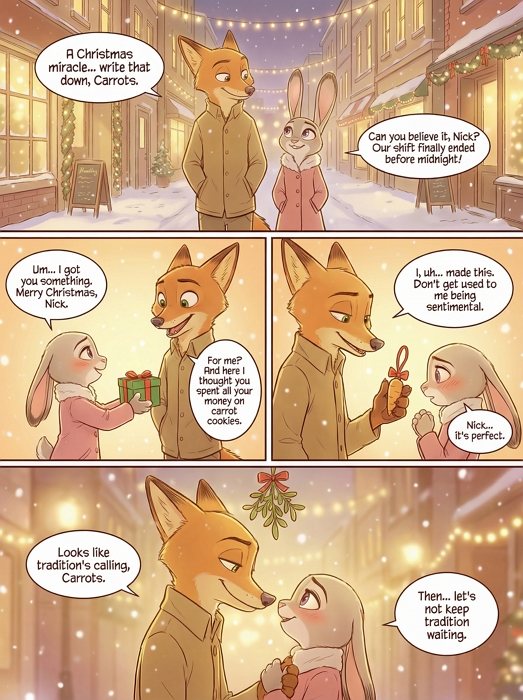
2. Zootopia Christmas Comic (4-Panel)

4-panel Christmas-themed Zootopia fan comic featuring Nick Wilde and Judy Hopps, anime/manga-style illustration, warm winter colors, romantic holiday atmosphere, expressive character emotions, soft snow, glowing street lights.
Panel 1: Nick and Judy walk side-by-side through a softly snowing Zootopia street.
Panel 2: Judy shyly offers Nick a small wrapped gift, eyes sparkling.
Panel 3: Nick pulls out a tiny carrot-shaped ornament and hands it to Judy.
Panel 4: A mistletoe hangs above them. Nick notices first; Judy looks up with surprise and soft warmth.
Anime/manga line art, cozy winter tones. --ar 4:5
zootopia christmas comic ai nick judy 4 panel romantic holiday manga

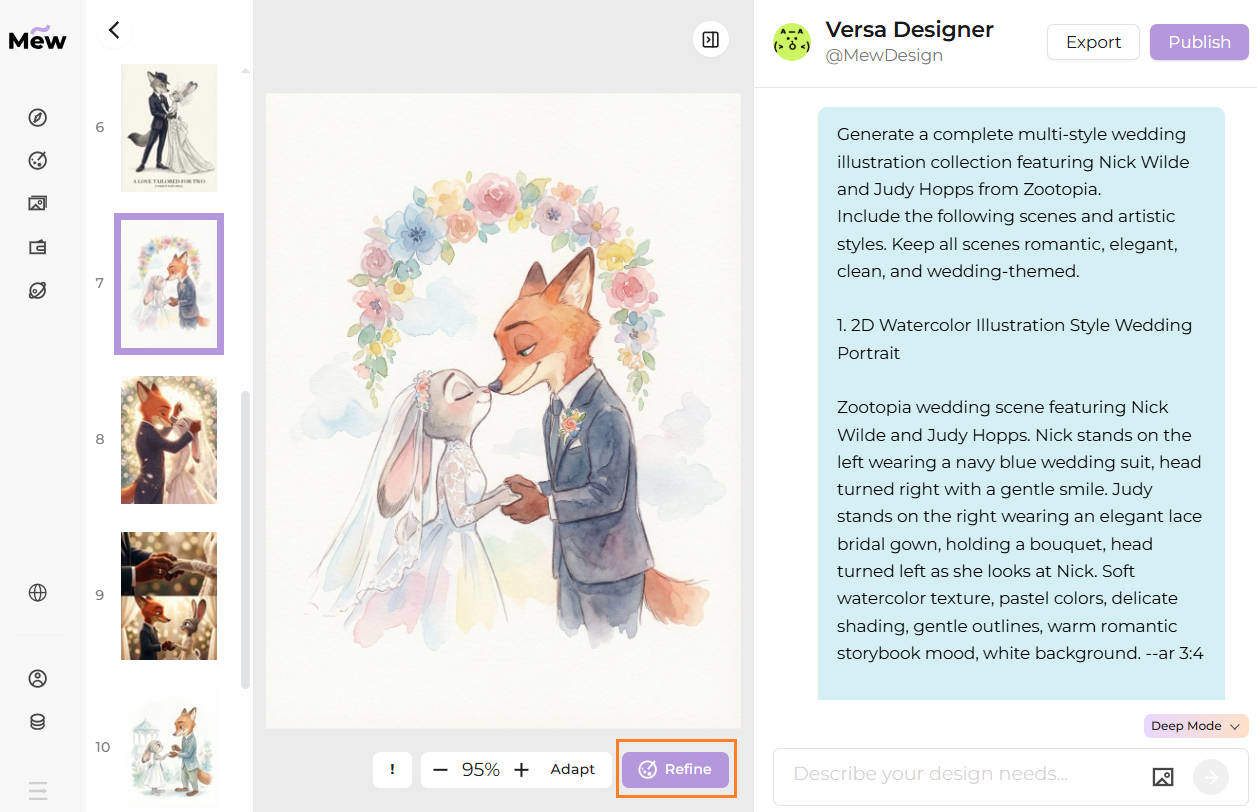
3. Multi-Style Nick & Judy Romantic Wedding Illustrations

Generate a complete multi-style wedding illustration collection featuring Nick Wilde and Judy Hopps from Zootopia.
Include the following scenes and artistic styles. Keep all scenes romantic, elegant, clean, and wedding-themed.

1. 2D Watercolor Illustration Style Wedding Portrait

Zootopia wedding scene featuring Nick Wilde and Judy Hopps. Nick stands on the left wearing a navy blue wedding suit, head turned right with a gentle smile. Judy stands on the right wearing an elegant lace bridal gown, holding a bouquet, head turned left as she looks at Nick. Soft watercolor texture, pastel colors, delicate shading, gentle outlines, warm romantic storybook mood, white background. --ar 3:4

2. Anime-Style Wedding Portrait

Anime-style illustration of Nick and Judy in wedding attire. Nick in a stylish dark suit looking right; Judy in a white lace wedding dress looking left, softly blushing. Bright expressive eyes, detailed fur rendering, sparkles, soft lighting, clean white background. --ar 3:4

3. Classic Oil Painting Wedding Portrait

Elegant oil painting portrait of Nick and Judy in wedding clothing. Rich textures, artistic brushstrokes, warm golden highlights, museum-style romantic composition. Nick in a formal suit, Judy in a lace embroidered gown. White or ivory background. --ar 3:4

4. Storybook Fairy-Tale Wedding Illustration

Fairy-tale style pastel wedding illustration. Nick in a charming blue suit, Judy in a floral lace dress holding a bouquet. Soft outlines, dreamy warm atmosphere, clean white background. --ar 3:4

5. Fashion Editorial Wedding Illustration

Stylish fashion-editorial wedding portrait of Nick and Judy. Sleek designer suit for Nick, high-fashion lace bridal gown for Judy. Minimalist white background, refined shading, elegant posing. --ar 3:4

6. Chibi Cute Wedding Style

Chibi-style wedding artwork of Nick and Judy. Small adorable proportions, sparkling eyes, cute outfits, Judy holding a tiny bouquet. Soft pastel palette, white background. --ar 1:1 or 3:4

KISS SCENE STYLES
7. Anime Romantic Kiss

Nick gently lifts Judy’s veil as they share a soft emotional wedding kiss. Detailed wedding outfits, warm light, floating petals, sparkles, romantic close-up framing, white or softly blurred background. --ar 3:4

8. Watercolor Kiss Scene

Hand-painted watercolor illustration of Nick and Judy kissing. Judy’s veil flowing softly, Nick smiling tenderly. Pastel tones, gentle outlines, emotional warmth, minimal clean background. --ar 3:4

RING EXCHANGE STYLES
9. Anime Ring Exchange

Nick places a wedding ring on Judy’s paw. Judy blushes with teary eyes. Detailed lace textures, glowing soft background, sparkles, emotional anime atmosphere. --ar 3:4

10. Storybook Watercolor Ring Exchange

Watercolor pastel illustration of Nick and Judy exchanging rings. Judy extends her paw gracefully, Nick smiles warmly. Soft shading, dreamy white background. --ar 3:4

11. Cinematic Ring Exchange

Close-up cinematic shot of Nick placing the ring on Judy’s finger. Bloom lighting, emotional eye contact, elegant suit and gown textures, bokeh sparkles, ivory or white background. --ar 16:9 or 3:4

12. 3D Disney Realistic Wedding Style (Near Movie Quality)

Highly detailed 3D Disney-style rendering of Nick Wilde and Judy Hopps exchanging rings. Realistic fur, subsurface scattering, film-quality lighting.
Nick in a tailored navy suit placing a ring on Judy’s finger. Judy in a flowing lace gown with embroidered details, emotional eyes, cinematic depth of field, warm bloom light, soft sparkles. Clean white or elegant blurred background. --ar 3:4

Pro Tip: The above prompt is intended for Mew Design’s Deep Mode, which allows you to create a full series of illustrations at once. If the result isn’t quite what you envisioned, simply tap the Refine button in the bottom-right corner and describe what you’d like adjusted to get an improved version. And when you just want quick, single-image outputs, Fast Mode lets you generate them in seconds. Just copy and paste the prompt one-by-one.

zootopia wedding illustration collection nick judy multi style anime watercolor oil painting 3d romantic

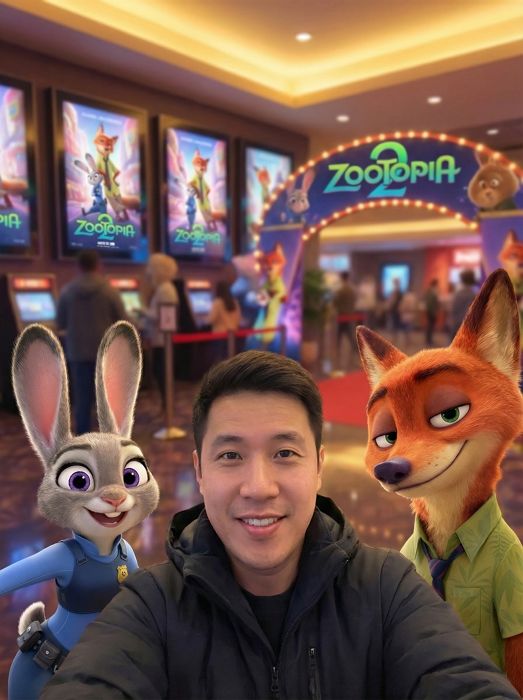
4. Zootopia 2 Selfie with Judy and Nick AI - Movie Theater Photo

POV selfie-style shot from the person’s perspective. Camera not visible, hands not shown. A vibrant stylized selfie of a person [the person in the uploaded image] with Judy Hopps and Nick Wilde at a Zootopia 2 movie theater premiere. Judy in her police uniform on the left, Nick in his casual green shirt on the right, person in the center. Cinematic movie theater background with glowing Zootopia 2 posters. Warm studio lighting, soft focus on background, sharp focus on faces. Cheerful expressions, dynamic composition. --ar 9:16
zootopia selfie ai photo judy nick movie

5. Judy Hopps Selfie AI Photo - Zootopia Police Station Scene

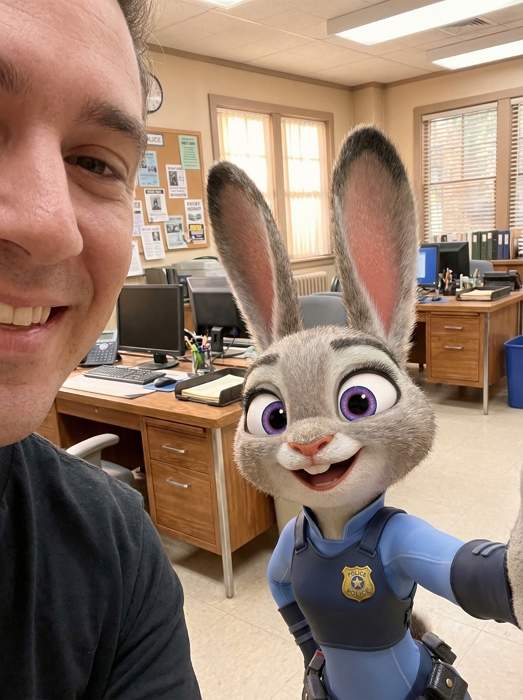
POV selfie-style shot from the person’s perspective. Camera not visible, hands not shown. Close-up selfie of a person [the person in the uploaded image] with Judy Hopps at the Zootopia Police Department. Judy in full police officer uniform with badge, standing next to person. Police station interior with desks, computers, bulletin boards. Natural office lighting with warm tones. Both smiling at camera, friendly atmosphere. Detailed fur texture on Judy. --ar 3:4
zootopia selfie ai photo scene judy hopps

6. Nick Wilde Selfie AI - Fox Character Photo Zootopia 2

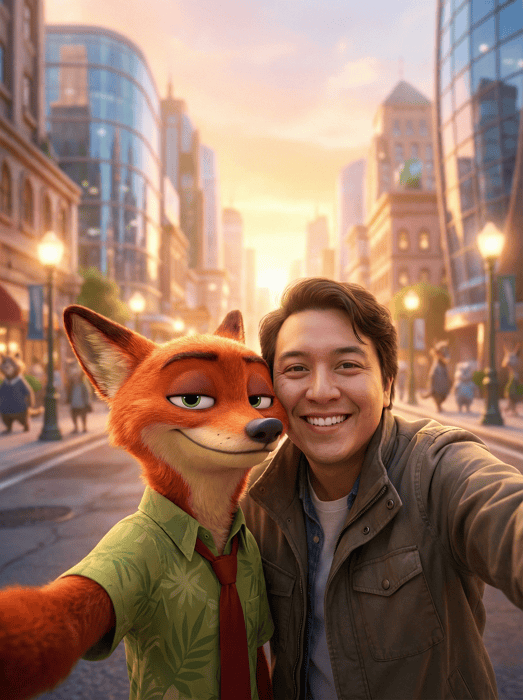
POV selfie-style shot from the person’s perspective. Camera not visible, hands not shown. Stylized selfie of a person [the person in the uploaded image] with Nick Wilde in urban Zootopia setting. Nick in his signature green Hawaiian shirt and tie, leaning casually next to person. City street background with animal citizens, modern buildings. Golden hour lighting, cinematic bokeh effect. Confident, charming expressions. Sharp detail on Nick's fur and facial features. --ar 4:5
zootopia selfie character ai photo nick wilde

7. Officer Clawhauser Selfie AI - Donut Loving Cheetah Photo

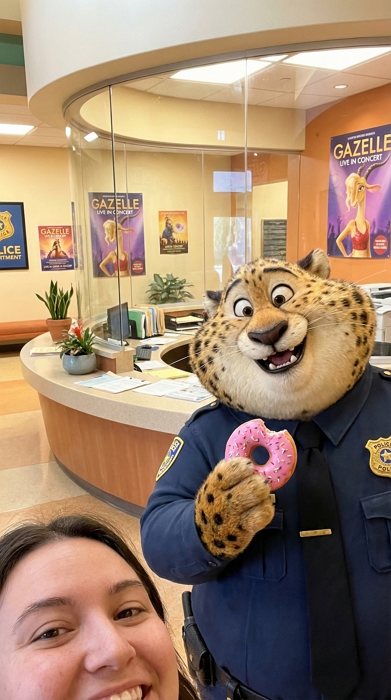
POV selfie-style shot from the person’s perspective. Camera not visible, hands not shown. Fun selfie of a person [the person in the uploaded image] with Officer Clawhauser at ZPD reception desk. Clawhauser holding a pink frosted donut, wearing his police uniform. Colorful reception area with Gazelle posters in background. Bright cheerful lighting. Both with big smiles, playful mood. Detailed cheetah spots and expressive eyes. --ar 9:16
selfie ai photo officer clawhauser donut loving

8. Chief Bogo Selfie AI Photo - Buffalo Boss Zootopia Scene

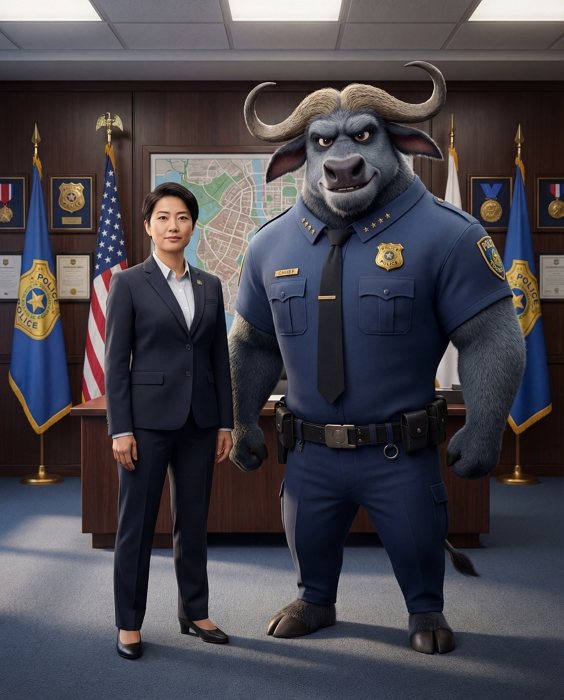
Third-person photographed shot of a person [the person in the reference image] standing next to Chief Bogo, posing for a professional but natural group photo in his ZPD office. Chief Bogo wears his police chief uniform with a stern yet friendly expression. The person stands beside him, both facing the camera. Background includes ZPD flags, awards, a city map, and dramatic office lighting with soft shadows. Realistic buffalo features and detailed fur texture. Natural, authentic group photo composition without any visible devices. --ar 4:5
zootopia selfie ai photo scene chief bogo

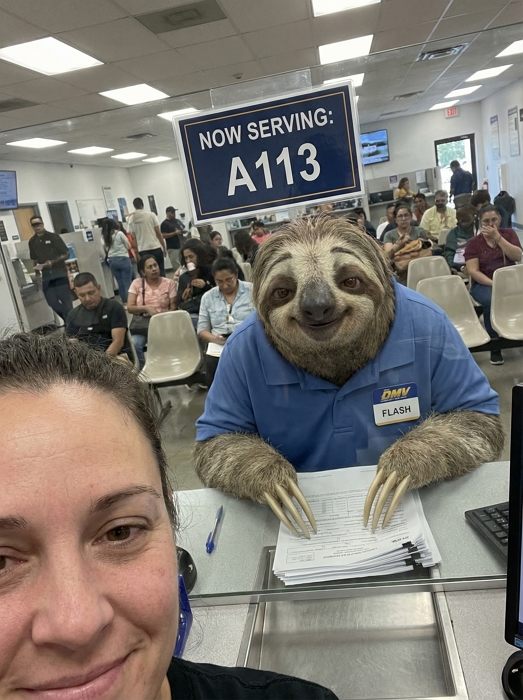
9. Flash Sloth Selfie AI - DMV Scene Zootopia 2 Photo

POV selfie-style shot from the person’s perspective. Camera not visible, hands not shown. Humorous selfie of a person [the person in the uploaded image] with Flash the sloth at the DMV. Flash behind the counter in DMV uniform, signature slow smile. DMV interior with waiting area, forms, typical office setting. Fluorescent lighting. Both posing patiently, comedic timing. Detailed sloth features, lazy expression. --ar 9:16
zootopia selfie ai photo scene flash sloth

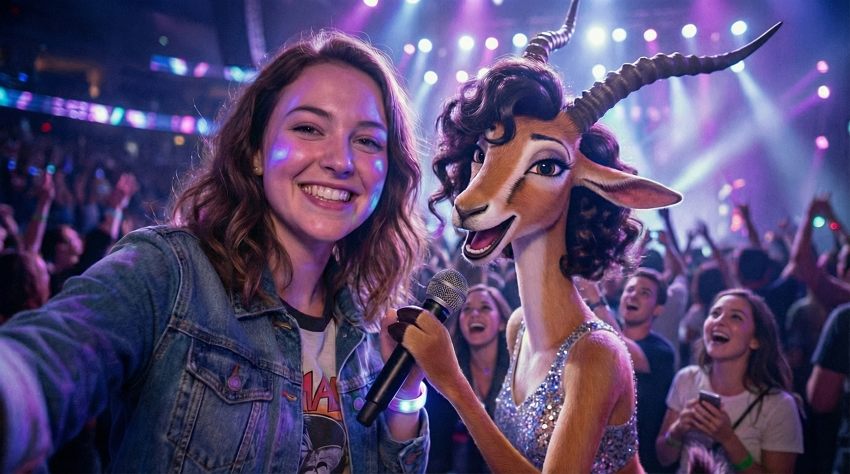
10. Gazelle Concert Selfie AI - Pop Star Zootopia Photo

POV selfie-style shot from the person’s perspective. Camera not visible, hands not shown. Energetic selfie of a person [the person in the uploaded image] with Gazelle at her concert stage. Gazelle in sparkly performance outfit, microphone in hand. Concert stage background with lights, cheering crowd silhouettes. Stage lighting with purple and blue tones. Both with excited expressions, concert energy. Detailed gazelle features, glamorous styling. --ar 16:9
zootopia selfie ai photo gazelle concert pop

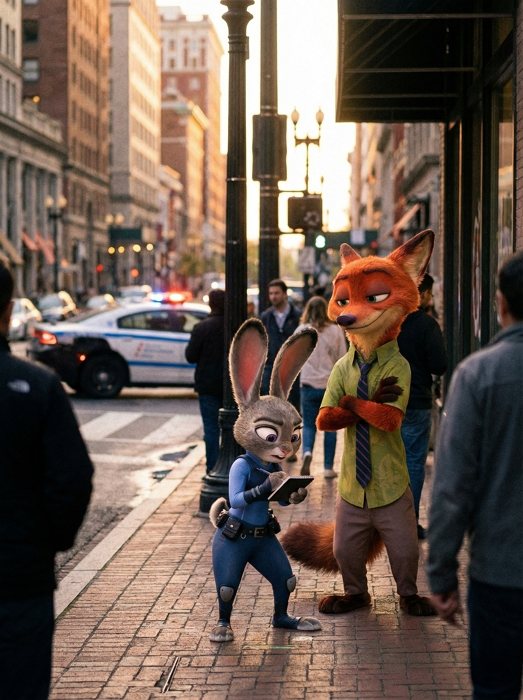
11. Judy and Nick Partnership AI - Cop Duo Photo

Candid street-shot scene of Judy Hopps and Nick Wilde working together on a case. A natural, unposed moment captured from a distant bystander’s perspective, as if taken secretly or casually. Judy is checking her notebook while analyzing clues, and Nick stands beside her with a confident, observant stance. They appear focused and unaware of the camera. Determined expressions, partnership vibe. Detailed character features, realistic fur. The setting is a city street at dusk with a police car in the background. Realistic, spontaneous “caught-in-the-moment” atmosphere, no selfie or professional setup. --ar 3:4
ai photo judy nick partnership cop

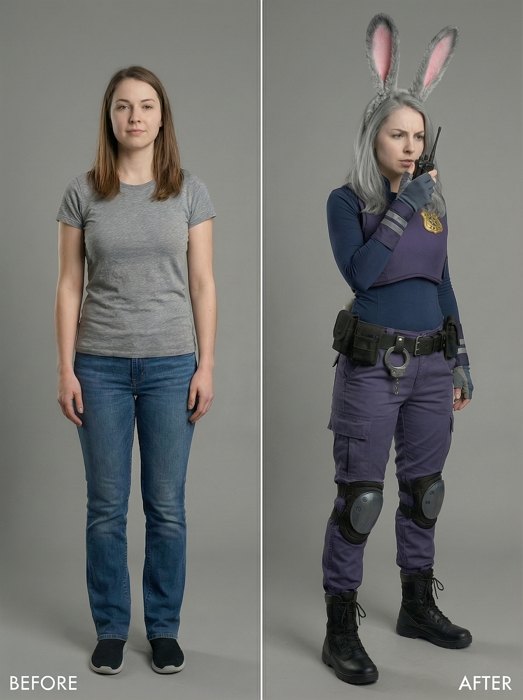
12. Transform into Judy Hopps AI (Cosplay Style)

Before-and-after style image showing the same person transforming into a Judy Hopps cosplay version.
Left side — Before: The person in normal everyday clothing, standing in a neutral pose under studio lighting, simple background, natural facial expression.
Right side — After: The same person now dressed in a Judy Hopps–style ZPD patrol uniform. The outfit includes a purple tactical police vest with a gold ZPD badge, a dark blue compression undershirt, purple duty pants, reinforced knee pads, a black utility belt with small pouches and handcuffs, and black tactical boots. They wear a grey bunny-ear headband and subtle makeup inspired by Judy Hopps while keeping their own human facial features.
Side-by-side composition with consistent studio lighting and framing. --ar 4:5
character ai transform judy hopps bunny conversion

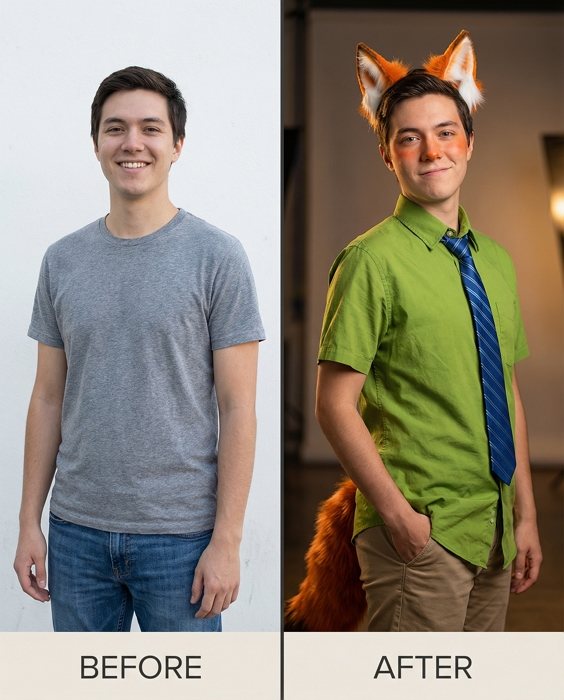
13. Transform into Nick Wilde AI (Cosplay Style)

Before-and-after transformation showing the same person in a Nick Wilde cosplay.
Left side — Before: A normal photo of the person in casual clothing, standing naturally in a full-body or half-body shot. Simple, unobtrusive background.
Right side — After: The same person dressed as Nick Wilde in a realistic cosplay style. The outfit includes Nick’s green short-sleeve button-up shirt, striped tie, tan pants, and an orange fox tail attached at the back. They wear pointed fox-ear accessories and light orange/red makeup touches inspired by Nick’s fur color, while keeping their natural human facial features.
The person has a relaxed, confident pose that matches Nick Wilde’s personality. Split-screen before-and-after composition. --ar 4:5
character ai transform nick wilde fox conversion

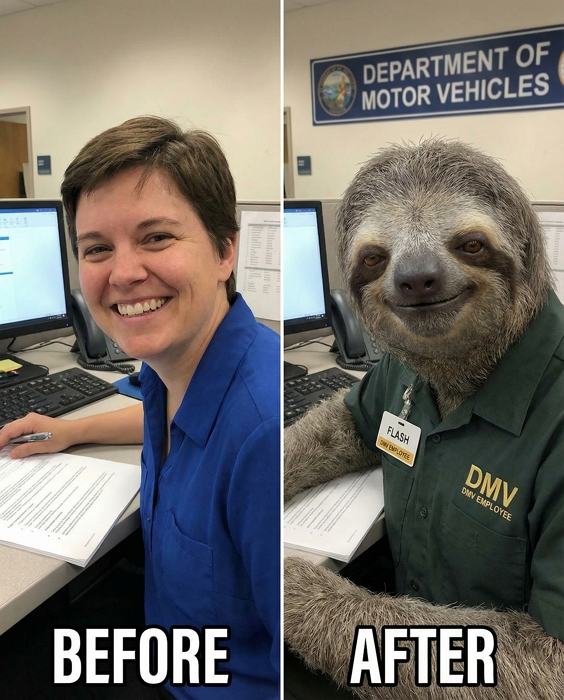
14. Transform into Flash Sloth AI (Slow Motion)

Character transformation image of person as Flash the sloth. Before: person smiling, after: person with sloth features in DMV uniform. Grey-brown fur, slow friendly expression, droopy eyes. Side-by-side layout. Office background. Maintaining person's identity while adding sloth characteristics. --ar 4:5
character ai transform flash sloth slow motion

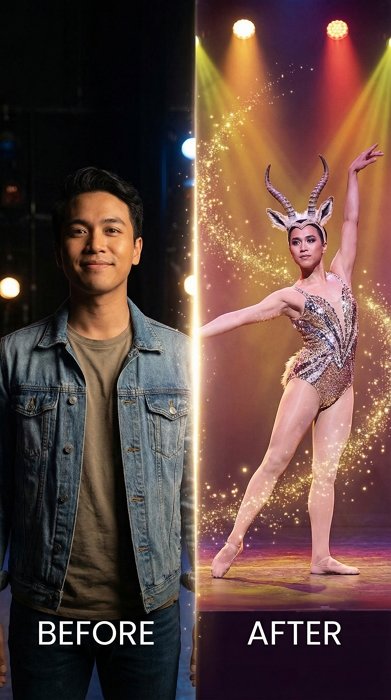
15. Transform into Gazelle (Pop Star)

Glamorous transformation of person into Gazelle. Before: regular person, after: person as gazelle with elegant features. Sparkly performance outfit, gazelle ears, graceful posture. Split composition. Stage lighting with sparkles. Maintaining person's beauty while adding gazelle characteristics. --ar 9:16
character ai transform gazelle pop star conversion

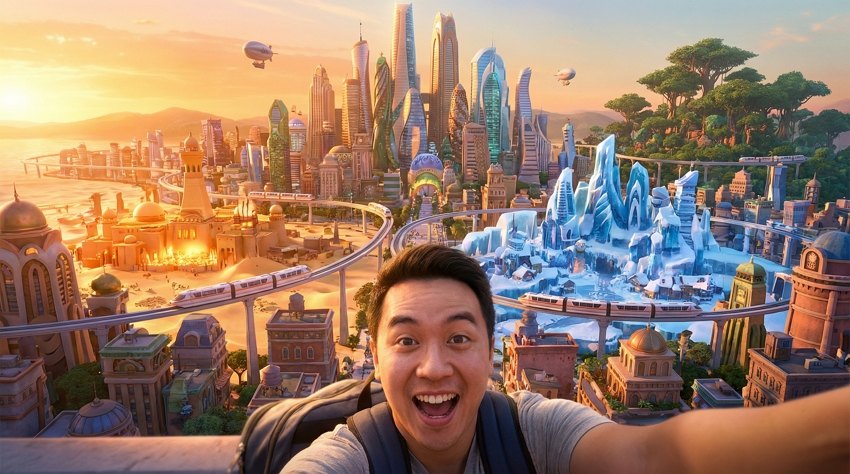
16. Zootopia City Tour Selfie AI - Skyline Background Photo

POV selfie-style shot from the person’s perspective. Camera not visible, hands not shown. Wide-angle selfie of person in Zootopia city with iconic skyline. Person in foreground, massive diverse animal city in background. Multiple districts visible: Sahara Square, Tundratown, Rainforest District. Golden hour lighting over city. Adventurous expression. Detailed cityscape with trains, buildings, nature zones. --ar 16:9
zootopia selfie ai photo city tour skyline

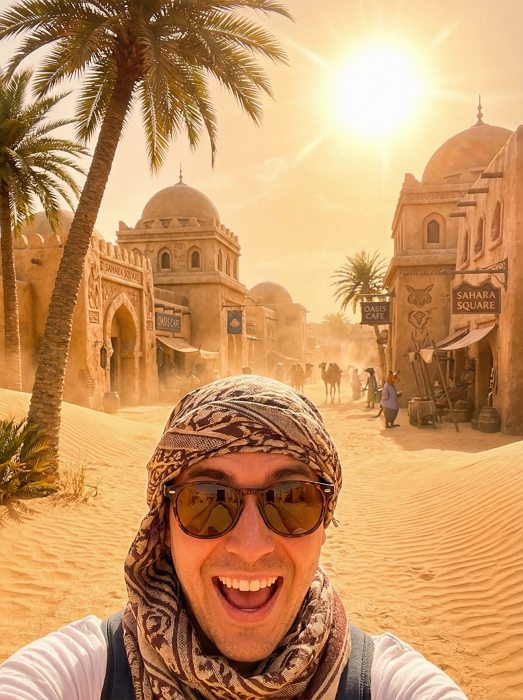
17. Zootopia Sahara Square Selfie AI - Desert Scene Photo

POV selfie-style shot from the person’s perspective. Camera not visible, hands not shown. Desert-themed selfie in Zootopia's Sahara Square. Person in foreground with massive palm trees, sand dunes, Middle Eastern architecture. Bright sunny atmosphere, heat wave effect. Warm desert lighting. Excited expression. Detailed desert elements, realistic sand and architecture. --ar 3:4
zootopia selfie ai photo scene sahara square

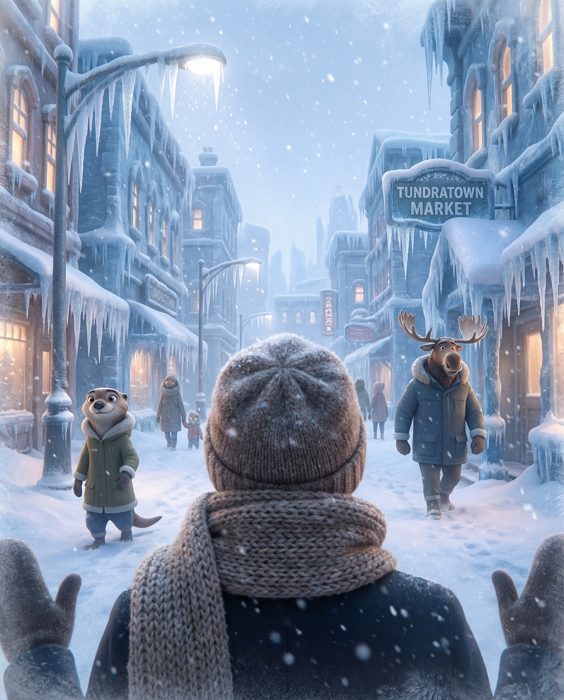
18. Zootopia Tundratown Selfie AI - Winter Wonderland Photo

Snowy photography in Zootopia's Tundratown district. Person in winter clothing, snow-covered streets, icicles, frozen buildings. Cold blue-white lighting, snowfall effect. Cozy winter mood. Detailed snow texture, realistic ice formations. --ar 4:5
zootopia selfie ai photo tundratown winter wonderland

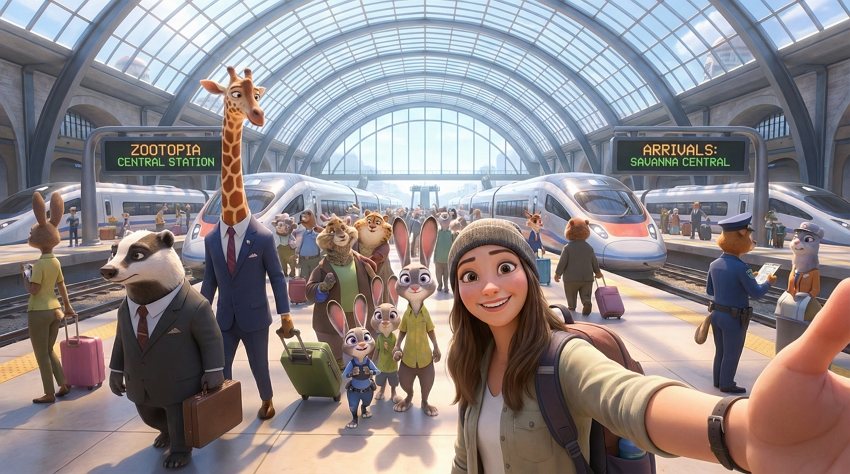
19. Zootopia Train Station Selfie AI - Transit Hub Photo

Dynamic selfie at Zootopia's central train station. Person with diverse animal citizens in background, modern transit architecture. Trains arriving, busy atmosphere. Station lighting with natural light through glass ceiling. Travel mood. Detailed station design, realistic crowd. --ar 16:9
zootopia selfie ai photo train station transit

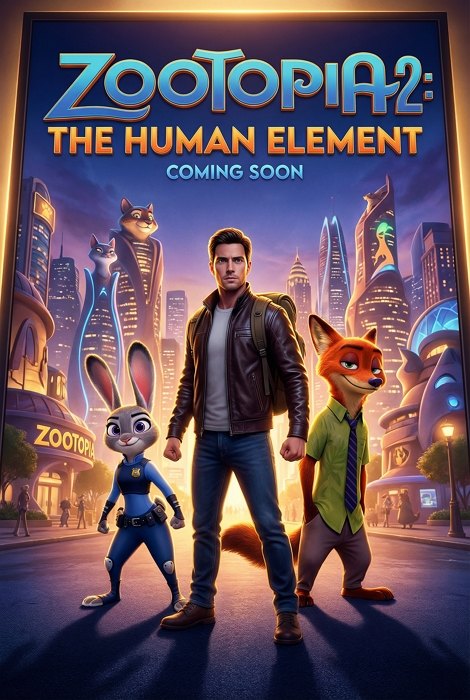
20. Zootopia 2 Movie Poster AI Photo - Fan Art Style

Professional movie poster featuring person as the protagonist in Zootopia 2 style. Person in center with Judy and Nick beside them, city skyline background. Cinematic composition with title treatment space at top. Dramatic movie poster lighting with rim lights. Heroic pose. Hyper-detailed, commercial quality. --ar 2:3
zootopia ai photo movie poster fan art

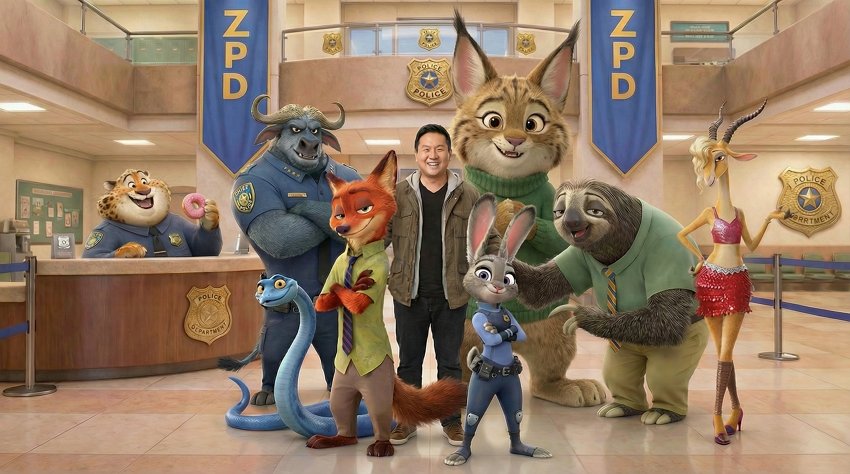
21. Zootopia 2 Character Group Photo AI - Full Cast Scene

Epic group photo of person with multiple Zootopia characters. Judy, Nick, Clawhauser, Bogo, Flash, Gazelle all together with person in center. ZPD headquarters background. Balanced group composition. Studio portrait lighting. Everyone smiling, team photo vibe. Detailed character features, varied poses. --ar 16:9
zootopia character ai photo scene group full

22. Zootopia Police Academy Selfie AI - Training Scene Photo

POV selfie-style shot from the person’s perspective. Camera not visible, hands not shown. Action selfie of person at Zootopia Police Academy training course. Person in trainee uniform, obstacle course in background. Judy demonstrating techniques. Training facility setting with equipment, other recruits. Dynamic afternoon lighting. Determined expression. Detailed academy environment. --ar 9:16
zootopia selfie ai photo scene police academy

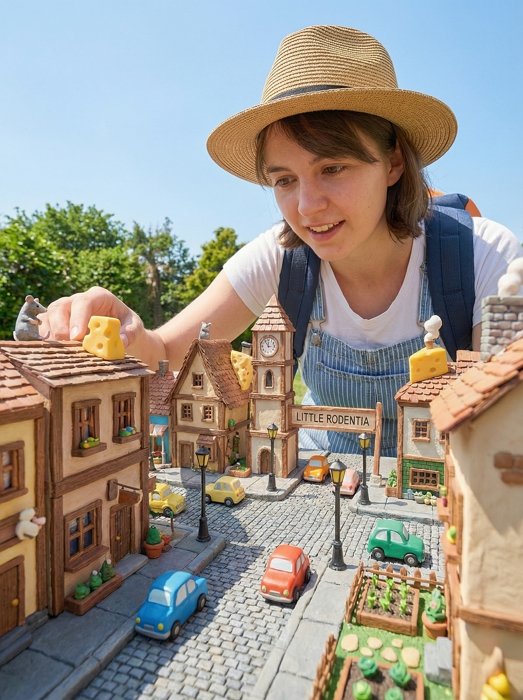
23. Zootopia Little Rodentia Photography AI - Tiny Town Photo

Creative perspective photography in Little Rodentia district. Person appearing giant-sized next to tiny mouse buildings, miniature cars, small-scale architecture. Forced perspective composition. Bright daylight. Playful mood. Detailed miniature city elements, realistic scale contrast. --ar 4:5
zootopia selfie ai photo little rodentia tiny

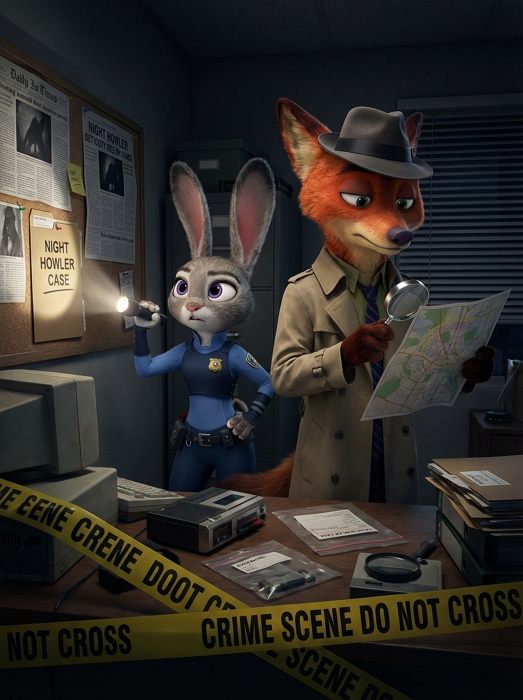
24. Zootopia Night Howler Case AI - Mystery Scene Photo

Dramatic detective-style selfie related to Night Howler case. Judy and Nick investigating, evidence in background. Dark mysterious atmosphere, flashlight lighting. Serious detective expressions. Crime scene tape, investigation equipment. Cinematic noir lighting. Detailed investigation setup. --ar 3:4
zootopia selfie ai photo scene night howler

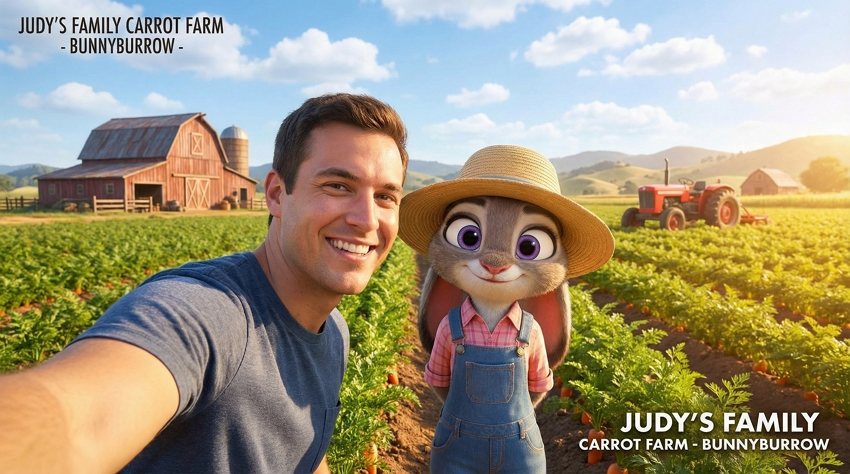
25. Zootopia Carrot Farm Selfie AI - Bunnyburrow Countryside Photo

POV selfie-style shot from the person’s perspective. Camera not visible, hands not shown. Pastoral selfie at Judy's family carrot farm in Bunnyburrow. Person with Judy among carrot fields, farm buildings, tractors. Sunny countryside setting, blue sky, white clouds. Happy rural atmosphere. Warm natural lighting. Detailed farm landscape, realistic agriculture setting. --ar 16:9
zootopia selfie ai photo carrot farm bunnyburrow

26. Zootopia Street Market Selfie AI - Shopping Scene Photo

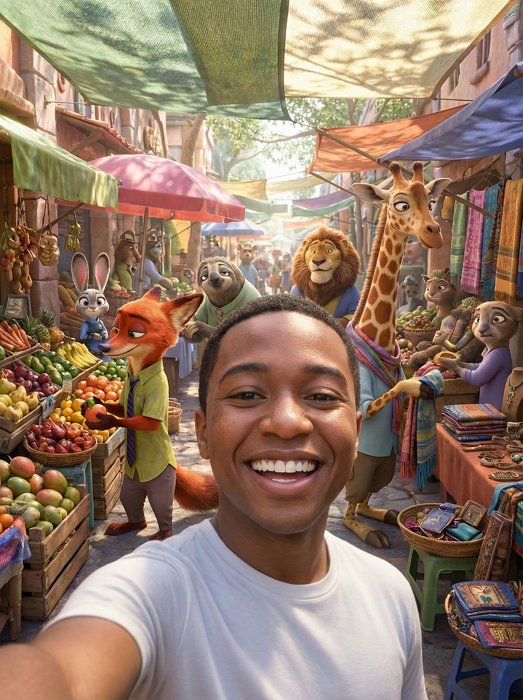
POV selfie-style shot from the person’s perspective. Camera not visible, hands not shown. Vibrant selfie at Zootopia street market. Person among market stalls, diverse animal vendors, colorful goods. Busy marketplace atmosphere. Natural outdoor lighting with awning shadows. Lively expression. Detailed market items, realistic crowd, ethnic diversity. --ar 3:4
zootopia selfie ai photo scene street market

27. Zootopia Gondola Ride Selfie AI - Canal Scene Photo

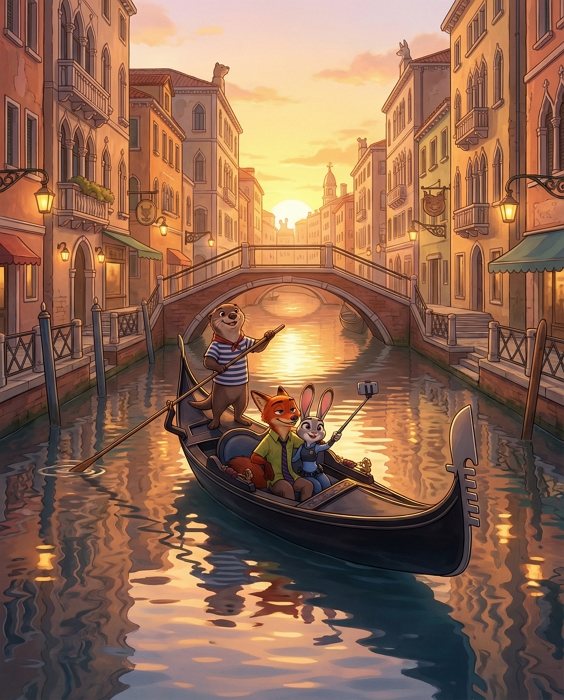
Zootopia characters riding a gondola in a romantic Venice canal at golden hour. Judy Hopps and Nick Wilde sit together taking a selfie with a selfie stick. A friendly otter gondolier stands at the back, rowing the gondola. Detailed Venetian architecture on both sides, warm sunset light reflecting on the water, soft glowing street lamps, highly detailed animated movie style, vibrant colors, expressive characters, cozy atmosphere, cinematic composition. --ar 4:5
zootopia selfie ai photo scene gondola ride

28. Zootopia Nightlife Selfie AI - Club Scene Photo

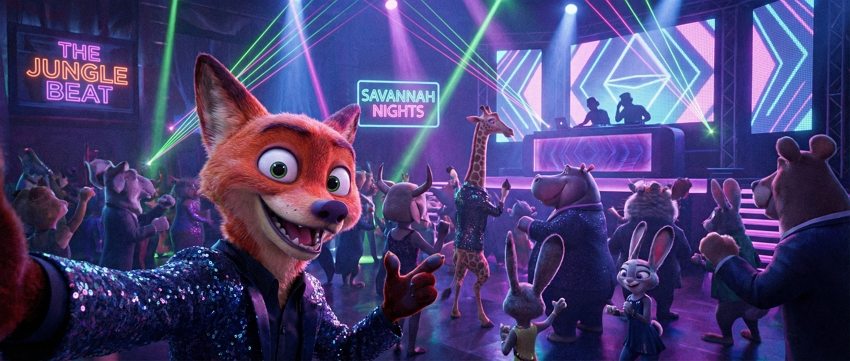
Energetic nightclub selfie in downtown Zootopia club. Person on dance floor, colorful club lights, DJ booth, dancing animal crowd. Neon and laser lighting effects. Party atmosphere. Nightclub photography style. Detailed club interior, realistic lighting effects. --ar 21:9
zootopia selfie ai photo scene nightlife club

29. Humanized Judy Hopps Transformation – If Judy Hopps Were Human

Split-screen comparison image.
Left side: Canonical Judy Hopps from Zootopia, a grey anthropomorphic rabbit police officer in her original 3D Disney style. She wears her ZPD patrol uniform with navy-blue compression top, light-blue armored vest with badge, tactical belt, and confident salute pose.
Right side: A humanized anime-style version of Judy Hopps. A cheerful young woman with short silver-grey hair, big violet eyes, and a lively expression. Wearing a human adaptation of her ZPD uniform: fitted navy-blue top, blue tactical vest with ZPD badge, belt with pouches, and similar salute pose. Maintains Judy’s energetic and determined personality while appearing fully human. Clean white background, high-detail anime illustration. --ar 4:5
humanized judy hopps - if judy hopps were human

30. Humanized Zootopia 2 Characters Transformation – If Zootopia 2 Characters Were Human

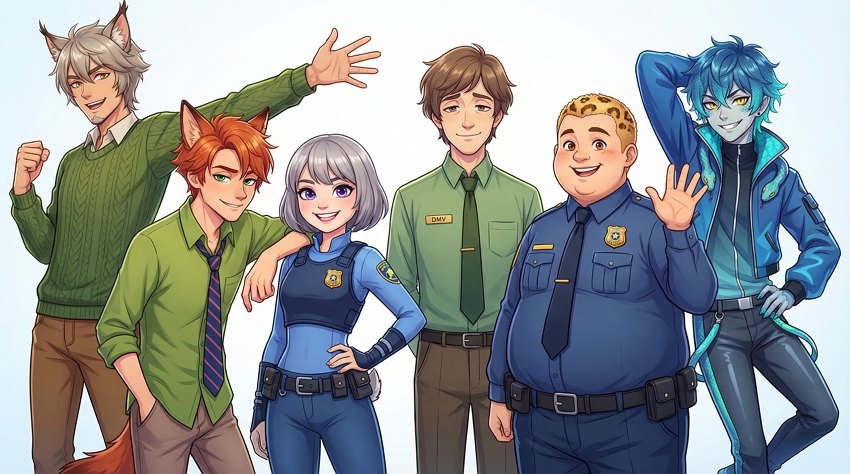
Anime-style group illustration featuring humanized versions of six Zootopia characters standing together in a dynamic lineup.
Each character keeps their recognizable personality and color motif but appears fully human while retaining subtle visual hints from their animal origins. Clean, bright anime rendering with expressive eyes, stylized hair, and crisp shading.

Judy Hopps (humanized):
Energetic young woman with short silver-grey hair and violet eyes. Wearing a human-style ZPD patrol uniform with blue tactical vest and badge. Confident smile.

Nick Wilde (humanized):
Laid-back man with messy red-orange hair, green eyes, and a subtle smirk. Wearing Nick’s signature green shirt and striped tie. Relaxed posture.

Flash (humanized):
Calm office worker with soft brown hair, droopy relaxed eyes, gentle slow-motion smile. Wearing a green DMV-style shirt and tie. Friendly, slow-paced demeanor.

Clawhauser (humanized):
Cheerful plus-size young man with short blond hair patterned like subtle cheetah spots. Warm expressive eyes and big smile. Wearing a human ZPD uniform.

Gary De’Snake (humanized):
A playful, sharp-eyed young man inspired by a small bright-blue snake. He has messy blue hair with subtle scale-like texture and gradient turquoise highlights, bright yellow eyes with vertical pupils, and a mischievous grin showing a hint of fang-like canines. Wearing a stylish blue jacket with serpent-pattern accents and a sleek modern streetwear vibe. Lean and flexible body language that hints at snake-like agility.

Pawbert Lynxley (humanized):
Tall charismatic man with light grey-brown hair styled with lynx-inspired tufts, amber eyes, and expressive confident smile. Wearing a textured green knitted sweater and brown pants. Energetic gesture with one hand extended.

Composition:
All characters standing or posing together in a unified group portrait. Bright, clean anime art style, vivid colors, expressive faces, harmonious character spacing. White or softly blurred background. --ar 16:9
humanized zootopia 2 characters in anime style

How to Write the Best Zootopia Prompts

Getting that movie-quality look requires more than just typing “fox and bunny.” Here is the formula I use to get consistent results:

1. Define the Medium: Don’t just say “Nick Wilde.” Specify if you want a “3D Disney-style render,” a “2D hand-drawn watercolor illustration,” or an “Anime-style screenshot.” This prevents the AI from mixing styles.

2. Focus on Textures: For realistic shots, use keywords like “subsurface scattering” (for translucent ears), “detailed fur texture,” and “soft cinematic lighting.” For illustrations, try “colored-pencil texture” or “watercolor wash.”

3. Use the “Selfie” Trick: For the selfie prompts below, the keyword “POV selfie-style shot” combined with “camera not visible” is crucial. It tells the AI to frame the shot intimately without trying to render a clumsy hand holding a phone.

Summary

From romantic watercolor dates to hyper-realistic selfies with your favorite characters, Gemini Nano Banana Pro offers endless possibilities for Zootopia fans. Whether you’re excited for the new reptiles in Zootopia 2 or just want to revisit the classic duo, these prompts will help you create consistent, high-quality fan art. Remember, the best results come from iterating—so jump into Mew Design, paste a prompt, and start building your own animal kingdom today.

20+ Gemini Nano Banana Pro Prompts for Manga: Copy & Paste

I used to spend hours sketching out rough storyboards and trying to get the shading right on my manga panels. But recently, I started using the Gemini Nano Banana Pro model, and it honestly changed my workflow. It understands the distinct difference between a Shonen action line and a Shojo sparkle in a way previous models just couldn’t grasp.

You can try these prompts directly in Gemini, but keep in mind you usually need a paid Gemini 3 Pro account to access the best image generation features. If you want to start creating without a subscription, I recommend checking out Mew Design. It’s a AI design agent platform powered by Nano Banana Pro and Gemini 3, but it’s tuned with real design aesthetics. You get free AI credits just for signing up, and you can generate single characters or entire batches of consistent comic panels using simple natural language.

How to Generate Manga/Comic with Gemini Nano Banana Pro

Generating manga requires more than just a good prompt; you need control over the output. While raw models are powerful, they often struggle with keeping a character looking the same across different panels. Here is a simple workflow using Mew Design to keep your characters consistent and your panels sharp.

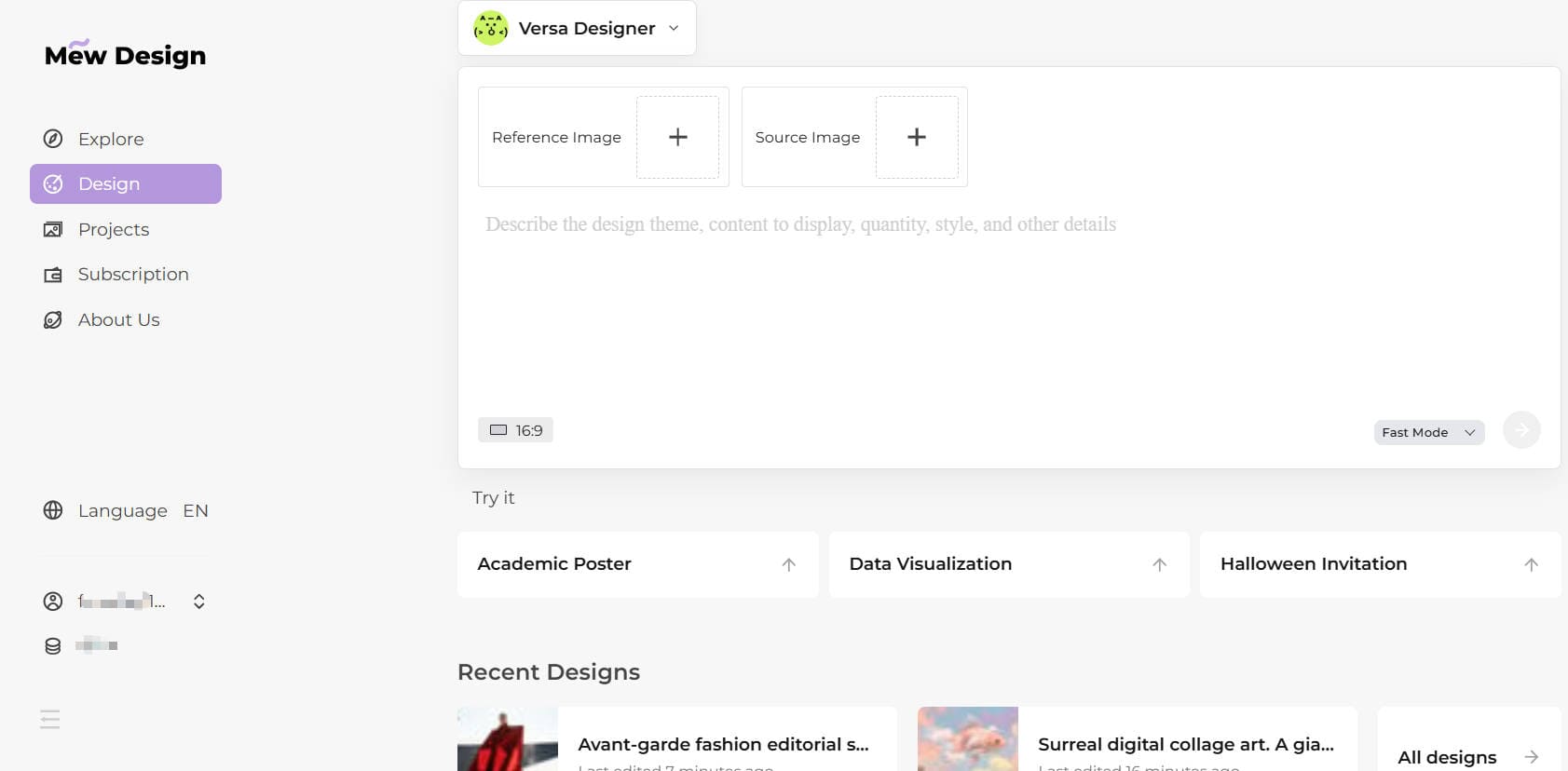
Step 1: Go to Mew Design Log in to your Mew Design account. If you are new, you will automatically receive free AI credits upon registration to start testing the Nano Banana Pro model.

Step 2: Input Your Manga Prompt Go to the Design interface. You can type in natural language or paste one of the structured prompts from the list below. Choose either Fast Mode or Deep Mode depending on your needs. Fast Mode is ideal for generating a single detailed image, such as a manga character. Deep Mode is better for automatically creating a multi-image series. input your manga prompts

Step 3: Refine with Conversation This is the best part about using an AI design agent. If the generated result isn’t quite right—maybe the manga ink is too heavy or the character’s eyes are the wrong color—you don’t need to rewrite the whole prompt. Just click the Refine button and type a follow-up command like, “Make the lines thinner” or “Change the background to a sunset,” and Mew Design will edit the image for you. edit ai generated manga image

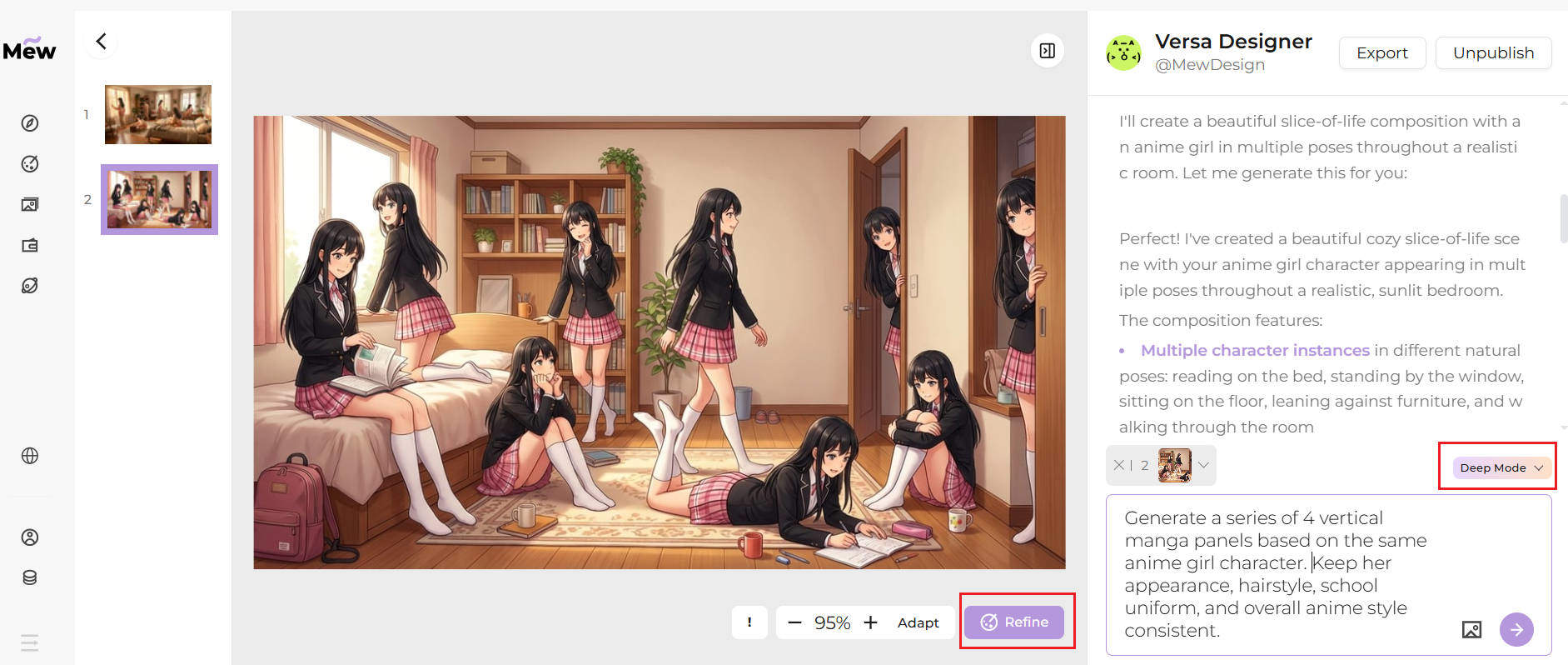
Step 4: Generate a Series For a comic, you need multiple panels. You can ask Mew Design to “Generate a series of xx vertical manga panels based on the same character in the reference image.” to quickly build out a full storyboard or comic strip without starting from scratch every time. generate comic with deep mode

20+ Best Nano Banana Pro Prompts for Manga & Anime

I’ve put together a list of Gemini Nano Banana Pro prompts that I personally use to get high-quality manga results. Whether you are looking for specific character sheets, full comic page layouts, or retro anime styles, you can just copy and paste these into your Nano Banana Pro AI image generator to get started.

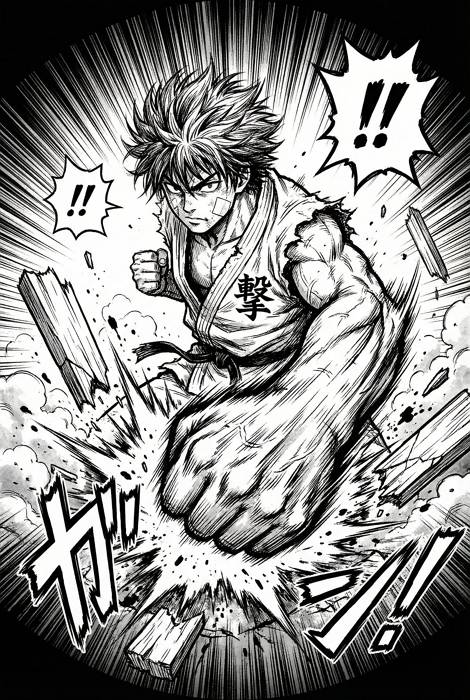
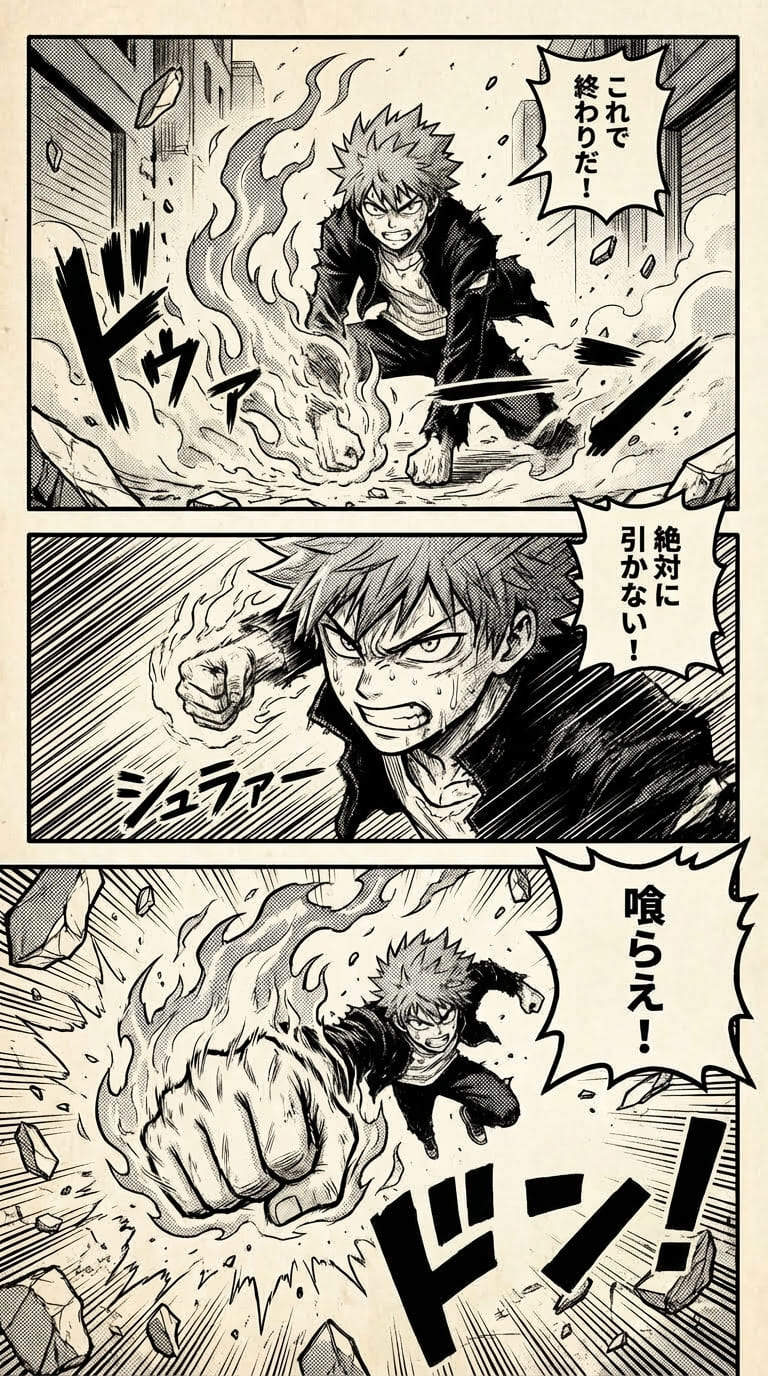
1. The Classic Shonen Action Shot

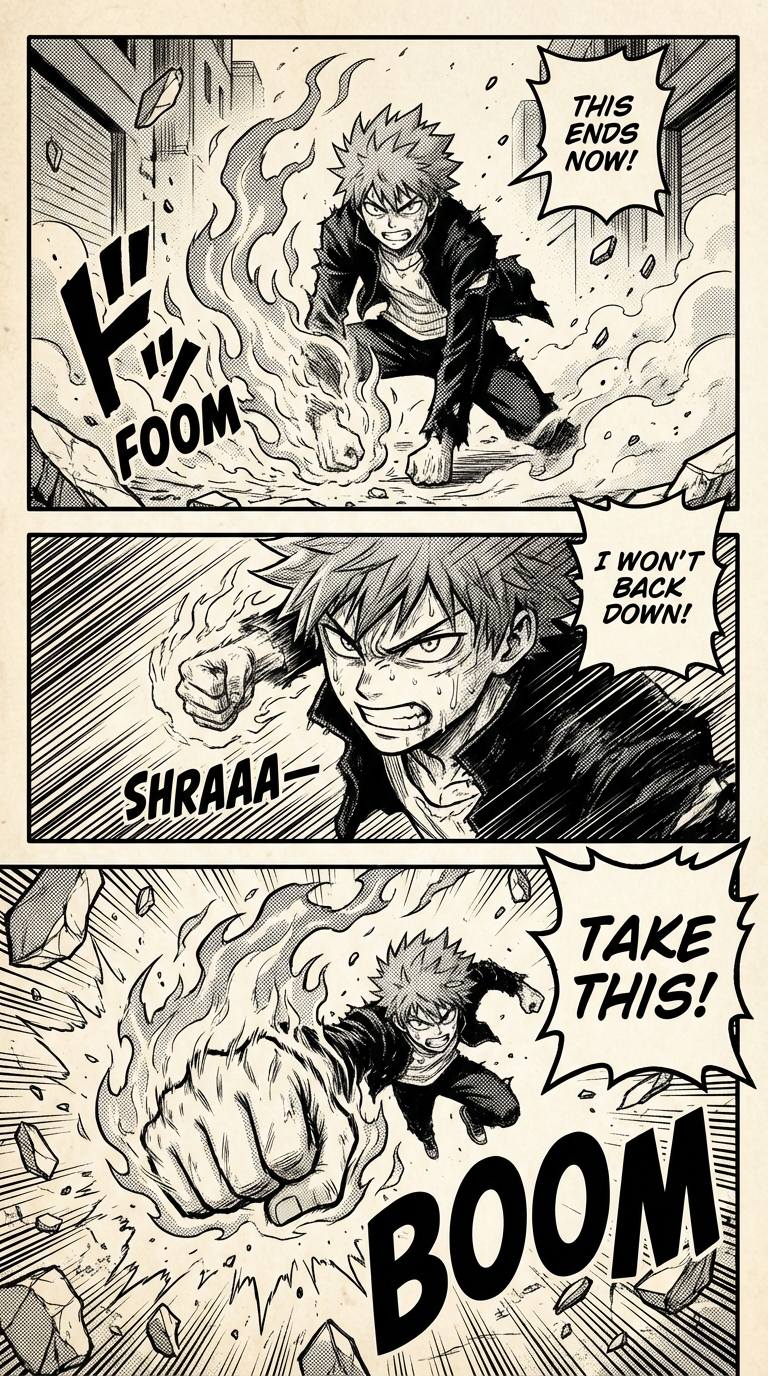
A high-impact manga panel, black and white ink style, a young hero with spiky unkempt hair and a bandaged cheek punching forward with intense speed lines, wearing a torn martial arts gi with a kanji symbol on the chest, "impact frame" effect, debris flying, extreme fish-eye lens perspective, high contrast, G-pen texture. --ar 2:3
manga boy punching with speed lines

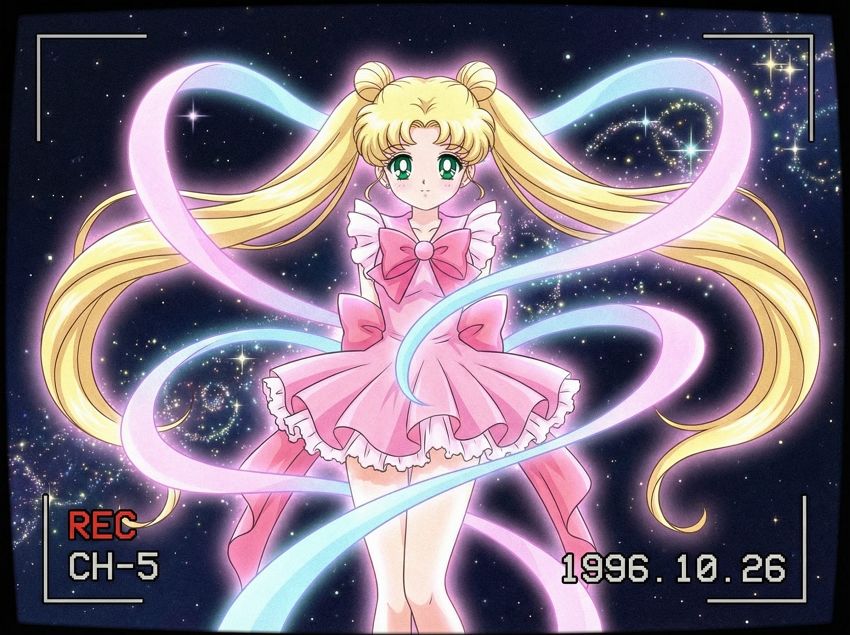
2. Retro 90s Anime Screenshot

90s anime TV screenshot, a magical girl transforming, she has long flowing blonde hair with twin tails and large emerald green eyes, wearing a frilly pink dress with ribbons, soft pastel colors, vintage film grain, glowing ribbon effects, cel-shaded, starry background, nostalgic aesthetic. --ar 4:3
90s anime girl transforming screenshot

3. Four-Panel (4-Koma) Comic Strip with Dialogue

A 4-panel manga strip (4-koma) layout, vertical arrangement, slice of life genre. Panel 1: A cute chibi girl with cat ears holding an empty plate, speech bubble saying "Where is my cake?". Panel 2: A chibi dog boy looking away nervously, speech bubble saying "I don't know...". Panel 3: Close up on the dog boy's face with crumbs around his mouth. Panel 4: The girl yelling comically with jagged speech bubble "Liar!", simple background, clean vector lines. --ar 1:3
four panel vertical manga strip with text

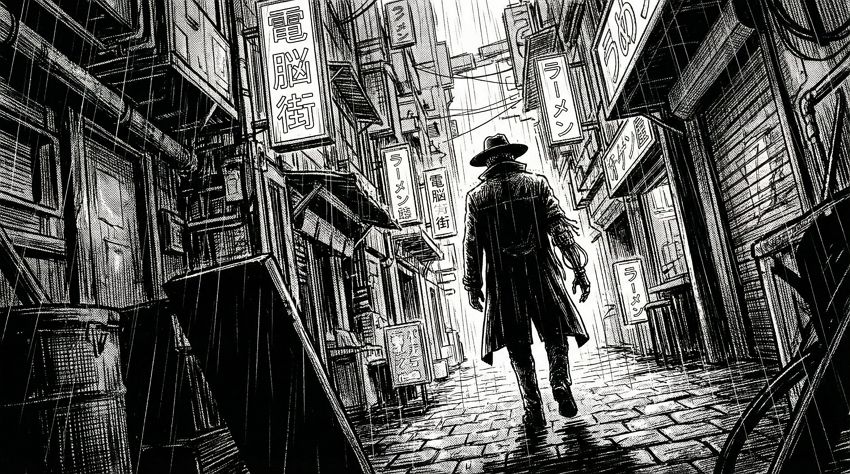
4. Cyberpunk Seinen Cityscape

Seinen manga art style, wide shot of a futuristic cyberpunk city alleyway, rain falling, heavy black shadows, neon signs (Japanese text), a lone figure walking away wearing a trench coat and a wide-brimmed hat, robotic arm visible, gritty atmosphere, detailed hatching. --ar 16:9
gritty cyberpunk manga city street

5. Detailed Character Reference Sheet

Anime character reference sheet, front view, side view, and back view of a female elven knight, she has long silver braided hair and sharp ears, wearing polished silver plate armor with gold filigree and a blue cape, holding a rapier, flat colors, white background, detailed accessories, clean line art. --ar 3:2
female knight anime character sheet

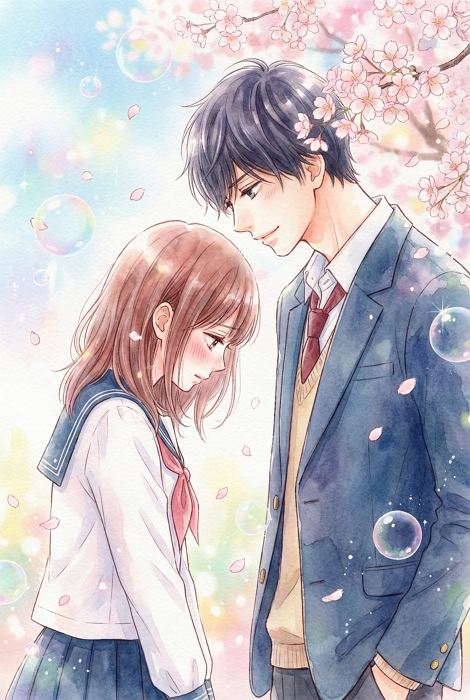
6. Shojo Romance Moment

Shojo manga illustration, a high school couple standing under a cherry blossom tree, the boy is tall with dark hair looking gently at the girl, the girl is looking down blushing, soft focus, sparkling bubbles and flower petals in the background, watercolor texture, delicate eyelashes, romantic mood. --ar 2:3
anime couple under cherry blossoms

7. Horror Manga Spiral (Junji Ito Style)

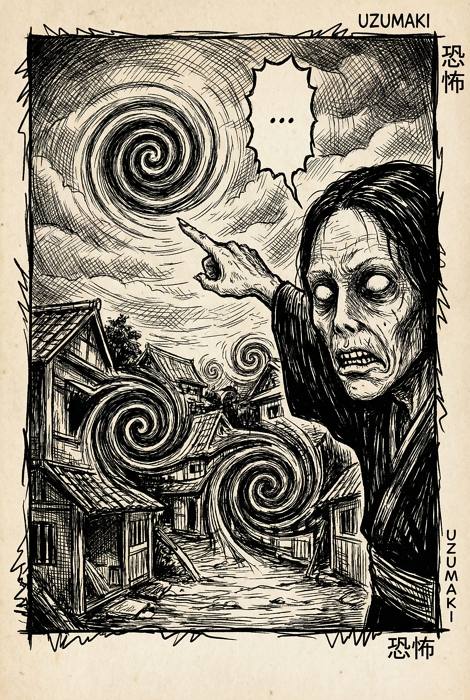
Horror manga style, intricate black ink lines, a surreal spiral pattern taking over a small town, a character with hollow eyes and a twisted expression pointing at the sky, speech bubble containing only "...", heavy shading, disturbing and eerie atmosphere, psychological horror. --ar 2:3
scary black and white horror manga

8. Dramatic “Face Off” Splash Page

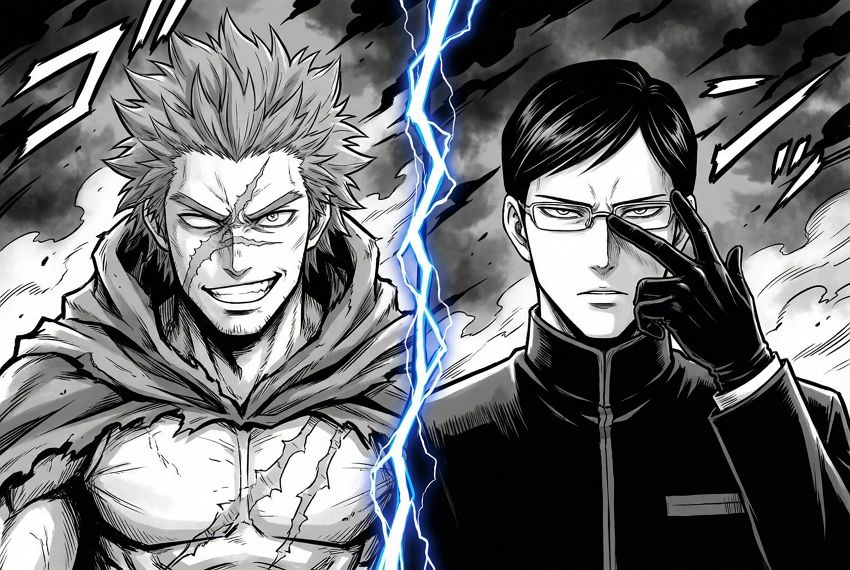
Full page manga splash art, split screen composition. Left side: Close up of a hero with a determined grin and a scar across his nose. Right side: Close up of a villain with a cold stare and glasses pushing up his frames. Lightning crackling between the split, dark background, dramatic lighting. --ar 3:2
two anime rivals staring intensely

9. Webtoon Style Office Drama

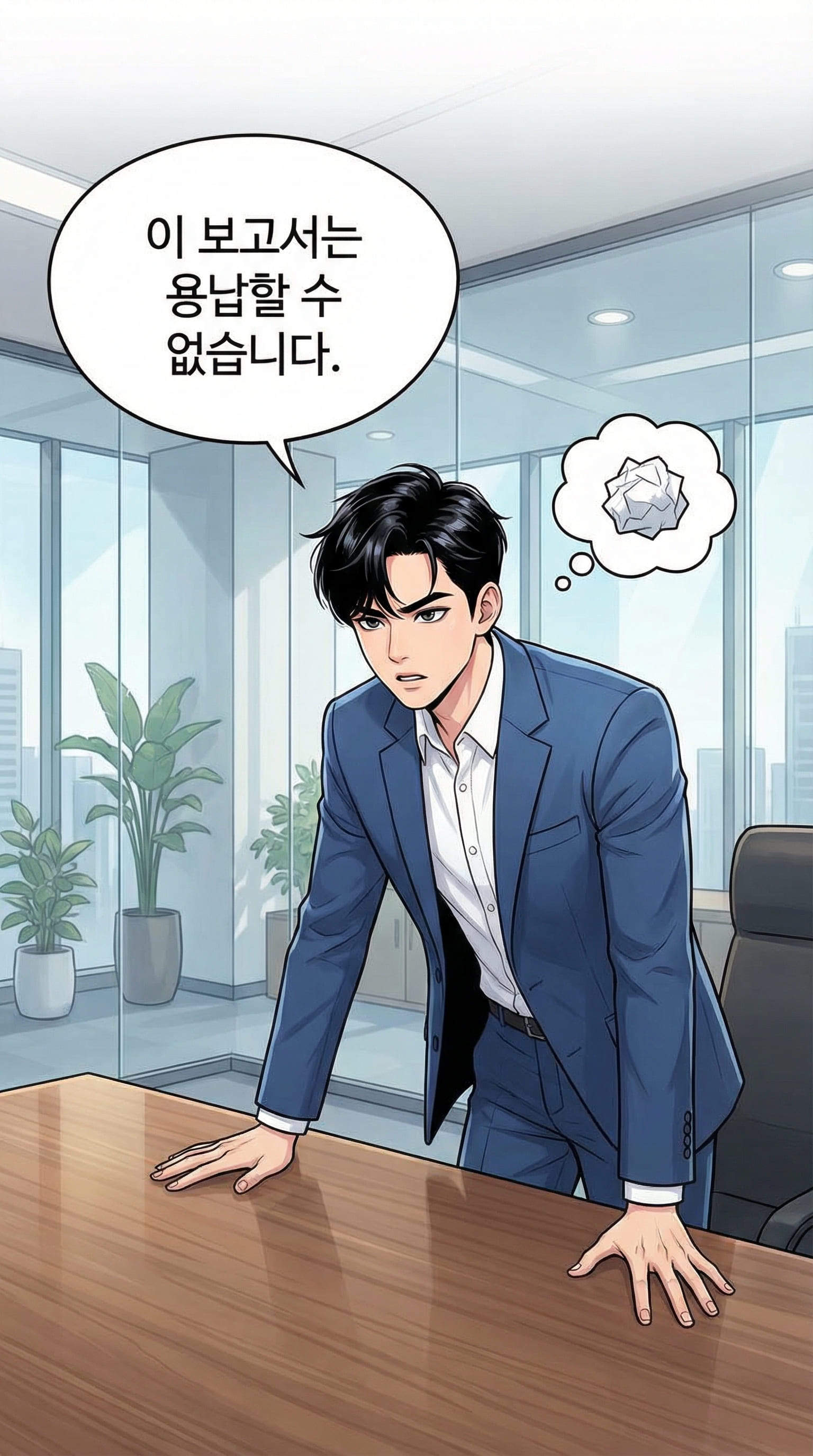
Korean webtoon style, vertical panel format, full color. A modern office setting. A handsome CEO with sleek black hair and a sharp blue suit is leaning over a desk. He says "This report is unacceptable." in a speech bubble. Soft lighting, sharp digital painting style, webcomic aesthetic. --ar 9:16
handsome ceo webtoon character color

10. Mecha Hangar Blueprint

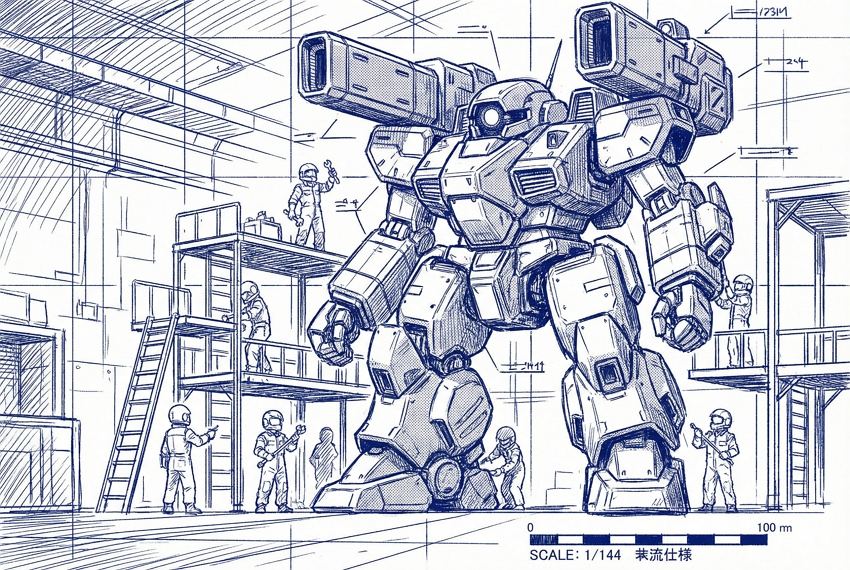
Sci-fi manga art, giant robot standing in a repair hangar, the robot has a mono-eye sensor and bulky shoulder cannons, tiny mechanics working on scaffolding next to it, scale comparison, technical blueprint lines, white and blue ink style, mechanical details. --ar 3:2
giant robot manga line art

11. Traditional Samurai Duel (Ink Wash)

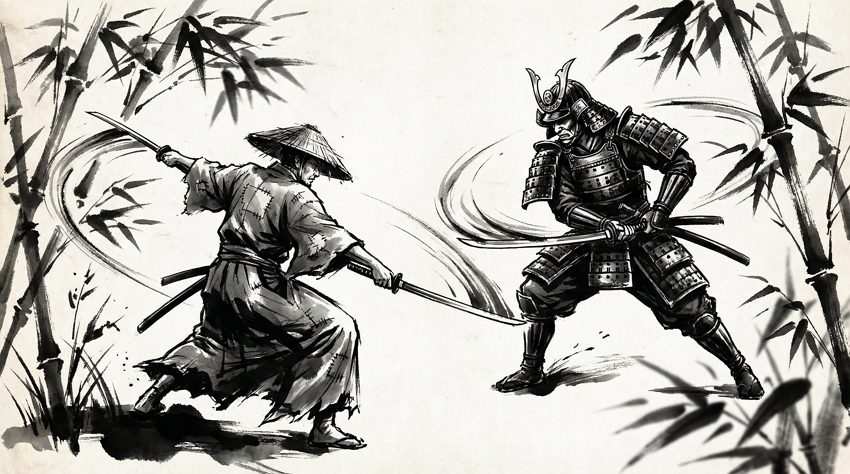
Historical manga, two samurai drawing swords, sumi-e ink wash painting style, rough brush strokes. Samurai 1 is wearing a tattered ronin kimono. Samurai 2 is wearing full shogun armor. Motion blur, falling bamboo leaves, high contrast black and white, dramatic tension. --ar 16:9
samurai sword fight ink style

12. Manga Cover Art

Manga volume cover art, vibrant colors, main characters grouped together in a dynamic pose, space for title at the top. Main character is a teenage boy with fire powers, flanked by a healer girl with a staff and a tank character with a shield. Eye-catching composition, high resolution, anime poster style. --ar 2:3
colorful anime manga book cover

13. Emotional Close-Up (Tears)

Extreme close-up of an anime eye, tears streaming down, detailed reflection in the pupil showing a burning city, emotional and sad, monochrome with screentone shading, delicate line work, messy bangs falling over the eye. --ar 1:1
sad anime eye with tears

14. Fantasy Isekai Landscape

Isekai fantasy world background, floating islands in the sky connected by giant chains, a medieval castle in the distance, establishing shot, manga style, clean lines, screentone clouds, expansive view, no characters. --ar 16:9
fantasy floating islands manga background

15. Sports Manga Intensity

Sports manga panel, basketball player mid-air for a dunk, he has a focused expression with glowing eyes (zone mode), sweat droplets, speed lines, low angle view, highly detailed muscles and jersey with number 10, digital ink style. --ar 2:3
basketball anime player dunking action

16. Text Bubble Template (Scanlation Style)

A manga page layout with characters talking, large white speech bubbles placed clearly for text. Two high school students walking home, sunset lighting (screentone gradient), shadows stretching long, clean layout for lettering. --ar 2:3
manga page with empty bubbles

17. Cute Mascot (Chibi Style)

Chibi style mascot character, small round green dragon with tiny wings and a red scarf, holding a bubble tea with both hands, sticker art, thick outlines, flat colors, simple and cute, white background. --ar 1:1
cute chibi dragon sticker art

18. Cooking Manga (Food Focus)

"Gourmet" manga style, close up of a delicious bowl of Tonkotsu ramen, steam rising in swirls, glistening soup texture, braised pork belly slices, nori, and a soft boiled egg, sparkling effect to show deliciousness, highly detailed food art. --ar 1:1
delicious anime ramen bowl drawing

19. Post-Apocalyptic Wanderer

Full body design, manga character wearing a tattered crimson cloak over tactical gear, gas mask hanging around neck, face smeared with dirt, standing on desert ruins, wind blowing messy hair, intricate cross-hatching, desolate mood, Akira Toriyama influence. --ar 9:16
anime survivor in desert ruins

20. Villain Reveal (Shadows)

Manga panel, a villain sitting on a gothic throne, face half-hidden in shadow, glowing red eyes, sharp angular features, wearing a high-collared dark suit, ominous aura effects, speech bubble says "Welcome to your doom.", gothic architecture background. --ar 2:3
evil anime villain on throne

21. Crowd Scene

Busy Tokyo street crossing at Shibuya, manga style, crowd of anonymous people walking, detailed background buildings and advertisements, daytime, screentone shading for depth, birds eye view. --ar 16:9
busy anime street crowd scene

How to Write the Best Gemini Nano Banana Pro Prompts for Manga & Comic

Getting the exact look you want for your comic isn’t just about describing the character; it’s about describing the medium and the layout. Nano Banana Pro needs to know you are making a comic, not a photograph.

Here is the basic formula I use: [Manga Sub-genre] + [Panel Description/Layout] + [Character Details & Dialogue] + [Artistic Technique/Medium] + [Ratio]

For example, instead of asking for “a boy playing soccer,” try: “Sports manga panel, low angle action shot, a boy with messy hair and a number 7 jersey kicking a soccer ball, shouting ‘Goal!’ in a jagged speech bubble, speed lines, sweat details, high contrast black and white ink. —ar 2:3”

Tips & Tricks for Generating Manga/Comic with Nano Banana Pro

  • Mind the Ratio: Use --ar 2:3 for standard manga pages, --ar 16:9 for cinematic wide panels, and --ar 9:16 for Webtoon style scrolling comics.
  • Define the “Ink”: If you want that authentic printed look, use keywords like “G-pen,” “Screen tone,” “Hatching,” or “Black and white ink.” Without these, the AI might give you a 3D render.
  • Dialogue Control: You can specify what characters are saying by adding phrases like speech bubble saying “Hello” in your prompt. However, for perfect text, it’s often better to generate empty bubbles and add the text later in Mew Design.
  • Panel vs. Illustration: Specify if you want a “Manga page layout” (which creates multiple boxes) or a “Full page illustration” (which creates one big image).

Summary

Creating manga art doesn’t have to be a struggle with anatomy or perspective anymore. With these Gemini Nano Banana Pro prompts, you can quickly generate storyboards, detailed character concepts, and finished panels. While Google’s tools are a great starting point, Mew Design offers a more focused experience for creators who need consistency and control. Give it a try—sign up, grab your free credits, and start building your story today.

30+ Nano Banana Pro Prompts Plus Free Usage & Writing Tips

Nano Banana Pro — also known as Nano Banana 2 — is Google’s upgraded image generation and editing model, now capable of producing sharper details, better text rendering, improved consistency, and stronger world‑knowledge integration. It performs well across portraits, manga, posters, product shots, concept scenes, infographics, and structured knowledge visuals.

If you want to try the Nano Banana Pro AI image generator without any setup, Mew Design is the best place to start. It’s not just a tool but an AI design agent. Mew Design combines Nano Banana Pro’s state-of-the-art image generation with the deep contextual understanding and code-based editing capabilities of Gemini 3 Pro.

Beyond producing images, Mew Design applies professional-grade design principles to your layout. It performs especially well with complex, text-heavy projects—such as academic posters or detailed infographics—delivering clean typography and zero text hallucinations, a common issue in other tools.

use nano banana pro for free in mew design

1. 30+ Best Prompts for Nano Banana Pro Image Generation & Photo Editing

We have categorized these AI image prompt examples for Nano Banana Pro to help you find exactly what you need. Below you will find a mix of concise instructions and detailed descriptions to test the model’s full capacity.

1.1 Character & Portrait Prompts (Realistic & Cinematic)

01. Cinematic Hero

A hyper-realistic cinematic portrait of a young firefighter hero standing against glowing city lights at dusk. The lighting is dramatic, featuring a cool blue rim light on the left and a warm amber street light on the right. High-definition skin texture showing subtle sweat and freckles, expressive hazel eyes looking slightly off-camera. Shot on a 85mm lens, f/1.8 aperture, shallow depth of field with bokeh background, premium 8k photography style.
realistic nano banana pro prompt result of a cinematic hero portrait

02. Fantasy Elf Ranger

A fantasy elf ranger with flowing silver hair and piercing emerald eyes, wearing intricate leather armor adorned with leaf patterns. Deep forest background with shafts of sunlight breaking through the canopy, soft atmospheric lighting, semi-realistic digital painting style.
fantasy elf ranger generated with best prompts for nano banana pro

03. Cyberpunk Street Style

Cyberpunk fashion portrait, neon pink and blue lighting, futuristic visor, rain-slicked street background, crisp focus, 1:1 ratio.
nano banana 2 prompts example of cyberpunk style

04. Corporate Headshot

Professional business headshot of a woman in a navy blue blazer, white background, soft studio lighting, confident smile, 4k resolution, LinkedIn style.
professional corporate headshot generated by nano banana pro ai

05. Elderly Artisan

Portrait of an elderly watchmaker working at a table, magnifying glass over one eye, warm lamp lighting, highly detailed wrinkles and hands, messy workshop background, Norman Rockwell style.
nano banana 2 artistic portrait of an elderly watchmaker

1.2 World Knowledge & Infographic Prompts

06. Solar System Knowledge Card

A clean, educational infographic knowledge card showing the Solar System. The sun is on the left, followed by clearly labeled planets: Mercury, Venus, Earth, Mars. Text labels are sharp, legible sans-serif font. Dark space background with subtle star fields, vector art style, professional layout suitable for a textbook.
nano banana pro text-to-image prompt for solar system infographic

07. Math Geometry Problem Visual

You are a math teacher. Generate a “whiteboard-style” visual solution for the following math problem.
[Problem]
A farmer picked apples into three baskets.
The first basket has 8 more apples than the second basket.
The second basket has 5 fewer apples than twice the number of apples in the third basket.
All three baskets together contain 88 apples.
How many apples are in the third basket?
[Whiteboard Requirements]
1. Background must be pure white, like a real whiteboard.
2. Use hand-drawn marker-style writing.
3. Use black as the main color; use blue/red only to highlight key steps.
4. The whiteboard must include:
 - Variable definitions
 - Equation setup
 - Substitution and simplification steps
 - Final numeric answer for the third basket
5. No non-math content or decorations.
6. Organize steps clearly from top to bottom.
[Output]
Produce a single whiteboard-style image that shows the full reasoning process.
google ai image prompts for math geometry triangle

08. Historical Timeline UI

A modern UI timeline design displaying 'The History of Coffee'. Multiple milestones with timeline arrow. Minimalist beige and brown color palette, clean typography, flat design style.
ui design timeline showing history of coffee

1.3 Poster & Marketing Prompts

09. Minimalist Perfume Ad

A luxury product photography shot of a transparent glass perfume bottle sitting on a piece of rough, grey slate rock surrounded by calm water. Soft morning sunlight casting gentle ripples and caustics on the bottle. The background is a misty blurred mountain range. Text at the top center reads 'PURE ESSENCE' in an elegant gold serif font.
marketing prompts for nano banana pro showing perfume ad

10. Tech Conference Cover

Futuristic tech event cover, geometric connecting lines, glowing nodes, large text 'AI SUMMIT 2025' in the center, deep blue and violet gradient, modern professional layout.
nano banana pro prompts for designers creating tech conference covers

11. Coffee Shop Poster

Vintage style coffee shop poster. Illustration of a steaming coffee cup, warm brown and orange tones, bold retro typography reading 'Morning Brew', grainy texture overlay.
vintage coffee shop poster design with nano banana pro

12. Black Friday Sale Banner

Black Friday Sale web banner, 16:9 ratio. Winter theme with cool tones, snow particles, frosted textures and soft icy highlights. Large 3D metallic text ‘BLACK FRIDAY SALE’ floating in the center, bold and high-impact commercial style. Feature a product: smart heated gloves in sleek black fabric, glowing subtle red warmth lines. Add a striking red discount badge showing ‘50% OFF’. Clean layout, premium winter retail aesthetics, high-energy promotional atmosphere.
bright summer sale banner created with nano banana pro

1.4 Manga & Anime Prompts

13. Shonen Battle Panel

A vertical 3-panel shonen manga page. High-octane action, bold black ink strokes, heavy speed lines, and high-contrast screentones throughout. Dramatic camera angles and expressive dialogue. Japanese comic style.
Panel 1 (Top):
A teenage fighter with wild spiky hair stands in a ruined street, flames beginning to swirl around his clenched fist. Low-angle shot, creating a heroic silhouette. Wind blows debris across the scene.
Dialogue (speech bubble): “This ends now!”
SFX: FOOM (rising flames)
Panel 2 (Middle):
Close-up of the fighter dashing forward at full speed, body leaning in, motion blur and dense speed lines behind him. The flaming fist grows brighter and hotter.Dialogue (speech bubble): “I won’t back down!”
SFX: SHRAAA— (charging sound)

Panel 3 (Bottom):
Impact shot. The fighter throws a flaming punch toward the viewer from a dramatic low angle. The background explodes with energy bursts and shattered screentones. Dialogue (shout bubble): “Take this!”
SFX (large text in background): BOOM
anime prompts for nano banana pro showing shonen battle scene

14. Anime Translation

[Upload your anime image] Translate it to Japanese
translate comic scene using nano banana pro

15. Anime Female Character Full-Body Shot

A stylish anime woman standing in a well-lit urban street. Full-body shot, vertical composition. She has soft wavy hair, natural makeup, and a confident but gentle expression. Wearing a chic modern outfit: cropped jacket, fitted top, pleated skirt, sheer tights, and ankle boots. Minimal accessories such as earrings and a small crossbody bag. Clean color palette, elegant textures. High-detail anime style, sharp line art, glossy highlights, subtle gradients. Fashion-magazine vibe.
stylish anime woman standing outdoors

16. Anime Female OOTD Fashion Breakdown

Place every clothing item the girl is wearing onto the same photo as flat cut-out collage stickers, each with a neat outline, and add a soft pencil-style handwritten label beside every piece.
nano banana pro outfit breakdown illustration

17. Anime Character in My Room

Place the anime girl multiple times throughout a realistic room, each in a different pose and doing small daily actions. Keep the character in a clean, soft-shaded anime style with consistent hair, face, outfit, and colors. Position her naturally in various corners: sitting on the bed, standing by the door, looking out the window, reading on the floor, leaning on furniture, walking across the room, or interacting with objects. Blend her into the real room with correct scale, lighting, shadows, and perspective. Keep the background fully realistic. Create a cozy, slice-of-life atmosphere. Wide horizontal layout.
nano banana pro prompt for anime character in my room

Discover more Gemini Nano Banana Pro Prompts for Comics.

1.5 Lifestyle & Product Prompts

18. Cozy Interior Scene

Warm living room interior with soft sunset lighting, wooden textures, indoor plants, clean composition, natural shadows, lifestyle photography style.
nbp prompt for cozy interior living room

19. Product Beauty Shot

Skincare bottle on glossy reflective surface, soft diffused studio lighting, minimal background, subtle water droplets, commercial product mood.
nbp prompt for cosmetic product beauty shot

20. Sneaker Photography

Urban street photography of a pair of colorful sneakers hanging from a telephone wire. Blue sky background, low angle shot, sharp focus on the shoes, vibrant colors.
nano banana pro urban sneaker photography prompt

21. Healthy Food Bowl

Overhead shot of a fresh acai bowl with strawberries, bananas, and granola. Natural morning light, wooden table surface, linen napkin on the side, food blog aesthetic.
nbp prompt for fresh acai bowl food photography

22. Modern Office Desk

Minimalist workspace setup. Silver laptop, ceramic coffee mug, and a succulent plant on a white desk. Soft daylight, clean lines, stock photography style.
nbp minimalist modern office desk setup

1.6 Brand Mascot / Logo‑Style Prompts

23. Cute Brand Mascot

A cute round robot mascot with simple shapes, soft shading, friendly eyes, clean edges, pastel palette, brand‑ready visual style.
nano banana pro prompt for cute brand mascot illustration

24. Animal Logo Icon

Minimalist vector logo of a fox head. Geometric shapes, orange and white, flat design, white background, suitable for an app icon.
minimalist fox logo vector design using nano banana pro

25. 3D Toy Character

3D rendered character of a happy cloud wearing sunglasses. Plastic texture, soft studio lighting, bright blue background, toy design style.
nano banana pro 3d rendered happy cloud character prompt

1.7 Social Media & Abstract Prompts

26. Viral Quote Graphic

Aesthetic quote graphic with soft gradient background, centered serif text area, minimalist layout, subtle texture, calm color palette.
nano banana pro prompt for social media quote graphic

27. Abstract Wallpaper

Soft abstract gradient wallpaper with smooth color transitions between teal and purple, subtle glow, modern atmospheric ambience, 4k resolution.
nano banana pro prompt for abstract gradient wallpaper 4k

28. Instagram Story Background

Paper texture background with dried flowers arranged in the corners. Beige and cream tones, plenty of negative space in the center for text, boho style.
nano banana pro prompt for instagram story background with dried flowers

29. Neon Sign Art

A glowing neon sign attached to a brick wall at night. The sign reads 'OPEN 24/7' in bright pink and cyan tubing. Wet pavement reflections, cinematic cyberpunk atmosphere.
nano banana pro prompt for glowing neon sign on brick wall

30. Surreal Collage

Surreal digital collage art. A giant goldfish swimming through the clouds above a vintage city skyline. Dreamy pastel colors, grainy texture, artistic composition.
surreal digital collage with goldfish

31. Pixel Art Animals

A 16-bit pixel art poster showcasing all the black and white animals of nature. The composition uses a neat grid layout, reminiscent of a retro video game character selection screen or an encyclopedia page. Each animal is labeled with its English name in clear retro pixel font. The background is clean white or light gray, with vivid pixel details, exuding a retro aesthetic and high-quality production. --ar 16:9
nano banana pro prompt for pixel art animals

32. High-Fashion Editorial

Avant-garde fashion editorial shot. Model wearing an oversized geometric red coat, standing in a white minimalist desert. Harsh sunlight, strong shadows, vogue magazine style.
nano banana pro avant-garde fashion editorial photography

2. How to Write Effective Nano Banana Pro Prompts

If you are wondering how to write prompts for Nano Banana Pro that actually work, clarity is key. Unlike older models that required random keywords, Nano Banana 2 prefers structured sentences.

  • Start with a clear structure: For consistent results, follow this formula: Role → Scene → Action → Style → Lighting → Mood → Ratio
  • Specify perspective or angle: Camera angles change the storytelling. Use terms like Close‑up, 3/4 view, overhead, or low angle. These keywords change results significantly.
  • Control lighting: Lighting shapes the whole mood. Explicitly state your lighting source: Backlight, rim‑light, soft light, neon, or cinematic.
  • Guide character consistency: To maintain identity, you must repeat key visual traits in every prompt: Hair shape, accessories, color palette, age, and expression. Repeating these keeps results stable across different images.
  • Style terms that work well: Specific art styles yield better results than generic ones. Try: Cel‑shading, manga ink, oil‑paint texture, soft render, or flat color.
  • Tips for cleaner faces: If facial details are distorted, simplify the scene. Use: Neutral lighting + close‑up + minimal style mixing.
  • When to specify ratio: Use ratios only when layout matters (e.g., poster, cover, manga panel). For general concepts, it is optional.

3. How to Use Nano Banana Pro for Free

There are several ways to access Google Nano Banana prompts, ranging from consumer-friendly tools to developer platforms.

Way 1. Mew Design (Easiest Access)

Mew Design is the premier choice for creators, designers, and general users because it removes all technical barriers. It allows you to sign up and start creating immediately without needing an API key or complex configuration. The platform provides free starter credits, so you can test Nano Banana Pro extensively.

nano banana pro free trial

More importantly, Mew Design offers an all-in-one workflow. You aren’t just generating images; you are using an AI design agent that can edit, layout, and refine your visuals in a single workspace. This makes it significantly more powerful than a standalone generator.

Way 2. Google AI Studio (Developer Sandbox)

For developers who are comfortable with technical environments, Google AI Studio is a solid option. It allows you to log in with your existing Google account and functions as a sandbox for testing prompts.

how to use nano banana proin google ai studio

While it is free, it often comes with rate limits and requires you to manually set parameters like temperature and top-k. It lacks a design interface, so it is strictly for testing raw outputs rather than creating finished designs.

Way 3. Google Gemini Advanced (Subscription)

If you are already in the Google ecosystem, you might encounter Nano Banana Pro through Gemini Advanced. This usually requires a paid subscription, though free trial periods of 1–2 months are often available. It offers a convenient chat-based interface for direct image generation, but it does not offer the granular design controls found in Mew Design.

how to use nano banana pro in google gemini 3

Way 4. Google Cloud Vertex AI (Enterprise)

This is the enterprise-grade route. Registering for Google Cloud Platform (GCP) often grants around $300 in free credits, which can be used to call the Nano Banana Pro API directly. However, this method has a high technical threshold, requiring knowledge of API calls or tools like Postman, making it unsuitable for most casual creators or designers.

4. Current Limitations of Nano Banana Pro

Even with the best prompts for Nano Banana Pro, it is helpful to understand the model’s current constraints.

  • Text accuracy is improving but variable: While better than previous versions, the model is still more suitable for generating the main image subject rather than heavy blocks of text.
  • Complex compositions require iteration: Multi-person action scenes or complex layering often require multiple attempts to get right.
  • Specific art styles need extra description: Styles like watercolor or traditional oil painting often need more explicit prompts (e.g., “visible brushstrokes,” “wet-on-wet technique”) to look authentic.
  • Hands and small objects may drift: You may still see slight distortions in hands or small accessories, especially in exaggerated perspectives or dynamic action scenes.
  • Character consistency requires workflows: Consistent characters are not automatic. You need to use a Seed or rigorously repeat feature descriptions (reference) to improve Nano Banana Pro prompts for character consistency.

5. Conclusion

Nano Banana Pro is reliable for portraits, manga, covers, posters, and concept visuals thanks to stronger detail, cleaner edges, and better character consistency. Feel free to experiment with your own ideas using the Nano Banana Pro prompt ideas above — and explore even more workflows inside Mew Design.

6. FAQs

What’s the best structure for a Nano Banana Pro prompt? A clear pattern like “character → scene → action → style → lighting → mood → ratio” usually produces the most stable results.

How do I get more consistent characters? You can upload a reference image and tell the AI to ‘use the character from this photo.’ In your prompts, make it clear to ‘keep this character consistent across all scenes,’ or simply repeat the same visual traits — hairstyle, colors, accessories, and expressions — in every prompt. Nano Banana Pro responds well to detailed identity cues.

Do I need to include a ratio every time? No. Only use ratios for posters, covers, wallpapers, or manga panels where layout matters. For portraits and concept art, it’s optional.

Why does the result sometimes shift style? If too many stylistic terms are mixed, the model may blend them unpredictably. Keeping the style direction simple helps maintain consistency.

How long should a Nano Banana Pro prompt be? It really depends! Sometimes just 1–3 sentences are enough to spark creative ideas. Other times, you’ll want to give more details so the AI can match your vision as closely as possible.