

25+ Gemini Nano Banana Pro Prompts for Infographics: Copy & Paste Ready
We process visuals 60,000 times faster than text. That is why infographics are the gold standard for content marketing and education. But let’s be honest: designing them from scratch is a massive time sink. You have to worry about grid systems, color theory, and iconography before you even get to the data.
I have been experimenting heavily with Gemini Nano Banana Pro, and it is surprisingly adept at structural design. It understands how to organize information hierarchically, which is crucial for infographics. Whether you need a corporate KPI dashboard, a step-by-step recipe, or a comparison chart, this model can generate the perfect base layout for you.
You can try these AI infographic prompts in Mew Design, an AI infographic generator powered by Nano Banana Pro and Gemini 3 that gives you free credits to start.
Create an Infographic Easier and Faster with Mew Design
Mew Design is specifically built to transform structured information into clear, visually balanced infographics. It understands hierarchy, spacing, and visual flow, helping you move from raw ideas or data to a polished layout—without ever starting from a blank canvas.
Key reasons to use Mew Design for AI-generated infographics:
- Generate infographics from text or a web link: Simply describe your infographic in natural language, or paste a webpage URL. Mew Design automatically extracts key points and converts them into a clean, structured infographic layout.
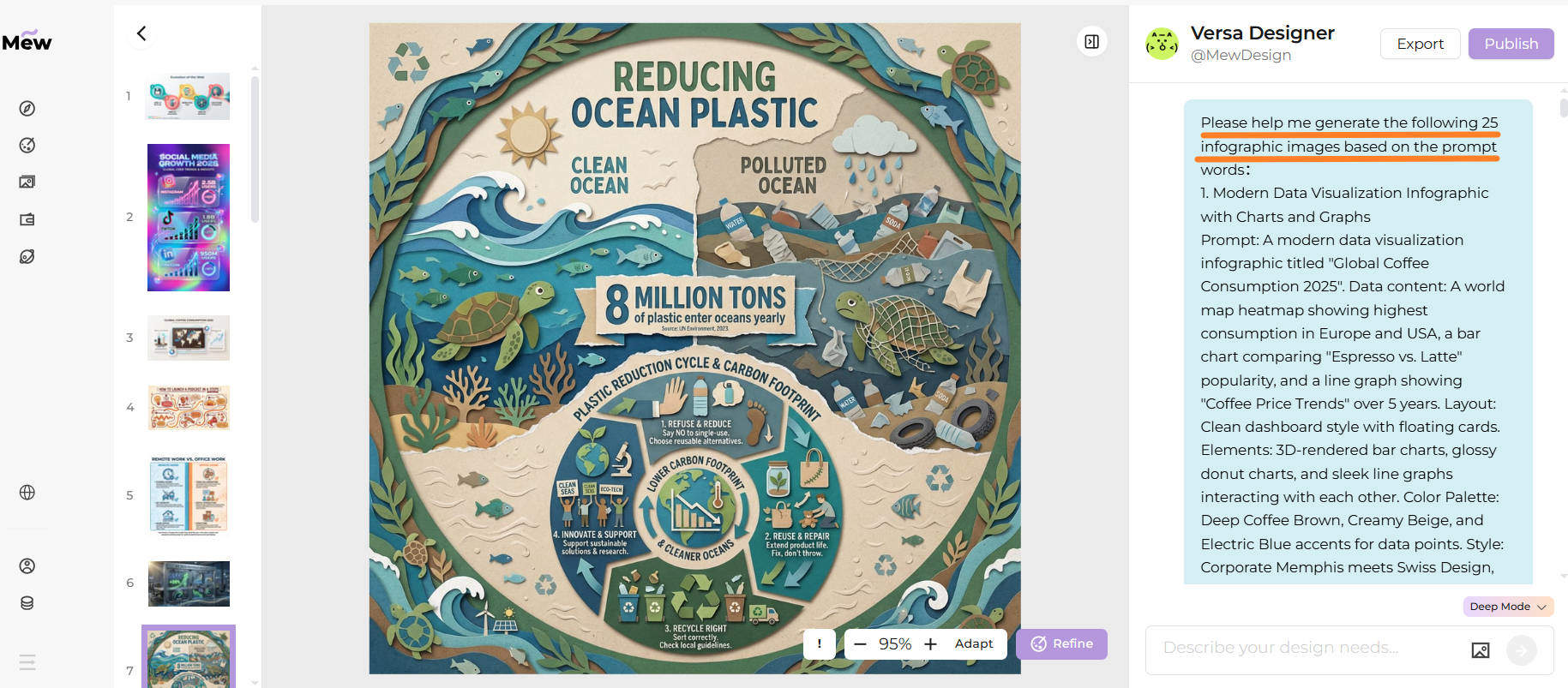
- Deep Mode for multi-panel infographic series: Deep Mode lets you generate multiple infographic panels in one run, maintaining consistent layout rules, color schemes, and visual hierarchy across the series.
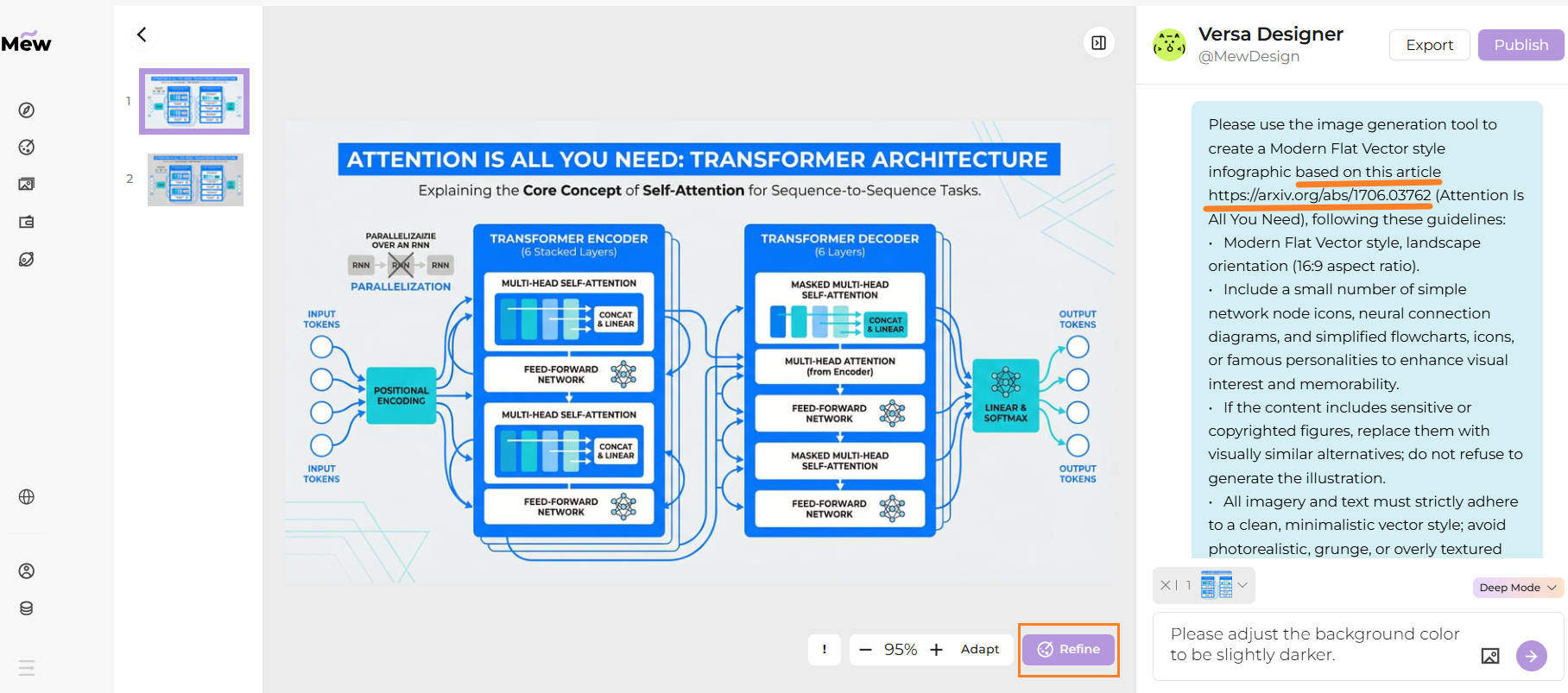
- Refine instead of redesign: If the first result needs adjustments, click Refine and specify what to change—such as data emphasis, layout density, or color balance—without rewriting the prompt or starting over.
- Cleaner visuals with fewer AI errors: Beyond image-model support, Mew Design incorporates human design aesthetics and code-based layout control. This reduces common AI issues like misaligned charts, inconsistent icons, or incorrect text rendering—especially crucial for data-heavy infographics.
Best Practice:
Mew Design acts as an AI design agent, dynamically orchestrating multiple tools within a single workflow. It can flexibly call tools like imgGenTool (powered by Gemini Nano Banana Pro, Seedream 4.5, and more) for visually rich infographics, codeDesign for long-text layouts such as academic posters or product manuals, and knowledge search to enhance content accuracy and structural clarity.
For optimal results, guide the agent directly in your prompt. For example, add “please use imgGenTool to generate this infographic” to prioritize visual quality, or “please provide N different versions” to explore multiple design styles before finalizing your layout.
25+ Best Gemini Nano Banana Pro AI Prompts for Infographics
Here is my curated list of prompts to handle everything from business reports to travel guides.
1. Research Paper Summary
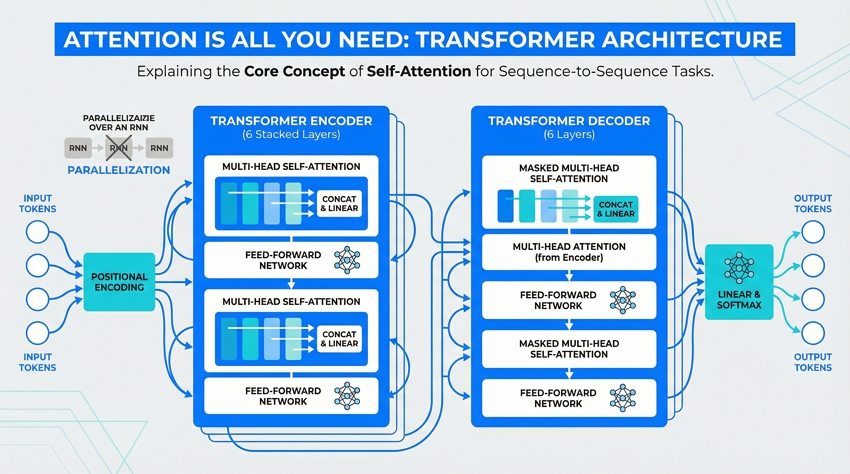
Please use the image generation tool to create a Modern Flat Vector style infographic based on the concept of "Attention Is All You Need". Guidelines: Modern Flat Vector style, landscape orientation (16:9 aspect ratio). Include a small number of simple network node icons, neural connection diagrams, and simplified flowcharts to enhance visual interest. Keep information concise, highlighting keywords like "Self-Attention", "Encoder-Decoder", "Parallelization". Utilize ample whitespace. Clean, minimalistic vector style; avoid photorealistic elements. --ar 16:9
2. Modern Data Visualization
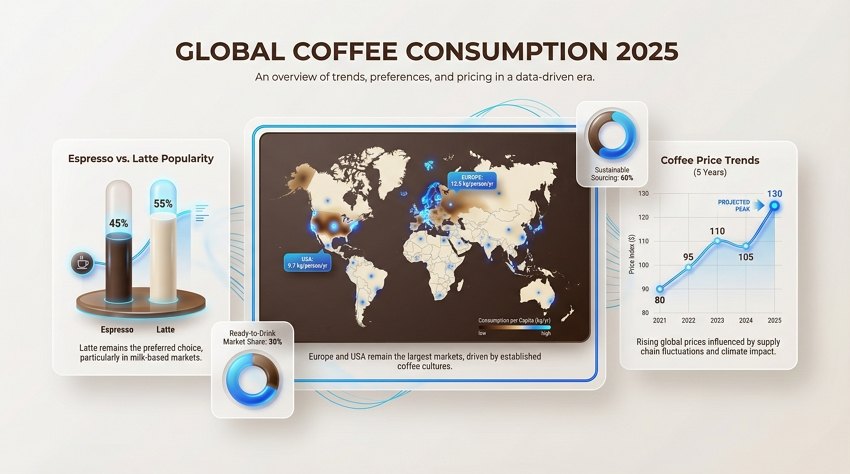
Use the imgGenTool to create a modern data visualization infographic titled "Global Coffee Consumption 2025". Data content: A world map heatmap showing highest consumption in Europe and USA, a bar chart comparing "Espresso vs. Latte" popularity, and a line graph showing "Coffee Price Trends". Layout: Clean dashboard style with floating cards. Elements: 3D-rendered bar charts, glossy donut charts, and sleek line graphs interacting with each other. Color Palette: Deep Coffee Brown, Creamy Beige, and Electric Blue accents. Style: Corporate Memphis meets Swiss Design, minimalist typography. --ar 16:9
3. Step-by-Step Timeline Process
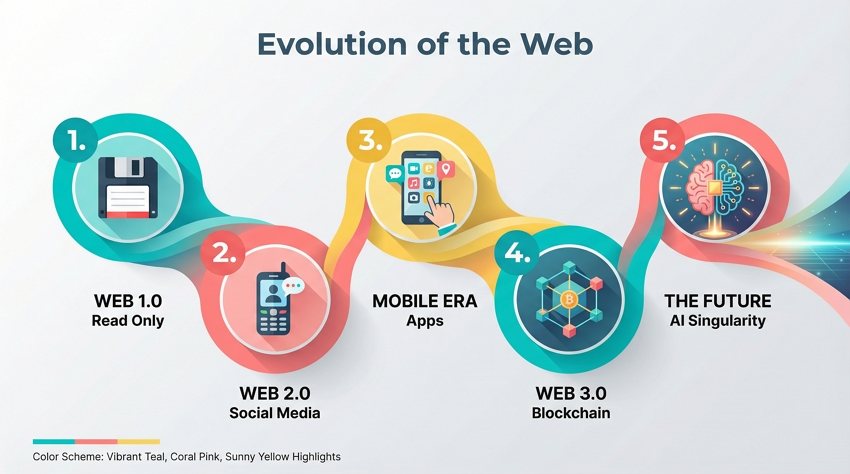
Use the imgGenTool to create a horizontal timeline infographic illustrating the "Evolution of the Web". Content nodes: 1. Web 1.0 (Read Only), 2. Web 2.0 (Social Media), 3. Mobile Era (Apps), 4. Web 3.0 (Blockchain), 5. The Future (AI Singularity). Structure: Linear progression from left to right, connected by a flowing, liquid-like ribbon path. Nodes: Numbered circular badges with flat vector icons representing each era (floppy disk, phone, cube, brain). Color Scheme: Vibrant Teal, Coral Pink, and Sunny Yellow highlights on a light grey background. Style: Flat Design 2.0 with long diagonal shadows. --ar 16:9
4. Side-by-Side Comparison Template
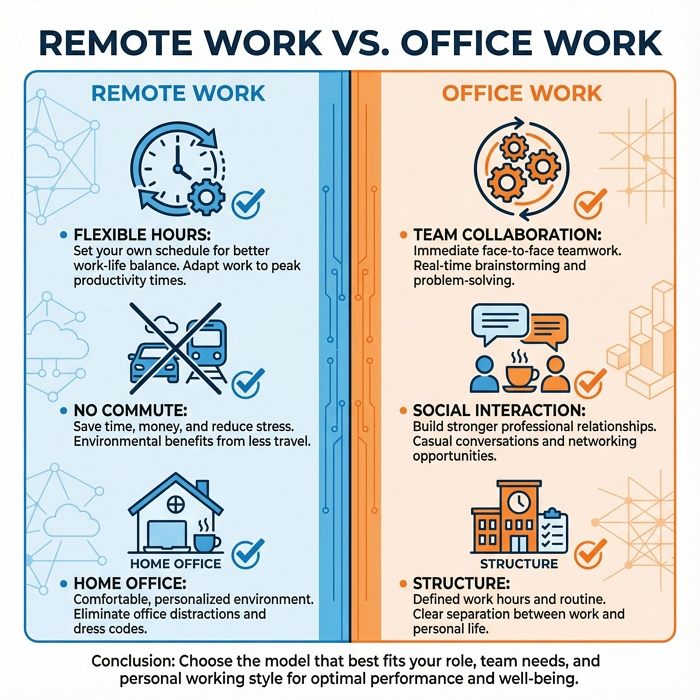
Generate a split-screen comparison infographic image about "Remote Work vs. Office Work". Left Side (Remote): Blue tones, showing icons for "Flexible Hours", "No Commute", "Home Office". Right Side (Office): Orange tones, showing icons for "Team Collaboration", "Social Interaction", "Structure". Composition: Perfectly symmetrical visual divider down the middle. Elements: Checkmarks vs. Crosses, contrasting iconography, and bullet point lists. Style: Minimalist geometric vector art, clean lines, high contrast. --ar 1:1
5. Social Media Statistics Visual
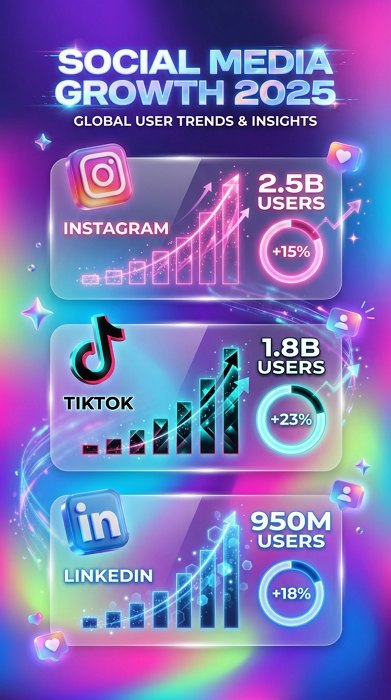
Generate a trendy social media statistics infographic image titled "Social Media Growth 2025". Visual Data: "Instagram 2.5B users (+15%)" shown with a pink graph, "TikTok 1.8B users (+23%)" shown with a black/cyan graph, "LinkedIn 950M users (+18%)" shown with a blue graph. Background: Blurred, multi-color mesh gradient. Elements: Frosted glass cards holding the specific data points. Visuals: Floating 3D glossy icons of social platforms, circular percentage rings with glowing edges. Aesthetic: Gen Z marketing style, vibrant, Glassmorphism textures. --ar 9:16
6. Educational How-To Tutorial
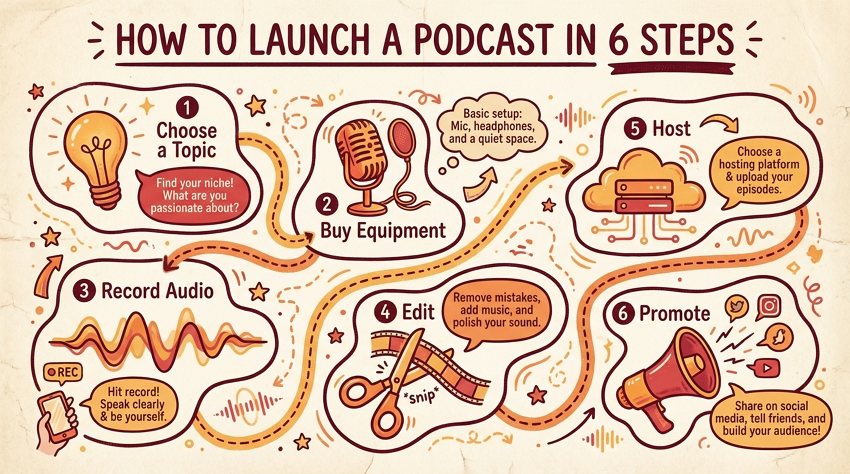
Please use the imgGenTool to create an educational tutorial infographic titled "How to Launch a Podcast in 6 Steps". Steps: 1. Choose a Topic (Lightbulb icon), 2. Buy Equipment (Microphone icon), 3. Record Audio (Waveform icon), 4. Edit (Scissors icon), 5. Host (Server icon), 6. Promote (Megaphone icon). Style: Hand-drawn illustration aesthetic with thick outline strokes. Path: Dotted dashed lines meandering between steps. Colors: Warm and inviting palette of Marigold, Tangerine, and Cherry Red on a cream paper-texture background. --ar 16:9
7. Creative Mind Map Concept
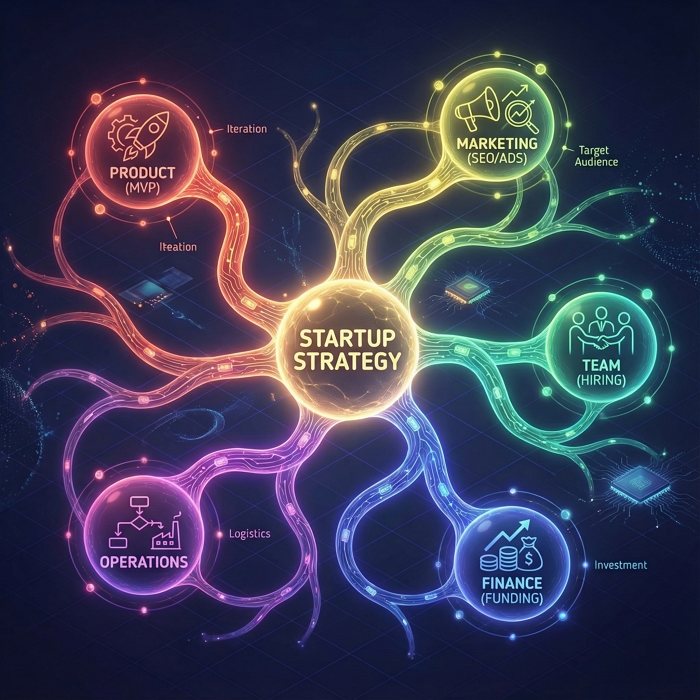
Generate a central idea mind map visualization image anchored by "Startup Strategy" in the center. Branches: 1. Product (MVP), 2. Marketing (SEO/Ads), 3. Team (Hiring), 4. Finance (Funding), 5. Operations. Layout: Radial symmetry with a glowing central node. Connections: Organic, neuron-like curved lines connecting the nodes. Style: Abstract Tech meets Biology. Colors: Each branch has a unique color gradient (Rainbow spectrum) set against a subtle isometric grid background. Graphics: Simple line-art icons within circular bubbles. --ar 1:1
8. Business Growth Metrics and KPI
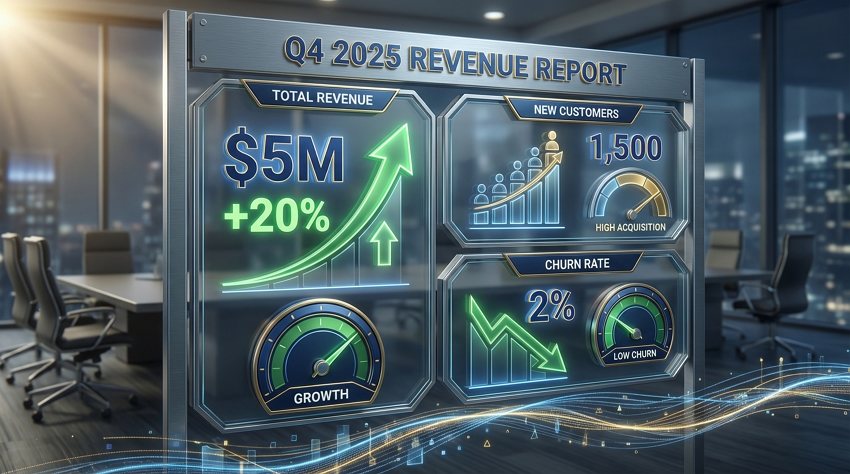
Generate a professional corporate KPI dashboard infographic image showing "Q4 2025 Revenue Report". Metrics to display: "Total Revenue $5M (+20%)", "New Customers 1,500", "Churn Rate 2%". Elements: Upward trending green arrow graphs, speedometer-style gauges for metrics, and bold percentage displays. Material: Metallic textures and glass screens. Color Palette: Trustworthy Navy Blue, Metallic Gold accents, and Slate Gray. Layout: Modular grid system. Lighting: Cinematic lighting focusing on the growth data. --ar 16:9
9. Health and Wellness Tips
Use the imgGenTool to create a soothing healthcare advice infographic regarding "8 Daily Habits for Heart Health". Central Focus: A stylized, flat-vector illustration of a healthy anatomical heart. Surroundings: 8 circular icons orbiting the center, depicting tips like "Drink Water", "30min Cardio", "Sleep 8hrs", "Eat Greens". Color Palette: Medical pastel tones—Mint Green, Serene Blue, and Soft Lavender. Style: Clean vector art, rounded corners, soft edges, approachable and safe atmosphere. White clinical background. --ar 9:16

10. Latest Technology Trends
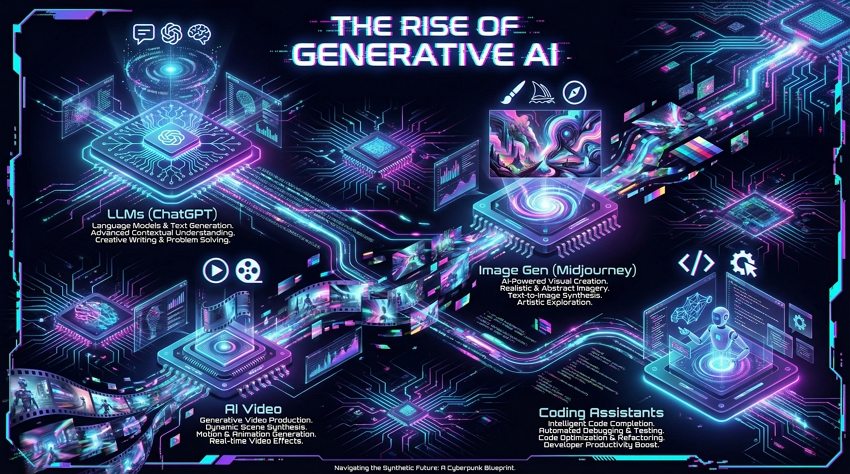
Use the imgGenTool to create a futuristic Cyberpunk style infographic titled "The Rise of Generative AI". Segments: "LLMs (ChatGPT)", "Image Gen (Midjourney)", "AI Video", "Coding Assistants". Background: Deep dark void with glowing circuit board patterns. Elements: Neon glowing isometric icons representing AI brain chips and neural networks. Colors: High contrast Cyan and Magenta neon lights against black. Effects: Glitch art touches, holographic projection visuals. Layout: Dynamic, asymmetrical arrangement. --ar 16:9
11. Environmental Sustainability Facts
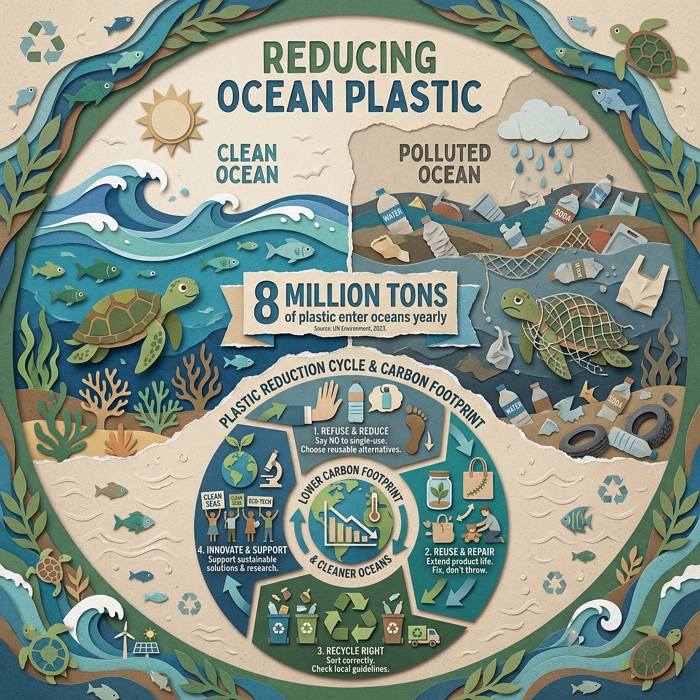
Use the imgGenTool to create an eco-friendly sustainability infographic about "Reducing Ocean Plastic". Visuals: A comparison showing a clean ocean with fish vs. a polluted ocean with plastic bottles. Data: "8 Million Tons of plastic enter oceans yearly". Style: Paper-cut craft art style (digital collage). Visuals: Layers of textured paper forming waves, turtles, and recycling symbols. Color Palette: Earthy tones—Forest Green, Soil Brown, Ocean Blue, and unbleached beige. Layout: Circular lifecycle diagram showing carbon footprint reduction. --ar 1:1
12. Personal Financial Planning Guide
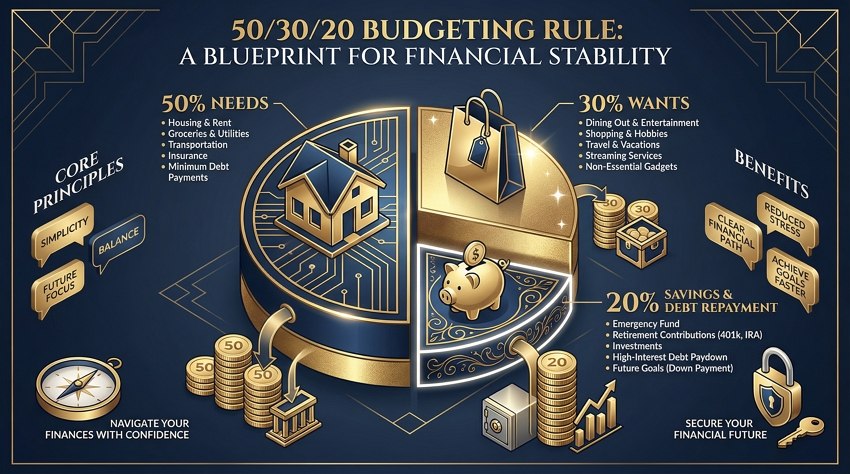
Generate a sophisticated financial planning infographic image illustrating the "50/30/20 Budgeting Rule". Visuals: A large pie chart divided into three sections: 50% Needs (House icon), 30% Wants (Shopping bag icon), 20% Savings (Piggy bank). Elements: Stacked coin illustrations, 3D pie charts. Color Scheme: Luxury Finance—Deep Navy, Gold Foil texture, and Crisp White. Style: Isometric vector art. Typography: Serif fonts for headings to imply stability. --ar 16:9
13. Digital Marketing Funnel Strategy
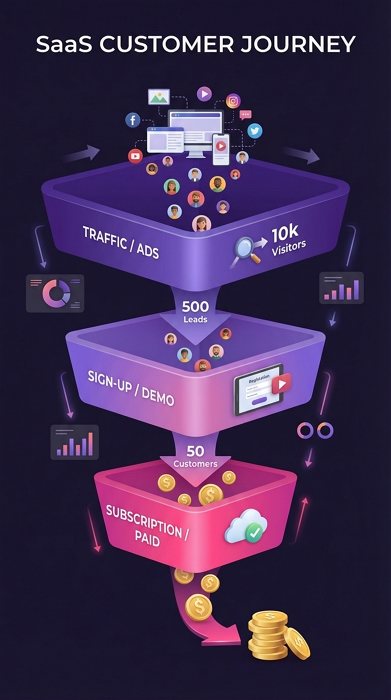
Generate a digital marketing funnel visualization image showing a "SaaS Customer Journey". Layers: Top (Traffic/Ads), Middle (Sign-up/Demo), Bottom (Subscription/Paid). Metrics: "10k Visitors" -> "500 Leads" -> "50 Customers". Shape: A sleek, 3D inverted pyramid divided into layers. Color: Smooth gradient transition from Deep Purple (top) to Hot Pink (bottom). Details: Small 3D avatars flowing through the funnel turning into dollar signs at the bottom. Style: Modern SaaS aesthetic, clean gradients. --ar 9:16
14. Visual Recipe Instructions Step-by-Step
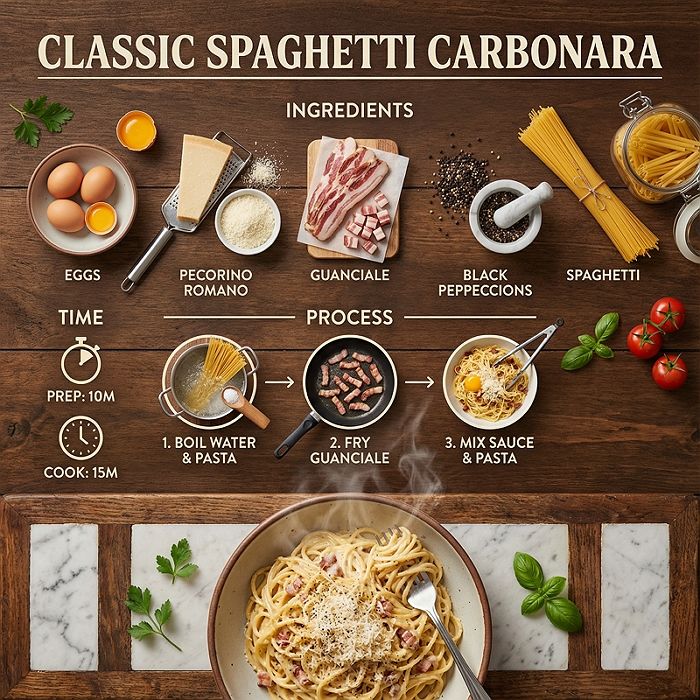
Use the imgGenTool to create a culinary recipe infographic for "Classic Spaghetti Carbonara". Ingredients section: Eggs, Pecorino Cheese, Guanciale, Black Pepper, Pasta. Process: Illustrated steps showing boiling water, frying meat, mixing sauce. Time: "Prep: 10m, Cook: 15m". Style: 'Knolling' photography (flat lay) aesthetic. Colors: Appetizing warm tones—Tomato Red, Saffron Yellow, Basil Green. Texture: Background looks like a rustic wooden table or marble countertop. Details: Steam rising from the final dish. --ar 1:1
15. Travel Destination Guide Visual
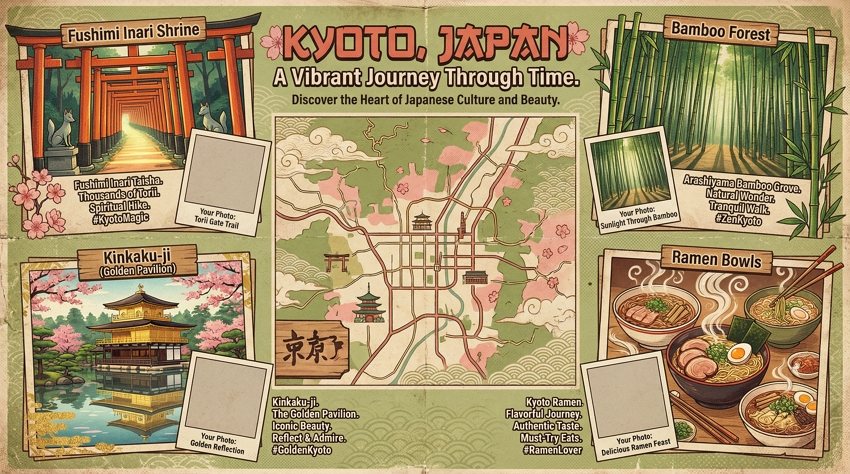
Use the imgGenTool to create a vibrant travel guide infographic for "Kyoto, Japan". Central Element: A stylized map of Kyoto. Highlights: Icons for Fushimi Inari Shrine (Torii gates), Bamboo Forest, Kinkaku-ji (Golden Pavilion), Ramen bowls. Color Palette: Japanese aesthetics—Matcha Green, Sakura Pink, and Wood tones. Style: Retro travel poster aesthetic, grainy texture overlay. Layout: Collage style with photo-frame placeholders. --ar 16:9
16. Top Productivity Hacks and Tips
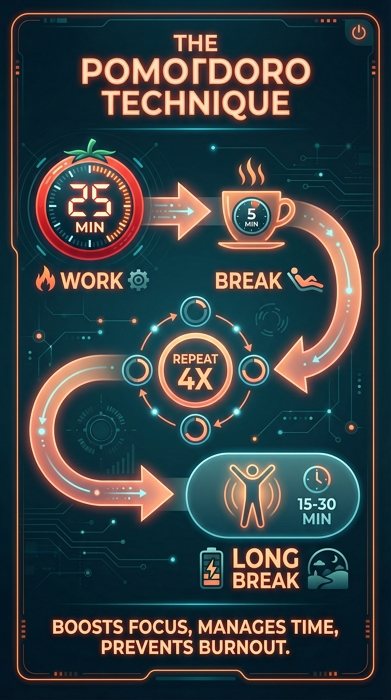
Generate a clean productivity infographic image explaining "The Pomodoro Technique". Workflow: "25 min Work" (Red timer icon) -> "5 min Break" (Coffee icon) -> "Repeat 4x" -> "Long Break". Structure: Timeline or Flowchart layout. Color Palette: Focus-oriented colors—Deep Teal background with Neon Orange accents (representing the tomato timer). Style: Dark Mode UI design, sleek, modern app interface aesthetic. Typography: Sans-serif, bold, highly readable. --ar 9:16
17. Cybersecurity Best Practices Guide
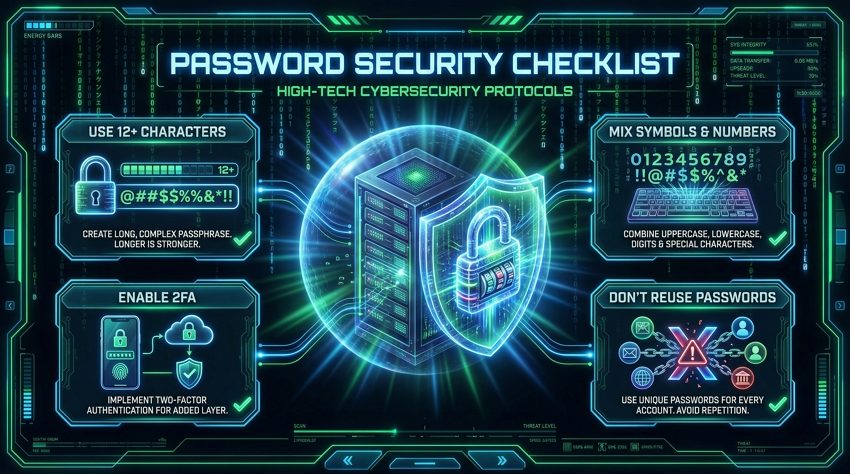
Generate a high-tech cybersecurity infographic image titled "Password Security Checklist". Checklist items: "Use 12+ Characters", "Mix Symbols & Numbers", "Enable 2FA", "Don't Reuse Passwords". Visuals: Glowing shield and padlock holograms protecting a central server. Background: Matrix-style falling digital rain. Color Scheme: Hacker Green, Electric Blue, and Jet Black. Style: Futuristic HUD (Heads-Up Display) interface design. --ar 16:9
18. Weekly Fitness Workout Plan
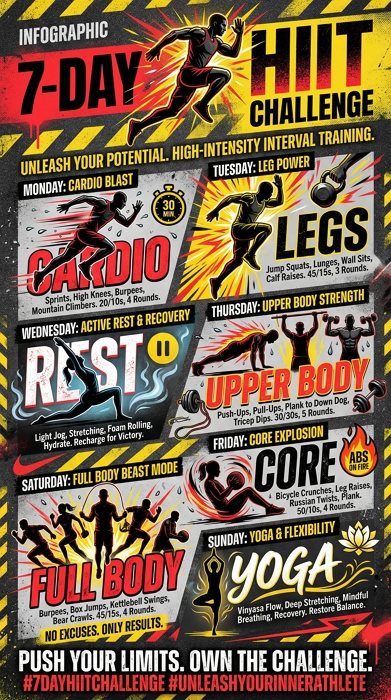
Use the imgGenTool to create an energetic fitness routine infographic titled "7-Day HIIT Challenge". Schedule: Mon (Cardio), Tue (Legs), Wed (Rest), Thu (Upper Body), Fri (Core), Sat (Full Body), Sun (Yoga). Illustrations: Dynamic silhouettes of athletes in action (running, lifting, stretching). Color Palette: High Energy—Bright Red, Asphalt Black, and Warning Yellow. Style: Nike-style sports advertisement, bold typography, grunge texture accents. Visuals: Sweat droplets, motion blur lines. --ar 9:16
19. Content Marketing Strategy Framework
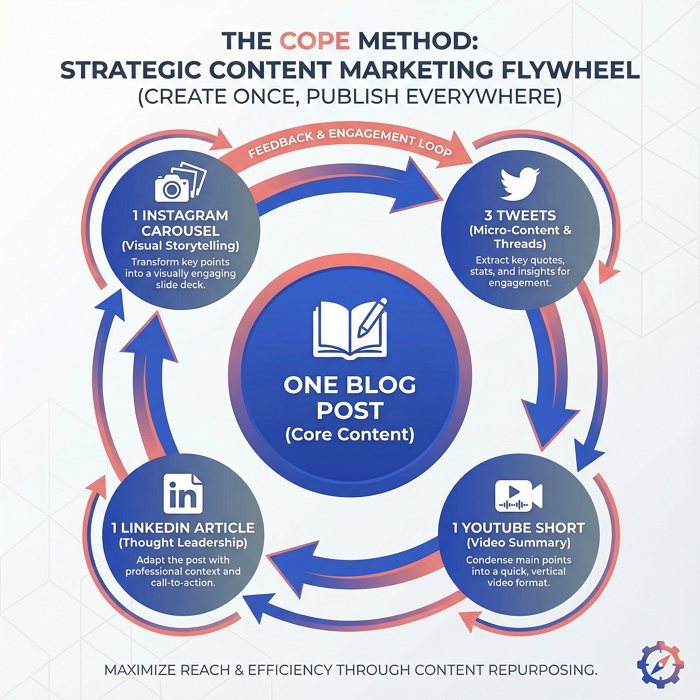
Generate a strategic content marketing infographic image illustrating the "COPE Method (Create Once, Publish Everywhere)". Core: "One Blog Post". Satellites: Arrows pointing to "3 Tweets", "1 YouTube Short", "1 LinkedIn Article", "1 Instagram Carousel". Visual: A circular flywheel or continuous loop diagram. Colors: Professional Palette—Royal Blue, Slate Gray, and Salmon Pink for highlights. Style: Flat vector art with subtle gradients. Background: Clean white with faint geometric pattern watermark. --ar 1:1
20. Climate Change Impact Statistics
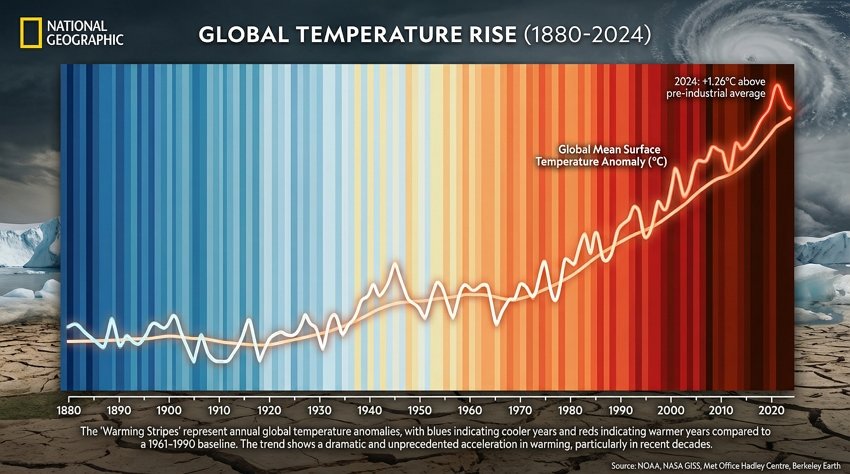
Generate a dramatic climate change infographic showing "Global Temperature Rise (1880-2024)". Visual: A 'Warming Stripes' bar code visualization, starting with cool blues on the left and transitioning to dark reds on the right. Data: Temperature rise line graphs overlaid in the center. Color Transition: Cool Blues fading into Alarming Reds. Style: National Geographic infographic style, realistic illustration mixed with data overlay. Mood: Urgent and informative. --ar 16:9
21. Career Development Path and Progression
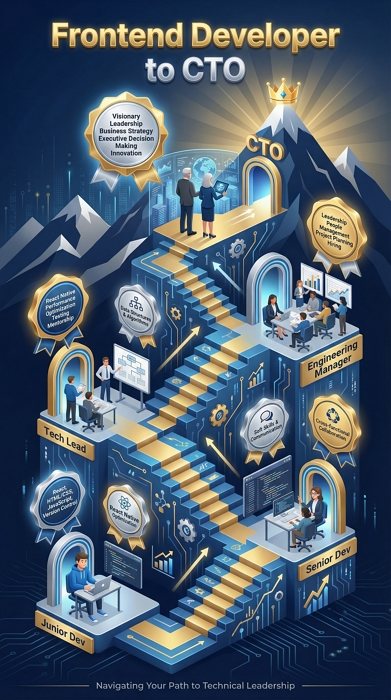
Use the imgGenTool to create a career progression roadmap infographic titled "Frontend Developer to CTO". Milestones: "Junior Dev" -> "Senior Dev" -> "Tech Lead" -> "Engineering Manager" -> "CTO". Visual Metaphor: An ascending isometric staircase or mountain path. Color Scheme: Corporate Success—Navy Blue, Gold Medals, and Silver. Style: 3D Isometric vector art. Elements: Floating badges for skills (React, System Design, Leadership) acquired at each step. --ar 9:16
22. Email Marketing Performance Metrics
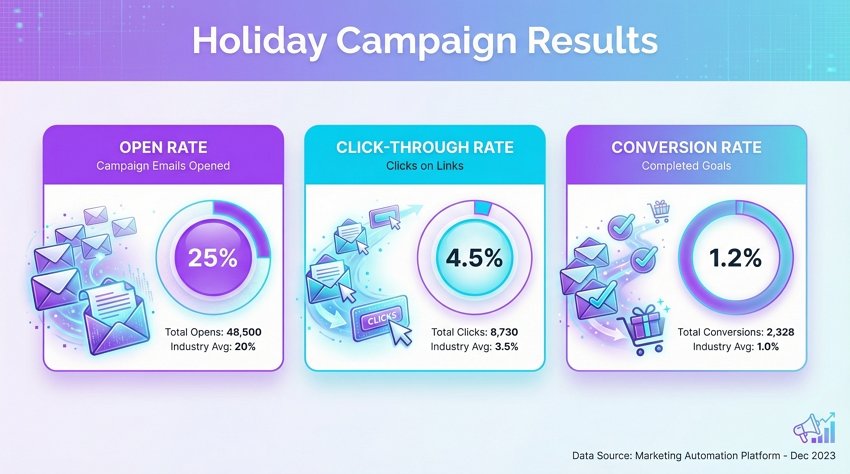
An email marketing analytics infographic titled "Holiday Campaign Results". Key Metrics: "Open Rate 25%", "Click-Through Rate 4.5%", "Conversion Rate 1.2%". Layout: Card-based dashboard layout. Visuals: Envelope icons turning into open letters. Charts: Donut charts showing the percentages. Color Scheme: Digital Marketing—Vibrant Purple, Cyan, and White. Style: Clean SaaS UI design, soft drop shadows, rounded corners. Background: Very light grey to make the colored cards pop. --ar 16:9
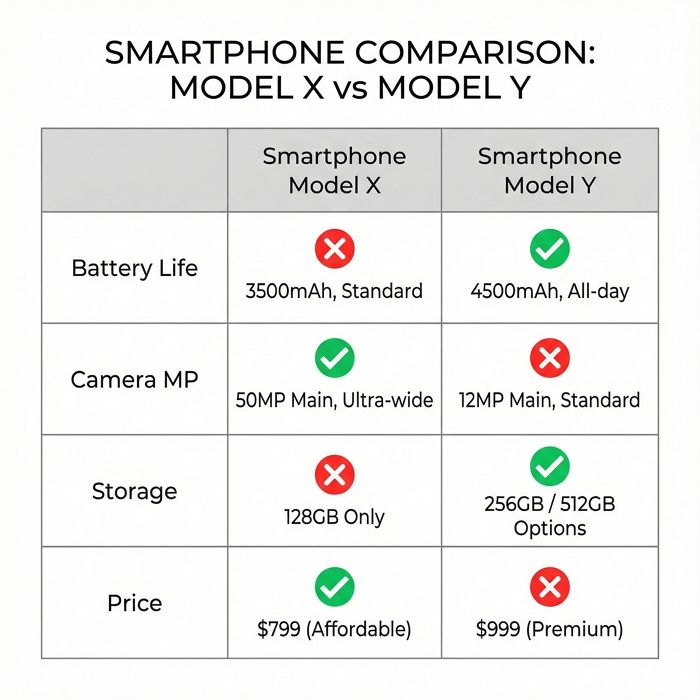
23. Product Feature Comparison Chart
A product comparison matrix infographic contrasting "Smartphone Model X" vs "Smartphone Model Y". Rows: "Battery Life", "Camera MP", "Storage", "Price". Indicators: Green Checkmarks for better features, Red X for missing ones. Structure: Clean grid table with 3 columns. Style: Minimalist Tech Review site aesthetic. Colors: Neutral greys for the grid, bright colors for status indicators. Typography: Clean Sans-Serif. Focus on clarity and readability. --ar 1:1
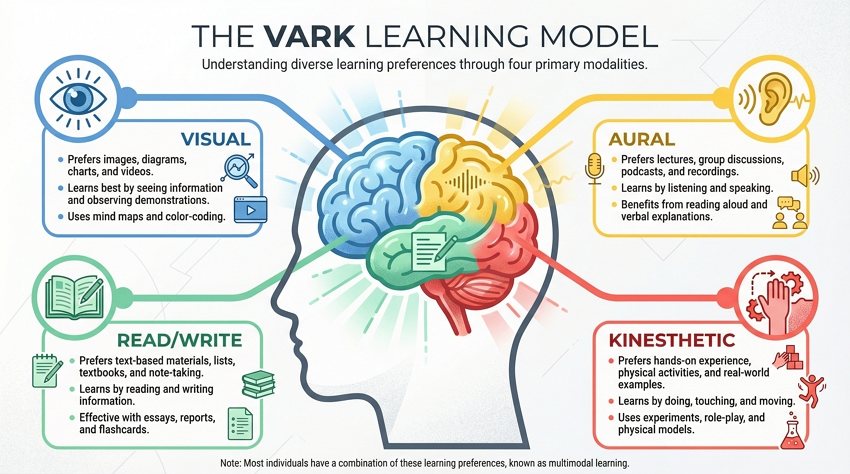
24. Different Learning Styles Visual Guide
Use the imgGenTool to create an educational infographic explaining "The VARK Learning Model". Sections: Visual (Eye icon), Aural (Ear icon), Read/Write (Book icon), Kinesthetic (Hand icon). Central Image: A stylized human head silhouette with a colorful brain divided into 4 sections. Colors: Color-coded sections (Blue, Yellow, Green, Red). Style: Modern flat vector art with texture noise. Layout: Explanatory text blocks radiating from the center. --ar 16:9
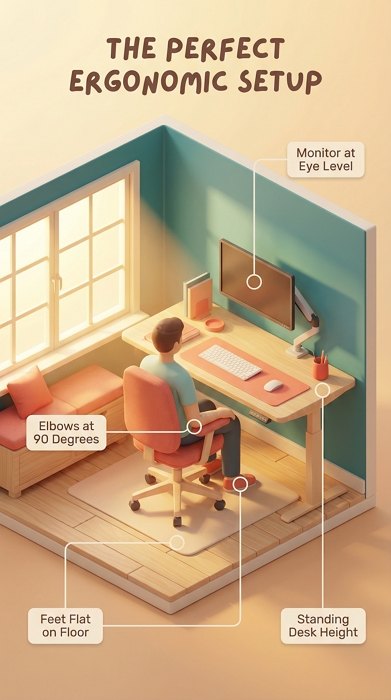
25. Ideal Remote Work Home Office Setup
Use the imgGenTool to create a detailed home office guide titled "The Perfect Ergonomic Setup". Elements labeled: "Monitor at Eye Level", "Elbows at 90 Degrees", "Feet Flat on Floor", "Standing Desk Height". Style: 3D Isometric room cutaway view. Lighting: Warm sunlight streaming through a window (volumetric lighting). Color Palette: Cozy Interior—Teal, Coral, and Light Wood textures. Labels: Floating lines pointing to equipment with small text placeholders. --ar 9:16
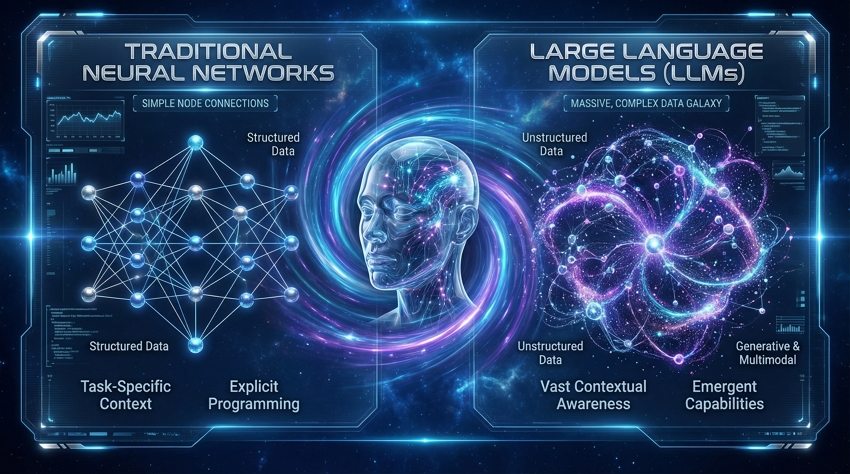
26. Artificial Intelligence Technology Overview
Use the imgGenTool to create a cutting-edge AI technology overview infographic comparing "Traditional Neural Networks" vs. "Large Language Models (LLMs)". Visuals: Left side shows simple node connections, Right side shows a massive, complex, glowing galaxy of data nodes. Central Visual: A translucent, glowing glass head filled with data streams. Background: Deep space blue. Style: Sci-fi movie interface (FUI), high-tech, sleek. Colors: Electric Blue, Bioluminescent Purple, and Silver. 8k resolution. --ar 16:9
How to Write the Best AI Infographic Prompts
Generating text-heavy images with AI can be tricky. To get a usable infographic, you need to focus on Structure and Style rather than just the content.
1. Define the Layout Structure: Don’t just say “make an infographic.” Be specific:
- “Split-screen comparison” for Vs. topics.
- “Radial mind map” for brainstorming.
- “Horizontal timeline” for history or roadmaps.
- “Bento grid layout” for dashboard statistics.
2. Specify the Art Style: Infographics need to be readable. Avoid “photorealistic” styles which can make text hard to read. Instead, use:
- “Flat vector art” (Clean, modern, corporate).
- “Isometric 3D” (Tech-focused, depth).
- “Hand-drawn illustration” (Educational, approachable).
- “Glassmorphism” (Trendy, UI/UX focused).
3. Manage the Text Expectation: While Gemini’s AI image generator is getting better at text, it’s not perfect. Use the prompt to generate the visual container and the icons. Treat the AI output as a high-fidelity template that you can quickly edit or overlay with correct data in post-production.
Summary
Creating infographics with Gemini Nano Banana Pro eliminates the fear of the blank canvas. You can move from a rough idea to a structured, stylized visual in seconds. Whether you need a corporate dashboard or a creative mind map, the versatility of these prompts will speed up your workflow significantly. Ready to start building? Head over to Mew Design and put these prompts to the test.