Skip to content

Blog

Seedream‑4.5 Official Release: Real-World Prompt Tests and Results

Bytedance has officially released the new Doubao-Seedream-4.5 image generation model on Volcengine. After testing it with a variety of prompts and reference images, Seedream-4.5 feels like a solid, production-ready upgrade over Seedream 4.0, especially for editing, multi-image composition, and design use cases such as posters and logos.

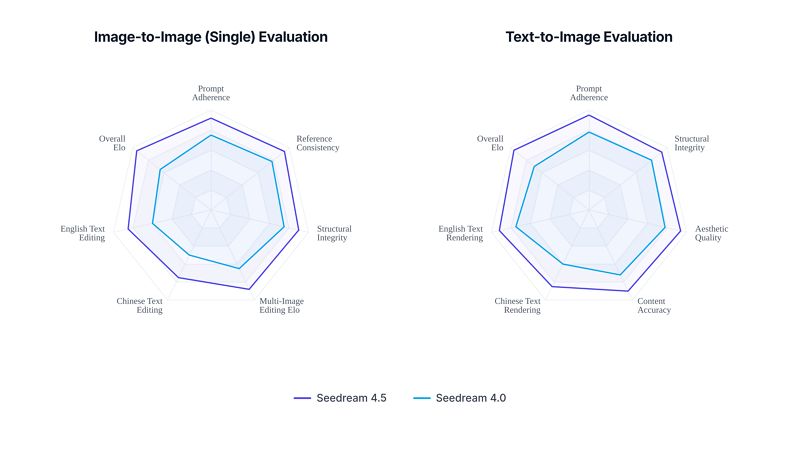
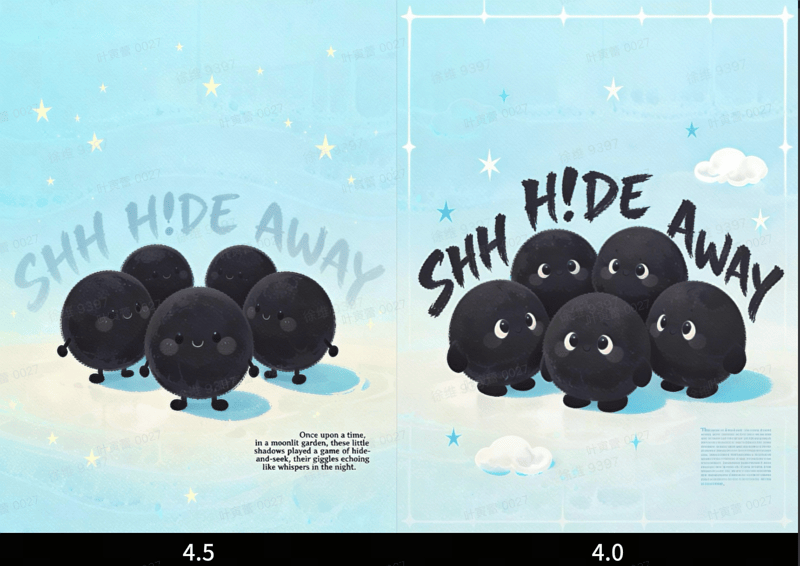
seedream 4.5 vs seedream 4.0 camparison

Seedream 4.5 vs Seedream 4.0 (Internal evaluation for reference)

Below is a concise review from a product testing point of view.

What Is Seedream-4.5?

Doubao-Seedream-4.5 is Bytedance’s latest image creation model, available on Volcengine (Volcano Engine). It is designed for:

  • Multi-image composition and character continuity
  • High-fidelity photo editing with strong detail and tone preservation
  • Portrait beautification and small-face handling
  • Clear small-text generation for posters, UI, and branding
  • Better visual aesthetics and stronger reasoning for complex prompts

Compared with Seedream 4.0, version 4.5 aims to be both more controllable for editing and more creative for concept art and design.

1. Multi-Image Composition: Stable Character Continuity

One of the biggest upgrades is multi-image composition. In our tests, Seedream-4.5 reliably recognized the main subject across several input images and kept that subject visually consistent.

Test 1: Background replacement with multiple references

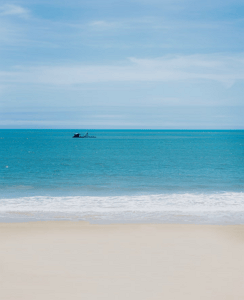
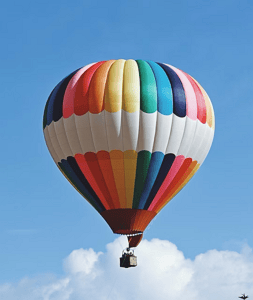
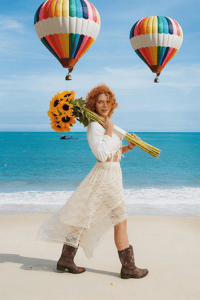
Prompt: “Replace the background of woman in image 1 with the seaside from image 2, and add two hot air balloons from image 3 in the sky.”

seedream 4.5 test 1 reference image 1

Reference image 1

seedream 4.5 test 1 reference image 2

Reference image 2

seedream 4.5 test 1 reference image 3

Reference image 3

seedream 4.5 test 1 result image

Result image

Result: The model kept the woman’s face, hairstyle, and clothing highly consistent with the source. The seaside background and hot air balloons blended naturally, with lighting and color adjusted to a coherent scene instead of looking copy-pasted.

Test 2: Merge multiple people into one scene with a reference style

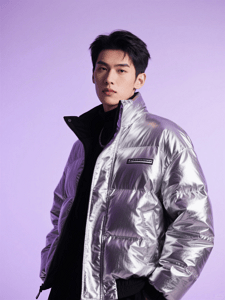
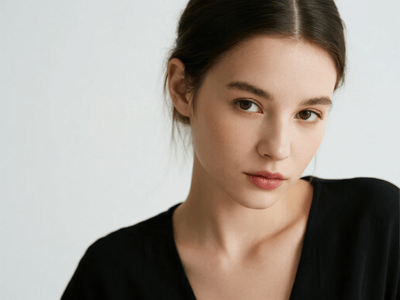
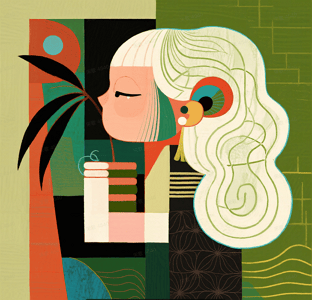
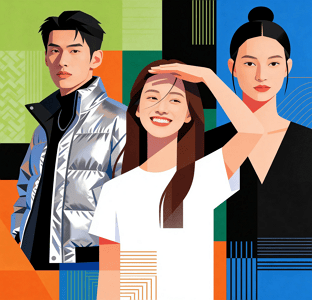
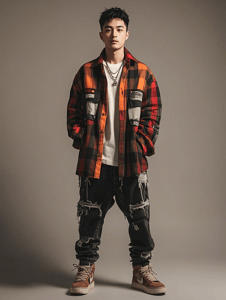
Prompt: “Using the style of image 4, combine the characters from images 1, 2, and 3 into a single image.”

seedream 4.5 test 2 reference image 1

Reference image 1

seedream 4.5 test 2 reference image 2

Reference image 2

seedream 4.5 test 2 reference image 3

Reference image 3

seedream 4.5 test 2 reference image 4

Reference image 4

seedream 4.5 test 2 result image

Result image

Result: Seedream-4.5 did well at preserving each person’s identity and expressions while unifying them into the target style. Skin tone, clothing, and posture were preserved, but the overall color palette, lighting, and texture matched the reference image’s style. Character continuity was noticeably more stable than typical multi-image models that often change faces or distort proportions between renders.

Overall, for creative workflows that need multiple reference images (moodboards, character sheets, product shots), the multi-image capability of 4.5 feels mature and reliable.

2. Extreme Original-Image Preservation: Faces, Lighting, and Details

Seedream-4.5 is also positioned as a strong editing model. In direct tests, it clearly improved over Seedream 4.0 in how well it keeps the original face, lighting, and detailed structure.

Subject consistency in portraits

Example prompt:

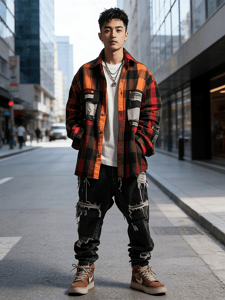
“Using image 1 as reference, generate a realistic street photography portrait: modern city street background, daytime, strong atmosphere, subject looking at the camera, natural light, clean background.”

seedream 4.5 test 3 reference image 1

Reference image

seedream 4.5 test 3 result image

Result image

Result: The generated image stayed very close to the original person’s facial structure and features. The lighting direction and skin tone remained consistent with the original, while the background and framing were updated as requested. The output looked like a real location shoot instead of a fully synthetic face.

Editing with objects and props

Example prompt:

“Using the orange cat’s front view as reference, generate a front-facing shot of the same cat wearing blue-light-blocking glasses and a plaid shirt, sitting at a desk in front of a computer. Its paws are randomly typing on a keyboard, with coffee cups and a stack of documents around. Precisely keep the orange fur color and chubby face, with photo-level realism.”

seedream 4.5 test 4 reference image 1

Reference image

seedream 4.5 test 4 result image

Result image

Result: The model preserved the cat’s fur color and face shape, and the added glasses, outfit, and office setting looked natural, not pasted on. Fur detail and lighting on the glasses were consistent with the scene, which is where many models break immersion.

Creative transformation while keeping the core object

Example prompt:

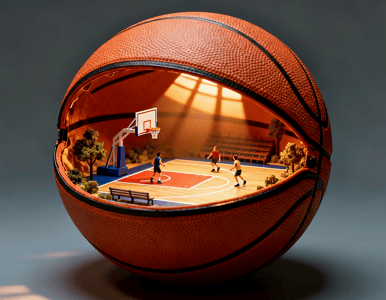
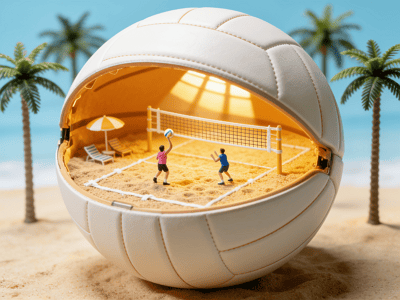
“Using the reference image’s volleyball concept, create a new creative volleyball-themed image.”

seedream 4.5 test 5 reference image 1

Reference image

seedream 4.5 test 5 result image

Result image

Result: The core idea of “volleyball” and the original visual style carried over, but the model produced a fresh composition instead of a simple copy. It seems to understand the concept beyond just copying pixels.

This makes Seedream-4.5 especially suitable as a “smart retouching tool” for photography, e-commerce, and brand assets: you can ask for big changes while keeping the identity and core features of the original subject.

3. Structure & Pose Preservation: Fine-Grained Editing

When asked to edit specific parts of an image while keeping the pose and overall geometry, Seedream-4.5 showed strong control.

Material and lighting change with fixed pose

Example prompt:

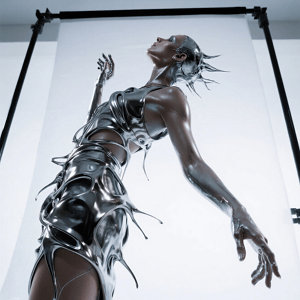
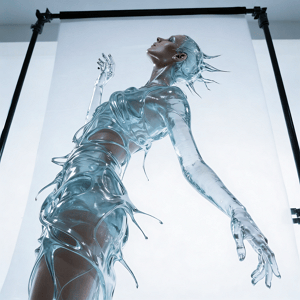
“Keep the model’s pose and the flowing shape of the liquid dress unchanged. Change the dress material from silver metal to completely transparent glass. Through the flowing water, we can see the skin details. Change the lighting from reflection to refraction.”

seedream 4.5 test 6 reference image 1

Reference image

seedream 4.5 test 5 result image

Result image

Result: The pose and silhouette remained almost identical to the input. The model successfully switched the material to a glass-like look, with believable refraction and skin visibility. The fact that it preserved both pose and liquid shape while changing material and lighting is a key sign of improved editing consistency.

Adding complex background elements

Example prompt:

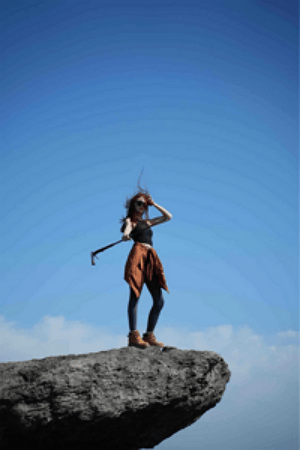
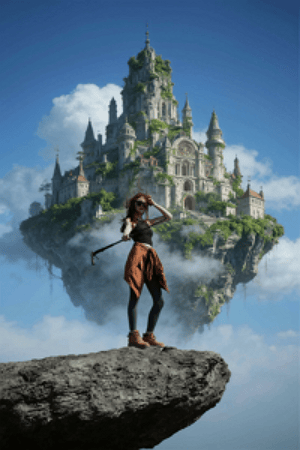
“There is a floating ‘sky city’ behind the person: a floating island castle covered in greenery, European architecture, surrounded by clouds, in a fantasy style.”

seedream 4.5 test 7 reference image 1

Reference image

seedream 4.5 test 7 result image

Result image

Result: The main person stayed sharp and unchanged. The sky city integrated nicely with proper depth and atmospheric perspective, without deforming the subject or breaking edges. This balance of foreground preservation and background creativity is strong, especially for fantasy portrait posters.

These tests confirm Seedream-4.5’s strength in “surgical edits”: keep composition and pose, but change materials, environment, and effects.

4. Posters, Logos, and Small Text: Ready for Design Work

For design scenarios, Seedream-4.5 clearly targets professional layout and typography tasks.

Poster layout and branding

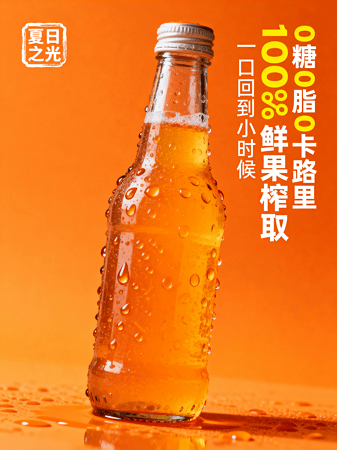
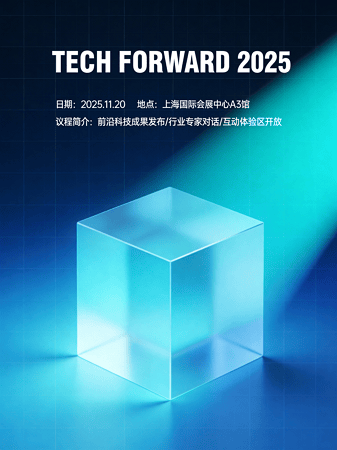
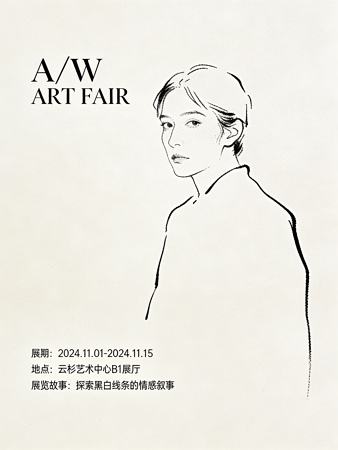
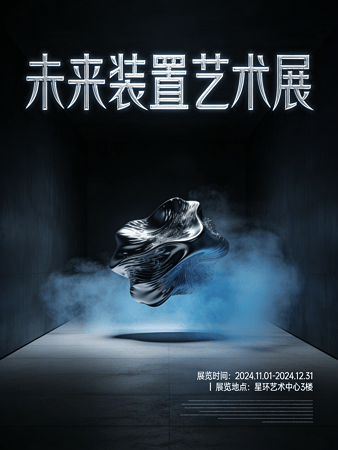
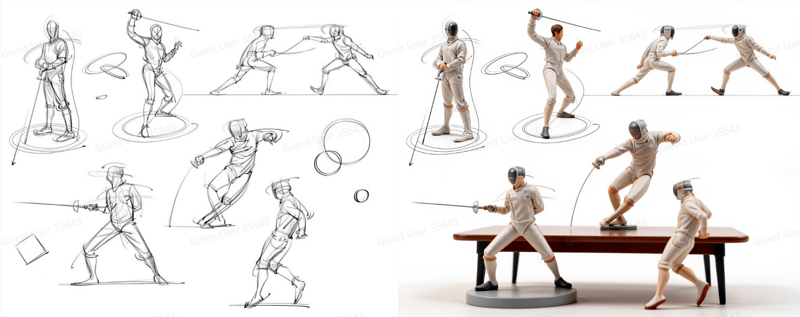
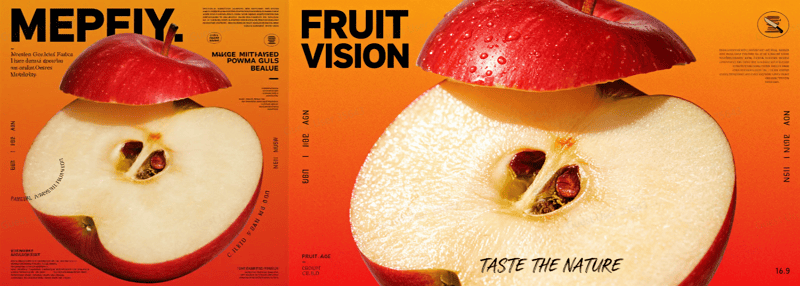
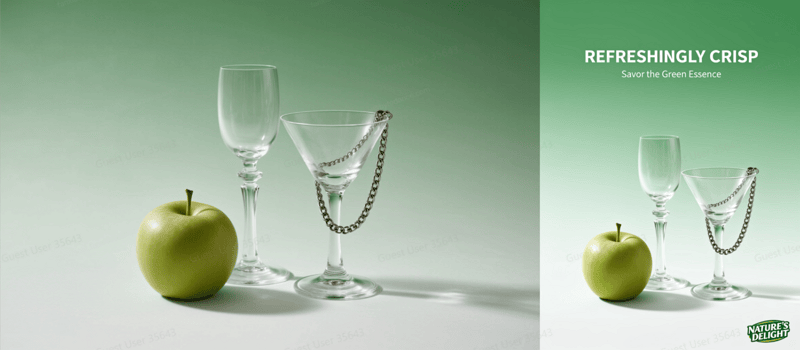
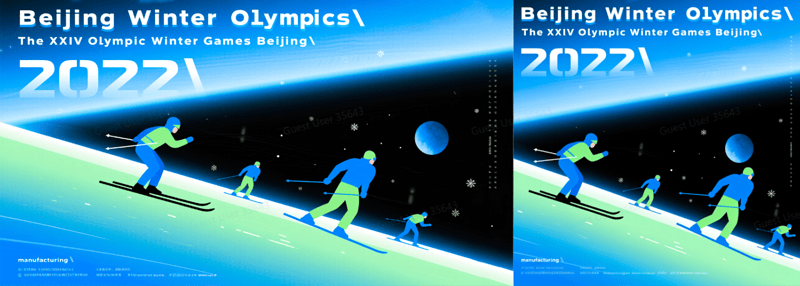
In our tests with poster-style prompts, Seedream-4.5 produced structured compositions with clear hierarchy: main visual, title, subtitle, and smaller copy all fit into well-balanced layouts. The framing rarely felt random, and there was a clear sense of foreground, midground, and background.

seedream 4.5 test poster design example 1

Seedream 4.5 Poster Design Example 1

seedream 4.5 test poster design example 2

Seedream 4.5 Poster Design Example 2

seedream 4.5 test poster design example 3

Seedream 4.5 Poster Design Example 3

seedream 4.5 test poster design example 4

Seedream 4.5 Poster Design Example 4

Small text clarity

Example prompt:

“Illustration style poster, several black round and cute cartoon characters, with “SHH HIDE AWAY” behind, and an English story in the lower right corner”

seedream 4.5 test small text clarity

Seedream 4.5 Poster Generation with Small Texts

Result: Compared with Seedream 4.0, small text in Seedream-4.5 is more legible and less distorted. While you still should not expect fully controllable typography like a vector editor, the readability is good enough for many social media posters, marketing visuals, and mockups. For “quick design drafts” or art direction, this is very usable.

For teams that need fast visual prototypes of logos, brand visuals, and campaign posters, Seedream-4.5 offers a good trade-off between creative quality and text clarity.

5. Overall Aesthetics: Cinematic Look, Light & Shadow, Composition

From a pure image-quality perspective, Seedream-4.5 shows noticeable improvements in:

  • Cinematic quality: Many outputs have a film-like look with controlled contrast and color grading.

seedream 4.5 test cinematic look example 1

Seedream 4.5 Cinematic Look Example 1

seedream 4.5 test cinematic look example 2

Seedream 4.5 Cinematic Look Example 2

  • Light & shadow: Lighting feels more coherent with the scene. Reflections, highlights, and shadow directions are more natural, especially in metal, glass, and night scenes.

seedream 4.5 test light shadow example 1

Seedream 4.5 Light & Shadow Example 1

seedream 4.5 test light shadow example 2

Seedream 4.5 Light & Shadow Example 2

  • Composition: Framing is more deliberate. Subjects are usually placed with better balance, leading lines, and negative space. The results often look closer to professional photography or concept art than to “random AI art.”

seedream 4.5 test composition example 1

Seedream 4.5 Composition Example 1

seedream 4.5 test composition example 2

Seedream 4.5 Composition Example 2

seedream 4.5 test composition example 3

Seedream 4.5 Composition Example 3

Combined with stronger reasoning ability, Seedream-4.5 handles complex prompts that describe multiple objects, styles, and constraints in one sentence better than 4.0. It is easier to get “first try usable” images for many real production tasks.

6. How to Access Seedream-4.5

You can use Doubao-Seedream-4.5 through Volcengine’s Ark platform.

Developers can integrate Seedream-4.5 into product pipelines for:

  • Image generation and editing tools
  • Design and marketing platforms
  • E-commerce image workflows
  • Internal creative assistants and content production systems

7. Pricing and Limits

Charging is simple and based on usage:

  • Pay-per-call (postpaid): 0.25 RMB per image
  • Concurrency limits:
    • Public test period (2025-12-03 to 2025-12-09): IPM (images per minute) limit 50
    • Official release after 2025-12-10: IPM limit 500
    • Higher concurrency: contact the Volcengine sales team

This pricing makes it reasonable for both individual creators and enterprise-scale pipelines, especially if you batch generate or run scheduled jobs.

8. How to Try It Now

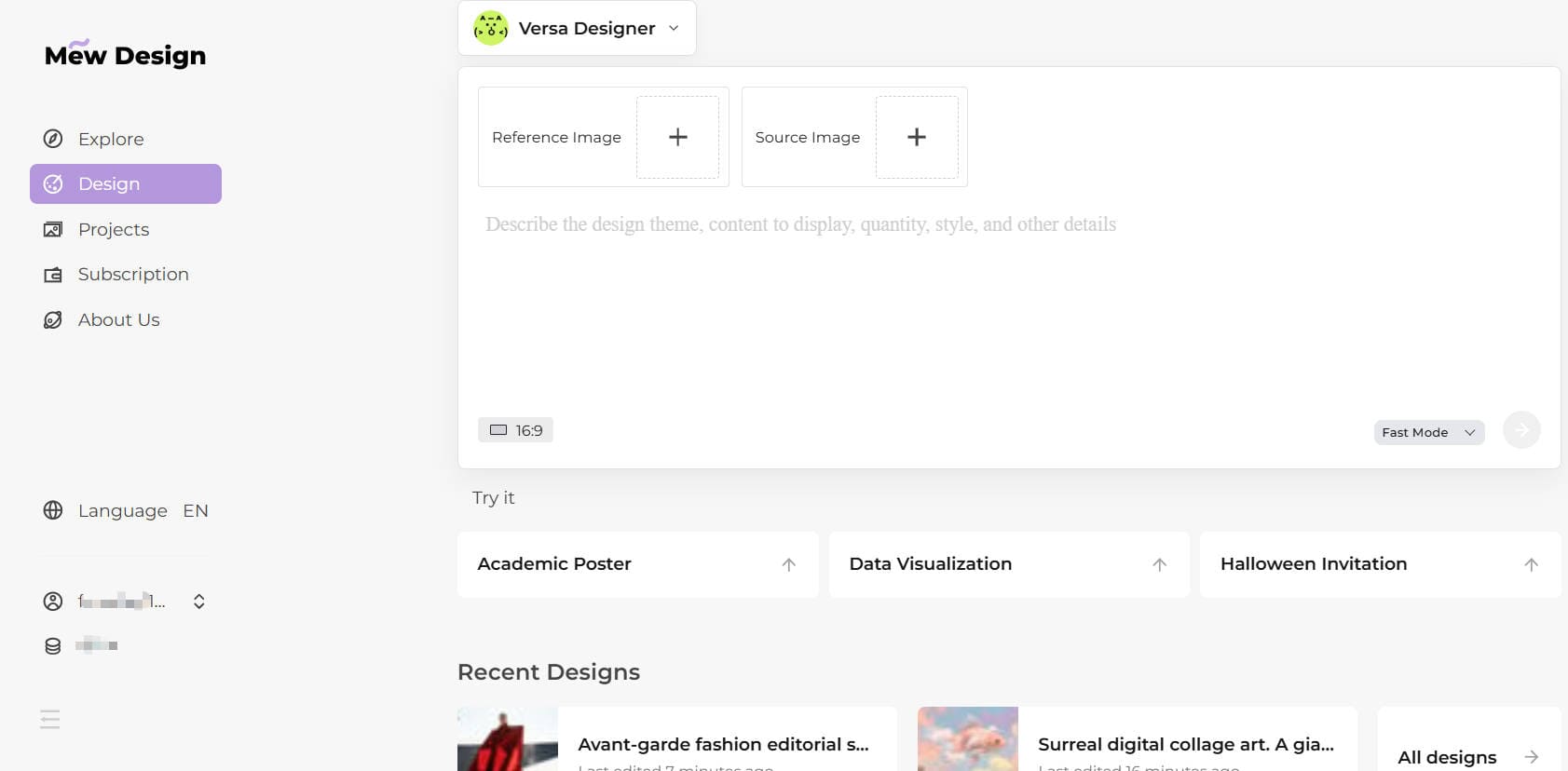
The easiest way to experience Seedream 4.5 today is through Mew Design, which has already integrated the latest model. You can generate and edit images directly in the Mew Design interface with no extra setup.

Other Volcengine entry points

If you prefer working directly with Volcengine, you can also access Seedream 4.5 via the image generation console or API. This gives you more control over advanced parameters and integration into your own workflow. Ark Experience Center: https://console.volcengine.com/ark/region:ark+cn-beijing/experience/vision?modelId=doubao-seedream-4-5-251128&tab=GenImage

You can easily test prompts like:

  • Single-image generation for portraits, product shots, or concept art
  • Multi-image composition using several reference images
  • Editing experiments (change background, clothing, materials, or lighting)
  • Poster and logo drafts with small text

Final Thoughts

Seedream-4.5 feels like a meaningful step up from Seedream 4.0. In practical tests, the model:

  • Keeps faces, lighting, and details closer to the original
  • Handles multi-image composition and character continuity more reliably
  • Generates clearer small text for posters and UI mockups
  • Produces more cinematic, aesthetically pleasing images with better composition
  • Shows stronger reasoning on complex, multi-element prompts

For teams that need both creativity and control in image generation – especially for editing, branding, and design – Doubao-Seedream-4.5 is ready to be used as a serious production tool, not just a demo model.

Seedream 4.0 Review - Check Out the Results of 20+ Prompt Tests

The AI world is just too wild right now! I feel like the buzz around the Google’s Nano Banana model just started, and now Seedream 4.0 by Bytedance is already here. From what I’ve seen in the official documents, the results are even better! I had to share my first impressions of what this new model can do.

Update:Seedream 4.5 is here!Click to view our Seedream 4.5 Test

It’s not just a small update. This is a complete overhaul that merges text-to-image, powerful editing, and multi-image generation into one model.

So, What’s the Big Deal? Core Upgrades in Seedream 4.0

Compared to version 3.0, Seedream 4.0 is a huge leap forward. Here’s the breakdown:

  • Text-to-Image is way better now. It actually listens to your prompts more accurately, supports higher resolutions, and is ridiculously fast—we’re talking a 2K image in less than 1.8 seconds!
  • Image Editing is a huge leap. You can throw one or more pictures at it, give it a command in plain English, and it’ll make any change you want.
  • It can now generate whole sets of related images at once. This is a lifesaver for brainstorming or storyboarding.

The 5 Features of Seedream 4.0 That Blew My Mind

After digging through the examples, five features really stand out and show the true power of Seedream 4.0:

  1. Editing with Natural Language: You don’t need complex prompts. You can just tell it what to do in normal language, like “add a helmet,” “remove the people in the background,” or “replace this with that,” and it just works.
  2. It Actually Remembers a Character’s Face: This is huge. You can create a character and then generate them in completely different styles—like an illustration, a 3D model, or a photo—and it will still look like the same person, keeping their features consistent. It also preserves the original photo’s details, so you don’t get that weird, glossy “AI look” after an edit.
  3. It Genuinely Understands Your Ideas: The model has a deep knowledge base, which means it can take your vaguest, most “out-there” ideas and turn them into something real and concrete. It can even handle logical reasoning to predict or simulate things.
  4. Mixing and Matching Multiple Images: This is where the fun begins. You can feed it multiple images at once to combine them, transfer styles, or create complex compositions that were incredibly difficult before. It also outputs related image groups, which is amazing for creative brainstorming.
  5. It’s Super Fast and Super High-Res: The speed is incredible, with images appearing in seconds. Plus, with support for up to 4K resolution, the quality is top-notch, giving you plenty of room for professional editing later.

Okay, Talk is Cheap. Let’s See the Results of Seedream 4.0!

This is the part that really matters. The test examples are just stunning.

Case Study 1: Character Consistency

The Task: Take a single character and recreate them across different art styles.

Prompt 1: Change the camera angle from a head-on shot to a top-down shot, adjust the framing from a close-up to a medium shot, and change the aspect ratio to 16:9.

seedream 4.0 character consistency example

Just look at the results! The image on the right, generated from the left, totally nails the new top-down perspective and 16:9 ratio. Best of all, it keeps the original style and all the objects in the scene perfectly consistent.

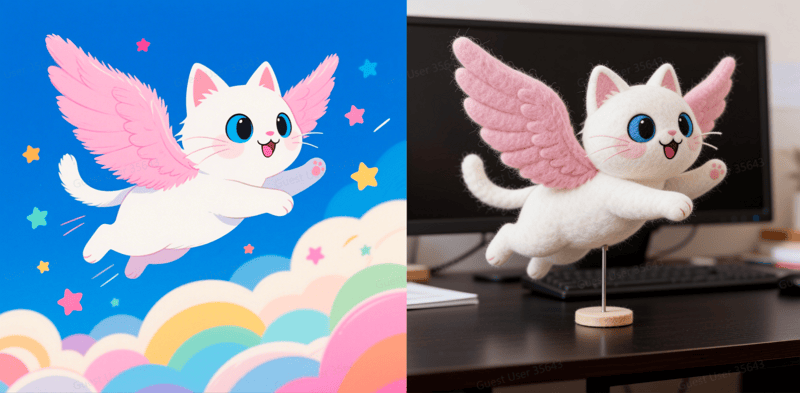
Prompt 2: Make the figure a wool felt art piece, supported by a small stand to keep its posture, set on a dark desk.

seedream 4.0 figure style transformation

While Nano Banana is the expert in generating model images, the output from Seedream 4.0 is also outstanding.

Case Study 2: Image Refinement & Consistency

The task: Take a single image and refine specific elements while maintaining overall scene consistency.

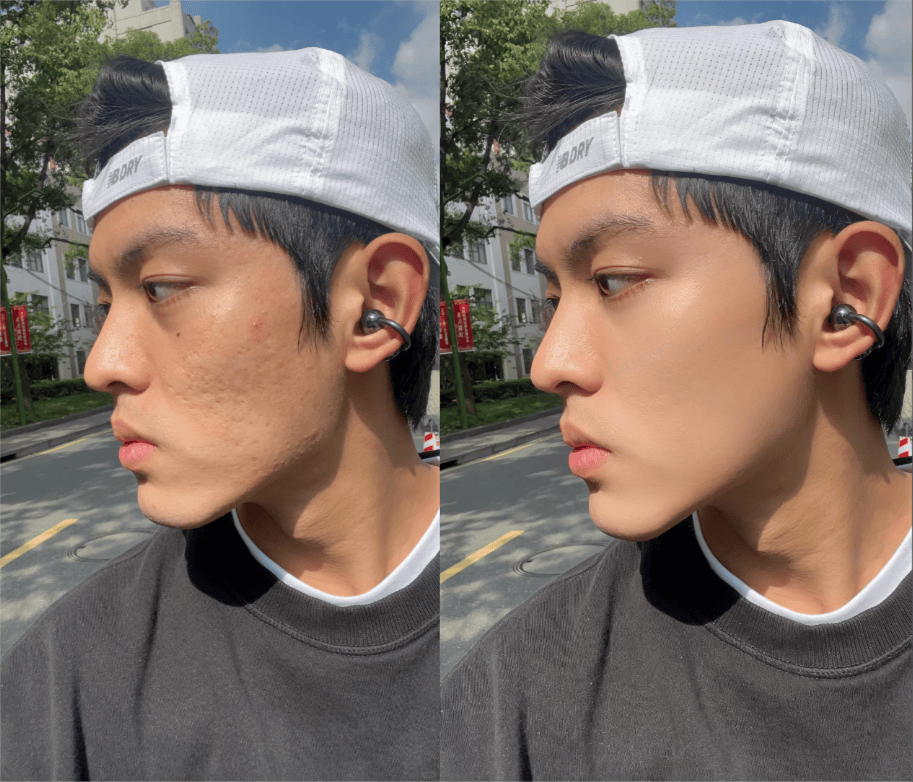
Prompt 1: Optimize the man’s facial skin texture, making it smoother and more natural while retaining pore and texture details

seedream 4.0 image refinement example 1

What’s amazing is how Seedream 4.0 keeps all the original detail. It avoids that artificial, “greasy” look you often get with AI, making the result look completely natural.

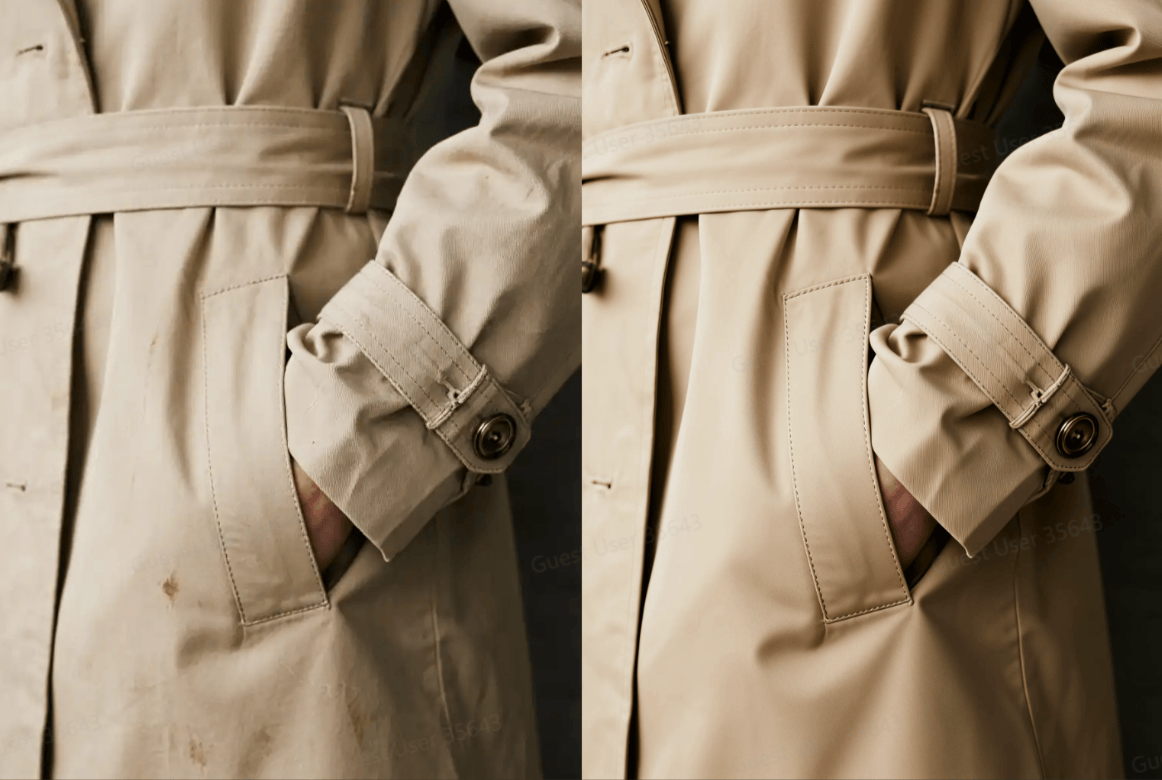
Prompt 2: Retouch, fix wrinkles, adjust lighting and shadows for high-definition commercial product photography.

seedream 4.0 image refinement example 2

Seriously, this is a game-changer for anyone trying to tell a story or build a brand. Keeping a character and image consistent used to be a nightmare, but this feature seems to solve it brilliantly.

Case Study 3: Image Editing Through Prompt

Task: Add, delete, modify, replace, and reference elements in an image.

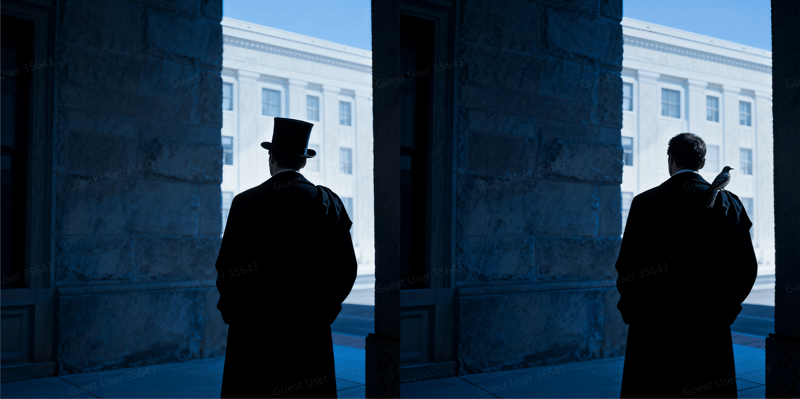
Prompt 1: The man is no longer wearing a top hat; instead, a small bird is perched on his right shoulder.

seedream 4.0 add and delete element to an image

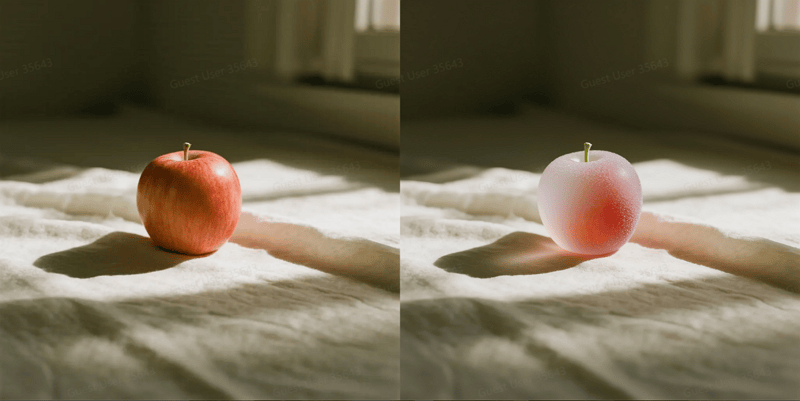
Prompt 2: Apply a frosted, icy texture to the apple while maintaining its original shape and color gradient.

seedream 4.0 modify image

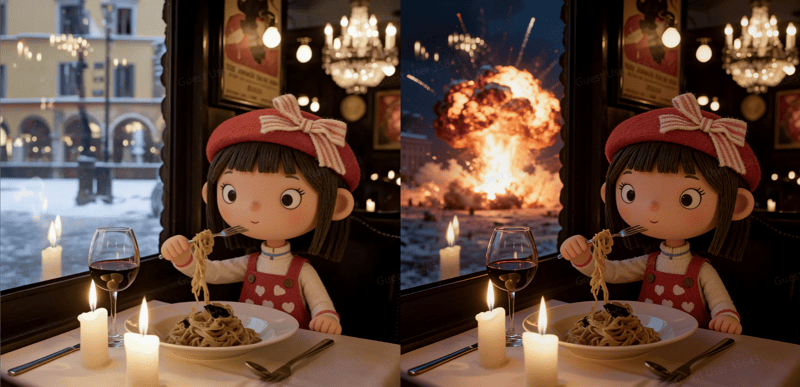
Prompt 3: Change the background outside the window from a snowy street to a large, fiery explosion in the night sky.

seedream 4.0 replace element in an image

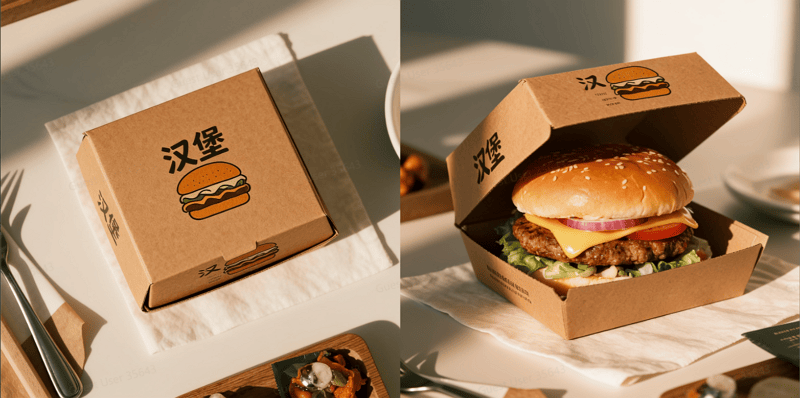
Prompt 4: Show the burger box partially opened, with a well-composed hamburger visible inside, ready to be eaten.

seedream 4.0 generate image from a reference

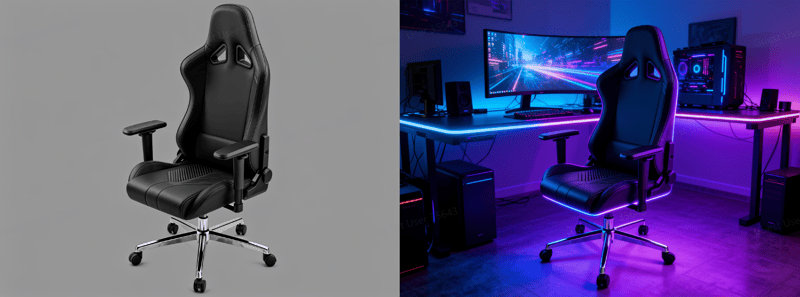
Prompt 5: Integrate the gaming chair into a futuristic gaming setup with a large screen and powerful PC. Add purple and blue LED lighting to the chair’s edges to match the room’s aesthetic.

seedream 4.0 ecommerce product demostration

My takeaway is that the editing experience with Seedream 4.0 was fantastic. Whether I was trying to add something new, remove an object, or reference another style, the results were consistently precise. This isn’t just a cool feature; it’s a powerful tool that genuinely unlocks new creative avenues for commercial work, personal art projects, and even simple, fun experiments. It really delivers on its promise.

Case Study 4: Multi-Image Input & Output

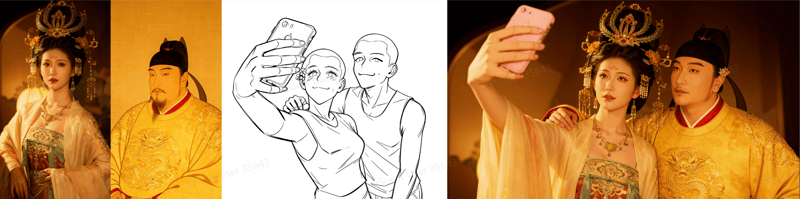
Task 1: Input multiple images simultaneously to perform complex edits such as combining, style transferring, replacing, and deriving new content.

Prompt 1: Combine the woman from Image 1 and the man from Image 2 into a single frame, referencing the pose from Image 3.

seedream 4.0 multiple images combination example 1

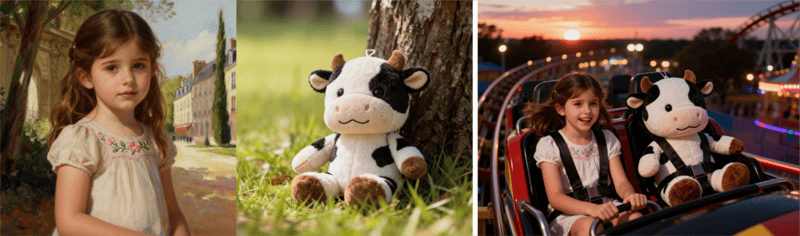
Prompt 2: Generate an image of a joyful girl and her stuffed cow toy on a roller coaster ride in an amusement park, 4:3 aspect ratio.

seedream 4.0 multiple images combination example 2

After trying out the multi-image input of Seedream 4.0, I have to say it’s a seriously powerful feature. It feels less like a simple editing tool and more like you’re a director orchestrating a complex scene. This is a massive advantage for anyone looking to create very specific compositions that are difficult to describe with words alone. It offers a level of creative control that really stands out.

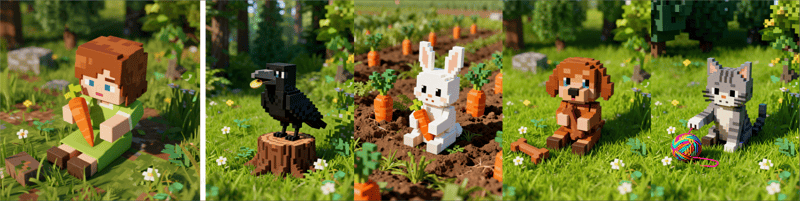
Task 2: Generate multiple, content-related images in a single output.

Prompt 1: In the style of the reference image, generate a group of 4 pictures, each for a blind box toy of a crow, a rabbit, a puppy, and a kitten.

seedream 4.0 multiple images output example 1

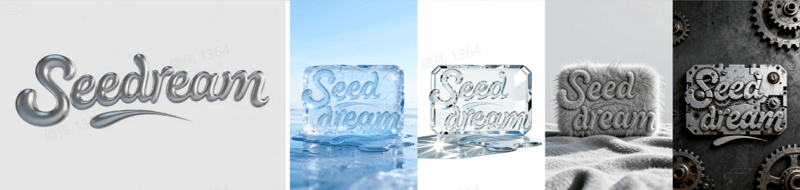
Prompt 2: Generate 4 images based on this reference, changing the title’s material to ice, glass, plush, and mechanical for each

seedream 4.0 multiple images output example 2

Prompt 3: Storyboard a fight scene with these two characters as reference.

seedream 4.0 multiple images output example 3

The multi-image output feature is an absolute game-changer for workflow and brainstorming. This is fantastic for exploring design options or quickly storyboarding a narrative sequence. It streamlines the creative process, making it much faster to visualize and develop an idea from a single concept into a full series.

Case Study 5: Deep Intent Understanding

Task 1: Upgraded knowledge base to understand complex or detailed prompts.

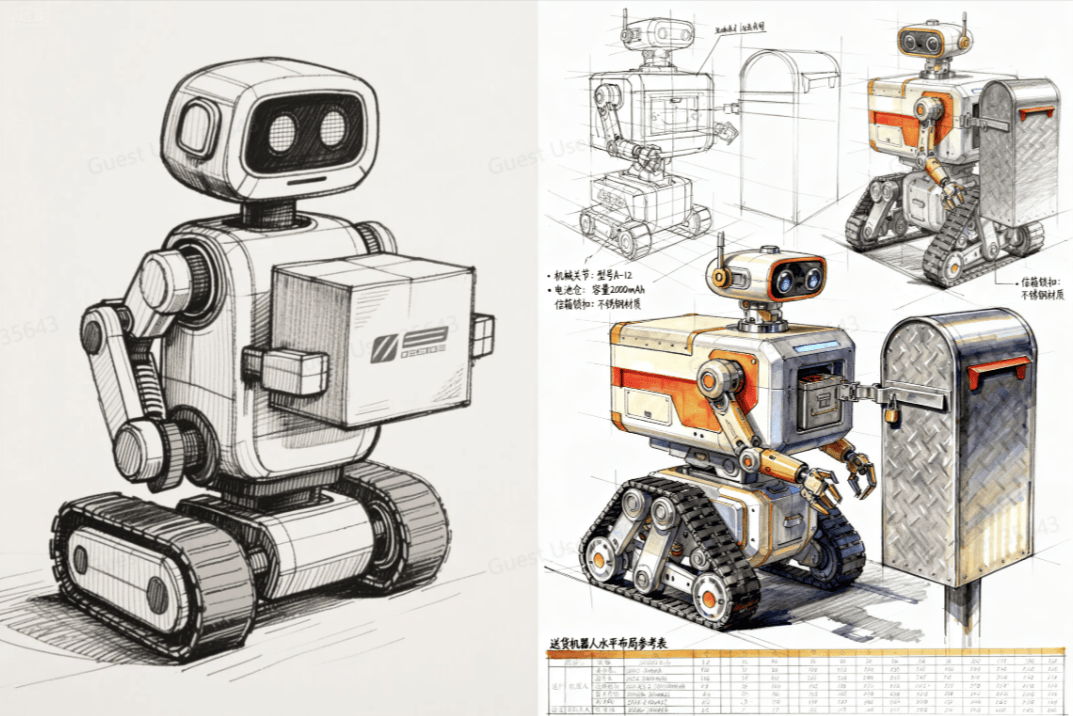
Prompt 1: Generate a sketch of a delivery robot.

seedream 3.0 vs seedream 4.0 knowledge base example 1

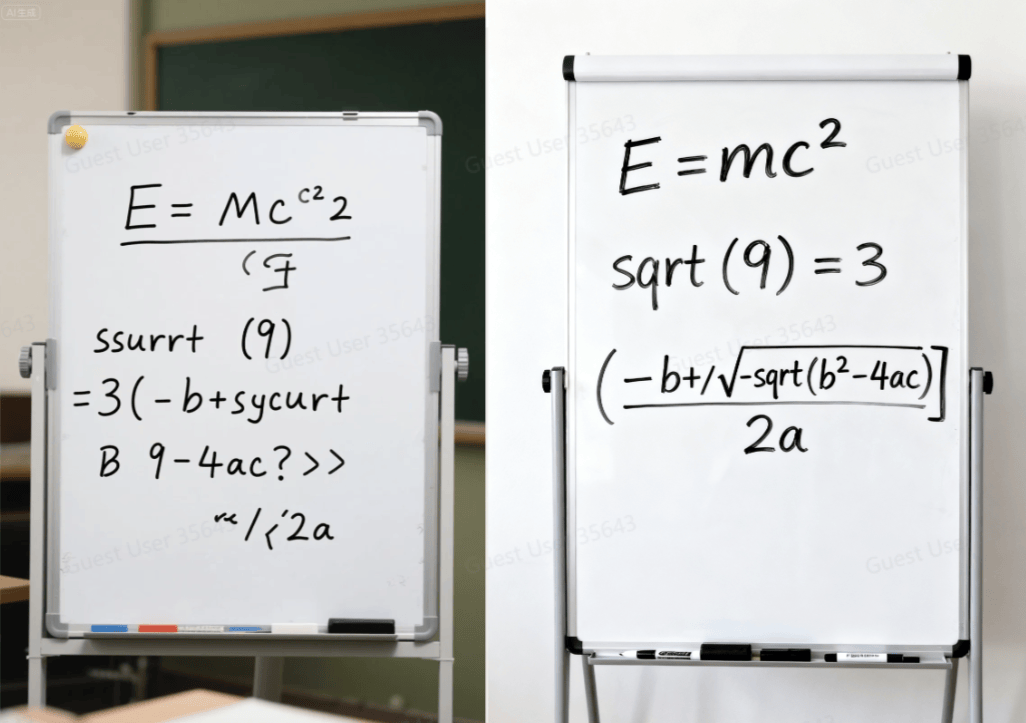
Prompt 2: A whiteboard with the following equations written on it: E=mc^2, sqrt(9)=3, (-b+/-sqrt(b^2-4ac))/2a.

seedream 3.0 vs seedream 4.0 knowledge base example 1

You can immediately see the jump in quality. Seedream 4.0’s understanding is a massive improvement over version 3.0.

Task 2: Transform abstract or imaginative concepts from vague ideas into concrete, detailed visuals.

Prompt 1: Generate a sketch of a delivery robot.

seedream 4.0 abstract concept example

Prompt 2: A whiteboard with the following equations written on it: E=mc^2, sqrt(9)=3, (-b+/-sqrt(b^2-4ac))/2a.

seedream 4.0 transform vague idea to image

What really blew me away was how Seedream 4.0 can take a completely abstract, almost poetic idea and turn it into a stunning visual. I started with just a vague feeling, and it produced a concrete, detailed image that perfectly captured the mood. For anyone who struggles with a creative block or wants to bring a “wildly imaginative” idea to life, this feature is an absolute dream.

Task 3: Use advanced reasoning to predict and simulate scenarios, making the unseen visible.

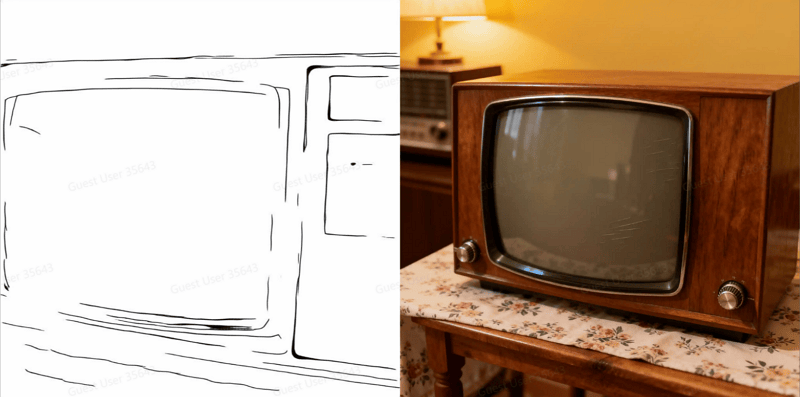
Prompt 1: Create an old-fashioned television based on the provided line drawing.

seedream 4.0 abstract concept example

Prompt 2: Create an action figure that matches the poses of the character in the sketch.

seedream 4.0 transform vague idea to image

The reasoning and prediction capability is where Seedream 4.0 feels like it’s from the future. It doesn’t just create a picture; it logically simulates a scenario. This is an incredibly powerful tool for conceptual design, world-building, and visualizing “what if” scenarios.

Task 4: Automatically select the optimal aspect ratio to best compose the generated image.

seedream 4.0 adaptive aspect ratio example 1

seedream 4.0 adaptive aspect ratio example 2

seedream 4.0 adaptive aspect ratio example 3

The Adaptive Aspect Ratio is a brilliant quality-of-life feature. The model is smart enough to analyze your subject and automatically pick the best composition—wide for a landscape, tall for a portrait. It’s a small detail that makes a huge difference, consistently delivering more dynamic and well-composed images with zero extra effort from me.

So, How Can You Actually Use Seedream 4.0?

The Seedream 4.0’s possibilities seem endless, but here are a few ideas based on my testing:

  • For Designers: You can instantly create poster layouts, branding kits, e-commerce shots, and even interior design concepts.
  • For Artists: This could be your new best friend for storyboarding comics and films, illustrating children’s books, creating merchandise, or just coloring your line art.
  • For Fun: The creative and fun uses are limitless. You can make stylized portraits, custom emojis, cool toy designs, or turn your doodles into amazing 3D art.

The Best Part? Seedream 4.0 Is Live Now

Seedream 4.0 isn’t just an upgrade—it’s a breakthrough that’s already available to the public on September 08, 2025. You can start exploring its full power today.

If you want a smooth way to test it, Mew Design has already integrated Seedream 4.0 together with Nano Banana. That means you can generate artistic images, refine details with natural editing, and build full sets of brand assets—all in one place.

Seedream 4.0 has officially arrived, and it’s setting a new standard for AI-generated creativity. The future of design just got a whole lot closer.

30+ Nano Banana Pro Prompts Plus Free Usage & Writing Tips

Nano Banana Pro — also known as Nano Banana 2 — is Google’s upgraded image generation and editing model, now capable of producing sharper details, better text rendering, improved consistency, and stronger world‑knowledge integration. It performs well across portraits, manga, posters, product shots, concept scenes, infographics, and structured knowledge visuals.

If you want to try the Nano Banana Pro AI image generator without any setup, Mew Design is the best place to start. It’s not just a tool but an AI design agent. Mew Design combines Nano Banana Pro’s state-of-the-art image generation with the deep contextual understanding and code-based editing capabilities of Gemini 3 Pro.

Beyond producing images, Mew Design applies professional-grade design principles to your layout. It performs especially well with complex, text-heavy projects—such as academic posters or detailed infographics—delivering clean typography and zero text hallucinations, a common issue in other tools.

use nano banana pro for free in mew design

1. 30+ Best Prompts for Nano Banana Pro Image Generation & Photo Editing

We have categorized these AI image prompt examples for Nano Banana Pro to help you find exactly what you need. Below you will find a mix of concise instructions and detailed descriptions to test the model’s full capacity.

1.1 Character & Portrait Prompts (Realistic & Cinematic)

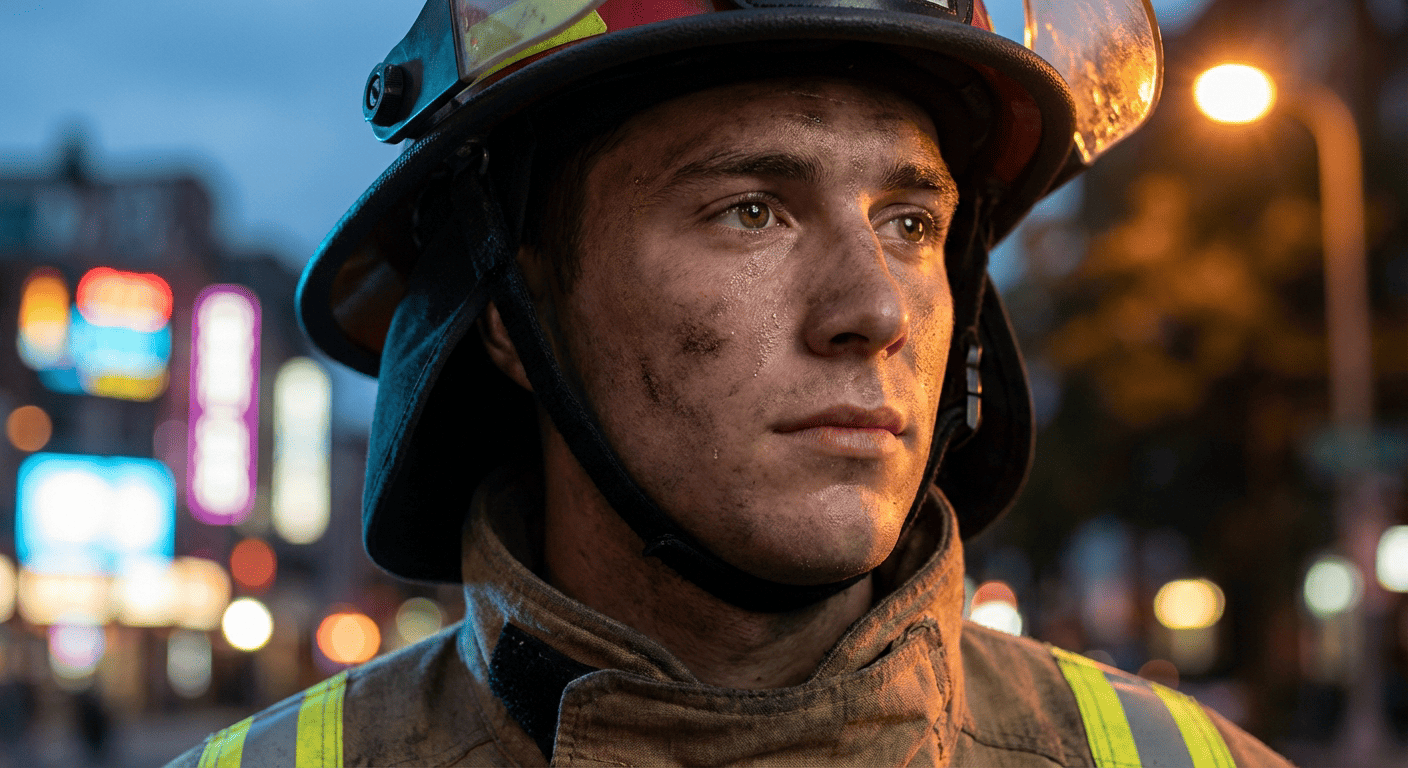
01. Cinematic Hero

A hyper-realistic cinematic portrait of a young firefighter hero standing against glowing city lights at dusk. The lighting is dramatic, featuring a cool blue rim light on the left and a warm amber street light on the right. High-definition skin texture showing subtle sweat and freckles, expressive hazel eyes looking slightly off-camera. Shot on a 85mm lens, f/1.8 aperture, shallow depth of field with bokeh background, premium 8k photography style.
realistic nano banana pro prompt result of a cinematic hero portrait

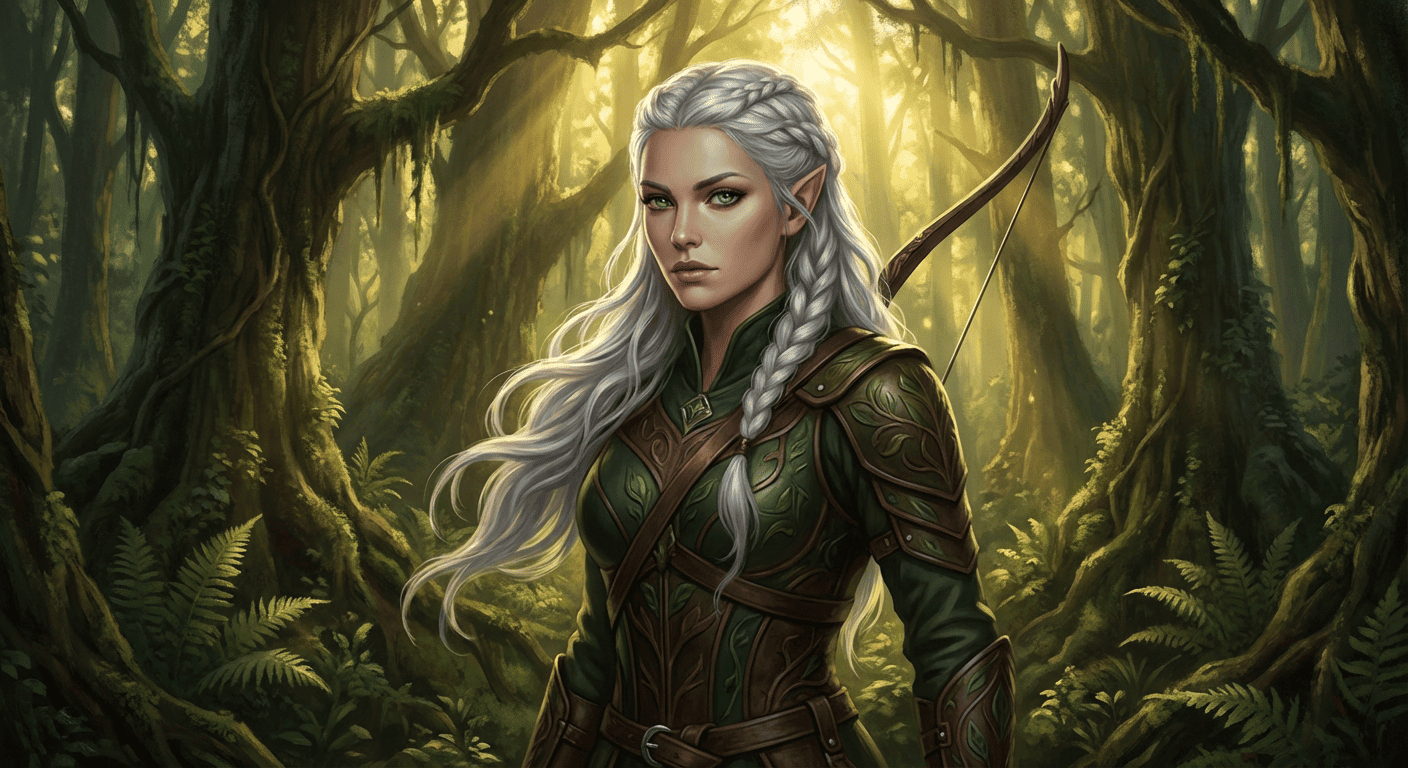
02. Fantasy Elf Ranger

A fantasy elf ranger with flowing silver hair and piercing emerald eyes, wearing intricate leather armor adorned with leaf patterns. Deep forest background with shafts of sunlight breaking through the canopy, soft atmospheric lighting, semi-realistic digital painting style.
fantasy elf ranger generated with best prompts for nano banana pro

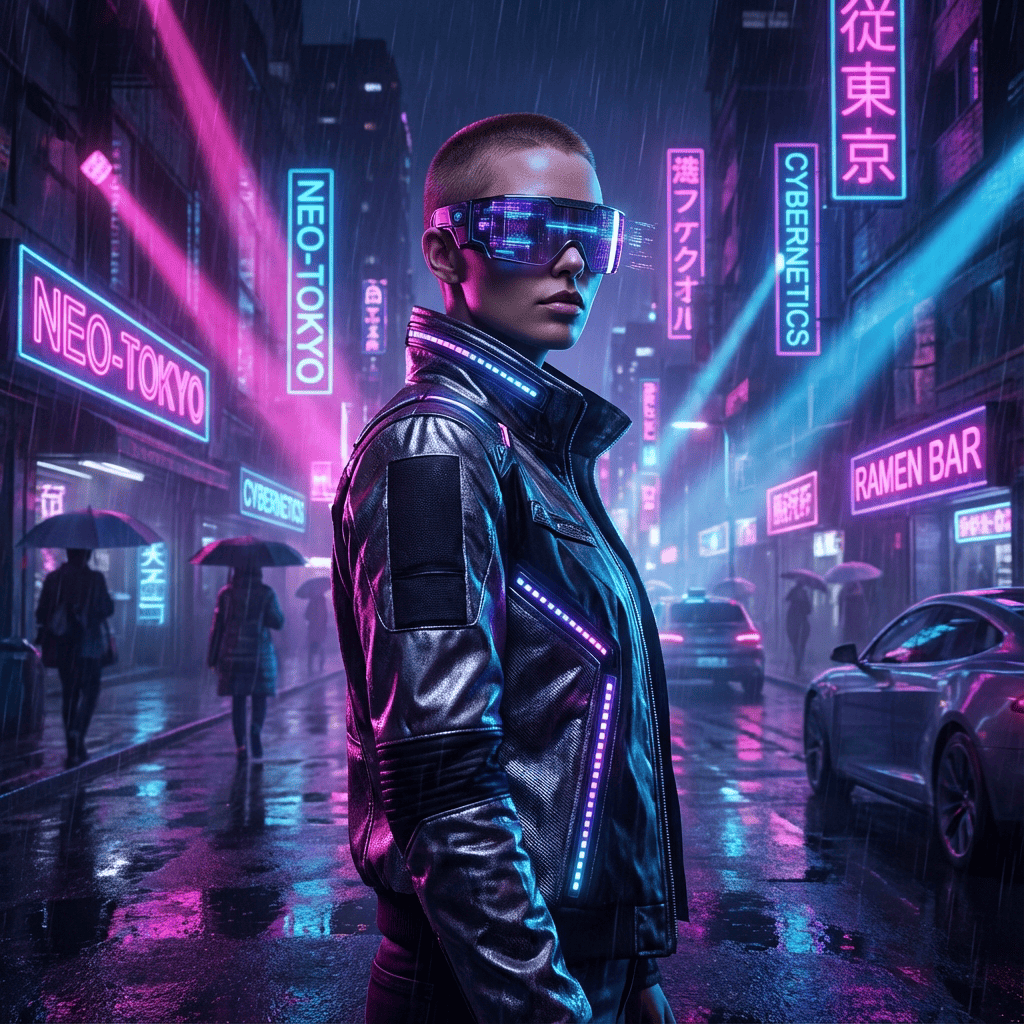
03. Cyberpunk Street Style

Cyberpunk fashion portrait, neon pink and blue lighting, futuristic visor, rain-slicked street background, crisp focus, 1:1 ratio.
nano banana 2 prompts example of cyberpunk style

04. Corporate Headshot

Professional business headshot of a woman in a navy blue blazer, white background, soft studio lighting, confident smile, 4k resolution, LinkedIn style.
professional corporate headshot generated by nano banana pro ai

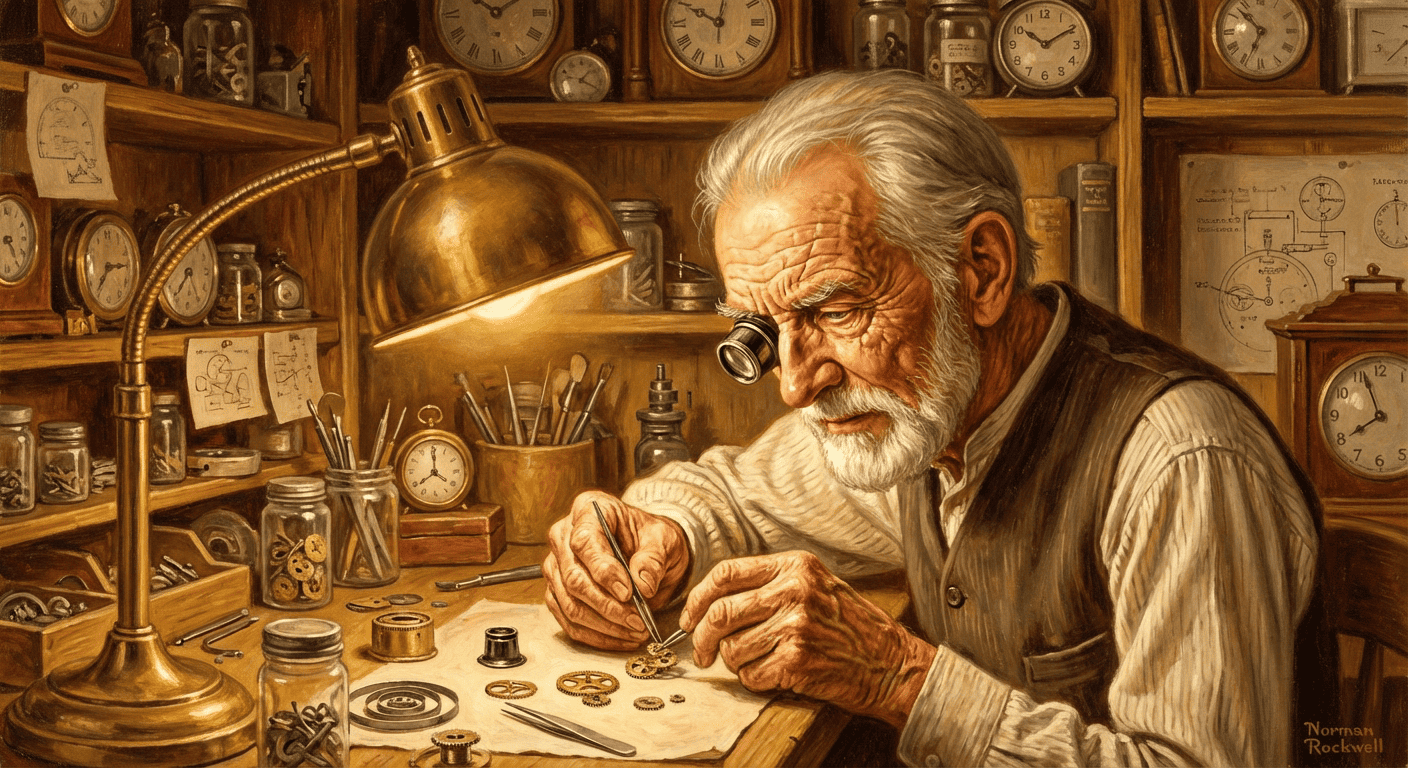
05. Elderly Artisan

Portrait of an elderly watchmaker working at a table, magnifying glass over one eye, warm lamp lighting, highly detailed wrinkles and hands, messy workshop background, Norman Rockwell style.
nano banana 2 artistic portrait of an elderly watchmaker

1.2 World Knowledge & Infographic Prompts

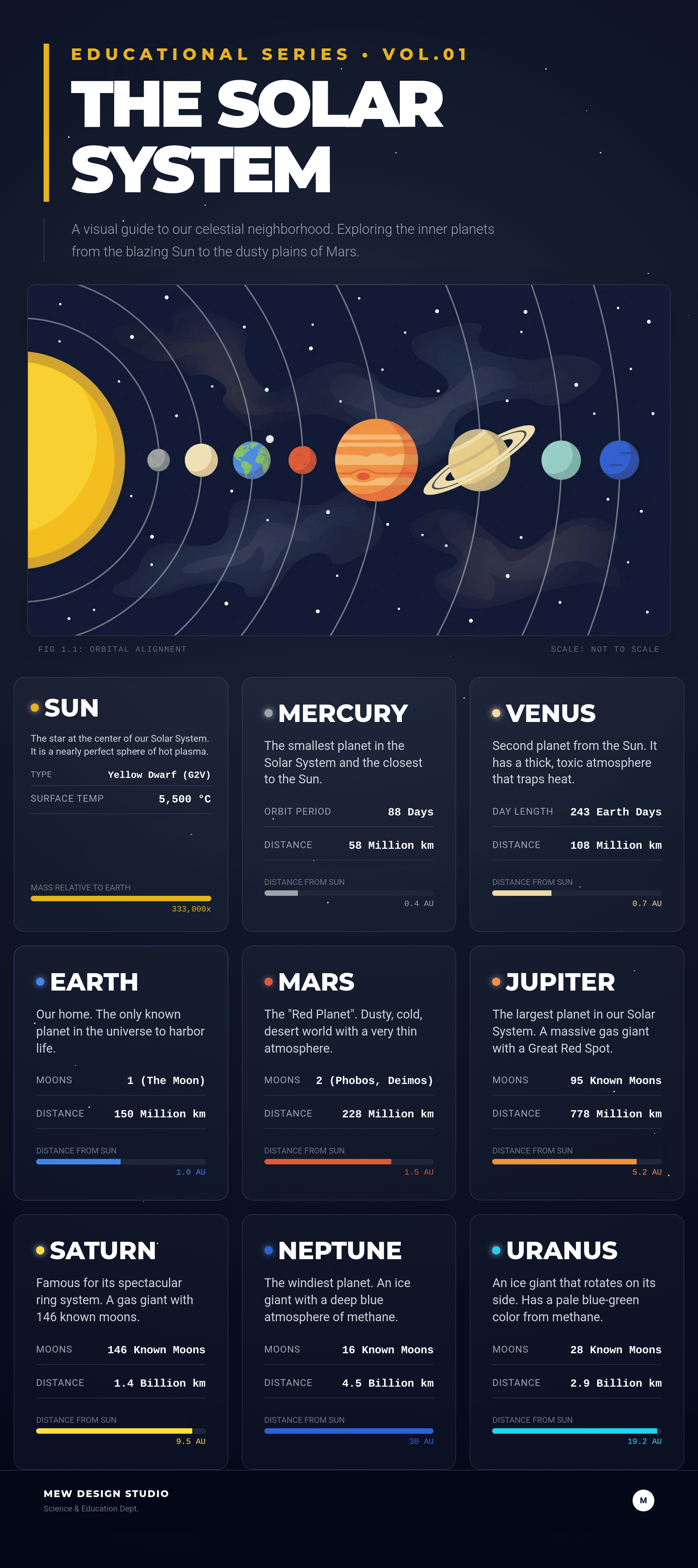
06. Solar System Knowledge Card

A clean, educational infographic knowledge card showing the Solar System. The sun is on the left, followed by clearly labeled planets: Mercury, Venus, Earth, Mars. Text labels are sharp, legible sans-serif font. Dark space background with subtle star fields, vector art style, professional layout suitable for a textbook.
nano banana pro text-to-image prompt for solar system infographic

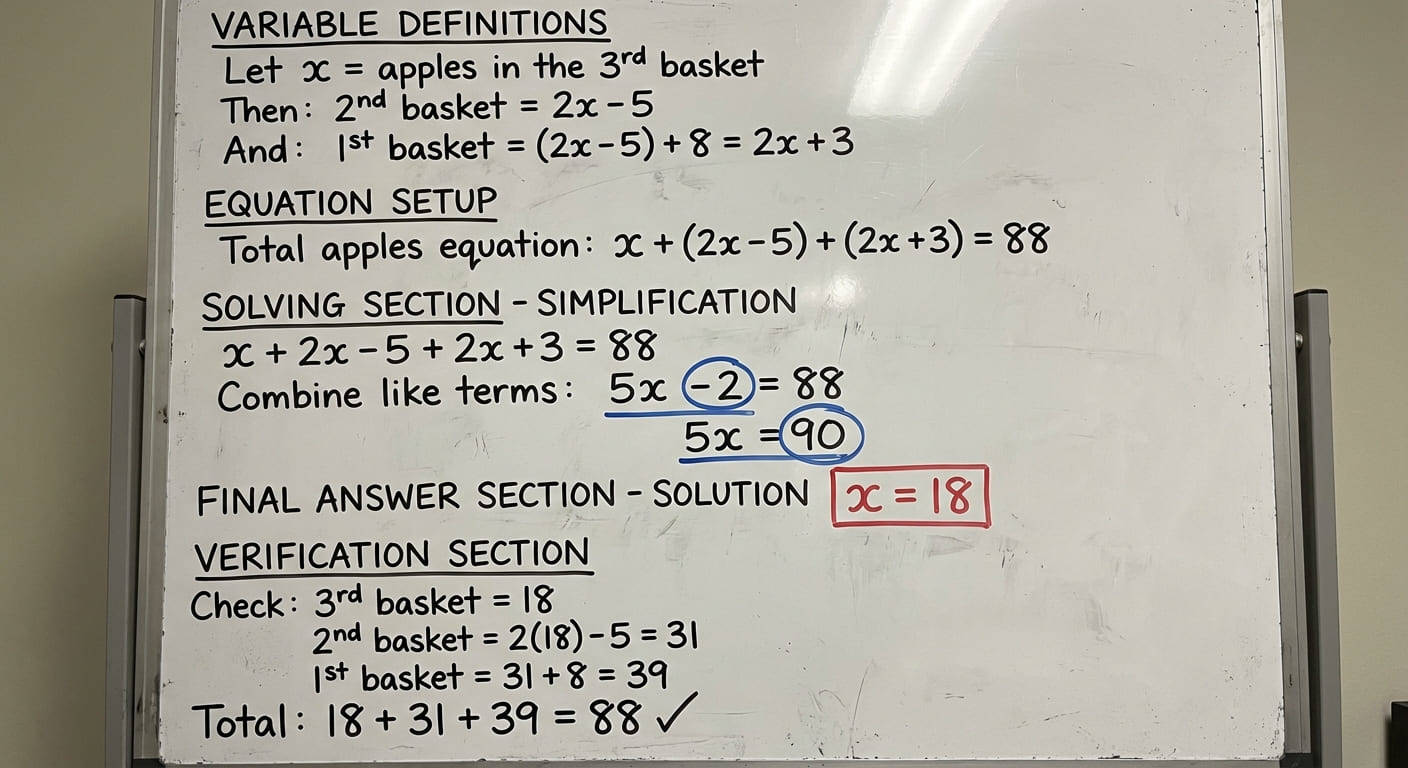
07. Math Geometry Problem Visual

You are a math teacher. Generate a “whiteboard-style” visual solution for the following math problem.
[Problem]
A farmer picked apples into three baskets.
The first basket has 8 more apples than the second basket.
The second basket has 5 fewer apples than twice the number of apples in the third basket.
All three baskets together contain 88 apples.
How many apples are in the third basket?
[Whiteboard Requirements]
1. Background must be pure white, like a real whiteboard.
2. Use hand-drawn marker-style writing.
3. Use black as the main color; use blue/red only to highlight key steps.
4. The whiteboard must include:
 - Variable definitions
 - Equation setup
 - Substitution and simplification steps
 - Final numeric answer for the third basket
5. No non-math content or decorations.
6. Organize steps clearly from top to bottom.
[Output]
Produce a single whiteboard-style image that shows the full reasoning process.
google ai image prompts for math geometry triangle

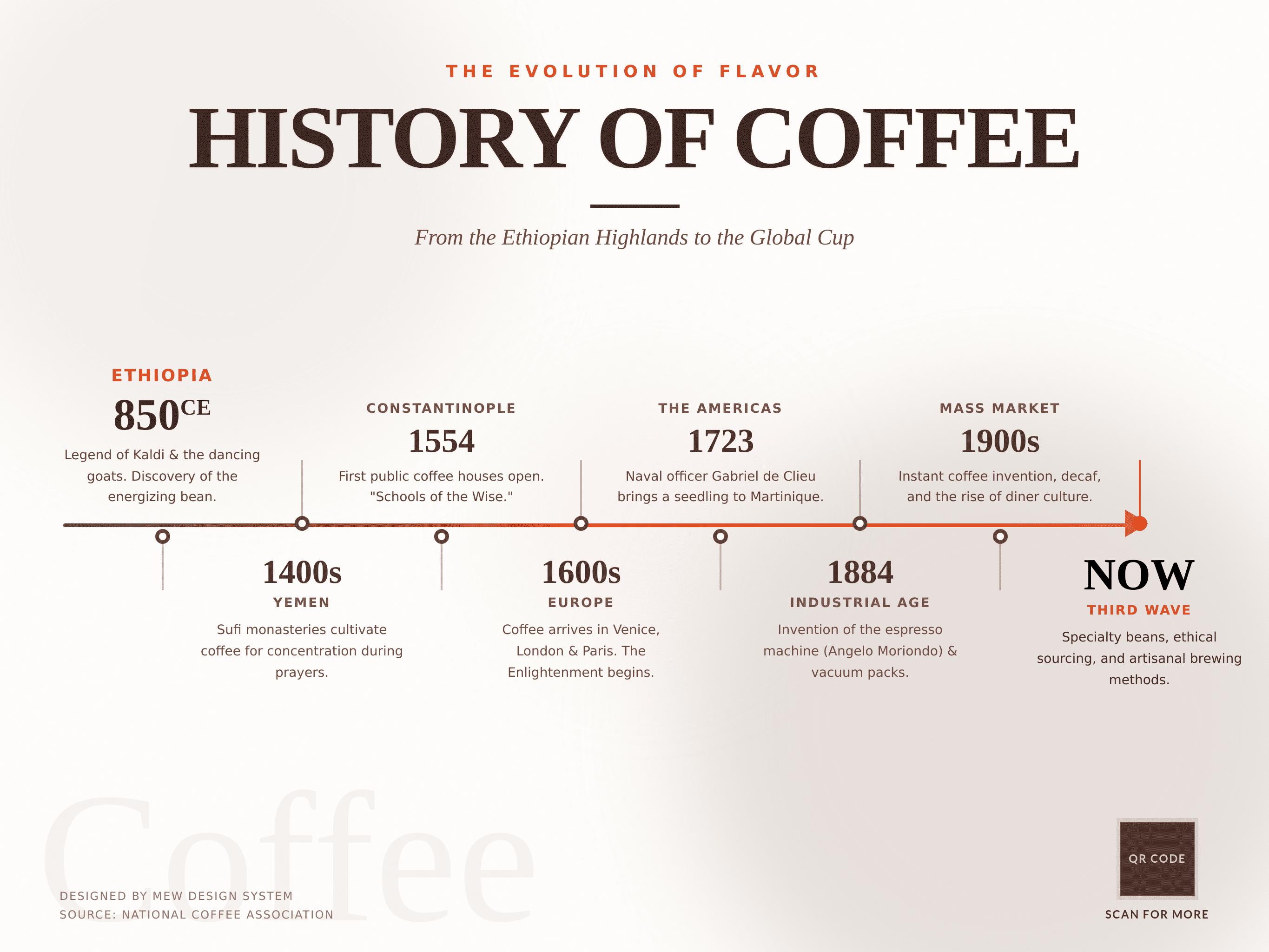
08. Historical Timeline UI

A modern UI timeline design displaying 'The History of Coffee'. Multiple milestones with timeline arrow. Minimalist beige and brown color palette, clean typography, flat design style.
ui design timeline showing history of coffee

1.3 Poster & Marketing Prompts

09. Minimalist Perfume Ad

A luxury product photography shot of a transparent glass perfume bottle sitting on a piece of rough, grey slate rock surrounded by calm water. Soft morning sunlight casting gentle ripples and caustics on the bottle. The background is a misty blurred mountain range. Text at the top center reads 'PURE ESSENCE' in an elegant gold serif font.
marketing prompts for nano banana pro showing perfume ad

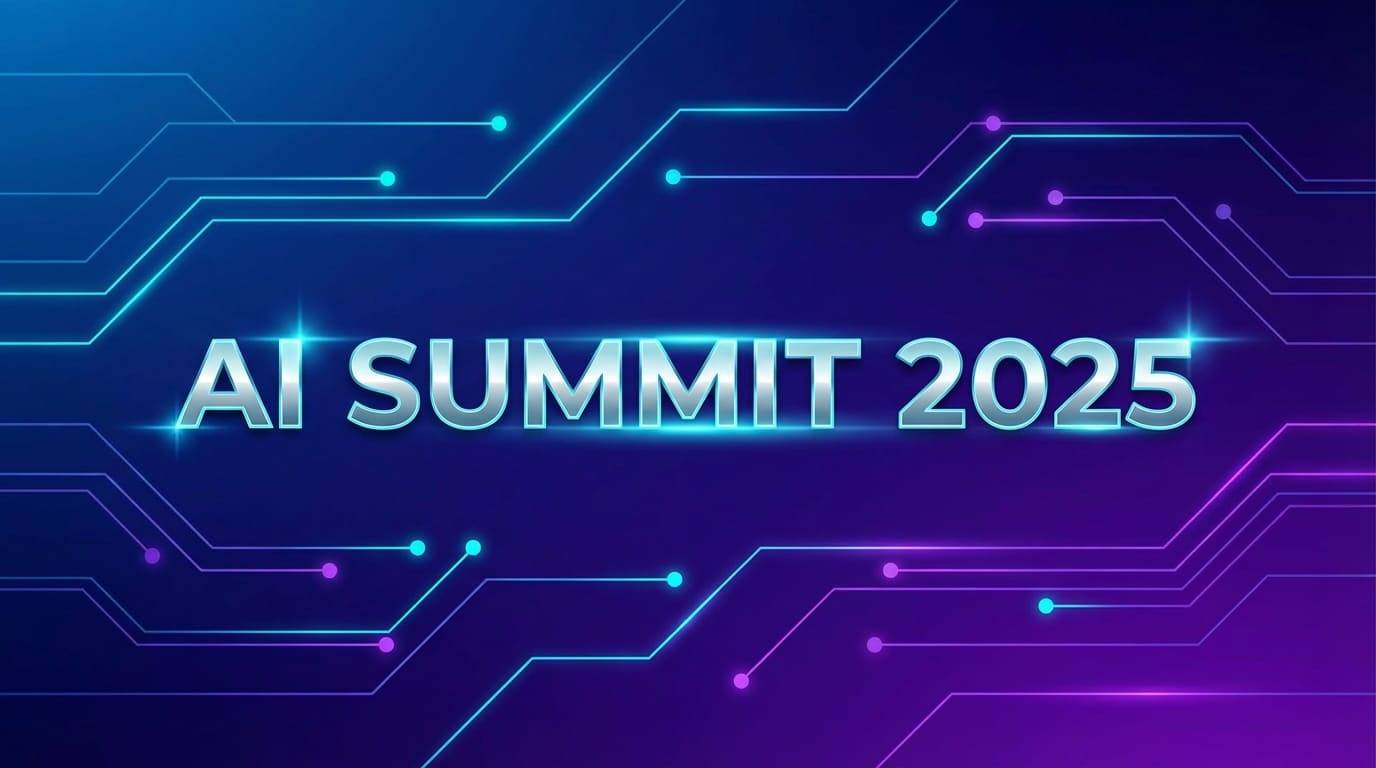
10. Tech Conference Cover

Futuristic tech event cover, geometric connecting lines, glowing nodes, large text 'AI SUMMIT 2025' in the center, deep blue and violet gradient, modern professional layout.
nano banana pro prompts for designers creating tech conference covers

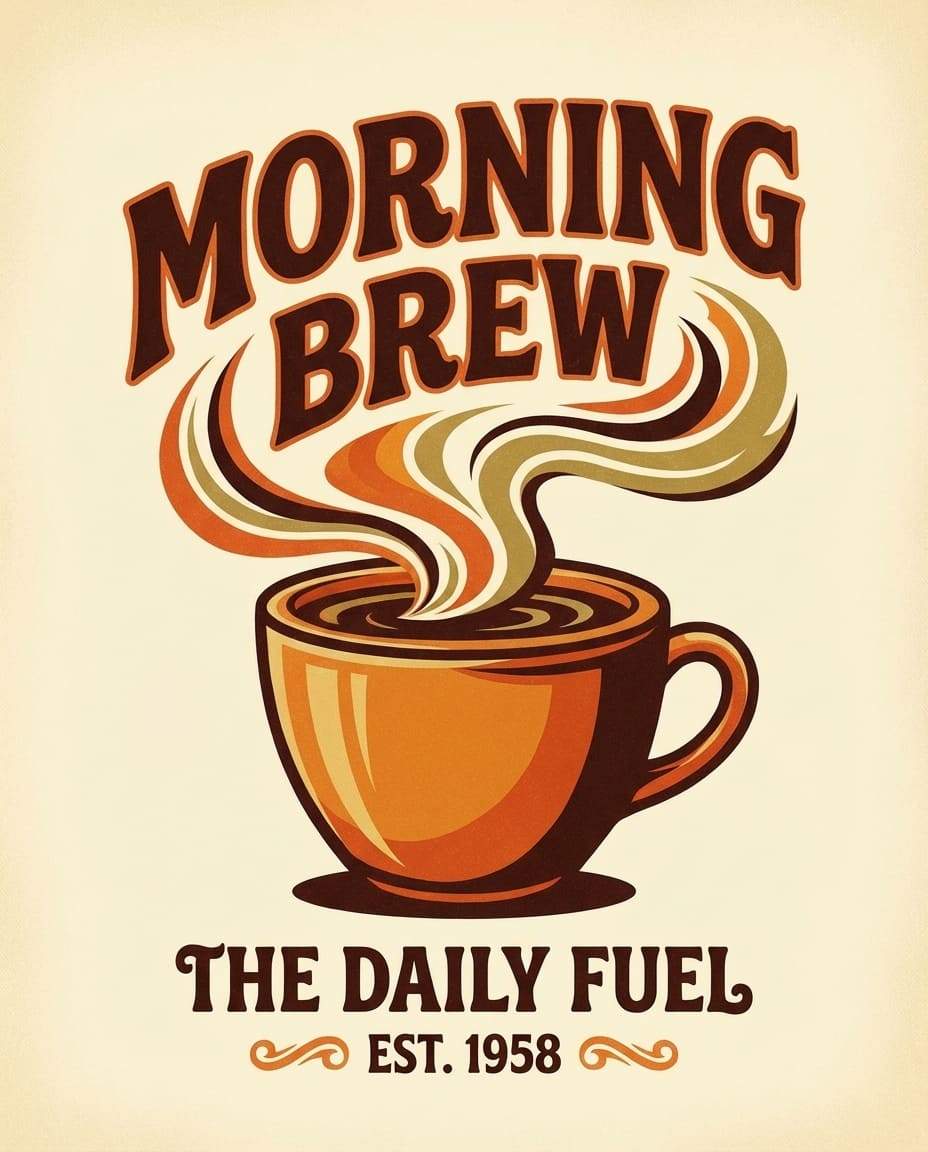
11. Coffee Shop Poster

Vintage style coffee shop poster. Illustration of a steaming coffee cup, warm brown and orange tones, bold retro typography reading 'Morning Brew', grainy texture overlay.
vintage coffee shop poster design with nano banana pro

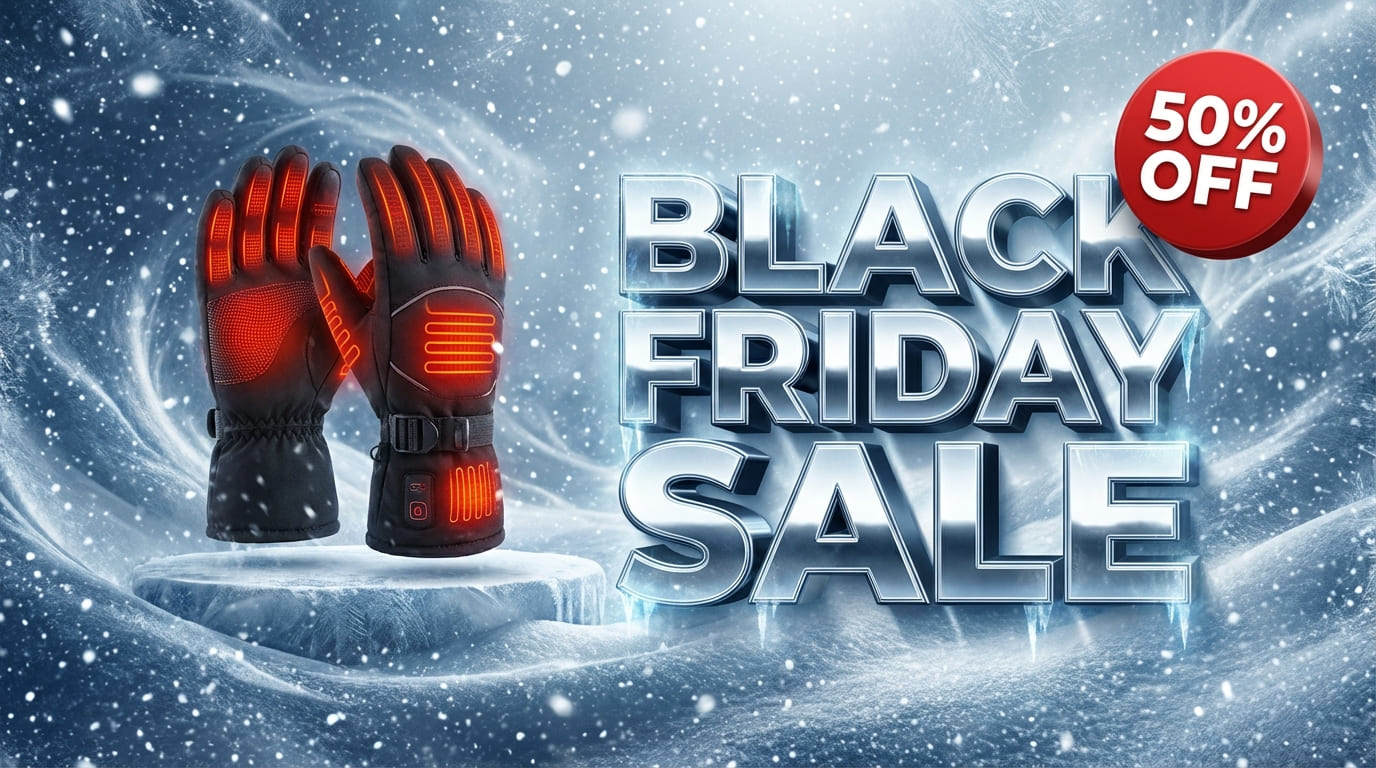
12. Black Friday Sale Banner

Black Friday Sale web banner, 16:9 ratio. Winter theme with cool tones, snow particles, frosted textures and soft icy highlights. Large 3D metallic text ‘BLACK FRIDAY SALE’ floating in the center, bold and high-impact commercial style. Feature a product: smart heated gloves in sleek black fabric, glowing subtle red warmth lines. Add a striking red discount badge showing ‘50% OFF’. Clean layout, premium winter retail aesthetics, high-energy promotional atmosphere.
bright summer sale banner created with nano banana pro

1.4 Manga & Anime Prompts

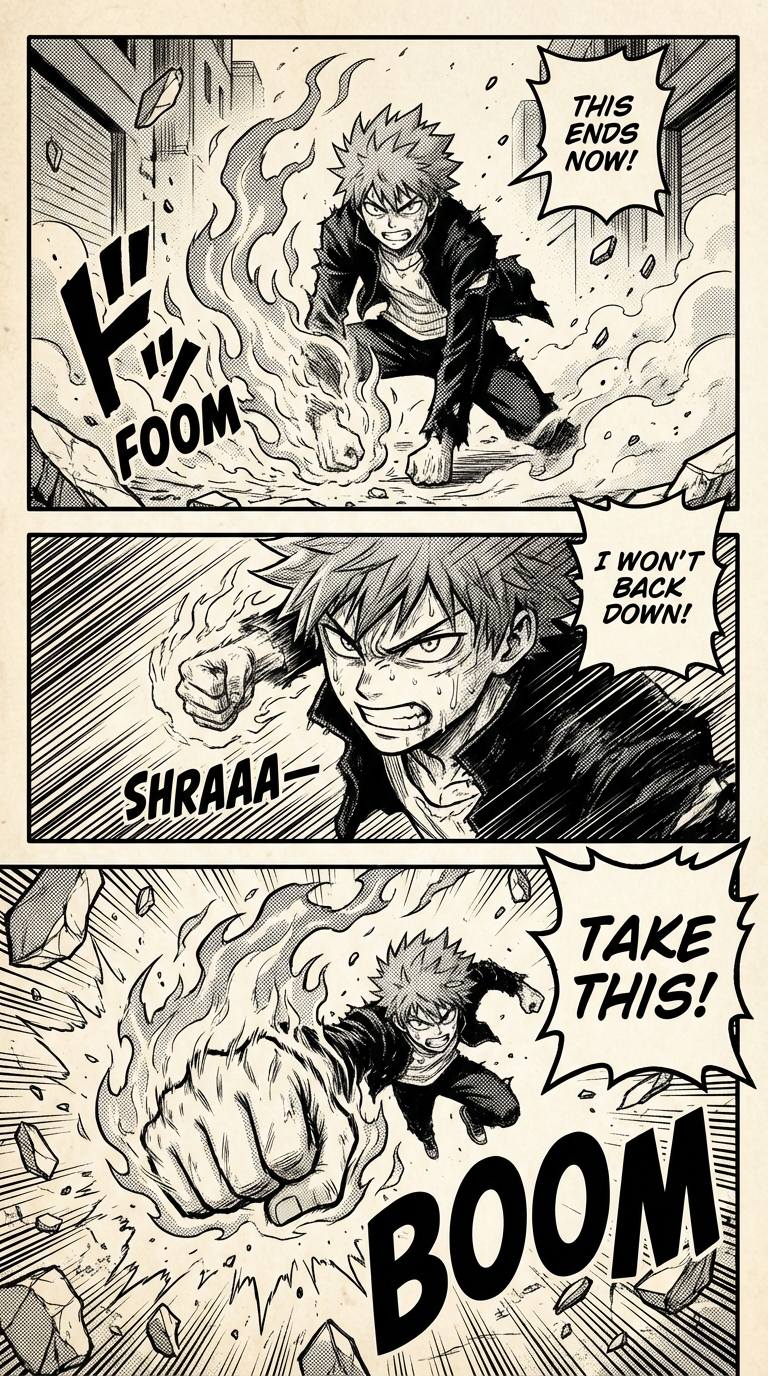
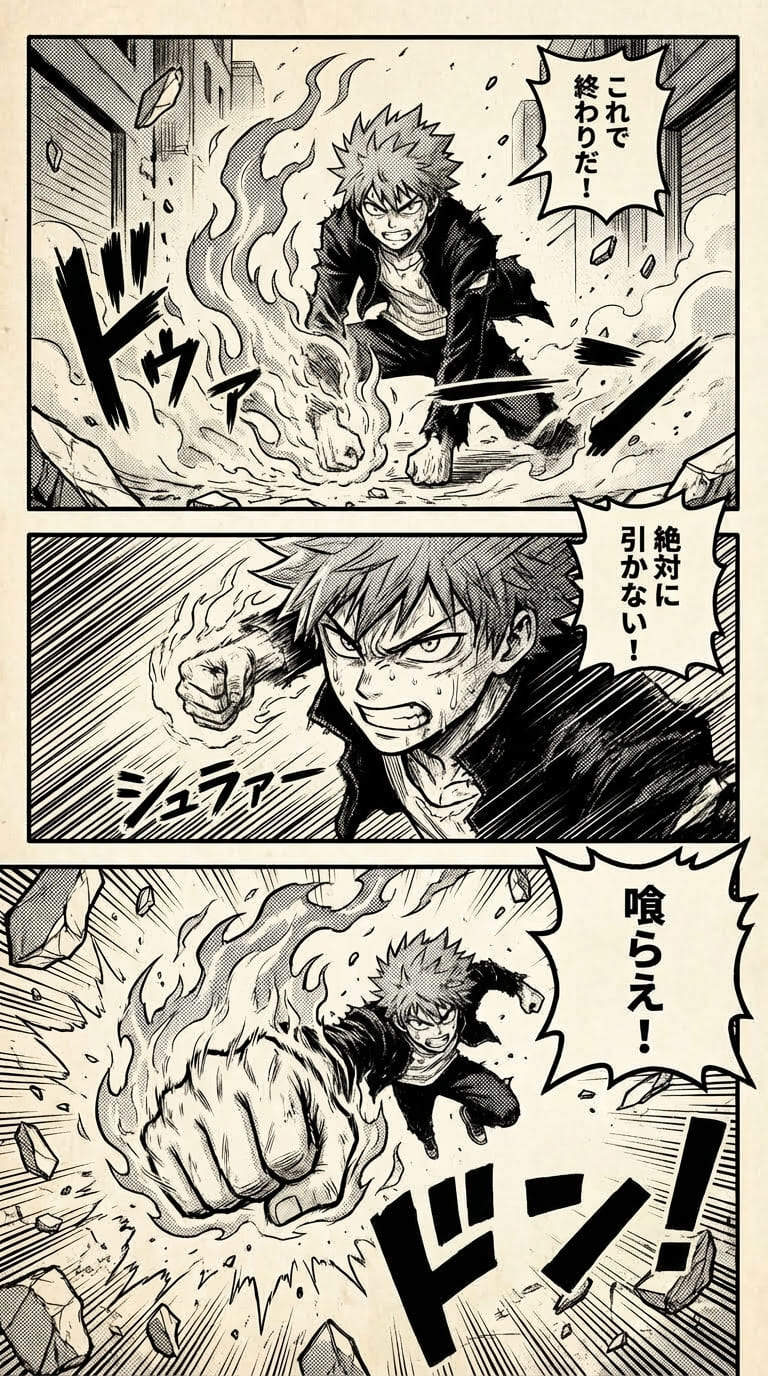
13. Shonen Battle Panel

A vertical 3-panel shonen manga page. High-octane action, bold black ink strokes, heavy speed lines, and high-contrast screentones throughout. Dramatic camera angles and expressive dialogue. Japanese comic style.
Panel 1 (Top):
A teenage fighter with wild spiky hair stands in a ruined street, flames beginning to swirl around his clenched fist. Low-angle shot, creating a heroic silhouette. Wind blows debris across the scene.
Dialogue (speech bubble): “This ends now!”
SFX: FOOM (rising flames)
Panel 2 (Middle):
Close-up of the fighter dashing forward at full speed, body leaning in, motion blur and dense speed lines behind him. The flaming fist grows brighter and hotter.Dialogue (speech bubble): “I won’t back down!”
SFX: SHRAAA— (charging sound)

Panel 3 (Bottom):
Impact shot. The fighter throws a flaming punch toward the viewer from a dramatic low angle. The background explodes with energy bursts and shattered screentones. Dialogue (shout bubble): “Take this!”
SFX (large text in background): BOOM
anime prompts for nano banana pro showing shonen battle scene

14. Anime Translation

[Upload your anime image] Translate it to Japanese
translate comic scene using nano banana pro

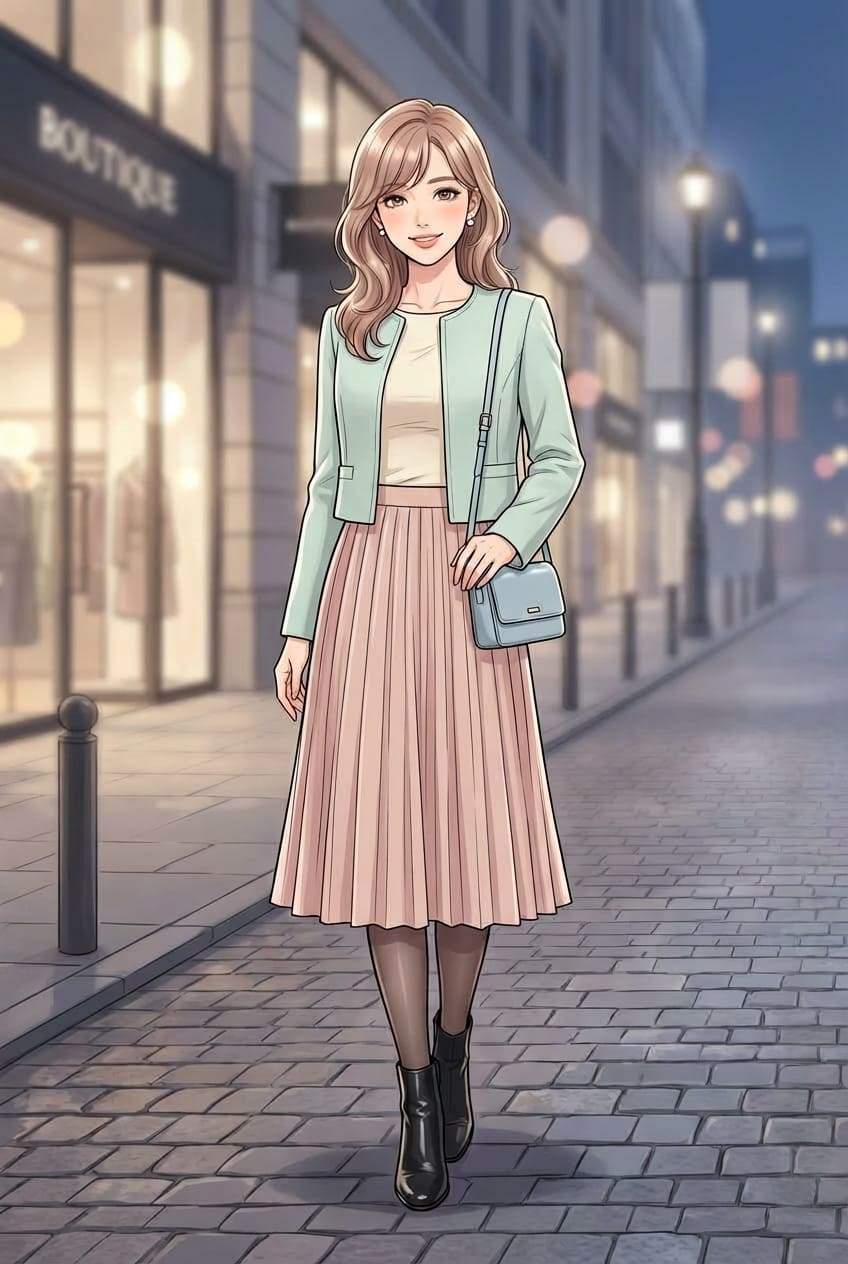
15. Anime Female Character Full-Body Shot

A stylish anime woman standing in a well-lit urban street. Full-body shot, vertical composition. She has soft wavy hair, natural makeup, and a confident but gentle expression. Wearing a chic modern outfit: cropped jacket, fitted top, pleated skirt, sheer tights, and ankle boots. Minimal accessories such as earrings and a small crossbody bag. Clean color palette, elegant textures. High-detail anime style, sharp line art, glossy highlights, subtle gradients. Fashion-magazine vibe.
stylish anime woman standing outdoors

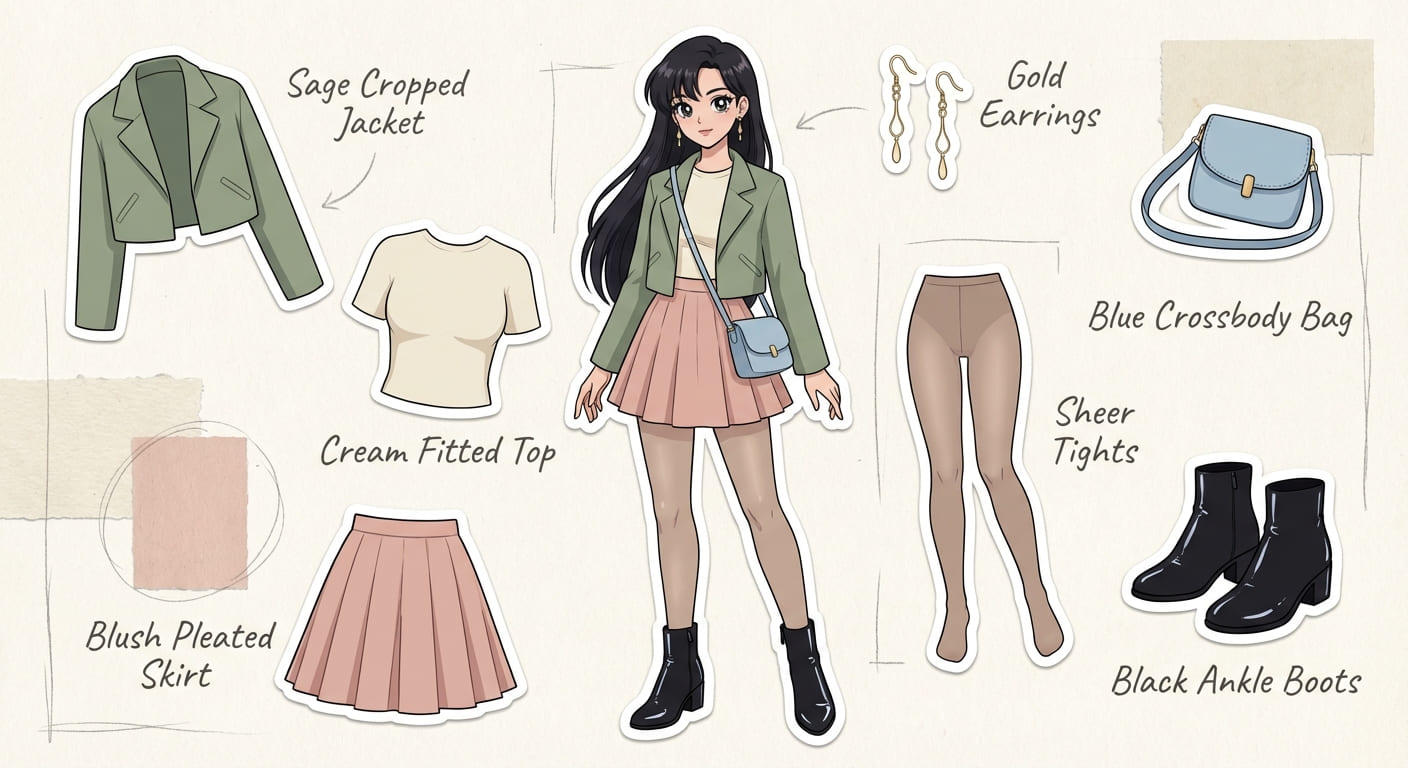
16. Anime Female OOTD Fashion Breakdown

Place every clothing item the girl is wearing onto the same photo as flat cut-out collage stickers, each with a neat outline, and add a soft pencil-style handwritten label beside every piece.
nano banana pro outfit breakdown illustration

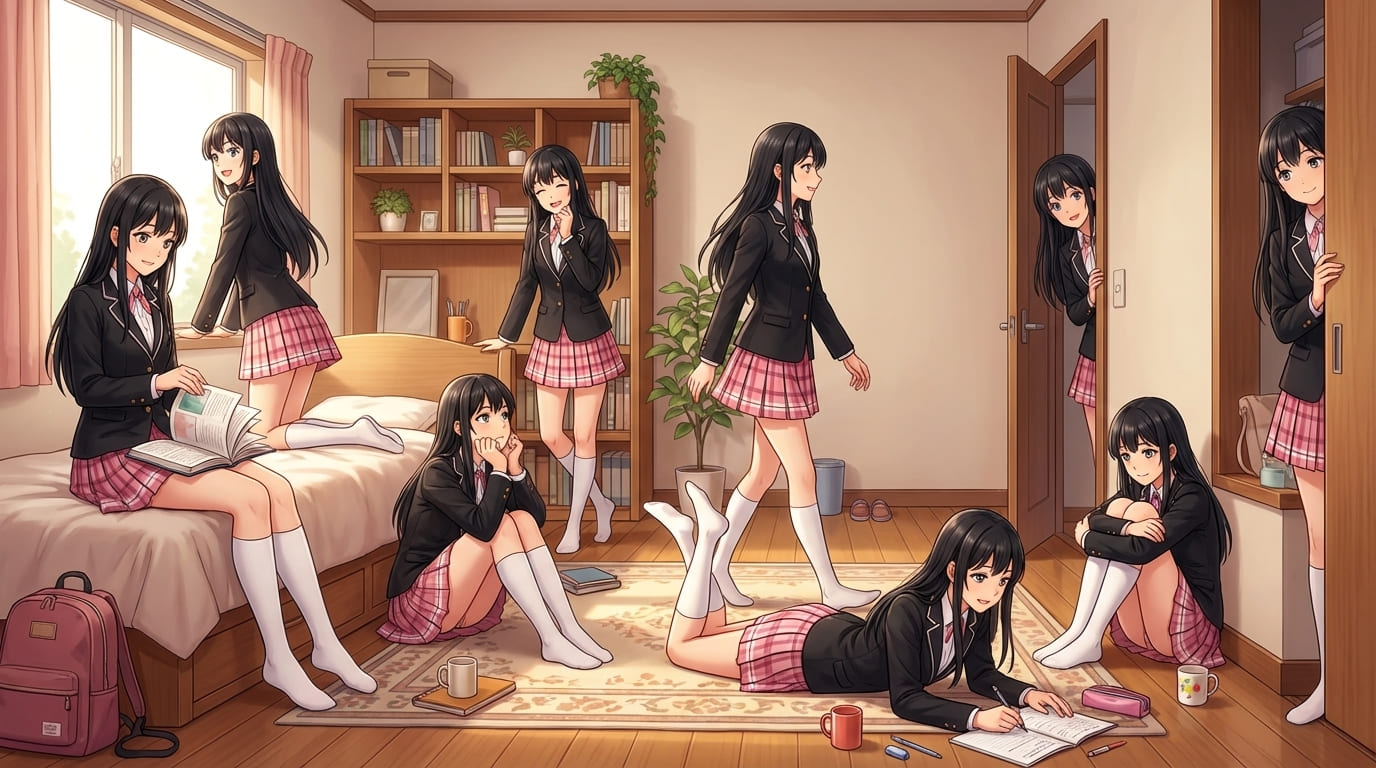
17. Anime Character in My Room

Place the anime girl multiple times throughout a realistic room, each in a different pose and doing small daily actions. Keep the character in a clean, soft-shaded anime style with consistent hair, face, outfit, and colors. Position her naturally in various corners: sitting on the bed, standing by the door, looking out the window, reading on the floor, leaning on furniture, walking across the room, or interacting with objects. Blend her into the real room with correct scale, lighting, shadows, and perspective. Keep the background fully realistic. Create a cozy, slice-of-life atmosphere. Wide horizontal layout.
nano banana pro prompt for anime character in my room

Discover more Gemini Nano Banana Pro Prompts for Comics.

1.5 Lifestyle & Product Prompts

18. Cozy Interior Scene

Warm living room interior with soft sunset lighting, wooden textures, indoor plants, clean composition, natural shadows, lifestyle photography style.
nbp prompt for cozy interior living room

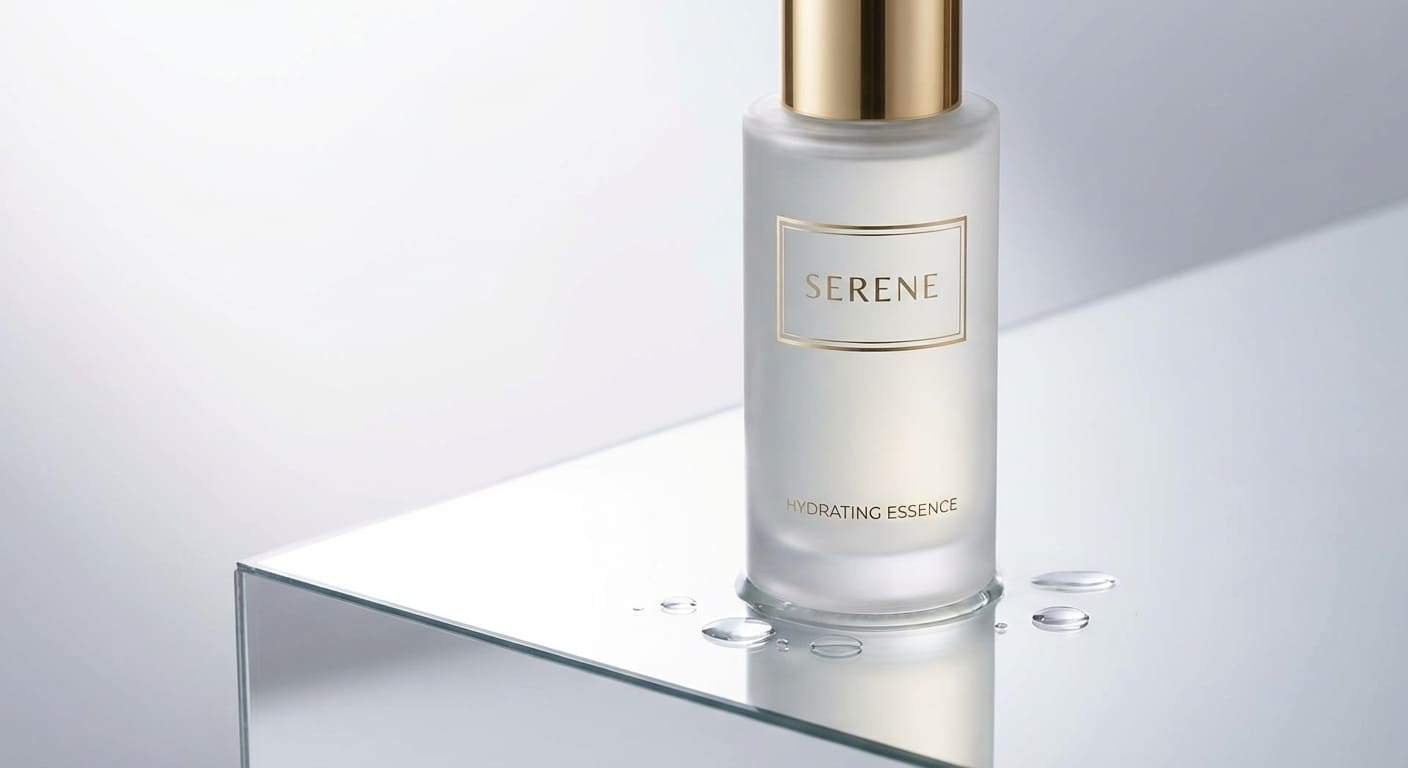
19. Product Beauty Shot

Skincare bottle on glossy reflective surface, soft diffused studio lighting, minimal background, subtle water droplets, commercial product mood.
nbp prompt for cosmetic product beauty shot

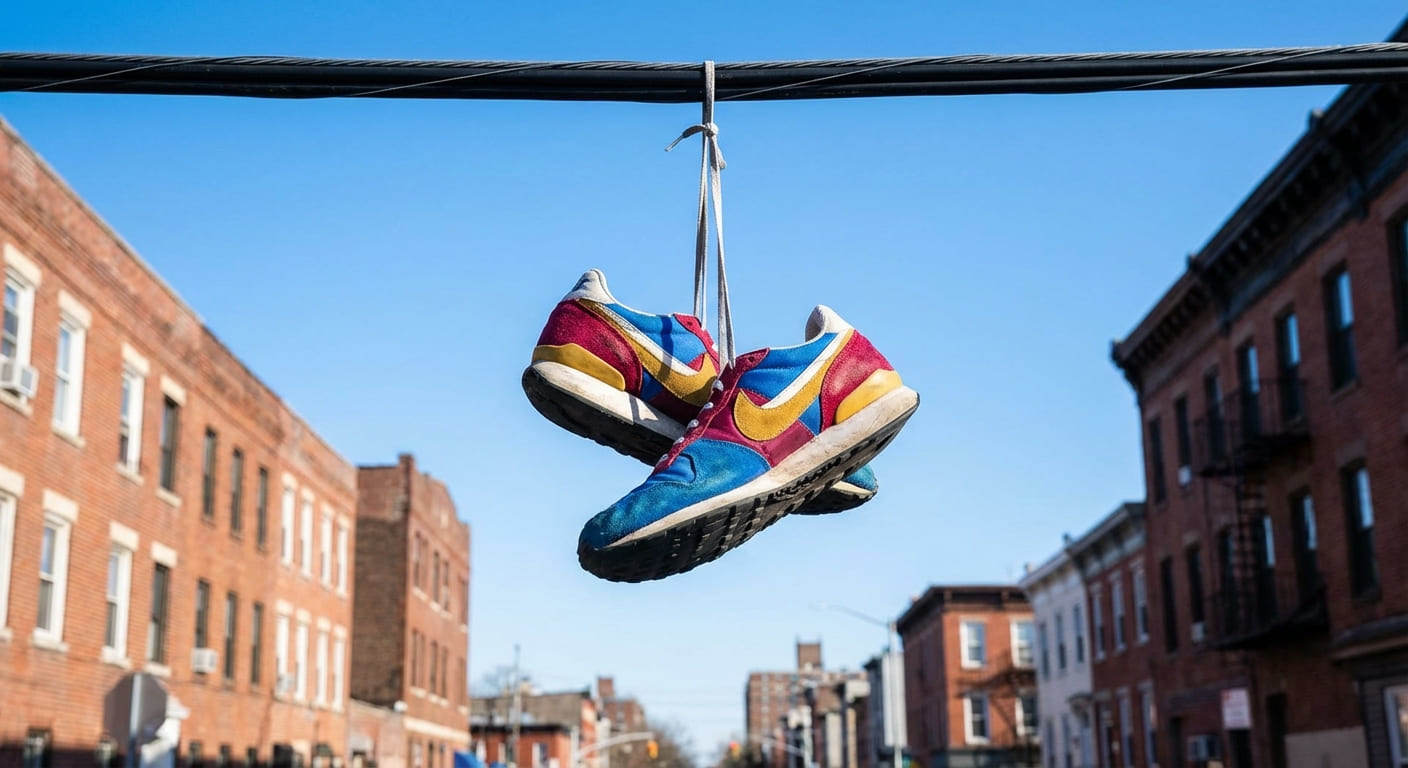
20. Sneaker Photography

Urban street photography of a pair of colorful sneakers hanging from a telephone wire. Blue sky background, low angle shot, sharp focus on the shoes, vibrant colors.
nano banana pro urban sneaker photography prompt

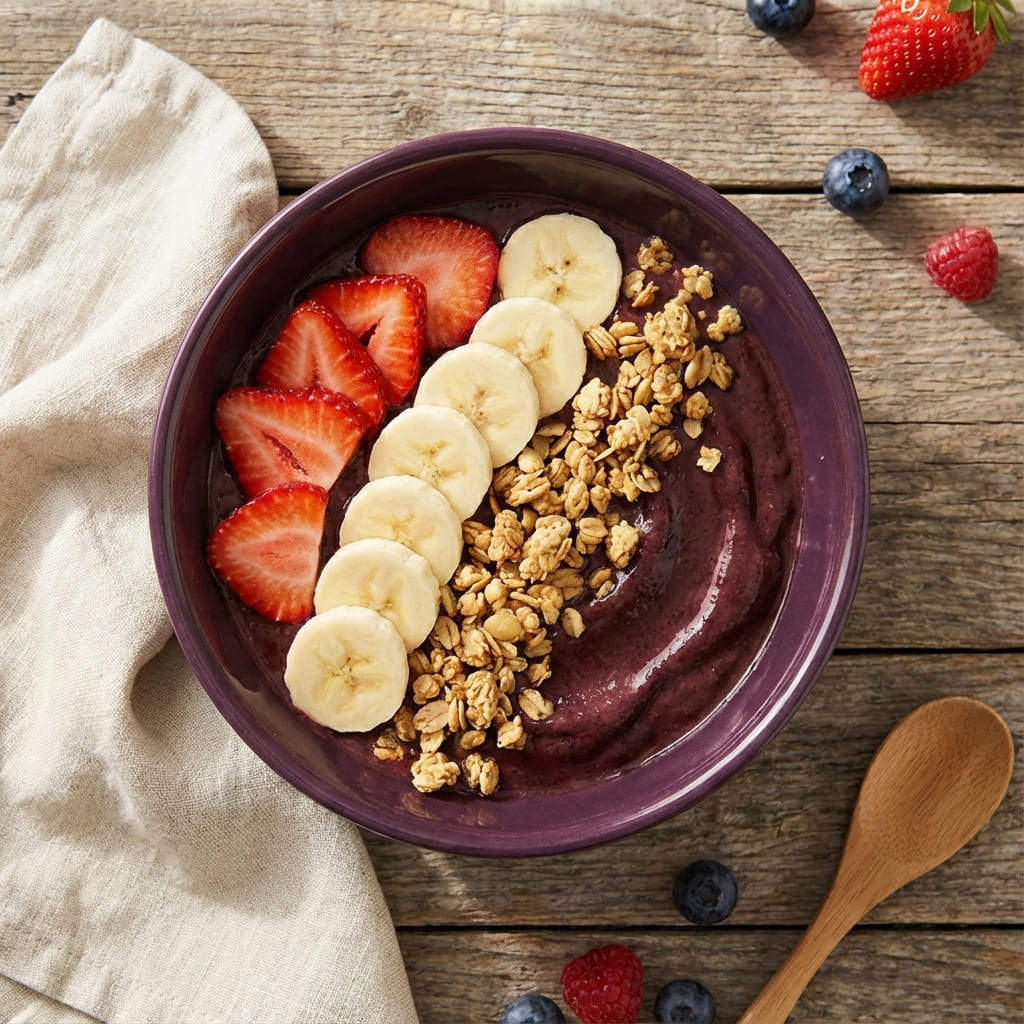
21. Healthy Food Bowl

Overhead shot of a fresh acai bowl with strawberries, bananas, and granola. Natural morning light, wooden table surface, linen napkin on the side, food blog aesthetic.
nbp prompt for fresh acai bowl food photography

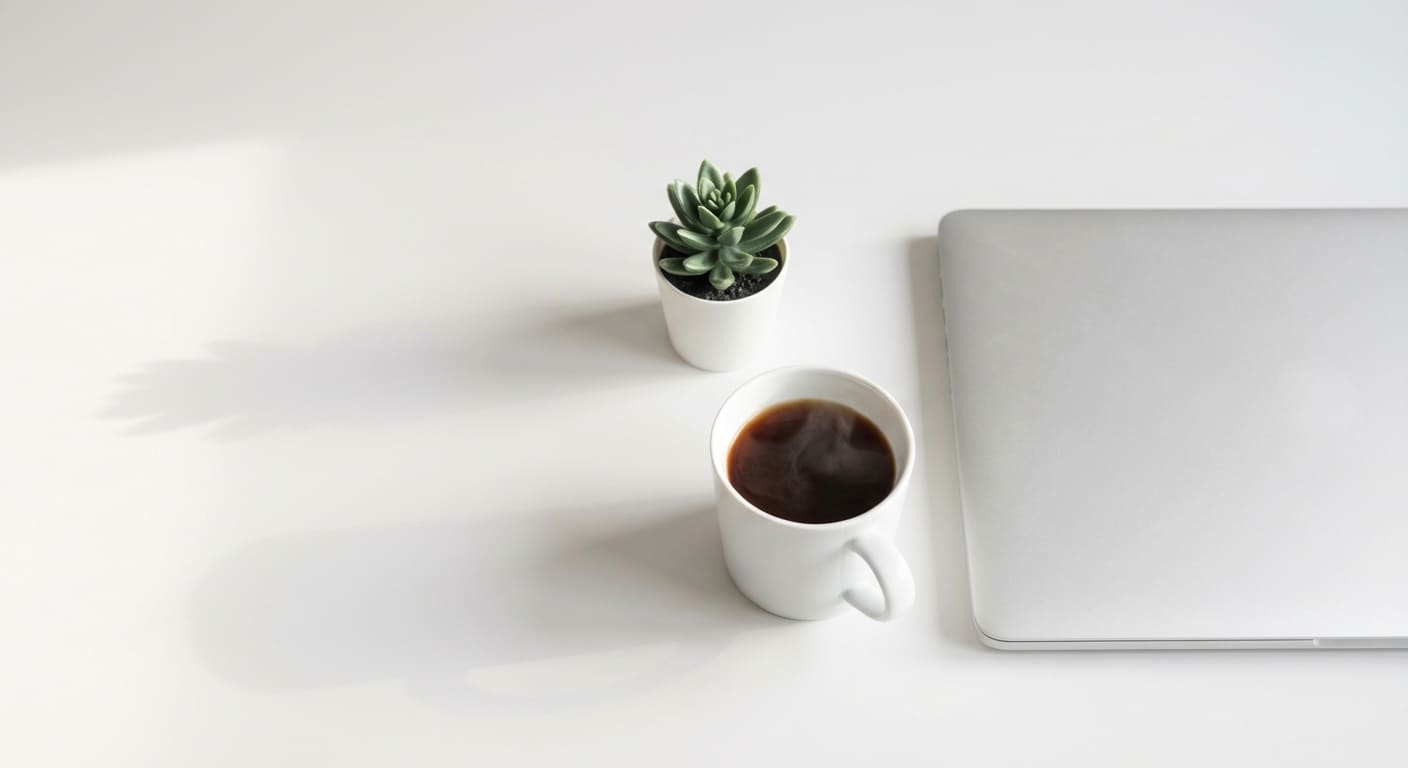
22. Modern Office Desk

Minimalist workspace setup. Silver laptop, ceramic coffee mug, and a succulent plant on a white desk. Soft daylight, clean lines, stock photography style.
nbp minimalist modern office desk setup

1.6 Brand Mascot / Logo‑Style Prompts

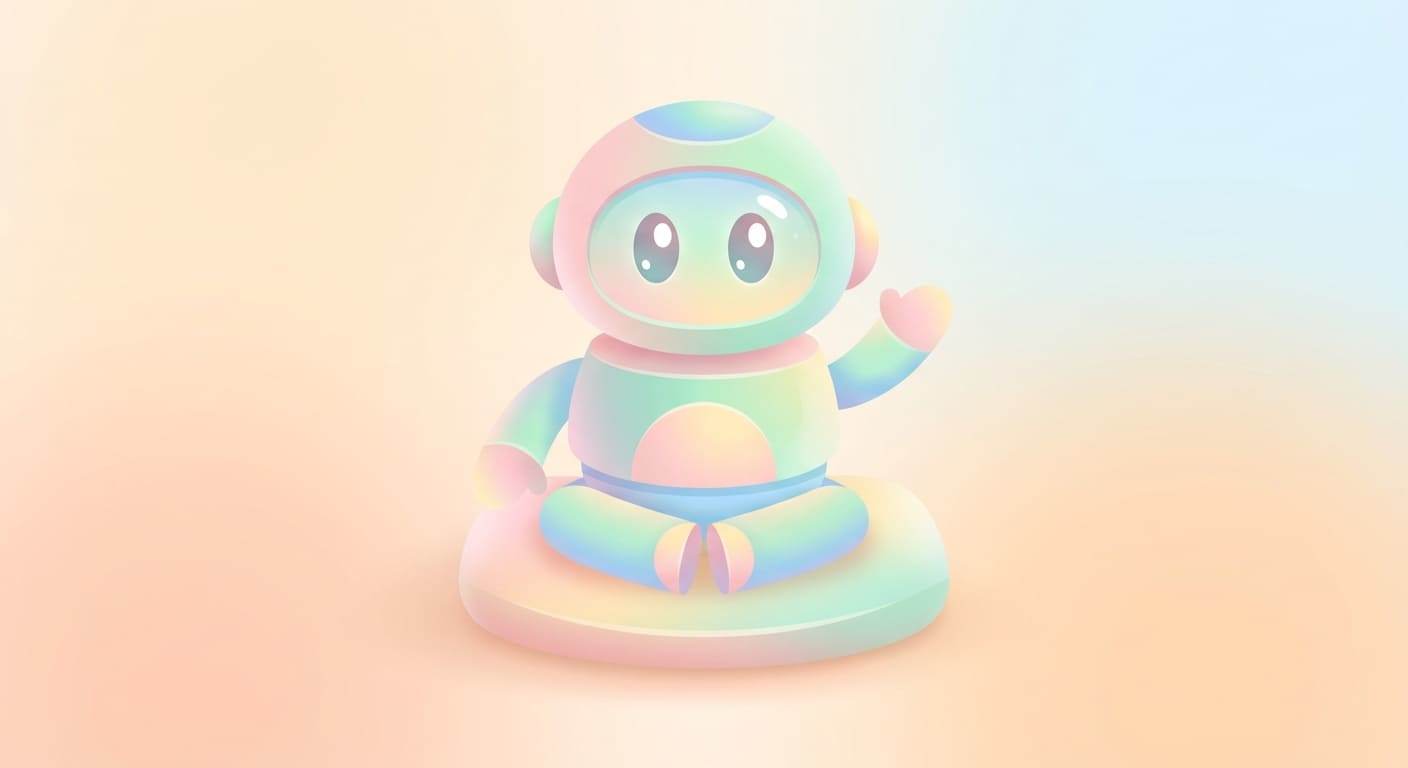
23. Cute Brand Mascot

A cute round robot mascot with simple shapes, soft shading, friendly eyes, clean edges, pastel palette, brand‑ready visual style.
nano banana pro prompt for cute brand mascot illustration

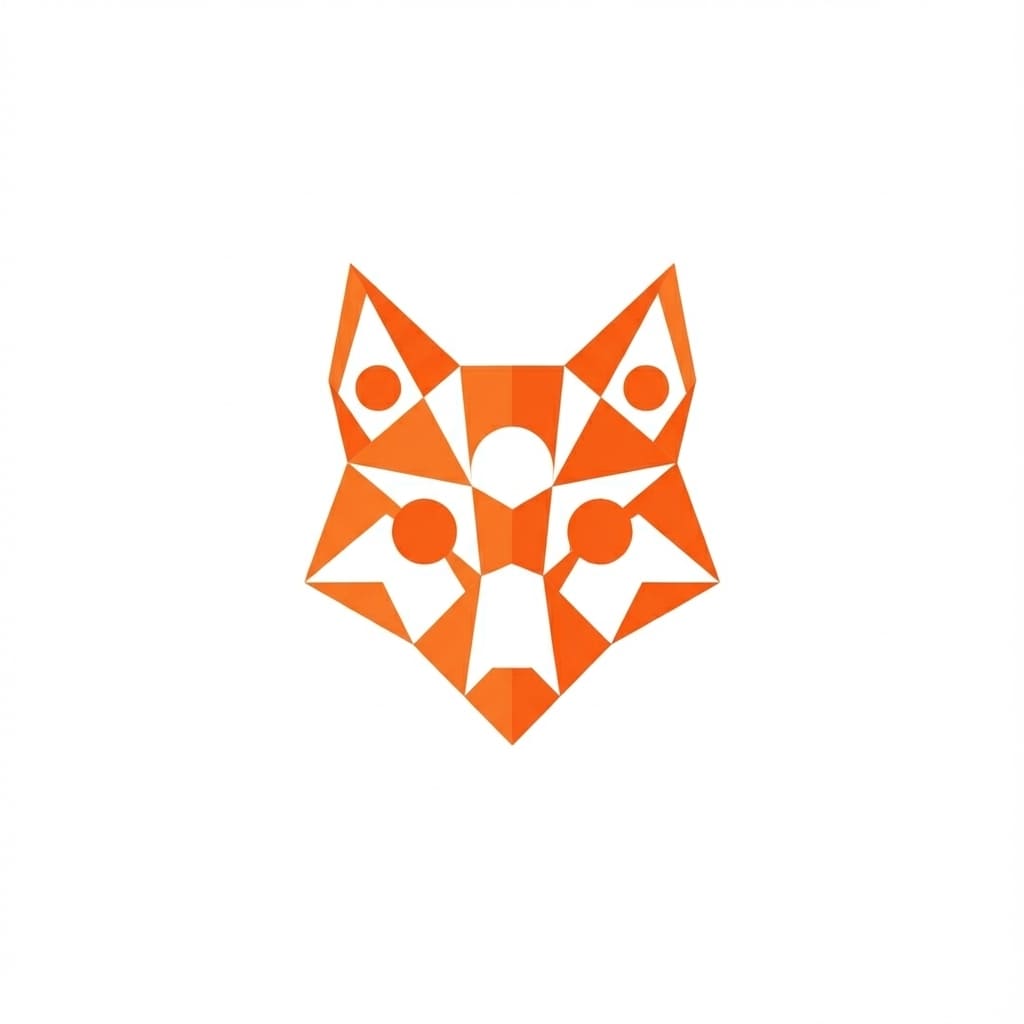
24. Animal Logo Icon

Minimalist vector logo of a fox head. Geometric shapes, orange and white, flat design, white background, suitable for an app icon.
minimalist fox logo vector design using nano banana pro

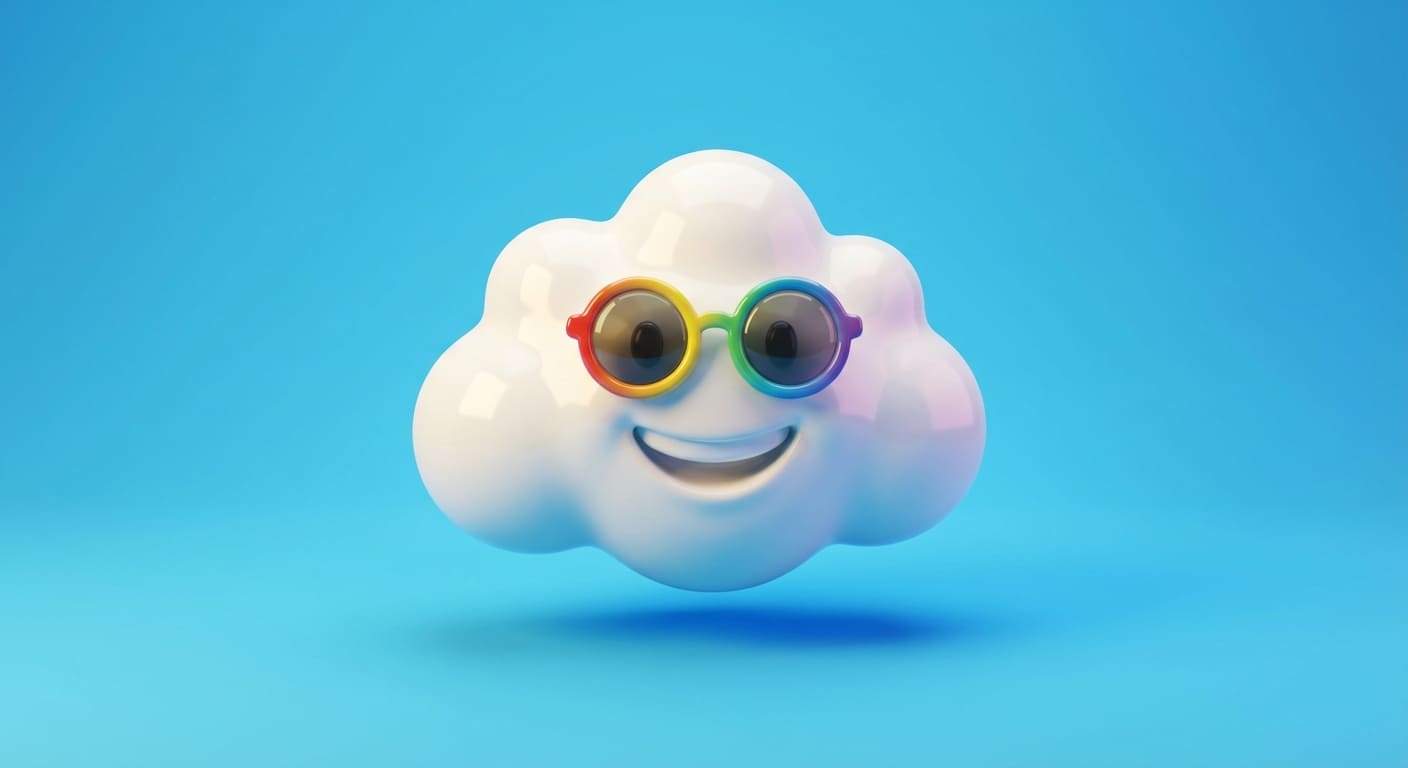
25. 3D Toy Character

3D rendered character of a happy cloud wearing sunglasses. Plastic texture, soft studio lighting, bright blue background, toy design style.
nano banana pro 3d rendered happy cloud character prompt

1.7 Social Media & Abstract Prompts

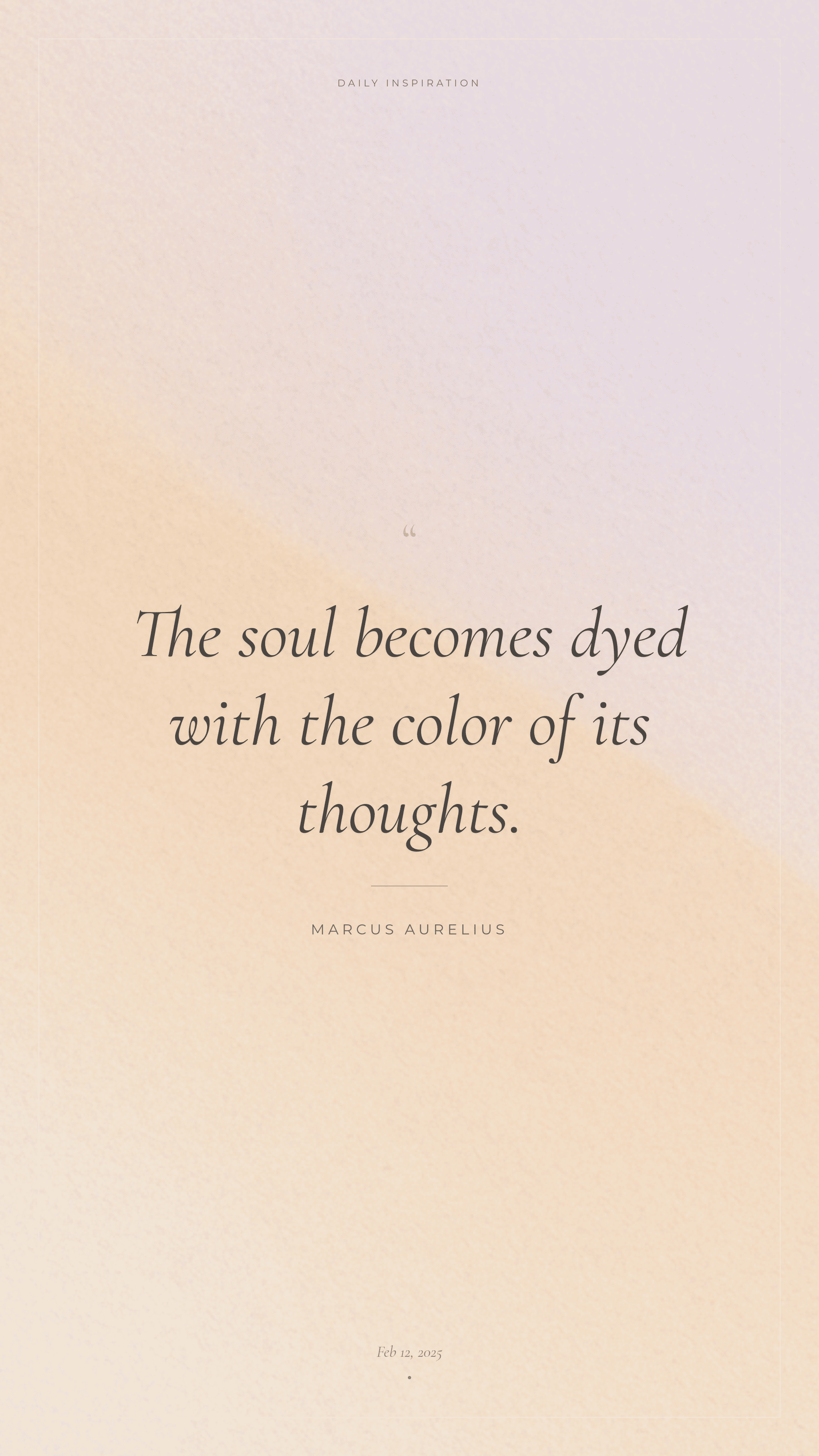
26. Viral Quote Graphic

Aesthetic quote graphic with soft gradient background, centered serif text area, minimalist layout, subtle texture, calm color palette.
nano banana pro prompt for social media quote graphic

27. Abstract Wallpaper

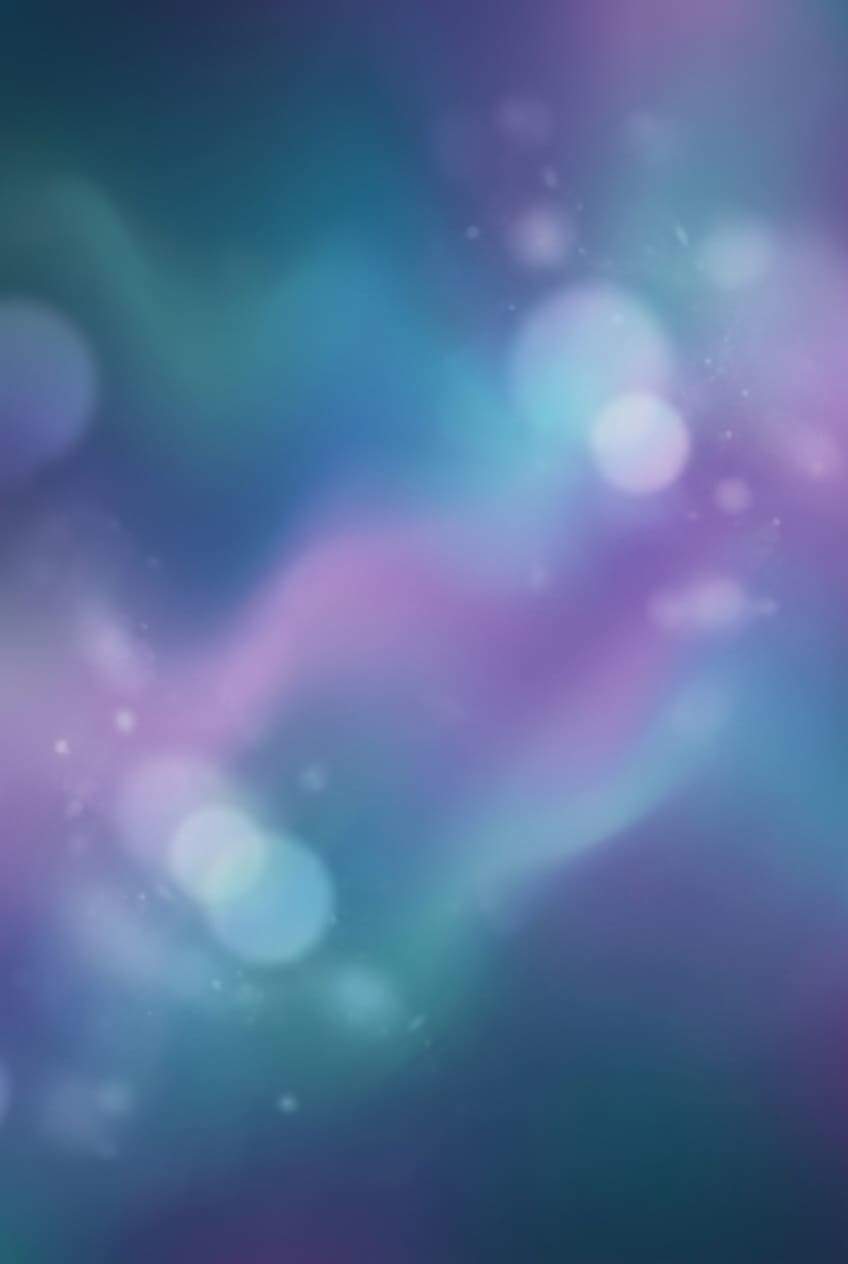
Soft abstract gradient wallpaper with smooth color transitions between teal and purple, subtle glow, modern atmospheric ambience, 4k resolution.
nano banana pro prompt for abstract gradient wallpaper 4k

28. Instagram Story Background

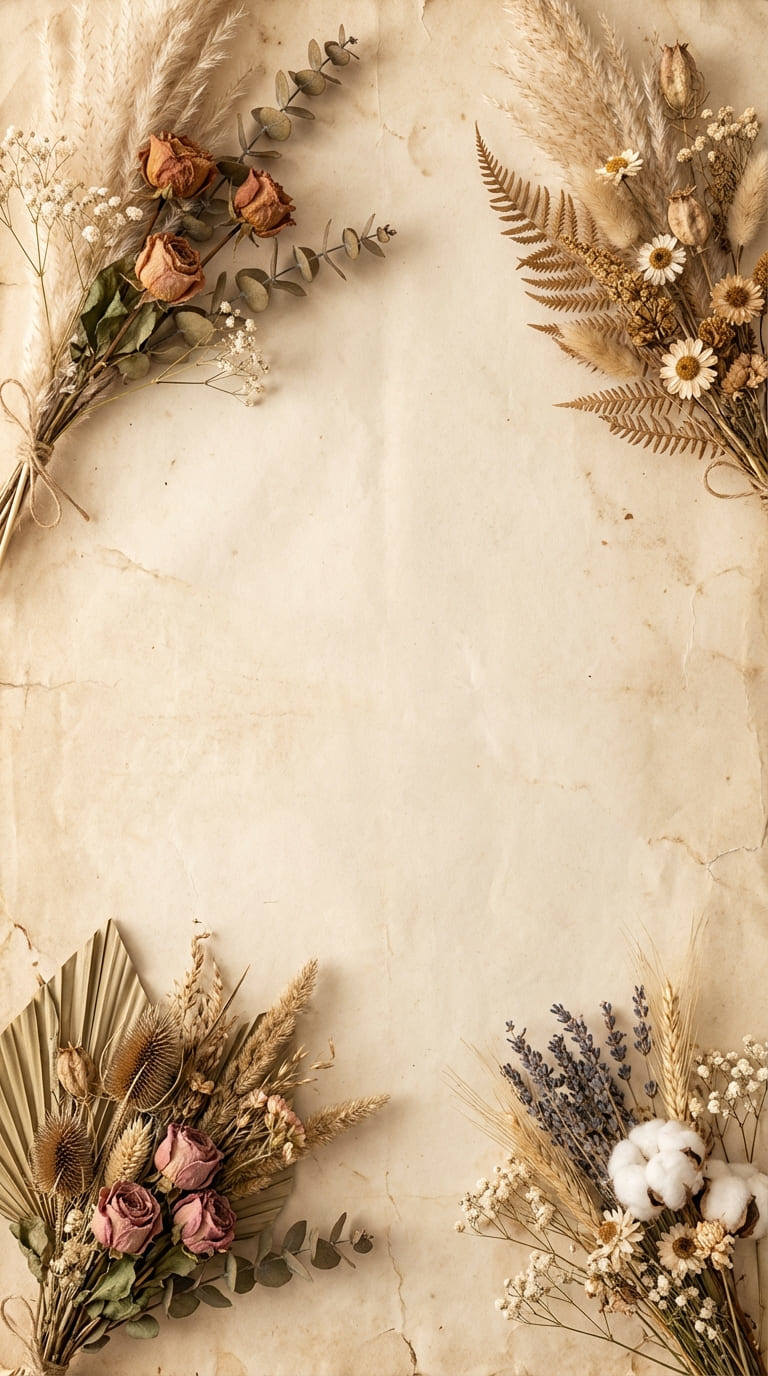
Paper texture background with dried flowers arranged in the corners. Beige and cream tones, plenty of negative space in the center for text, boho style.
nano banana pro prompt for instagram story background with dried flowers

29. Neon Sign Art

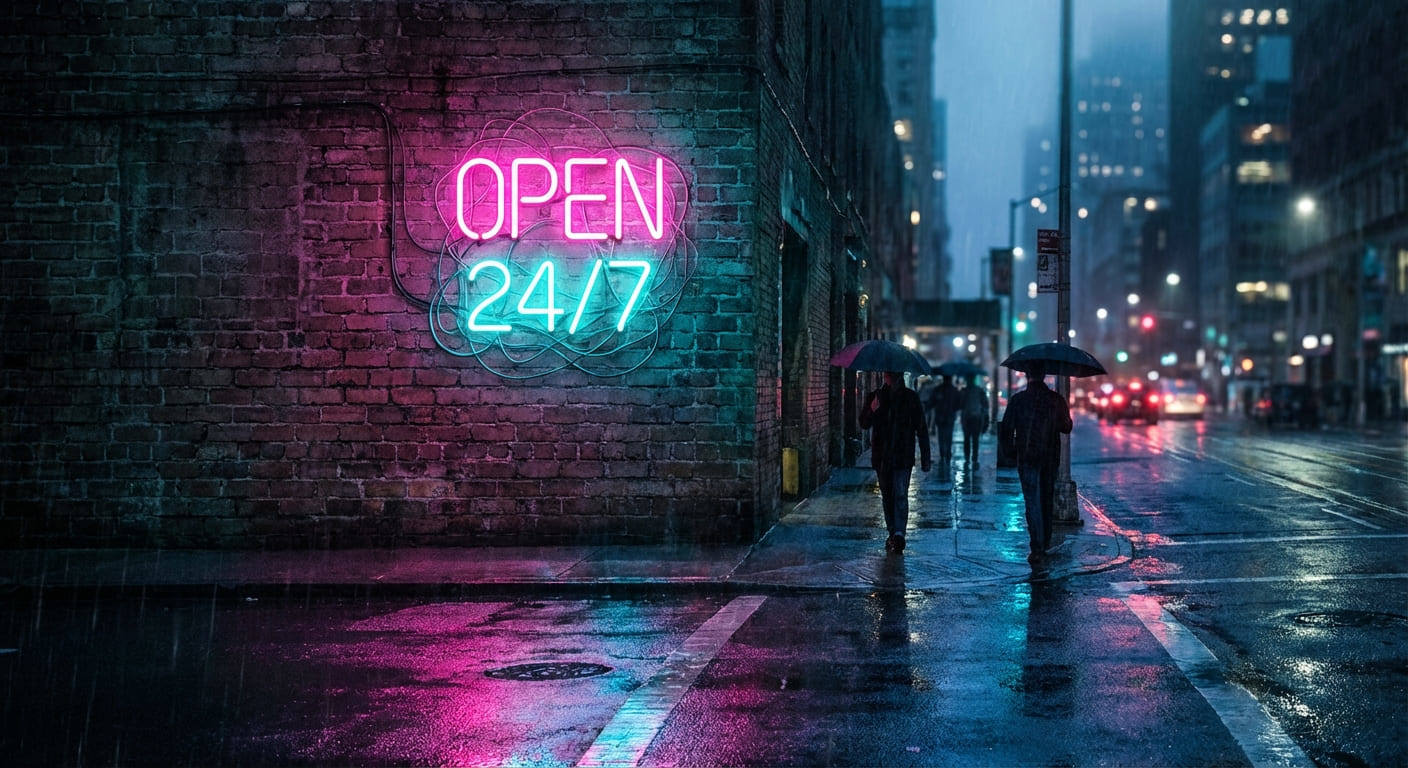
A glowing neon sign attached to a brick wall at night. The sign reads 'OPEN 24/7' in bright pink and cyan tubing. Wet pavement reflections, cinematic cyberpunk atmosphere.
nano banana pro prompt for glowing neon sign on brick wall

30. Surreal Collage

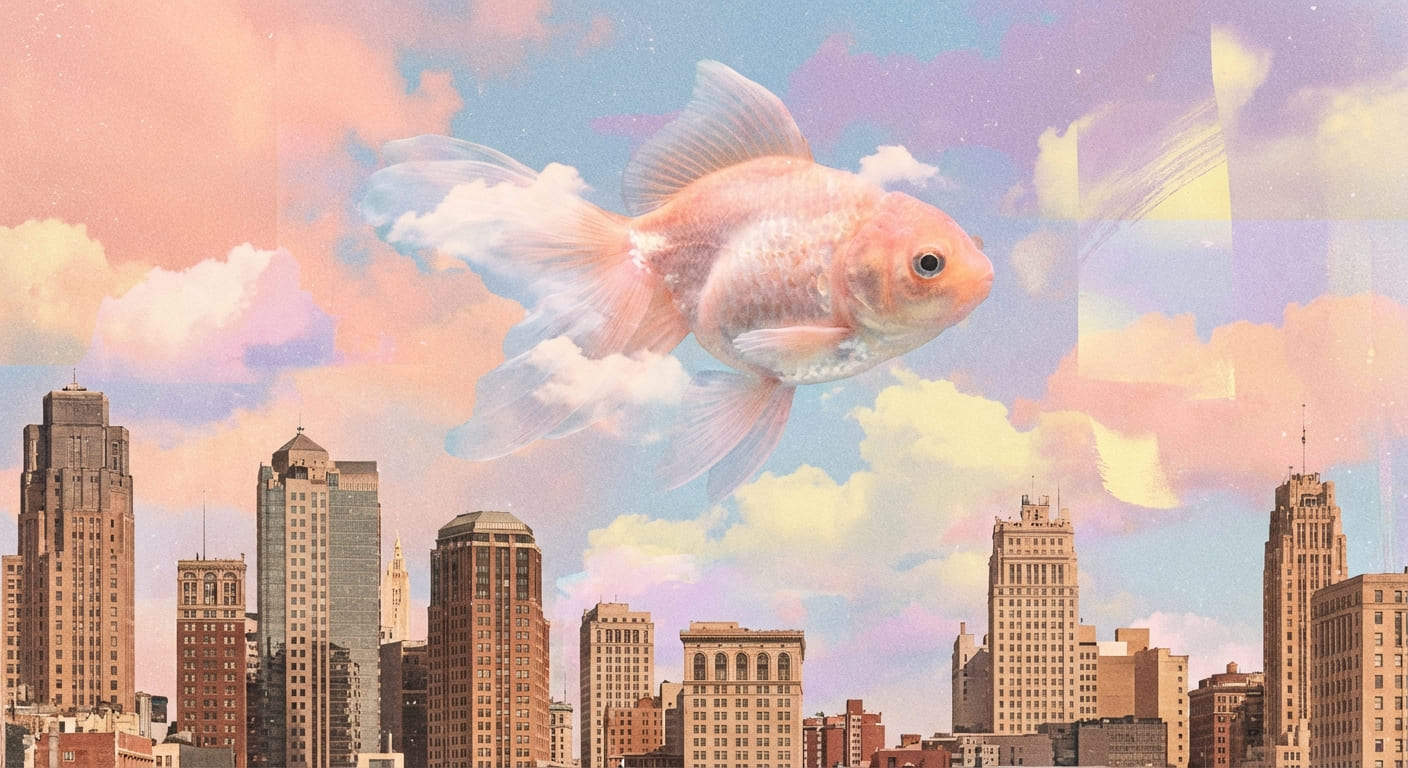
Surreal digital collage art. A giant goldfish swimming through the clouds above a vintage city skyline. Dreamy pastel colors, grainy texture, artistic composition.
surreal digital collage with goldfish

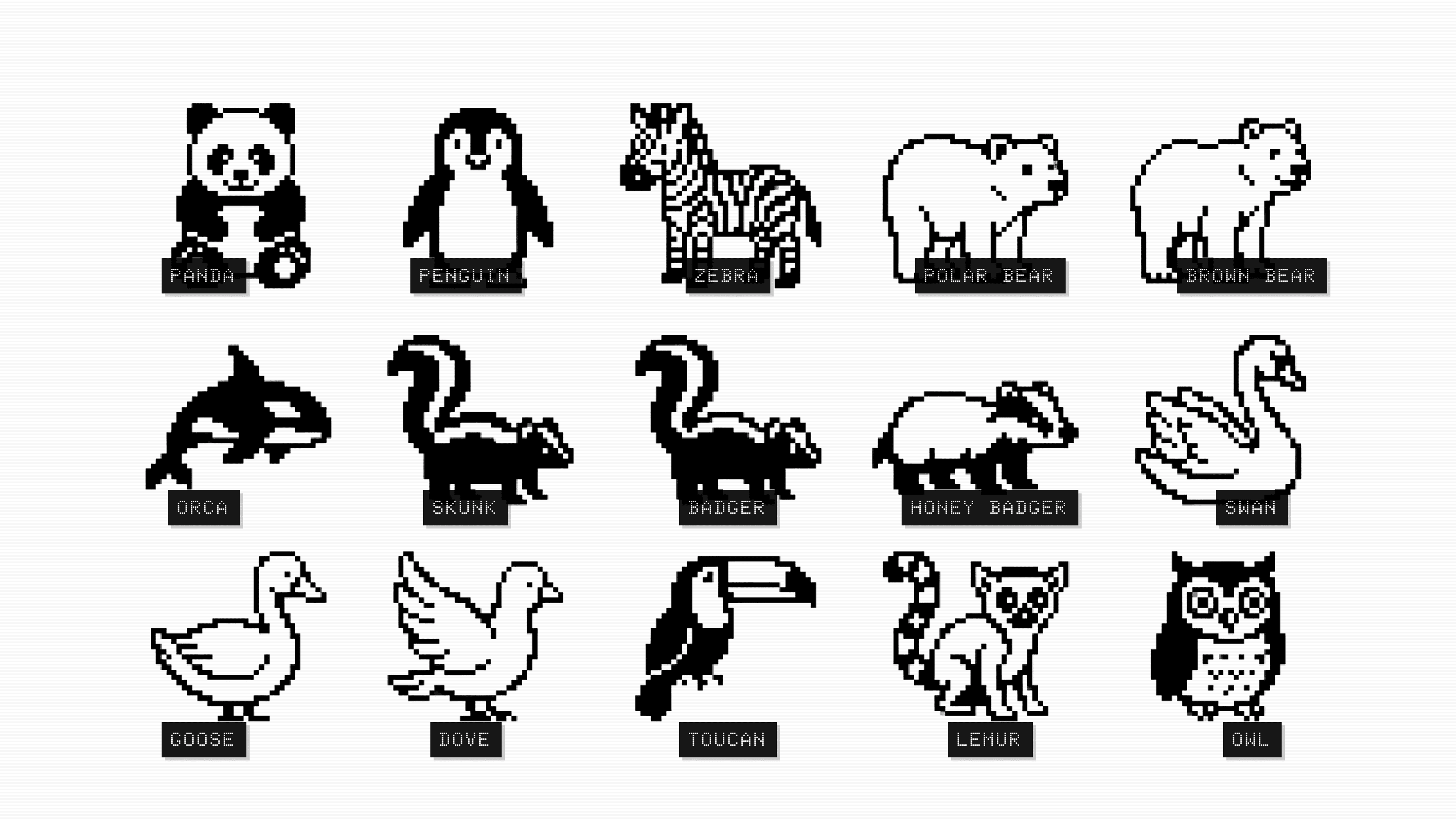
31. Pixel Art Animals

A 16-bit pixel art poster showcasing all the black and white animals of nature. The composition uses a neat grid layout, reminiscent of a retro video game character selection screen or an encyclopedia page. Each animal is labeled with its English name in clear retro pixel font. The background is clean white or light gray, with vivid pixel details, exuding a retro aesthetic and high-quality production. --ar 16:9
nano banana pro prompt for pixel art animals

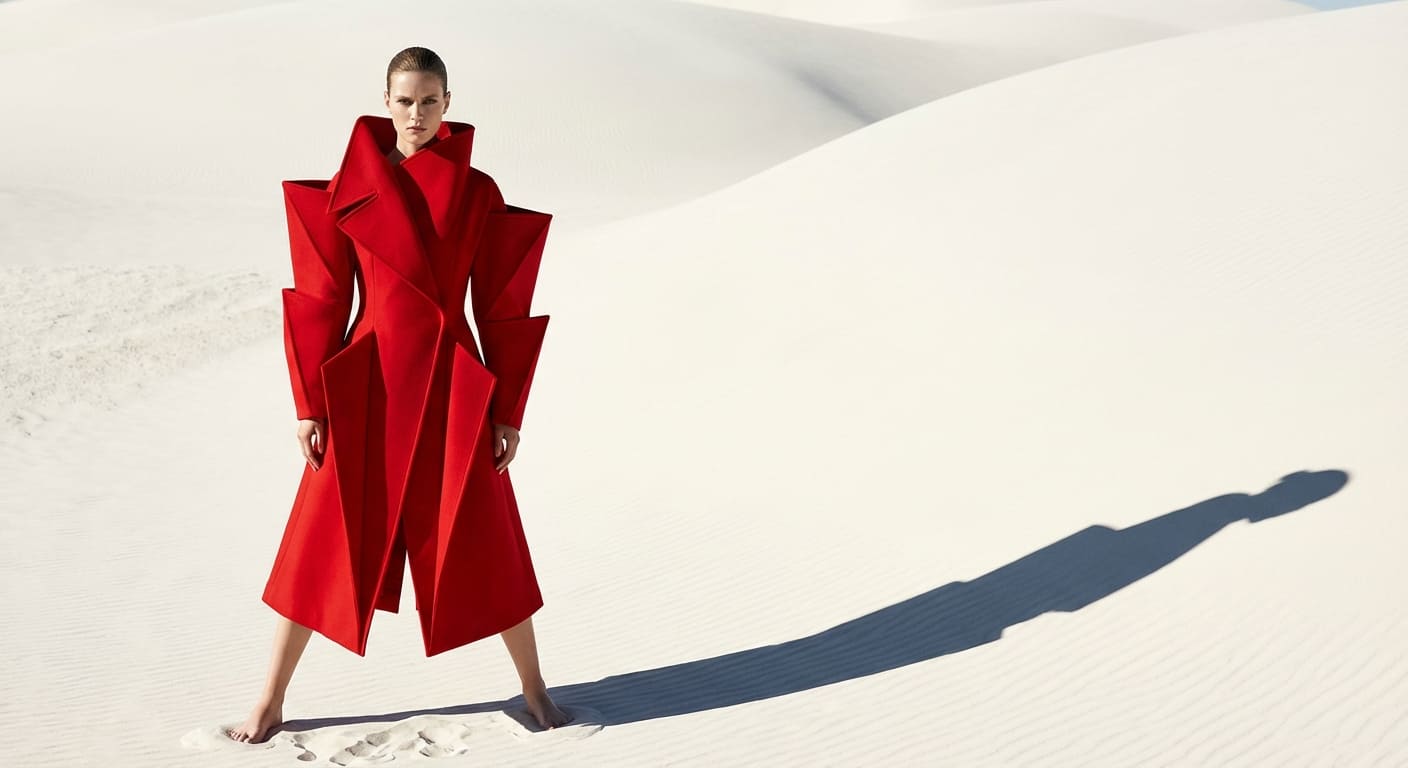
32. High-Fashion Editorial

Avant-garde fashion editorial shot. Model wearing an oversized geometric red coat, standing in a white minimalist desert. Harsh sunlight, strong shadows, vogue magazine style.
nano banana pro avant-garde fashion editorial photography

2. How to Write Effective Nano Banana Pro Prompts

If you are wondering how to write prompts for Nano Banana Pro that actually work, clarity is key. Unlike older models that required random keywords, Nano Banana 2 prefers structured sentences.

  • Start with a clear structure: For consistent results, follow this formula: Role → Scene → Action → Style → Lighting → Mood → Ratio
  • Specify perspective or angle: Camera angles change the storytelling. Use terms like Close‑up, 3/4 view, overhead, or low angle. These keywords change results significantly.
  • Control lighting: Lighting shapes the whole mood. Explicitly state your lighting source: Backlight, rim‑light, soft light, neon, or cinematic.
  • Guide character consistency: To maintain identity, you must repeat key visual traits in every prompt: Hair shape, accessories, color palette, age, and expression. Repeating these keeps results stable across different images.
  • Style terms that work well: Specific art styles yield better results than generic ones. Try: Cel‑shading, manga ink, oil‑paint texture, soft render, or flat color.
  • Tips for cleaner faces: If facial details are distorted, simplify the scene. Use: Neutral lighting + close‑up + minimal style mixing.
  • When to specify ratio: Use ratios only when layout matters (e.g., poster, cover, manga panel). For general concepts, it is optional.

3. How to Use Nano Banana Pro for Free

There are several ways to access Google Nano Banana prompts, ranging from consumer-friendly tools to developer platforms.

Way 1. Mew Design (Easiest Access)

Mew Design is the premier choice for creators, designers, and general users because it removes all technical barriers. It allows you to sign up and start creating immediately without needing an API key or complex configuration. The platform provides free starter credits, so you can test Nano Banana Pro extensively.

nano banana pro free trial

More importantly, Mew Design offers an all-in-one workflow. You aren’t just generating images; you are using an AI design agent that can edit, layout, and refine your visuals in a single workspace. This makes it significantly more powerful than a standalone generator.

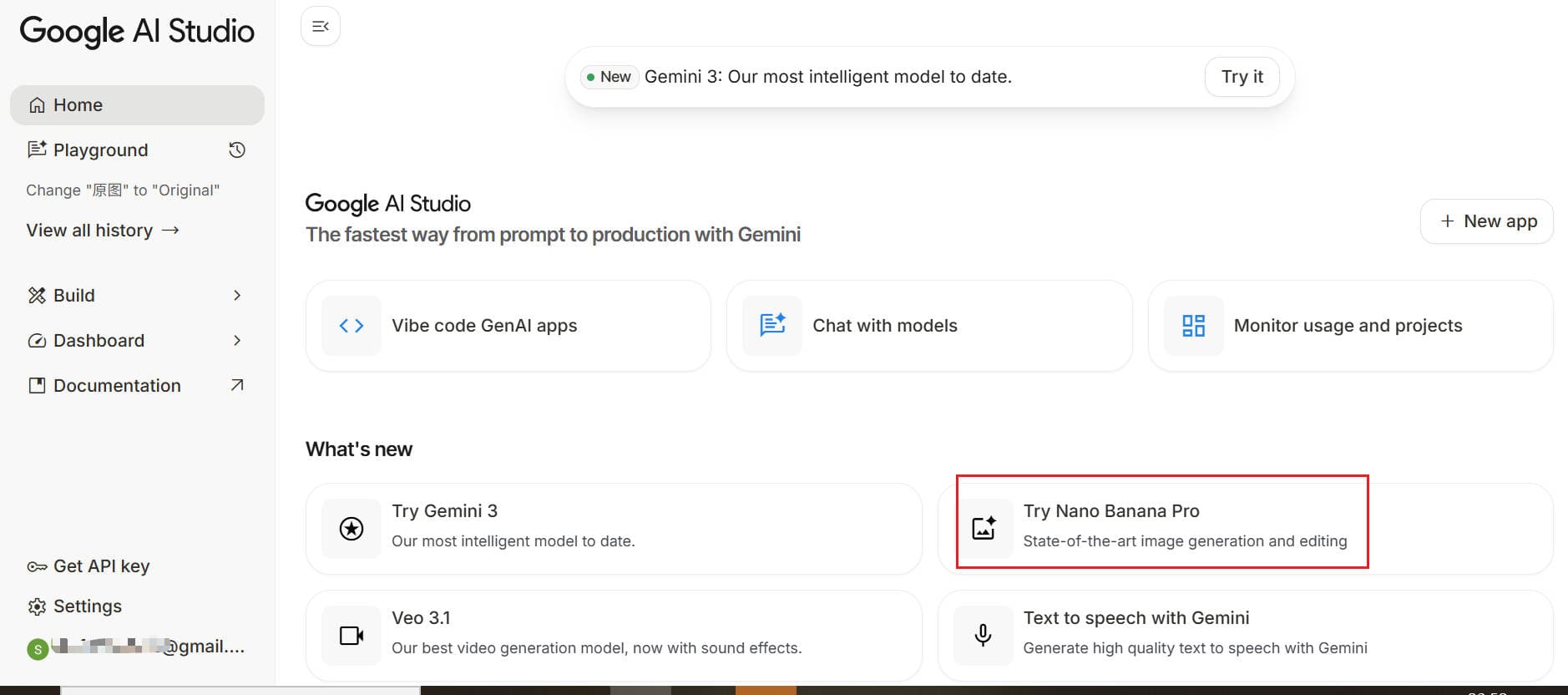
Way 2. Google AI Studio (Developer Sandbox)

For developers who are comfortable with technical environments, Google AI Studio is a solid option. It allows you to log in with your existing Google account and functions as a sandbox for testing prompts.

how to use nano banana proin google ai studio

While it is free, it often comes with rate limits and requires you to manually set parameters like temperature and top-k. It lacks a design interface, so it is strictly for testing raw outputs rather than creating finished designs.

Way 3. Google Gemini Advanced (Subscription)

If you are already in the Google ecosystem, you might encounter Nano Banana Pro through Gemini Advanced. This usually requires a paid subscription, though free trial periods of 1–2 months are often available. It offers a convenient chat-based interface for direct image generation, but it does not offer the granular design controls found in Mew Design.

how to use nano banana pro in google gemini 3

Way 4. Google Cloud Vertex AI (Enterprise)

This is the enterprise-grade route. Registering for Google Cloud Platform (GCP) often grants around $300 in free credits, which can be used to call the Nano Banana Pro API directly. However, this method has a high technical threshold, requiring knowledge of API calls or tools like Postman, making it unsuitable for most casual creators or designers.

4. Current Limitations of Nano Banana Pro

Even with the best prompts for Nano Banana Pro, it is helpful to understand the model’s current constraints.

  • Text accuracy is improving but variable: While better than previous versions, the model is still more suitable for generating the main image subject rather than heavy blocks of text.
  • Complex compositions require iteration: Multi-person action scenes or complex layering often require multiple attempts to get right.
  • Specific art styles need extra description: Styles like watercolor or traditional oil painting often need more explicit prompts (e.g., “visible brushstrokes,” “wet-on-wet technique”) to look authentic.
  • Hands and small objects may drift: You may still see slight distortions in hands or small accessories, especially in exaggerated perspectives or dynamic action scenes.
  • Character consistency requires workflows: Consistent characters are not automatic. You need to use a Seed or rigorously repeat feature descriptions (reference) to improve Nano Banana Pro prompts for character consistency.

5. Conclusion

Nano Banana Pro is reliable for portraits, manga, covers, posters, and concept visuals thanks to stronger detail, cleaner edges, and better character consistency. Feel free to experiment with your own ideas using the Nano Banana Pro prompt ideas above — and explore even more workflows inside Mew Design.

6. FAQs

What’s the best structure for a Nano Banana Pro prompt? A clear pattern like “character → scene → action → style → lighting → mood → ratio” usually produces the most stable results.

How do I get more consistent characters? You can upload a reference image and tell the AI to ‘use the character from this photo.’ In your prompts, make it clear to ‘keep this character consistent across all scenes,’ or simply repeat the same visual traits — hairstyle, colors, accessories, and expressions — in every prompt. Nano Banana Pro responds well to detailed identity cues.

Do I need to include a ratio every time? No. Only use ratios for posters, covers, wallpapers, or manga panels where layout matters. For portraits and concept art, it’s optional.

Why does the result sometimes shift style? If too many stylistic terms are mixed, the model may blend them unpredictably. Keeping the style direction simple helps maintain consistency.

How long should a Nano Banana Pro prompt be? It really depends! Sometimes just 1–3 sentences are enough to spark creative ideas. Other times, you’ll want to give more details so the AI can match your vision as closely as possible.

240+ Christmas Card Sayings, Messages, and Greetings for 2026

Get inspired by sweet, funny, classic, modern, and heartfelt sayings — plus ready-to-use Mew Design prompts so you can generate beautiful Christmas cards in minutes.

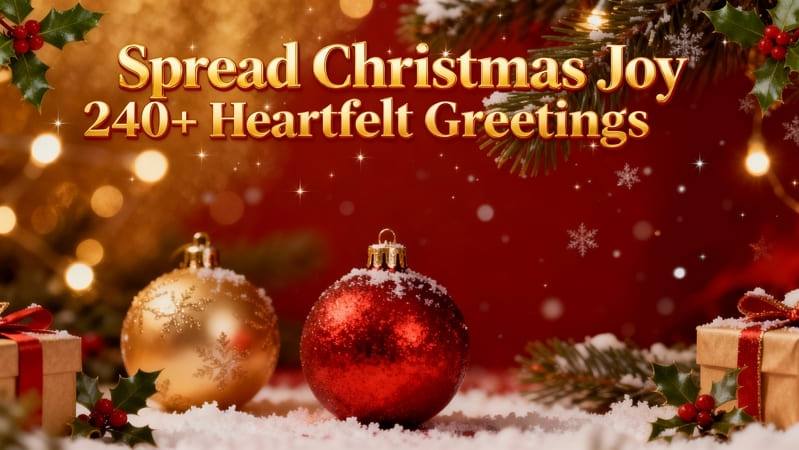
christmas card sayings banner image

Generated using mew.design.

Key Takeaways

  • Match tone to the recipient: formal for bosses/clients, playful for friends, sentimental for family.
  • Short and specific usually reads as more sincere — aim for 1–3 sentences plus a signature.
  • Add at least one personal touch per card (a memory, next-year plan, or a specific thank-you).
  • Use AI design tools like Mew Design to create on-brand, print-ready layouts and to iterate quickly on tone, imagery, and typography.

Christmas cards make small gestures feel special. The right combination of wording and design turns a simple card into a keepsake — one that might be displayed on a mantel or pinned to a corkboard.

This guide collects 240+ messages across 20 thoughtfully named categories so you can find the tone and phrasing that fits each recipient.

And if you’d like to turn these Christmas card sayings into something beautifully designed and uniquely yours, there’s an easy way to do it.

Design Your Christmas Cards for Free With Mew Design AI

Creating a meaningful Christmas card shouldn’t stop at choosing from the same templates everyone else is using. This is where Mew Design comes in.

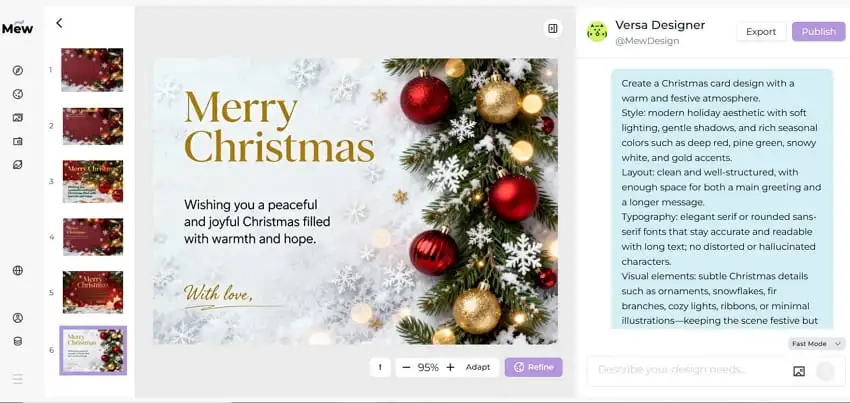
It’s an AI design agent that turns natural-language descriptions into fully designed Christmas cards—letting you create something personal, expressive, and truly your own. Instead of scrolling through fixed layouts, you can describe the mood, colors, illustration style, and even add long written messages without worrying about AI text distortion or “text hallucination.”

Whether you want a warm family greeting or a playful card for friends, this AI Christmas card generator helps you shape your ideas into a polished, print-ready design.

mew design ai christmas card maker

Best Practice:
When designing Christmas cards with Mew Design, treat it as your AI design agent that can orchestrate multiple tools in a single workflow. For example, it can use imgGenTool to generate festive illustrations, codeDesign for long-form messages or layered text layouts, and knowledge search to ensure holiday facts or greetings are accurate and well-structured.

For optimal results, guide the agent directly in your prompt. For example, add “Please use imgGenTool to create this Christmas card” to prioritize visual quality, or “please provide 3 different design variations” to explore multiple card styles before finalizing your holiday greeting.

01 Classic Christmas Card Sayings

Classic cards are timeless — suitable for acquaintances, neighbors, and family. These lines are broadly appropriate and pair well with elegant, traditional layouts.

  • We wish you a Merry Christmas and a Happy New Year!
  • Season’s greetings and best wishes for the coming year.
  • Wishing you peace, love, and joy this holiday season.
  • From our home to yours, happy holidays and warm wishes.
  • May your days be merry and bright all winter long.
  • Warmest thoughts and best wishes for a wonderful Christmas.
  • May you enjoy a season filled with comfort and joy.
  • Sending warm holiday wishes to you and yours.
  • Wishing you all the joys of the season and happiness throughout the year.
  • Merry Christmas — may your home be filled with love.
  • Have a holly, jolly holiday and a bright New Year.
  • Hoping your holidays are peaceful and bright.

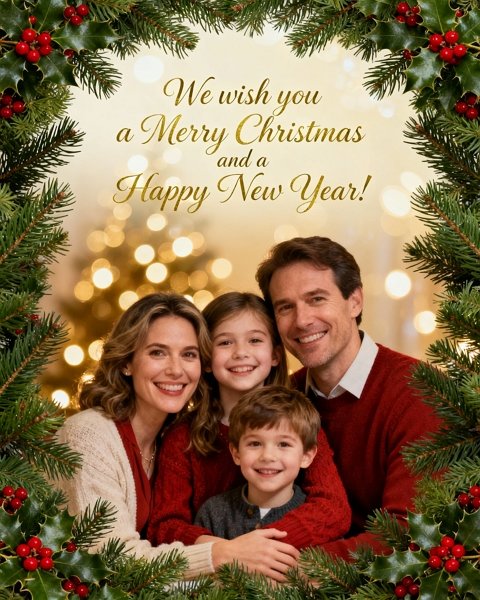
christmas card with classic sayings

Generated using mew.design. Prompt: Classic Christmas card: family portrait [upload your family photo as source image], script headline ‘We wish you a Merry Christmas and a Happy New Year!’, evergreen border, warm golden bokeh.

02 Nondenominational Christmas Greetings

Use these when you want to celebrate the season without religious wording — ideal for coworkers, diverse friend groups, and acquaintances.

These inclusive holiday greetings speak to warmth and togetherness without specific religious references. They work well for offices, neighbors, and anyone who prefers secular language. Choose a clean typeface and neutral imagery to match the tone.

  • Happy holidays and best wishes for the New Year.
  • Wishing you joy and peace this holiday season.
  • Warm holiday greetings from our family to yours.
  • Here’s to cozy moments and happy memories.
  • Sending seasonal cheer and warm wishes.
  • May your holidays be bright and your New Year joyful.
  • Cheers to good times and grateful hearts.
  • Wishing you a festive season full of warmth.
  • Best wishes for a happy, healthy holiday season.
  • May your days be merry and your heart be light.
  • Season’s greetings — enjoy every peaceful moment.
  • Celebrating the season with gratitude and joy.

“Clean nondenominational holiday card: white background, sans-serif headline ‘Wishing you joy and peace this holiday season’, small illustrated pine sprig, lots of white space.”

christmas card with nondenominational greetings

Generated using mew.design. Prompt: Create a clean yet festive nondenominational holiday card image. White background with soft gradient lighting; elegant sans-serif headline “Wishing you joy and peace this holiday season.” Detailed pine sprig illustration with a few red winter berries for a gentle pop of color. Minimal gold foil-style highlights, overall airy layout with generous whitespace to maintain sophistication.

03 Cute Christmas Messages & Merry Christmas Wishes

Sweet, playful messages for photo cards, kids’ mailed notes, or any card that leans on charm rather than formality.

Cute messages pair perfectly with photos of children or pets, or with whimsical illustrations. Use rounded fonts, pastel or candy-color palettes, and playful layouts to amplify the charm.

  • Have a holly jolly Christmas!
  • Snow much fun — Merry Christmas!
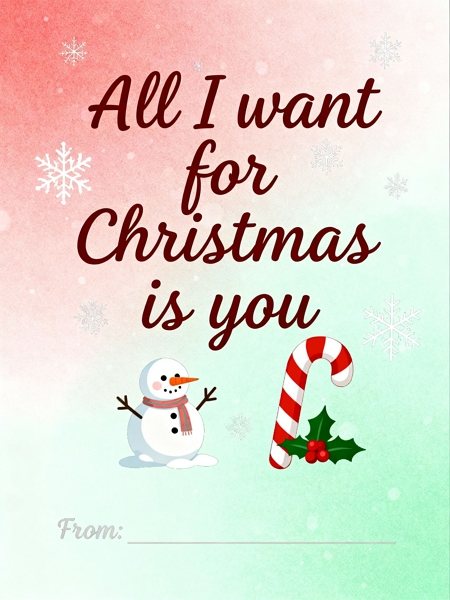
  • All I want for Christmas is you.
  • If kisses were snowflakes, I’d send you a blizzard.
  • Pawsitively delightful holiday wishes!
  • Santa’s favorite little helper sends love.
  • Warm cocoa, cozy socks, and holiday hugs.
  • Jingle all the way — enjoy every merry moment.
  • Snowflake kisses and candy-cane wishes.
  • Wrapped up in love — Merry Christmas!
  • Tiny lights, big smiles — happy holidays!
  • Giggles, glitter, and holiday cheer.

cute christmas card messages

Generated using mew.design. Prompt: Cute Christmas card: pastel red and green palette, playful handwritten font ‘All I want for Christmas is you’, small illustrated snowman and candy cane, signature area at the bottom.

04 Heartfelt Sentimental Christmas Wishes

Messages that feel handwritten and personal — ideal for close family members and lifelong friends.

Sentimental lines are for when you want to say something meaningful but concise. These phrasing options read well in a soft script or with a candid photograph. Consider adding a short personal memory to make it uniquely yours.

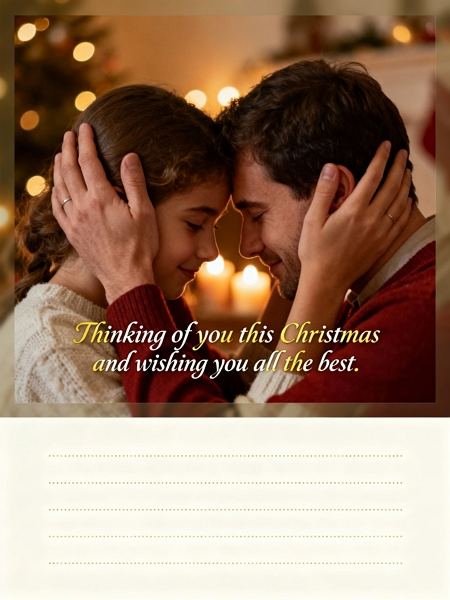
  • Thinking of you this Christmas and wishing you all the best.
  • The greatest gift is time with the people we love.
  • Grateful for you this holiday season and always.
  • Our hearts are fuller because of you — Merry Christmas.
  • Wishing you peace, love, and time to rest this season.
  • May this holiday bring treasured memories and warm moments.
  • Holding you close in thought this holiday season.
  • Thankful for your friendship and the memories we share.
  • May your home be filled with love and laughter.
  • Sending you hugs and the warmest holiday wishes.
  • This season, I’m thankful for you — Merry Christmas.
  • May you find joy in every quiet moment this holiday.

sentimental christmas card wishes

Generated using mew.design. Prompt: Sentimental card using a candid family photo, warm grain filter, script text ‘Thinking of you this Christmas and wishing you all the best.’ Add soft vignette and space for a personal handwritten line.

05 Faith-Based Religious Christmas Greetings & Bible Verses

For recipients who celebrate the spiritual meaning of Christmas — includes Bible verses and reverent blessings.

Religious cards honor the sacred side of the holiday. These messages range from brief blessings to scripture quotes and suit traditional layouts with nativity imagery or candlelit backgrounds.

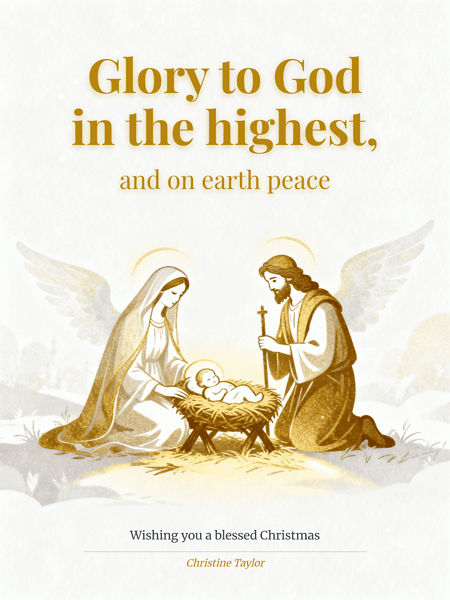
  • Glory to God in the highest. Merry Christmas.
  • May the light of Christ fill your heart this season.
  • Rejoice — a Savior is born. Wishing you a blessed Christmas.
  • May God’s peace and love be with you this Christmas.
  • Celebrate the miracle of Christ’s birth — Merry Christmas.
  • May His grace bring you peace and joy this season.
  • “For unto us a child is born…” — Merry Christmas.
  • Wishing you blessings and abundant joy this Christmas.
  • Let the joy of the Lord be your strength this season.
  • May the miracle of Christmas renew your hope.
  • God bless you and yours this holiday season.
  • Praying you feel God’s love and presence this Christmas.

religious christmas card quotes

Generated using mew.design. Prompt: Religious Christmas card: elegant gold and white, serif headline ‘Glory to God in the highest, and on earth peace’, small nativity illustration, signature [your name here] at bottom.

06 Short Modern Christmas Messages

Short, punchy phrases for minimalist cards, gift tags, or quick notes.

Short greetings work beautifully on modern, minimalist cards or as part of busy photo layouts. Their impact comes from typography — choose strong, simple fonts and plenty of negative space.

  • Merry everything and a happy always.
  • Cheers to the New Year!
  • Stay cozy. Stay bright.
  • Love, light, and holiday cheer.
  • Have yourself a merry little Christmas.
  • Warm wishes — now and always.
  • Peace. Love. Joy.
  • Joyful days and cozy nights.
  • Sparkle on.
  • Eat, drink, be merry.
  • Holiday vibes only.
  • Cozy wishes, happy days.

short modern christmas greetings

Generated using mew.design. Prompt: Short modern Christmas card with a clean but visually engaging aesthetic. Soft off-white background with subtle paper texture or a gentle warm gradient, giving depth instead of a flat white surface. Bold sans-serif headline “Peace, love, and holiday cheer” positioned with balanced modern layout.Add a small abstract snowflake icon with geometric lines, slightly embossed or metallic-ink inspired, creating subtle dimensionality.

07 Funny Holiday Messages

For playful friends and family who appreciate a laugh — use sparingly with more formal recipients.

Funny Christmas card sayings let your personality shine. Keep the humor light and avoid anything that could embarrass sensitive recipients; a playful pun typically lands well. Pair with bright, bold typography.

  • Don’t get your tinsel in a tangle! Merry Christmas!
  • I put so much thought into your gift it’s now out of stock.
  • ‘Tis the season for stretchy pants and dessert.
  • Christmas calories don’t count — eat up!
  • May your holidays be less awkward than your family photos.
  • Santa saw your browser history. Merry Christmas?
  • Hope your gifts are better than your wrapping.
  • Let’s hope Santa brings us more patience this year.
  • Naughty or nice? Asking for a friend.
  • May your batteries not be included this year.
  • Warning: this card contains high levels of holiday cheer and dad jokes.
  • I can’t brie-lieve how cheesy this card is.

funny christmas card sayings

Generated using mew.design. Prompt: Funny Christmas card: bright festive colors, playful headline ‘Don’t get your tinsel in a tangle!’, illustrated Santa hat and confetti, signature area included.

08 Family Christmas Card Messages

Messages specifically tailored for close family — warm, personal, and sometimes nostalgic.

Family cards often reference shared traditions or inside jokes. A short update about the year or a mention of upcoming plans adds real sentiment. Use warm tones, classic layouts, or a multi-photo collage.

  • From our family to yours — Merry Christmas!
  • Grateful for all the moments we shared this year.
  • Family, food, and festive fun — happy holidays!
  • Can’t wait to celebrate together — see you soon!
  • Wishing our loved ones joy and good health.
  • May our home be filled with laughter and light.
  • To family near and far — Merry Christmas.
  • Our hearts are warmer because of family like you.
  • Making memories with the people we love most.
  • Snuggles, cookies, and family time — happy holidays!
  • So grateful to have you at our table this year.
  • Love from our house to yours this holiday season.

family christmas card messages

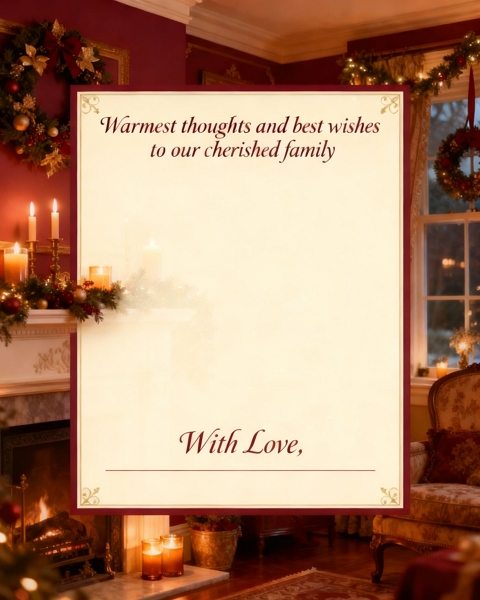
Generated using mew.design. Prompt: Family Christmas card: cozy home illustration, headline ‘Warmest thoughts and best wishes to our cherished family’, room for long message, signature area included.

09 Christmas Greetings for Friends

Casual, upbeat messages for your social circle — great for group photos or witty layouts.

Friend cards can be lighthearted or deeply appreciative depending on your bond. Mentioning shared plans or inside jokes lends authenticity. Use dynamic, modern layouts and bold type for energy.

  • Cheers to another year of laughs — Merry Christmas!
  • So glad we made it through another year together.
  • Here’s to cozy nights and good company.
  • Happy holidays — let’s make more memories next year.
  • You make every season brighter — Merry Christmas!
  • Wishing you love, laughter, and holiday wine.
  • To the best friend anyone could ask for — happy holidays.
  • See you under the mistletoe? (Maybe.)
  • Let’s eat, drink, and be merry together soon.
  • Thanks for being my person this year.
  • Holiday hugs and lots of love.
  • Friends like you are the best gift.

friends christmas card wishes

Generated using mew.design. Prompt: Friends Christmas card: playful design, bright colors, headline ‘Happiest holidays to you and yours’, small gift and ornament illustrations, signature area included.

10 Baby’s First Christmas & New Parents’ Wishes

Sweet, celebratory messages that highlight a family’s new arrival during the holiday season.

Baby’s first Christmas cards are joyful keepsakes. Soft pastels, delicate type, and a focus on tiny details (tiny socks, first ornaments) work beautifully. Add a birth month/year for extra memory value.
  • Baby’s first Christmas — pure magic.
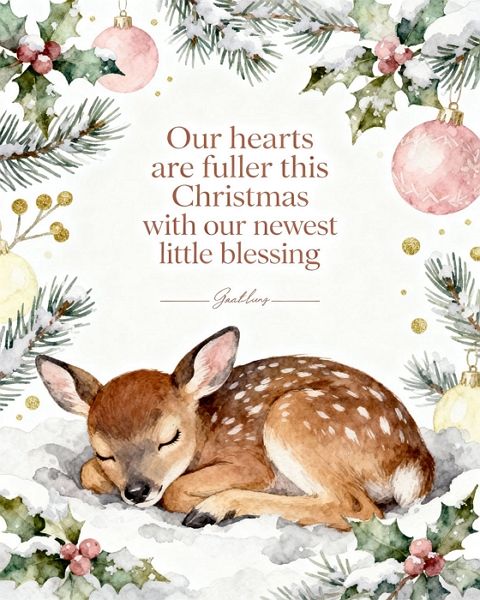
  • Our hearts are fuller this year — Merry Christmas.
  • Tiny toes, big joy — happy first Christmas.
  • Celebrating our little miracle this Christmas.
  • First ornaments, first memories — happy holidays.
  • The best gift is our new little one.
  • Santa has never been so excited!
  • Making first Christmas memories with baby.
  • Snuggles and soft lullabies — Merry Christmas.
  • Our family grew by tiny feet and big love.

  • A season of firsts — Merry Christmas from our growing family.
  • Baby’s first Noel — love and joy to you.

babys first christmas card messages

Generated using mew.design. Prompt: Baby’s first Christmas card: soft pastel colors, cute baby animal illustration, headline ‘Our hearts are fuller this Christmas with our newest little blessing’, signature space included.

11 Corporate Holiday Greetings

Professional, polished lines for clients, partners, vendors, and colleagues.

Christmas cards for business should strike a balance between warmth and professionalism. Keep it concise and brand-consistent (logo, color palette). Consider including a short note of thanks or a 1-line business update.

  • Season’s greetings from the [Company Name] team.
  • Wishing you continued success in the coming year.
  • Thank you for your partnership — happy holidays.
  • Warm holiday wishes and our sincere thanks.
  • Wishing you a prosperous and joyful New Year.
  • Grateful for your trust and collaboration this year.
  • Happy holidays — looking forward to 2026 together.
  • Best wishes for a restful holiday season.
  • From our team to yours — season’s greetings.
  • Appreciating our partnership this holiday season.
  • Warmest thanks for a successful year — happy holidays.
  • Wishing you peace, joy, and continued growth.

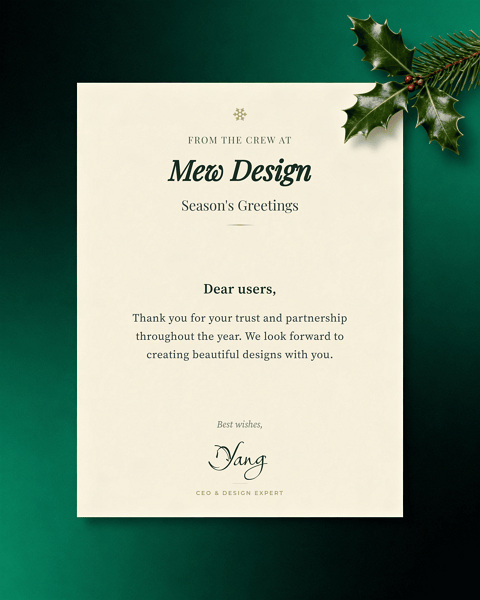
business christmas card greetings

Generated using mew.design. Prompt: Professional business Christmas card: clean layout, headline ‘Season’s greetings from the crew at Mew Design’, body content ‘Dear users, Thank you for your trust and partnership throughout the year. We look forward to creating beautiful designs with you.’, handwritten signature ‘Yang’, position ‘CEO & Design Expert’, subtle holiday icon.

12 Pet-Friendly Christmas Messages

Playful and affectionate lines for animal-lovers — perfect for pet photo cards or shelter fundraising.

Pet holiday cards are increasingly popular. Use a bright photo of the pet, a pun if you like, and bold, friendly typography. These messages are great for family cards or for sharing with fellow pet parents.

  • Have a Meow-y Christmas and a Happy Mew Year!
  • Happy Howlidays from our pack to yours.
  • Paws, treats, and holiday cheer!
  • Santa Paws is coming to town.
  • Fur-ever grateful for your love — Merry Christmas.
  • Wishing you walkies and winter snuggles.
  • May your holiday be paws-itively perfect.
  • From our pet to your family — happy holidays!
  • Hope your stockings are full of treats.
  • Purrs, tail wags, and holiday hugs.
  • Furry friends make holidays brighter.
  • Deck the paws with boughs of holly!

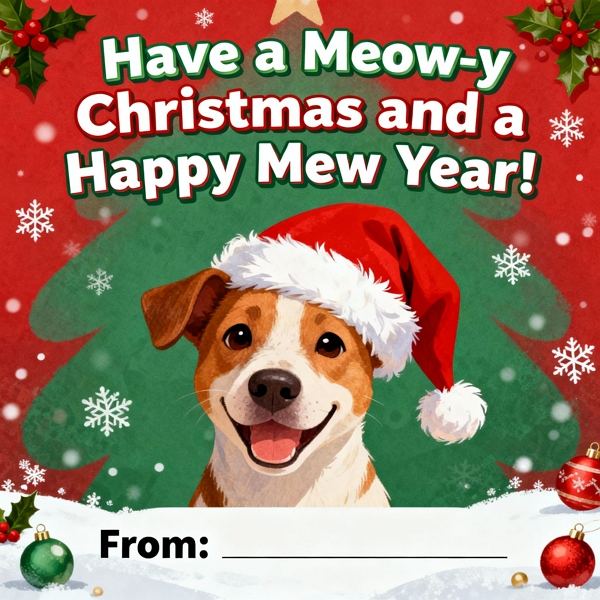
pet christmas card greetings

Generated using mew.design. Prompt: Pet Christmas card: playful illustration of dog in Santa hat, headline ‘Have a Meow-y Christmas and a Happy Mew Year!’, signature space included.

13 Holiday Quotes, Song Lyrics & Christmas Sayings

Famous lines and lyrical phrases that carry nostalgia or cinematic holiday feelings.

Quotes and lyrics bring instant recognition and emotion. Make sure you have the right to use longer copyrighted text if reproducing it; short lines or properly credited excerpts usually work fine. Use stylized typography for visual impact.

  • “May your days be merry and bright.” — lyric-friendly line.
  • “Have yourself a merry little Christmas.” — classic lyric.
  • “The best way to spread Christmas cheer is singing loud for all to hear.” — Elf
  • “There’s no place like home for the holidays.” — familiar line.
  • “God bless us, every one!” — A Christmas Carol
  • “It’s beginning to look a lot like Christmas.” — classic lyric.
  • “I will honor Christmas in my heart…” — Dickens.
  • “Christmas isn’t just a day, it’s a frame of mind.” — quote.
  • “May your heart be light.” — lyric-friendly phrase.
  • “The joy of brightening other lives.” — seasonal sentiment.
  • “Although it’s been said many times and many ways…” — classic send-off.
  • “Baby, it’s cold outside.” — lyric snippet (short excerpt).

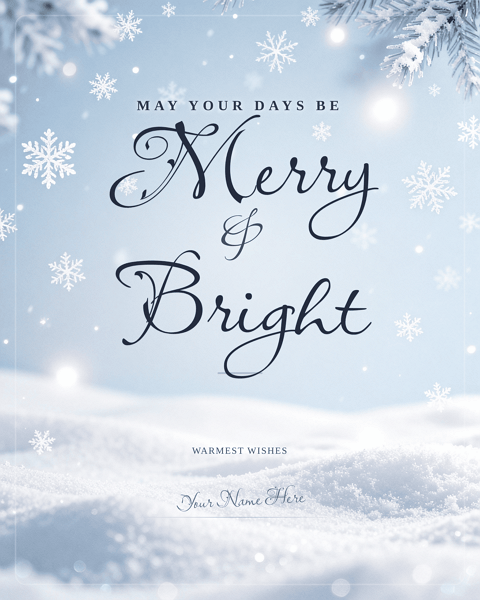
christmas card quotes

Generated using mew.design. Prompt: Christmas quotes card: elegant script headline ‘May your days be merry and bright’, soft snowflake background, ample white space, signature area at bottom.

14 Winter Wonderland & Seasonal Greetings

Lines and visuals that lean heavily into snow, fireside moments, and seasonal imagery.

Winter-themed cards capture the atmosphere of the season — snow, pine, warm lights. Choose textures (felt, kraft, linen) and palettes (deep blues, soft whites) to evoke cozy seasonal feelings.

  • May your Christmas be wrapped in warm winter light.
  • Wishing you snowy walks and cozy nights.
  • Hope your season sparkles like fresh snow.
  • Warm fires, warm hearts — happy holidays.
  • May your home be full of winter wonder.
  • Snowflakes and hot cocoa wishes to you.
  • Wishing you a white and wonderful Christmas.
  • May your days be as bright as winter mornings.
  • Cozy up and enjoy the season.
  • Let it snow — and let your heart be light.
  • Winter warmth and joyful moments to you.
  • From snowy mornings to candlelit nights — Merry Christmas.

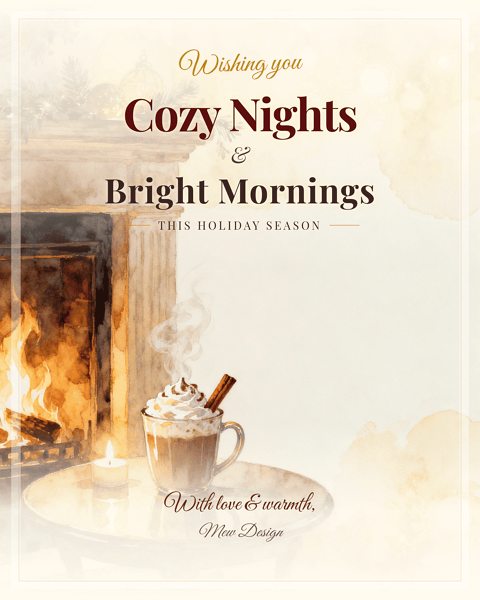
cozy winter christmas card messages

Generated using mew.design. Prompt: Cozy winter Christmas card: warm tones, headline ‘Wishing you cozy nights and bright mornings this holiday season’, small illustration of fireplace and cocoa, signature space included.

15 Minimalist & Aesthetic Christmas Card Sayings

For recipients who prefer a restrained, modern aesthetic with refined wording.

Minimalist cards rely on typography and white space. Let the message be the hero: short, evocative phrases in a refined font. Use subtle texture and a single accent color for elegance.

  • Joy in small things.
  • Warm wishes. Simple joys.
  • Quiet moments, full hearts.
  • Merry and minimal.
  • Light, love, and calm.
  • Slow down. Enjoy.
  • Peaceful holidays.
  • Bare branches, bright hearts.
  • Small lights, big love.
  • Subtle joy this season.
  • Soft wishes for cozy days.
  • Less is more — happy holidays.

minimalist christmas card sayings

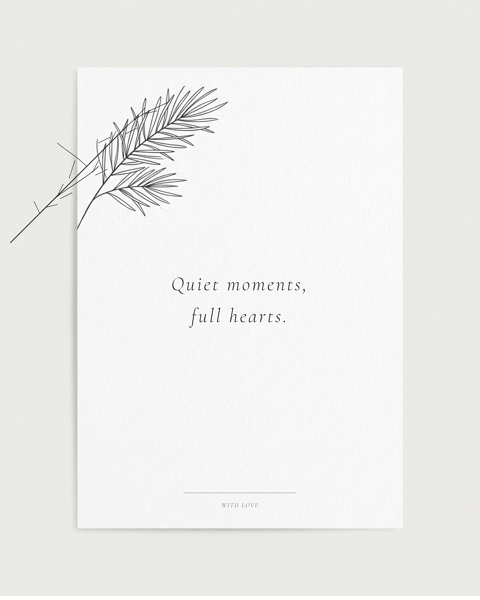
Generated using mew.design. Prompt: Minimalist card: white background, thin black line pine sprig, small centered text ‘Quiet moments, full hearts.’, embossed paper texture, signature area included.

16 Trendy Millennial & Gen Z Christmas Phrases

Short, meme-friendly, and social-first phrases suited to younger recipients and social posts.

These lines speak the language of social media and trending culture. Use vibrant color, sticker-style graphics, or Y2K gradients. Keep them short for easy shareability on Instagram or as e-cards.

  • Merry Christmas — vibes only.
  • Sleigh all day.
  • Cozy fit, holiday lit.
  • Sending you warm AF wishes.
  • Merry everything, happy always.
  • Festive AF — enjoy!
  • Holiday check: cookies, naps, joy.
  • Sleighin’ it this season.
  • Big cheer energy.
  • Catch flights, not feelings — unless it’s for dinner.
  • XO, hot cocoa, repeat.
  • Decked out and ready to scroll.

millennial christmas card greetings

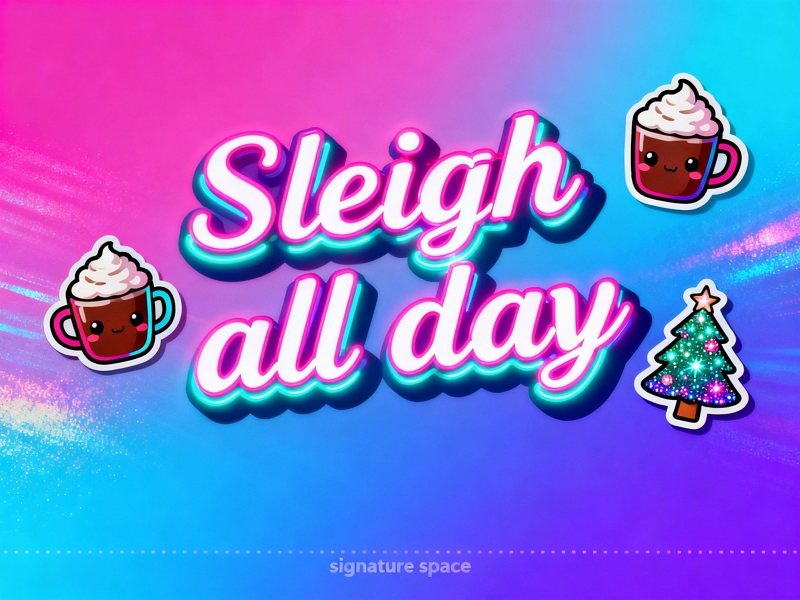
Generated using mew.design. Prompt: Gen Z card: neon ‘Sleigh all day’ headline, Y2K gradient background, sticker icons (cocoa, tree), Instagram-ready square layout, signature space included.

17 Long-Distance Christmas Messages & Missing-You Greetings

Thoughtful lines for those separated by miles — warm, comforting, and longing in tone.

Long-distance messages focus on connection despite distance. Consider a postcard or map motif and add a promise or plan for the coming year. A photo of a shared memory often hits the right emotional note.

  • Missing you this holiday season — counting the days.
  • Distance can’t dim my holiday wishes for you.
  • Sending hugs across the miles this Christmas.
  • Wish we could be together — thinking of you.
  • Holding you close in spirit this holiday.
  • From afar, with love — Merry Christmas.
  • May our memories warm you tonight.
  • Sending a little home across the miles.
  • Can’t wait to reunite in the New Year.
  • Across the miles, you’re in my heart.
  • Holiday wishes from our home to yours — far but near in thought.
  • Seasons change, but our friendship remains — miss you.

long distance christmas card messages

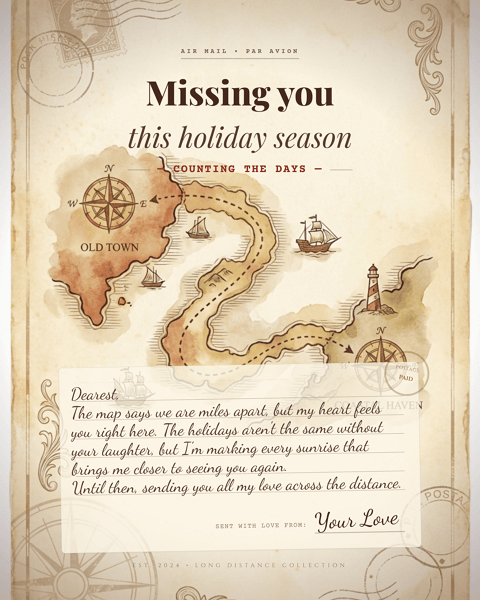
Generated using mew.design. Prompt: Long-distance card: vintage postcard motif, connecting dotted line on a map, headline ‘Missing you this holiday season — counting the days’, room for a handwritten note [Dearest, The map says we are miles apart, but my heart feels you right here. The holidays aren’t the same without your laughter, but I’m marking every sunrise that brings me closer to seeing you again. Untitl then, sending you all my love across the distance] and signature.

18 Romantic Christmas Wishes for Couples & Partners

Intimate, loving lines for spouses, partners, and significant others.

Romantic cards can be playful or deeply intimate. Add a personal promise or a shared memory to make it meaningful. Choose soft photographic treatments or elegant type for a romantic feel.

  • You are my favorite gift — Merry Christmas.
  • All my love this holiday and always.
  • Cozy nights and you — my perfect season.
  • To many more holidays with you.
  • Home is wherever you are — Merry Christmas.
  • Kisses under the mistletoe and love always.
  • You make every season sweeter.
  • Warmth, laughter, and you — happy holidays.
  • So grateful for another year together.
  • Our love lights up this season.
  • Let’s make this holiday our best one yet.
  • Together is my favorite place to be — Merry Christmas.

romantic christmas card wishes

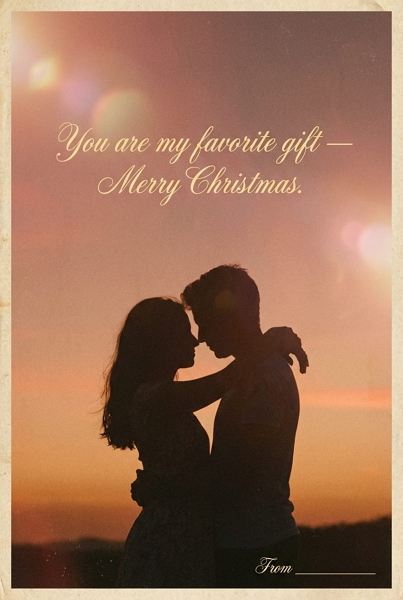
Generated using mew.design. Prompt: Couples card: golden-hour silhouette photo, script text ‘You are my favorite gift — Merry Christmas.’, film-grain texture, soft lens flare, signature area included.

19 Youth & Tween/Teen Holiday Greetings

Age-appropriate, lively, and colorful phrases for school-age kids and teens.

These messages are playful and trendy without being overly childish. Consider bold colors, hand-drawn doodles, or sticker aesthetics that kids and teens will love.

  • Snowball fights and hot cocoa — Merry Christmas!
  • Hope Santa brings everything on your list.
  • Elf-approved holiday wishes.
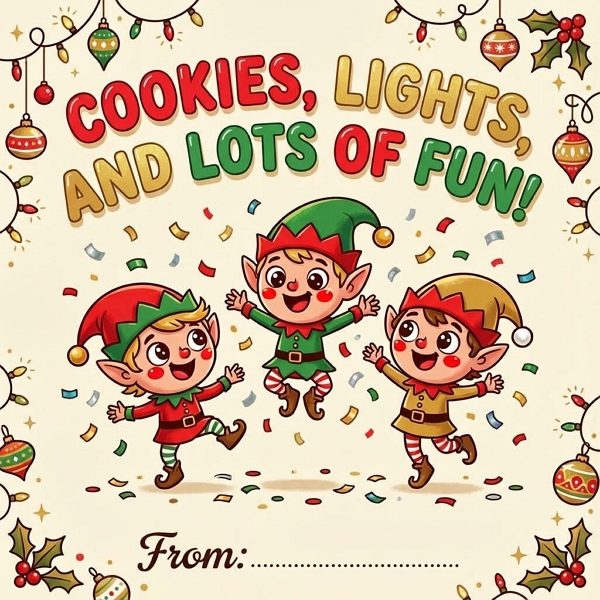
  • Cookies, lights, and lots of fun!
  • May your holidays be full of giggles and gifts.
  • Santa says you’ve been awesome — enjoy!
  • Keep believing — magic is real.
  • Big hugs and candy-cane wishes.
  • Adventure, sweets, and holiday cheer.
  • Have the most sparkly Christmas!
  • Reindeer games and joyful days.
  • Wishing you the best stocking surprises.

teen christmas card greetings

Generated using mew.design. Prompt: Tween card: bold cartoon elves, playful rounded fonts, headline ‘Cookies, lights, and lots of fun!’, confetti background, signature space included.

20 Gratitude, Thank-You & Appreciation Holiday Messages

Ideal for showing appreciation — for teachers, donors, clients, or friends who made your year better.

Gratitude-driven cards can be warm and polished or personal and handwritten. These lines are perfect for including a short note of thanks about the past year’s support or a small highlight.

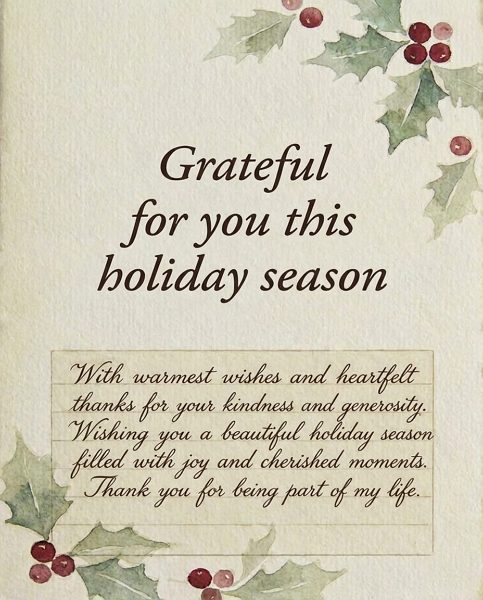
  • Grateful for you this holiday season.
  • Thank you for your kindness and support this year.
  • With gratitude and warm wishes for the holidays.
  • Thanks for being part of our story — happy holidays.
  • Your friendship is a gift we cherish.
  • Appreciation and warm wishes from our family to yours.
  • Thank you — wishing you a joyful holiday.
  • We’re grateful for your support this past year.
  • Warm thanks and holiday cheer to you.
  • Your generosity made our year brighter — thank you.
  • Sending thanks and holiday blessings.
  • Thank you for being you — happy holidays.

christmas thank you card messages

Generated using mew.design. Prompt: Thank-you card: textured cream background, elegant serif text ‘Grateful for you this holiday season’, subtle holly illustration, space for a handwritten note [With warmest wishes and heartfelt thanks for your kindness and generosity. Wishing you a beautiful holiday season filled with joy and cherished moments. Thank you for being part of my lift.].

Best Practices — Tips & Tricks for Writing & Sending Christmas Cards

Below is an expanded guide with practical, actionable advice you can use right away — including how to use AI (like Mew Design) effectively.

1) Tone & Audience: match tone to relationship

  • Close family / partners: sentimental, specific memories, short personal update.
  • Friends: casual, funny, or personal inside jokes.
  • Business / clients: concise, professional, and appreciative. Avoid politics or overly personal references.
  • Diverse recipients: choose nondenominational greetings if unsure about religious preferences.

2) Length & Structure

  • Aim for 1–3 sentences for most recipients. Example structure: friendly opener → one specific line (memory/thanks) → closing line + name.
  • For long-form updates (family newsletter), limit to a short paragraph and keep tone light.

3) Personalization tips that make cards memorable

  • Add one specific detail (e.g., “Loved our coastal hike in June”) to show the card wasn’t generic.
  • When mailing to families, list names (e.g., “Anna, Mark & little Ella”) instead of just “The Smiths.”
  • Use a short handwritten P.S. — a small extra line often feels very intimate.

4) Timing & mailing

  • Domestic mail: send 2–3 weeks before Christmas (mid-December usually works).
  • International: send 4–6 weeks ahead.
  • For late senders, a New Year card or “thinking of you” postcard is still appreciated.

5) Design & legibility

  • Contrast matters: ensure text reads clearly over photos or textured backgrounds.
  • For photo cards, pick one strong photo (portrait or lifestyle) rather than a collage of many small photos which can feel cluttered.
  • Choose font sizes that can be easily read at card size (avoid tiny script for long lines).

6) Photo tips

  • Lighting: natural, soft light works best (golden-hour or overcast day).
  • Outfits: coordinate color families but avoid being too matchy-matchy.
  • Composition: candid shots often feel warmer than staged poses.

7) Print & materials

  • Paper stock matters: matte or textured cotton stocks feel premium and photograph well; glossy can be shiny but shows fingerprints.
  • Consider envelope color, return address printing, and postage aesthetics (stamps can add charm).

8) Etiquette: who to send to & addressing

  • Send cards to those who matter to you, not out of obligation.
  • For formal cards, include titles (Dr., Prof.) where appropriate.
  • For household mixes (different last names), list names individually if possible.

9) Using AI (like Mew Design) to create custom cards — practical workflow

  • Start with a seed message: pick one of the sayings above that matches tone.
  • Choose a style template: classic, cute, minimalist, photo-card, watercolor, etc. Mew Design will generate multiple layout options.
  • Refine visually: adjust color palette, font pairings, and image placement. Replace AI stock imagery with your photo where possible.
  • Personalize text: add a short handwritten P.S. in the final export (you can import handwriting or write directly after printing).
  • Proofread carefully: AI suggestions are fast but check spelling, names, and dates.
  • Print & export: get print-ready PDFs from Mew Design; request bleed, crop marks, and proof copies when ordering large runs.

10) Accessibility & inclusivity

  • Use accessible font sizes for older recipients.
  • Include nondenominational options for mixed-belief groups.
  • For multilingual audiences, consider bilingual lines (short English + short second language).

11) Efficiency hacks for mass sending

  • Use mail-merge to personalize name lines and short PS lines.
  • Export a single template and generate variants with Mew Design (change photo, headline) to speed up production.
  • Order a small print test before committing to a large print run.

FAQs

What should I write in a Christmas card for family? Keep it warm and personal — mention a memory, express gratitude, and close with a wish (2–3 lines is perfect). Example: “Thinking of you this Christmas — grateful for the time we spent together this year. Love, [Name].”

How do I write Christmas card messages for friends? Be conversational — a funny line or a memory plus plans for next year works well. Example: “Cheers to more coffee dates and road trips in 2026. Merry Christmas!”

What are some short Christmas greetings for cards? Try: “Peace. Love. Joy.” / “Warm wishes.” / “Merry everything and a happy always.”

How do I write a professional or business holiday greeting? Keep it concise and appreciative. Mention the partnership and wish success in the new year. Example: “Thank you for your partnership this year — wishing you a successful 2026.”

Can I use song lyrics or quotes in my card? Short excerpts (a line or two) are generally fine; avoid long copyrighted passages without permission. Always credit the source for famous quotes or lyrics if space allows.

What if I’m late sending cards? Send a New Year card or a “thinking of you” note — recipients still appreciate the gesture.

How should I sign Christmas cards? Sign by hand if possible. A typed message with a handwritten signature is still more personal than a fully printed, unsigned card.

How far in advance should I order/print cards? Plan for 2–3 weeks domestic and 4–6 weeks international shipping; add extra time for custom printing or large batches.

What’s a tasteful way to wish someone with different beliefs? A: Use nondenominational greetings such as “Happy holidays” or “Wishing you a peaceful season.”

How do I personalize mass mailings quickly? Use mail-merge with a spreadsheet of names and brief personalized fields (e.g., “PS: Can’t wait to see you in June!”) and export merged PDFs for printing.

How can AI help me design Christmas cards? AI (Mew Design) can quickly produce layout options from a single prompt, suggest color palettes and typography, auto-fit your message to a card layout, and produce print-ready files. Use AI to prototype multiple looks and then refine manually for the best results.

Are there etiquette rules about who to send cards to? Send to people you have meaningful connections with; it’s not required to reciprocate with everyone. For formal relationships, use more neutral language.

What are good messages for grieving recipients? Keep it gentle and empathetic: “Thinking of you this holiday season — sending love and quiet comfort.” Avoid overly cheerful language.

How do I choose the right photo for a card? Pick high-resolution photos with soft, flattering lighting. Candid moments often feel more authentic than stiffly posed shots.

Nano Banana Pro (aka Nano Banana 2) Is Official — And Here's Test with Prompts

Google officially released Nano Banana Pro on November 20, 2025. It’s a next-generation image generation and editing model built on the new Gemini 3.0 Pro system and Google AI Studio. Its official name is Gemini 3 Pro Image Preview.

For months, the community only saw hints: the leaked Gempix-2 codename inside Gemini interfaces, and developer clues suggesting a major upgrade. Now, Nano Banana Pro is fully live, and the long speculation is finally confirmed.

As a team focused on intelligent design workflows, we at Mew Design have tested the new model extensively — and Nano Banana Pro is a true leap forward.

🚀

Nano Banana Pro Is Available in Mew Design!

Powered by Nano Banana Pro and Gemini 3, Mew Design helps creators generate high-quality graphic designs without text distortion. Produce posters, social graphics, branding assets, and more — now with stronger text accuracy and layout control.

Try Nano Banana Pro for Free in Mew Design

Nano Banana Pro Aces the “Clock and Full Wine Glass” Test

To see how powerful Nano Banana Pro really is, just take a look at this now-famous photo of a clock showing 11:15 next to a wine glass filled to the brim.

Nano Banana Pro clock test example

Image source:x@synthwavedd

Why is this so impressive? In the AI image world, there’s a notorious stress test that no AI has consistently mastered: the clock and full wine glass challenge.

The challenge is simple: prompt the AI with:

“11:15 on the clock and a wine glass filled to the top.”

and see if it can render both correctly. Most models — from Arena, Seedream, to Nano Banana 1.0 — completely fail this test.

Nano Banana Pro vs seedream 4.0 vs nano banana 1.0 clock test example

But Nano Banana Pro aced it.

Nano Banana Pro vs 1.0: New Resolution, Better Text, More World Knowledge

Google confirms that Nano Banana Pro is powered by Gemini 3.0 Pro, bringing several core upgrades:

  • Higher native resolution for sharper edges and cleaner lighting
  • Far stronger prompt comprehension for complex instructions
  • Significantly improved text rendering across languages
  • Better world and cultural knowledge, enabling accurate UI, screenshots, infographics
  • More accurate character consistency

These improvements are visible even in casual tests.

Take a look at the two images below — both featuring a car model posing along a seaside highway.

Can you tell which one was created by Nano Banana Pro?

Nano Banana Pro.0 vs nano banana 1.0

Image source:Image source: x@Azinha810

At first glance, they might look similar. But notice the color tone and overall vibe — the first image feels more natural, cinematic, and tonally accurate, while the second carries that slightly “plastic” look typical of earlier AI-generated photos.

Nano Banana Pro.0 vs nano banana 1.0 test comparison

Image source: x@Azinha810

Now compare these two sci-fi–style renders — the difference is even more obvious.

The second image has a richer cinematic atmosphere and far more refined visual details than the first.

Look closely at the control panel and dashboard elements in both images.

In the first, the instruments appear stylized and synthetic — very much that old “AI art” look.

In the second, Nano Banana Pro delivers a much more realistic, tactile, and technically accurate dashboard, proving how far its rendering engine has evolved.

Built on Gemini 3.0 Pro With a New Multi-Step Workflow

Google states that Nano Banana Pro is powered by Gemini 3.0 Pro, and internally labeled as Gempix-2 — a new imaging architecture.

The model introduces several standout upgrades:

  • Handles complex visual logic — accurate text, advanced lighting, and perspective control that 1.0 couldn’t manage.
Nano Banana Pro test example turn the water pink

Example: Prompted to “turn the water pink,” Nano Banana Pro.0 rendered subtle, realistic changes, far surpassing Nano Banana 1.0. Image source: x@Angaisb_

  • A new multi-step workflow that feels more like a designer than a generator:

    1. Plan the output
    2. Generate a draft
    3. Review internally
    4. Fix detected issues
    5. Iterate before delivering the final image
  • Higher resolution and flexible aspect ratios. It now supports a much wider range of aspect ratios — including 1:1, 2:3, 3:2, 3:4, 4:3, 9:16, 16:9, and even ultra-wide 21:9 formats — giving creators more flexibility for everything from social media posts to cinematic renders. Nano Banana Pro also offers multiple output resolutions, including 1K, 2K, and full 4K modes.

Among all the upgrades, the new multi-step workflow might be Nano Banana Pro’s biggest game-changer.

We’ve seen similar concepts before in tools like ComfyUI, which allow users to build image or video generation pipelines.

But this time, Nano Banana integrates that process directly inside the model itself — no extra setup, no node editing required.

For high-precision image generation, that’s a massive leap forward.

And of course, the real proof is in the pictures — so let’s take a look at some of the Nano Banana Pro test results that have been circulating online.

Nano Banana Pro Highlights & Test Results [Prompts Included]

1. Text Rendering Is Finally Reliable

Nano Banana Pro’s text rendering is where things get truly wild.

In one example, it generated a Windows 11 desktop screenshot showing YouTube open in Chrome, complete with a MrBeast thumbnail — pixel-perfect and fully legible.

Nano Banana Pro test example windows 11 desktop screenshot

Simply upload a Windows desktop screenshot. Prompt: Generate a screenshot of a Windows 11 desktop, with Chrome open, showing a YouTube thumbnail of MrBeast on YouTube.com. | Image source: x@synthwavedd

Taking things a step further, Nano Banana Pro can even generate a fully detailed screenshot of a Google DeepMind webpage — and impressively, all the dense text renders without any gibberish.

Nano Banana Pro test example google deepmind webpage screenshot

Image source: x@synthwavedd

That said, attentive users have noticed that Nano Banana Pro isn’t perfect. In this example, there are minor typos like “Gemini 31” and “Google DeepMind – Nevdscl.”

At first glance, if you only look at the main headlines and subheadings, these mistakes are barely noticeable. However, when the text content is smaller or less dense, the likelihood of errors occurring is significantly reduced.

In this live TV news broadcast screenshot, all the text on the screen is accurate and consistently formatted. Impressively, even the reflections of the text on the floor are rendered correctly.

Nano Banana Pro test example tv news broadcast

Image source: x@synthwavedd

Similarly, another TV broadcast screenshot shows the anchor positioned on the right side of the screen, with the classic news ticker running along the bottom — and once again, every piece of text is rendered flawlessly.

Nano Banana Pro test example google deepmind webpage screenshot

Prompt: 50mm big budget live broadcast 8k photograph close-up an attractive italian age 30 wry female news anchor. She is at a news desk and on a screen behind her is a bio engineered Banana with text “Nano Banana Pro live on Media .IO?” Live news shot. There is a red and blueckhyron on the bottom of the image that says “Breaking News: Nano Banana Pro on Media.IO?”

Image Source: x@BrentLynch

We ran the same prompt through the Nano Banana 1.0 as well.

nano banana test example

This version has a slightly less “AI-generated” feel. However, the background screen is subtly blurred, making it look less like an actual news set. The reflections of the text also appear somewhat artificial, though the focus on the anchor herself remains strong and visually clear.

2. Better World Knowledge and Cultural Context

Because it now runs on Gemini 3.0 Pro, the model has stronger built-in world knowledge.
That’s why it can:

  • Recognize real game trailers
  • Identify actors in live-action adaptations
  • Understand branded UI layouts
  • Write math solutions on whiteboards

That infamous clock-and-wine test wasn’t a fluke — Nano Banana Pro consistently understands prompts that stump other AIs. Reddit users flooded the comments with images generated using other models like Grok and ChatGPT — but none came close to the accuracy of Nano Banana Pro.

Some users even challenged Nano Banana Pro to turn a hamburger into glass. Remarkably, only Nano Banana Pro managed to transform the entire burger into glass, while other models like Bytedance’s Seedream and Riverflow only rendered the buns as transparent.

Nano Banana Pro test example turn hamburger into glass

Prompt: Make the hamburger made of glass.

The first image was generated by Nano Banana Pro. | Image Source: x@Angaisb_

Its improved world knowledge allows Nano Banana Pro to better understand prompts, strictly follow instructions, and even let users simplify their prompts without losing precision.

It also nails pop culture context. For example, one user asked Nano Banana Pro to generate a GTA 6 trailer — it generated a YouTube page complete with the actual GTA 6 logo.

Nano Banana Pro test example gta 6 trailer

Image Source: x@jewgibor

Another test involved the prompt “One Piece live action Netflix”. Nano Banana not only recognized the Netflix logo but also correctly identified the live-action cast.

Nano Banana Pro test example one piece live action netflix

Prompt: One Piece live action Netflix.

Image Source: x@jewgibor

Combining world knowledge with precise text rendering, Nano Banana Pro can even solve math problems on a chalkboard — a much more satisfying experience than scrolling through long math explanations in a chat window.

Nano Banana Pro test example solve math problem

Upload the screenshot of the math problem. Prompt: Solve this math problem and write the full solution on a whiteboard.

Image Source: x@MagusWazir

Here’s a side-by-side comparison of Nano Banana 1.0 and Nano Banana Pro for this case:

Nano Banana Pro vs nano banana 1 test example solve math problem

Image source: https://www.reddit.com/r/singularity/comments/1osolhn/nano\_banana\_2\_vs\_nano\_banana\_comparison\_output/

3. Core Image Quality Is Much Stronger

Nano Banana Pro improves lighting, composition, realism, and dynamic scenes — confirming what early testers noticed.

In tests shared by x@legit_api, Nano Banana Pro recreated an emotional Tokyo Ghoul scene — Ken Kaneki carrying his friend through the snow — with cinematic realism.

Nano Banana Pro test example tokyo ghoul anime scene

Prompt: Ken Kaneki carrying his friend in his arms in the snow, Tokyo Ghoul.

Image source: x@legit_api

It also excelled at cyberpunk, portrait, and film-style shots.

Nano Banana Pro test example cyberpunk style

Prompt: Cyberpunk hacker robot working in front of many monitors.

Image source: x@testingcatalog

Even “meme-like” portraits and stylized group photos showed remarkable cohesion and mood.

Nano Banana Pro test example meme like portraits

Image source: x@MicahBerkley

Final Words

Nano Banana Pro arrives as one of Google’s most reliable image models to date. From challenging logical scenes — like the 11:15 clock and full wine glass test — to cleaner typography and richer visuals, it’s clear that this release pushes AI imaging into a far more dependable territory.

For creators, marketers, and designers, the upgrade is more than a technical milestone. It means faster workflows, fewer corrections, and higher-quality assets from a single prompt.

You can try these Nano Banana Pro prompts directly in Mew Design, where it runs alongside Seedream 4.0 to support everything from posters to product shots. The improvements are immediately noticeable — and they make the creative process smoother than ever.

FAQs About Nano Banana Pro

What is Nano Banana Pro?

Nano Banana Pro is Google’s newest AI image and editing model, built on Gemini 3.0 Pro and Google AI Studio. It delivers higher-resolution images, better prompt accuracy, and more consistent character rendering than the original Nano Banana. This upgrade reshapes what creators can do in marketing, design, advertising, and social media visuals.

How is Nano Banana Pro different from earlier models?

It offers sharper outputs, stronger scene stability, improved text understanding, and better handling of lighting and reflections. Overall, it produces cleaner, more reliable images—especially for people, objects, and stylized compositions.

Why is GemPix 2 related to Nano Banana Pro?

GemPix 2 is the internal codename used by Google for the rendering module inside Nano Banana Pro. It handles lighting, surface reflections, shadows, and overall visual consistency. In other words, GemPix 2 works as part of the Nano Banana Pro pipeline.

Is the Nano Banana Pro AI image generator free to use?

Yes. You can try Nano Banana Pro for free on Mew Design. New users can generate or edit high-resolution images, including 4K outputs, without any cost.

How long does it take to process an image or text prompt?

With Gemini 3.0 Pro, generation times are usually between 10 and 15 seconds. The speed may vary depending on resolution and the complexity of your prompt.

When is Nano Banana Pro released?

Google officially released Nano Banana Pro on November 20, 2025.